7 Game-Changing Example of Knowledge Base Setups for 2025
Picture your team's workflow tomorrow. Instead of digging through old channels, opening multiple browser tabs, or pinging a coworker for that one link, you just ask a question in Slack and get an instant, accurate answer. This isn't about adding another tool; it's about eliminating the hunt for information entirely. The constant interruptions, the context switching, the waiting for a reply—they all disappear.
What if every piece of valuable knowledge shared in Slack, from onboarding guides and SOPs to critical project details, was instantly available on demand? This article is a blueprint for transforming your team's productivity by showing you a powerful example of knowledge base for different business needs. We'll explore seven top-tier platforms, complete with screenshots and direct links, to help you find the perfect fit.
Each example breaks down not just the features, but the strategic value behind building a single, intelligent source of truth right inside Slack. Forget searching for information in multiple places. Imagine never having to open another resource or app to find an answer. Let’s explore how to make I'll find that for you
a thing of the past and reclaim your team's most valuable asset: their time.
1. SAI
Imagine a workday where you never have to leave Slack to find an answer. No more searching through shared drives, no more opening old wiki tabs, no more interrupting a coworker. You just ask a question in your channel, and the answer appears instantly. This is the transformation SAI delivers. It's not another knowledge base you have to build and maintain; it's an intelligent layer that learns from your team's conversations in Slack and delivers the information you need, when and where you need it. This makes SAI a powerful and practical example of a knowledge base that works for you, not the other way around.
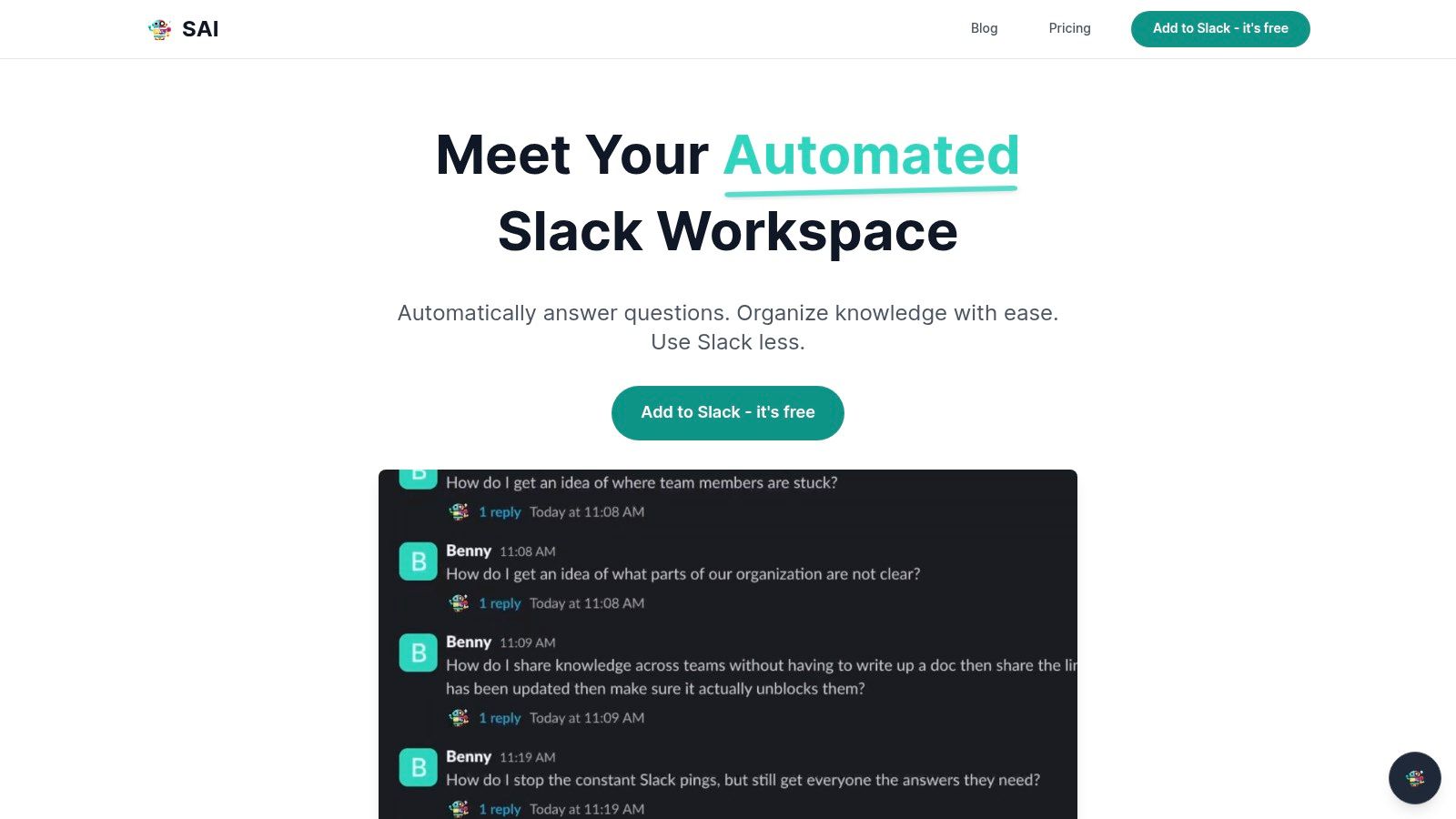
Unlike systems that demand constant manual updates, SAI operates silently in the background. It integrates into a Slack channel and immediately begins absorbing the expertise already being shared, turning every question and answer into a permanent, accessible asset for the entire team. This eliminates the tedious work of creating documentation, ensuring that your team's collective wisdom is preserved and ready to be surfaced at a moment's notice.
Strategic Analysis: The Power of Conversational Intelligence
The real power of SAI is how it feels to use it. You and your team can ask questions naturally, just like you would ask a colleague, and get accurate information 24/7. This always-on
expert is a game-changer for distributed teams and for solving problems without delay, creating a single source of truth that never sleeps. The result is a dramatic boost in productivity. Teams recover over two hours per day simply by eliminating the time wasted searching for information and the high mental cost of constant task-switching.
Actionable Takeaway: Implement SAI in a high-traffic channel, such as
#ask-supportor#dev-help, to immediately feel the impact on response times and see the reduction of repetitive questions. The free early-access plan makes this a risk-free way to experience this transformation.
Key Features and Access
- Zero-Setup Learning: Connects to Slack and learns from conversations without any manual data entry.
- 24/7 AI-Powered Answers: Provides instant, context-aware responses to team questions at any time.
- Automated Knowledge Base Creation: Every interaction contributes to a persistent and searchable knowledge repository.
- Reduced Interruptions: Minimizes shoulder-taps and pings, allowing for more focused deep work.
SAI offers a compelling free early-access plan that includes integration into a single Slack channel with unlimited AI responses and community support, requiring no credit card to get started. While pricing for multi-channel and enterprise features is forthcoming, this initial offering provides an exceptional opportunity for teams to experience the transformative potential of an AI-driven knowledge base firsthand. The primary limitation for larger organizations is the single-channel constraint of the free tier and the lack of published security certifications, which teams with strict compliance needs should verify directly.
Learn more at sai-bot.ai
2. Zendesk
Zendesk Guide is a powerful example of a knowledge base that lives inside a comprehensive customer service platform. It's designed for teams who want to unify their internal and external support, moving beyond a simple FAQ page to create a dynamic, AI-powered help center that serves both customers and agents. Imagine a world where your support agents no longer need to hunt for answers across multiple documents while a customer waits; the exact article they need is suggested directly within their ticket view.
This tight integration is Zendesk's core advantage. While other tools focus solely on knowledge creation, Zendesk focuses on knowledge activation. Its AI tools don’t just help you write articles; they analyze agent conversations to identify knowledge gaps and even draft new articles based on successful ticket resolutions. This transforms your support interactions from one-off fixes into a self-improving knowledge loop.
Strategic Breakdown
- Best For: Teams that need a single source of truth for both public-facing customer support and internal agent-facing documentation. It’s ideal for organizations scaling their support operations.
- Key Feature: The deep integration with the Zendesk Agent Workspace is its standout feature. AI-powered suggestions surface relevant articles directly to agents as they type responses, dramatically reducing resolution times and ensuring consistent, accurate answers.
- Pricing: Zendesk's knowledge base is part of its tiered Zendesk Suite plans, starting from the Suite Team tier. Pricing can be higher than standalone knowledge base tools, reflecting its inclusion in a full-featured support ecosystem.
Actionable Takeaway
For a team drowning in support tickets, Zendesk offers a clear path to efficiency. Start by using its AI features to convert your most common agent replies into formal knowledge base articles. This immediately builds a foundation for self-service and empowers your agents.
Pro Tip: Use the content gap analysis feature to see what customers are searching for but not finding. This data is gold; it tells you exactly what new knowledge base articles you need to create to reduce future ticket volume.
Zendesk shines when you commit to its entire ecosystem. By linking your support tickets, help center, and AI-powered bots, you create a system where every customer interaction makes your entire support operation smarter.
Website: Zendesk Knowledge Base
3. Help Scout Docs
Help Scout Docs provides a refreshingly simple example of a knowledge base for teams who prioritize clarity and speed over complexity. It's built directly into the Help Scout customer support platform, making it the perfect solution for small to midsize businesses that want an elegant help center without the steep learning curve. Imagine launching a professional, searchable help center in a single afternoon, not weeks, and having it work seamlessly with your support inbox from day one.
This platform is engineered for immediate impact. Instead of overwhelming users with features, Help Scout focuses on a clean, intuitive editor and organizational tools that just make sense. It’s designed for teams who want to publish helpful content quickly, empowering customers to find their own answers and freeing up support agents to focus on more complex issues.
Strategic Breakdown
- Best For: Small to midsize teams that need a clean, user-friendly, and integrated knowledge base alongside a shared inbox, without the overhead of enterprise-level platforms.
- Key Feature: The
Beacon
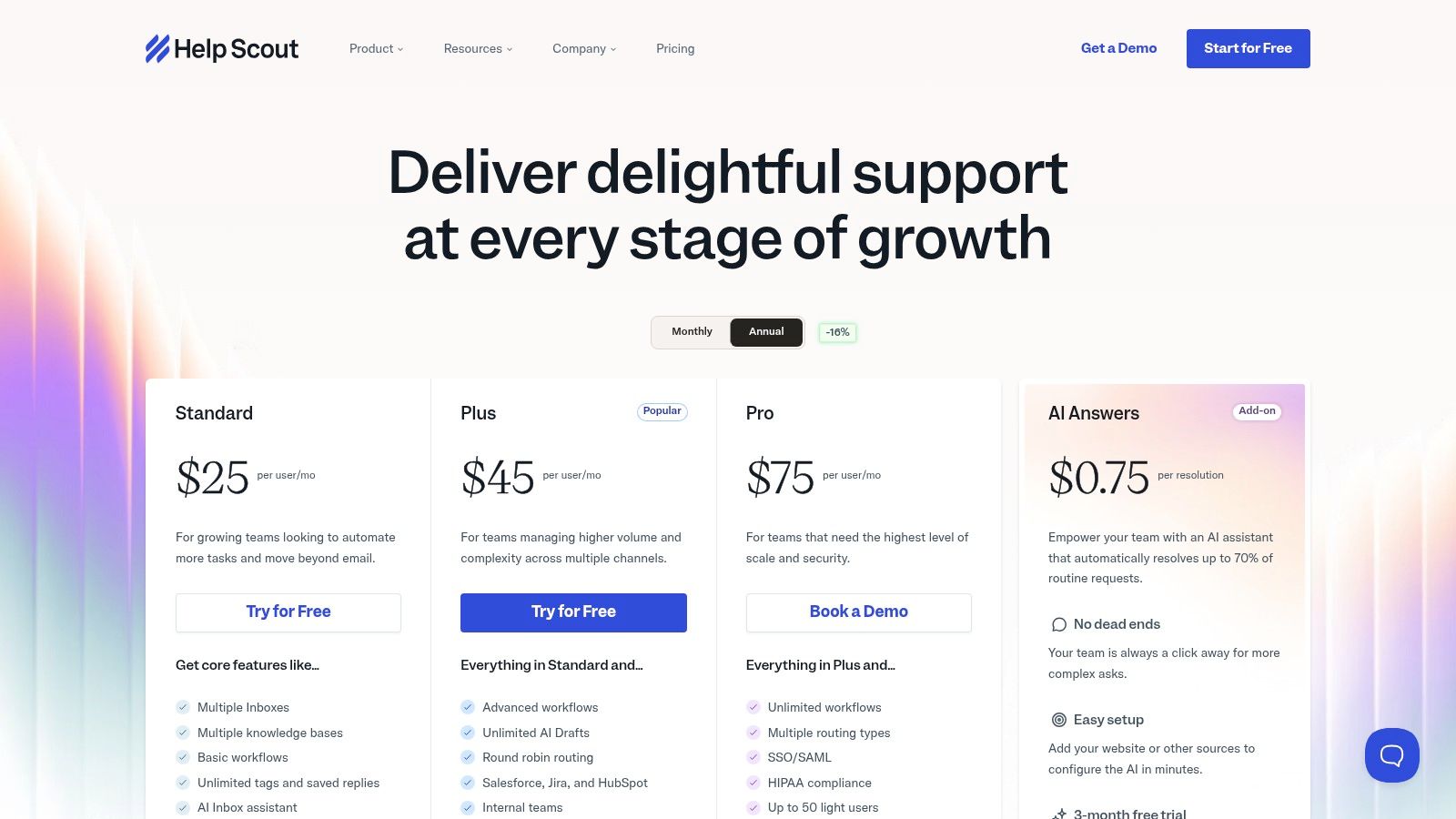
widget is its standout capability. It lets you embed your knowledge base directly into your website or app, suggesting relevant articles as users navigate your site. The optional AI Answers feature can even resolve common questions automatically within the widget. - Pricing: Docs is included in all Help Scout plans. Pricing is transparent, with plans starting at a competitive rate for teams, reflecting its focus on accessibility for growing businesses. Docs cannot be purchased as a standalone product.
Actionable Takeaway
If your goal is rapid deployment, start by identifying the top five questions your support team answers every day. Create a short article for each one in Help Scout Docs and embed the Beacon widget on your website's contact or pricing page. This single action can immediately deflect common queries and demonstrate the value of customer self-service.
Pro Tip: Use the Docs reporting feature to see which articles are most viewed and which searches return no results. This tells you what content is working and, more importantly, what new standard operating procedures you need to document to fill knowledge gaps. For more insights on this, you can learn how to create effective SOPs.
Help Scout excels by keeping things simple. It’s for the team that wants to spend less time managing their tools and more time helping customers. By integrating an easy-to-use knowledge base with a streamlined support inbox, it lowers the barrier to providing great self-service support.
Website: Help Scout Pricing
4. Atlassian Confluence (with Jira Service Management)
For teams already embedded in the Atlassian ecosystem, Confluence serves as a powerful example of a knowledge base that transforms from an internal wiki into a public-facing support powerhouse when paired with Jira Service Management (JSM). It is the quintessential solution for engineering and IT teams that live and breathe Jira tickets. Imagine your development team documenting a new feature in Confluence, and with a few clicks, that same documentation is available to customers asking questions in your JSM help portal.
The magic of this combination lies in its native integration. Support agents don’t need to switch contexts; they can create new knowledge base articles directly from a resolved Jira ticket, capturing valuable solutions at the source. This seamless workflow turns your service desk from a reactive ticket-closing machine into a proactive knowledge-building engine, where every solved problem strengthens your self-service offerings. For a deeper dive into this type of integrated system, you can explore some knowledge management best practices.
Strategic Breakdown
- Best For: Engineering, IT, and product teams that heavily use Jira for project tracking and service management and need a single, governed source for both internal and external documentation.
- Key Feature: The direct JSM integration is its defining characteristic. The ability for service agents to search, view, and create Confluence articles from within a Jira ticket streamlines the process of converting support resolutions into permanent, reusable knowledge.
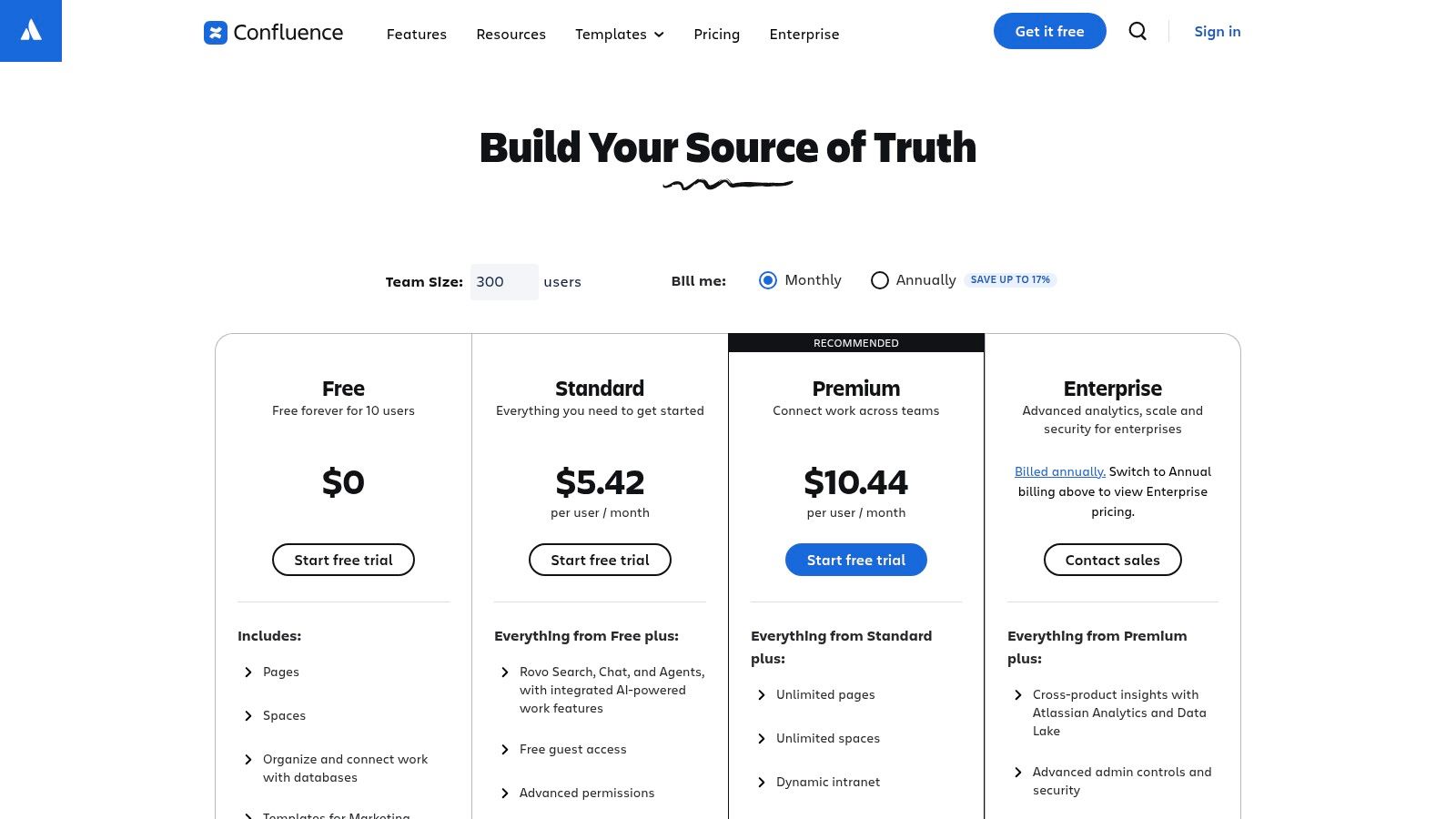
- Pricing: Confluence has a Free plan that can be configured to power a JSM knowledge base, though it requires careful admin setup. Paid plans unlock more advanced features, storage, and permissions, scaling with your organization's needs.
Actionable Takeaway
If your team operates within Jira, leverage the JSM integration immediately. Start by identifying the top 5 most common support requests your team receives. Create detailed Confluence articles for each, and then train your service team to link these articles in their ticket responses. This creates an immediate feedback loop and starts deflecting future tickets.
Pro Tip: Use Confluence templates to standardize the format of your support articles. This ensures consistency and makes it easier for both customers to read and agents to write, dramatically speeding up the content creation process.
Confluence’s strength is its deep connection to the technical workflow. By bridging the gap between internal documentation and external support, it ensures the people building the product are directly empowering the people using it.
5. Document360
Document360 is a powerful, purpose-built example of a knowledge base for companies that need serious control over their content creation and publishing workflows. It’s designed for technical writers and documentation teams who require more than just a simple editor. Imagine a system where every article goes through a structured review, versioning is meticulously tracked, and you can manage multiple distinct knowledge bases (one for customers, one for developers, one for internal staff) from a single, organized dashboard.
This platform shines brightest in its governance and authoring environment. While some tools bundle a knowledge base into a larger support suite, Document360 puts documentation first, providing the deep structural and workflow features necessary for creating reliable, enterprise-grade help content. Its architecture allows for precise control over who can create, review, and publish information, preventing the all-too-common problem of outdated or unvetted articles confusing your users.
Strategic Breakdown
- Best For: Organizations with dedicated documentation teams that need granular control over content structure, versioning, and publishing workflows. It’s ideal for SaaS companies managing complex public and private documentation.
- Key Feature: The advanced authoring workflow, including version control, article review processes, and hierarchical category management, is its standout capability. This ensures content quality and consistency at scale.
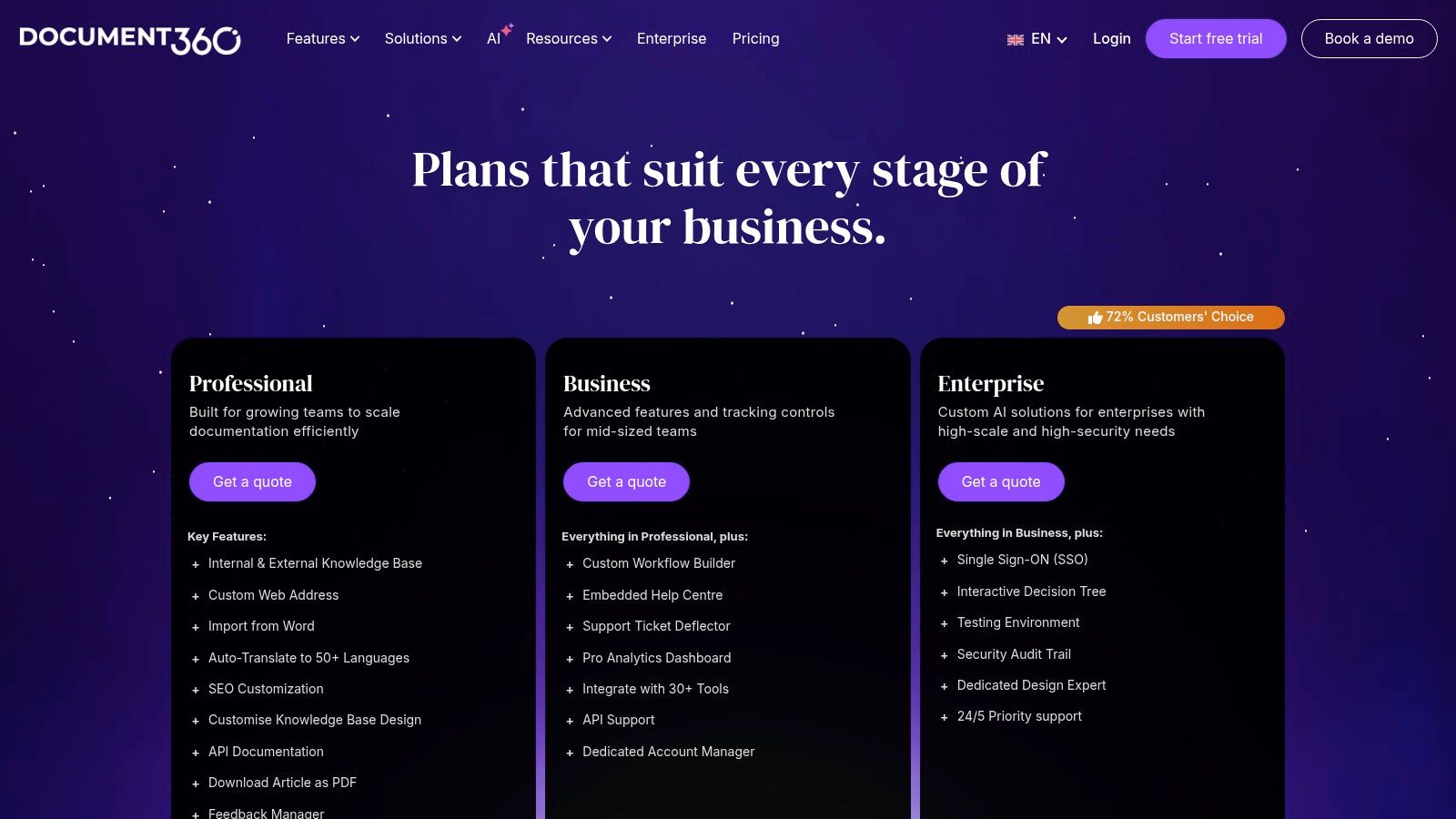
- Pricing: Pricing is tiered, with a startup-friendly plan and custom enterprise options. Advanced features like the AI Premium Suite and interactive demos are available as add-ons, allowing teams to scale their toolset as needed. Upper tiers are quote-based.
Actionable Takeaway
For a team struggling with content chaos, Document360 offers a clear path to order and reliability. Start by migrating your most critical standard operating procedures (SOPs) into the platform and establishing a formal review cycle. This immediately introduces a layer of governance that builds trust in your documentation. For more information on how this fits into a broader strategy, you can learn more about knowledge management systems.
Pro Tip: Leverage the private knowledge base feature for your internal teams. You can create a secure, searchable hub for runbooks, HR policies, and training materials that is completely separate from your public-facing help center but managed from the same interface.
Document360 excels when your primary goal is to produce high-quality, well-structured documentation. It treats knowledge creation not as a byproduct of support tickets, but as a core business function deserving of its own specialized toolkit.
Website: Document360 Pricing
6. HubSpot Service Hub
HubSpot Service Hub offers a powerful example of a knowledge base that is deeply woven into a complete CRM platform. It’s built for businesses that see customer support not as an isolated function, but as an integral part of the entire customer journey, from marketing to sales to service. Imagine your support content automatically informing your marketing campaigns and your sales team having full visibility into a prospect's support history, all from one unified system.
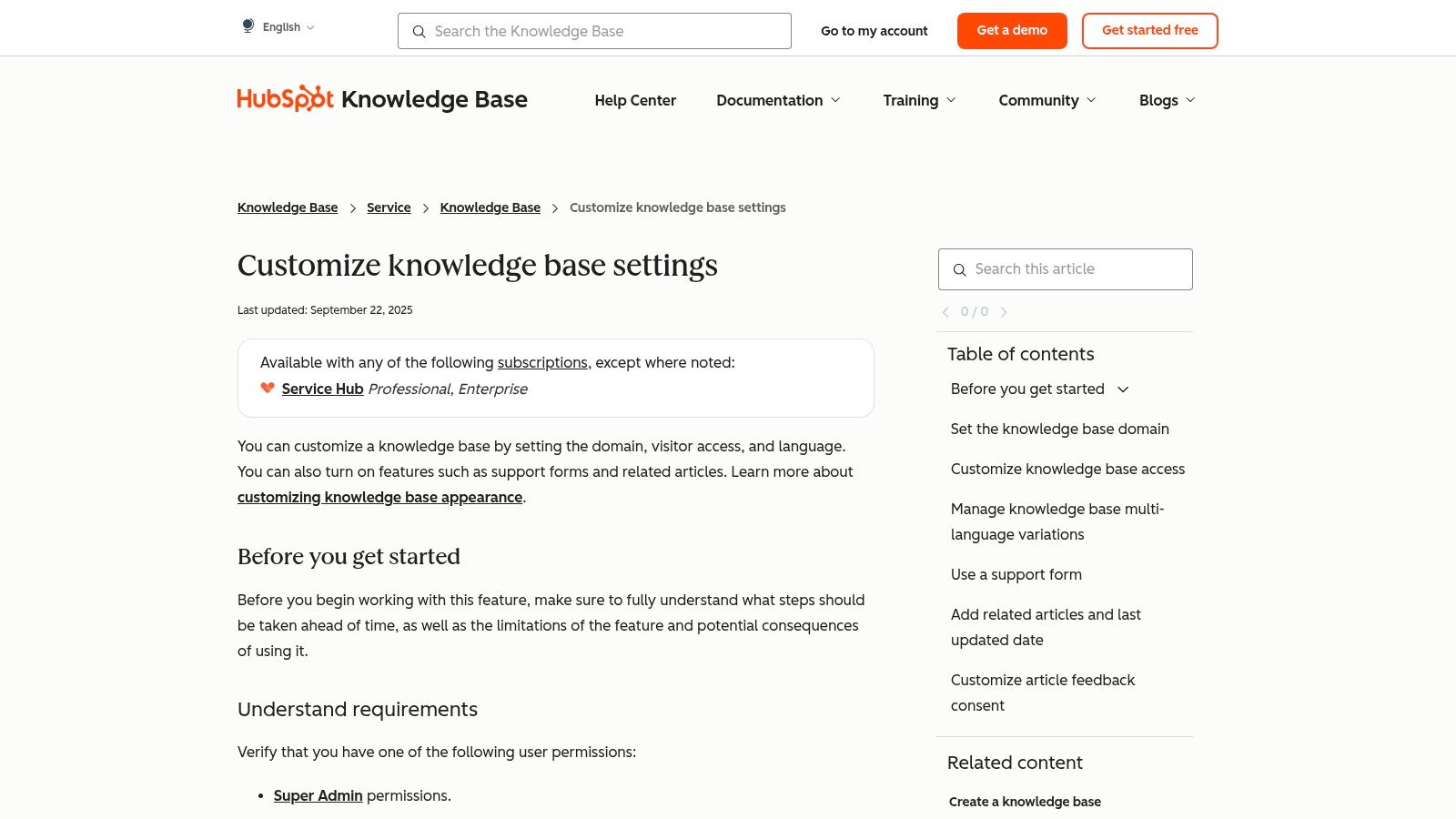
This all-in-one approach is HubSpot’s key differentiator. While other tools may offer a standalone help center, HubSpot connects every knowledge base article to a rich tapestry of customer data. This allows for unparalleled personalization and reporting. The platform transforms your knowledge base from a simple FAQ repository into a strategic asset that fuels growth across the entire organization.
Strategic Breakdown
- Best For: Companies already invested in the HubSpot ecosystem or those wanting to build a single, unified view of the customer across marketing, sales, and service departments.
- Key Feature: The seamless integration with the HubSpot CRM is its greatest strength. You can trigger automated workflows based on which knowledge base articles a customer reads, create support tickets directly from articles, and analyze how your content impacts customer satisfaction and retention.
- Pricing: The knowledge base is a core feature of the HubSpot Service Hub, which starts with the Professional tier. Costs are seat-based and can become significant as you add more authors and agents, reflecting its position within a comprehensive business platform.
Actionable Takeaway
For a business looking to break down internal silos, HubSpot is the connective tissue. Start by identifying the top five questions your sales team receives post-purchase and convert them into detailed knowledge base articles. This not only empowers customers but also frees up your sales and service teams to focus on higher-value interactions.
Pro Tip: Use the reporting tools to connect knowledge base views to customer lifecycle stages. This data is invaluable for demonstrating the ROI of your support content and showing how self-service directly contributes to customer loyalty and business growth.
HubSpot thrives when you leverage its entire platform. By connecting your knowledge base with your ticketing, chat, and CRM data, you create a system where every customer interaction provides insights that strengthen the entire customer lifecycle.
Website: HubSpot Knowledge Base
7. Notion
Notion is a powerful and flexible example of a knowledge base that prioritizes customization and speed. It acts as an all-in-one workspace where teams can build an internal wiki or a public-facing help center with unparalleled ease. Imagine a world where creating a new policy page isn't a ticket to IT, but a 30-second task of duplicating a template. This is where Notion thrives, transforming knowledge management from a rigid, structured process into a fluid, creative one.
Its wiki-first approach makes it incredibly popular with startups and internal teams that need to document processes fast. While it doesn't have the built-in ticketing of a dedicated support platform, Notion's strength lies in its modular design. You can build a simple FAQ, a complex project roadmap, or a detailed employee onboarding guide using the same set of simple, interlocking blocks. The share to web
feature instantly turns any internal page into a live, public knowledge base.
Strategic Breakdown
- Best For: Teams that need a highly customizable, lightweight, and fast-to-deploy internal wiki or a simple public help site. It’s ideal for startups and organizations that value flexibility over built-in support features.
- Key Feature: The sheer flexibility of its editor and the extensive template gallery. You can go from a blank page to a fully structured help center in minutes. The ability to instantly publish any page to the web is a game-changer for rapid content deployment.
- Pricing: Notion offers a free personal plan, with team plans scaling up. The knowledge base functionality is core to the product. Notion AI is bundled into the Business and Enterprise plans, offering features for content summarization and creation.
Actionable Takeaway
For a team just starting to formalize its knowledge, Notion offers the lowest barrier to entry. Start by using their Team Wiki
or Help Center
templates to centralize your most scattered documents. This immediately creates a single source of truth that your team can build upon collaboratively.
Pro Tip: Create a master
Standard Operating Procedures (SOPs)database in Notion. Use tags to categorize procedures by department (e.g., Marketing, Sales, HR) and link related documents together. This turns a simple wiki into a powerful, interconnected operational brain.
Notion shines when you embrace its Lego block
philosophy. By combining simple pages, databases, and integrations, you can build a knowledge system that is perfectly tailored to your team’s unique workflow, without being locked into the rigid structure of a traditional help desk tool.
Website: Notion Pricing
Top 7 Knowledge Base Tools Comparison
| Tool | 🔄 Implementation complexity | 💡 Resource requirements / Setup & maintenance | ⚡ Speed / Efficiency | ⭐ Effectiveness / 📊 Expected outcomes | Ideal use cases |
|---|---|---|---|---|---|
| SAI | Very low — no setup, Slack-native | Minimal — add to channel; early free plan (single channel) | ⚡ Very fast — 24/7 contextual replies | ⭐ High for reducing interruptions; 📊 claims ~2+ hrs/day recovered (small teams) | Slack workspace admins, support/success, SMBs, onboarding |
| Zendesk Guide | Medium–high — part of Suite, requires config | Moderate–high — paid tiers; dev work for custom APIs | ⚡ Moderate — AI speeds self-service and agent workflows | ⭐ High for full support ops; 📊 strong scaling and analytics | Enterprises and teams needing integrated support platform |
| Help Scout Docs | Low — quick publish and simple setup | Low–moderate — requires Help Scout plan; transparent add-ons | ⚡ Fast — publish and surface articles quickly | ⭐ Good for SMBs; 📊 fast time-to-publish, lighter enterprise controls | Small to midsize teams wanting lightweight KB + inbox |
| Atlassian Confluence (w/ JSM) | Medium–high — admin steps, integration with JSM | Moderate–high — Atlassian stack, governance controls, storage | ⚡ Moderate — powerful but can feel heavy for simple FAQs | ⭐ High for internal docs and governance; 📊 strong enterprise controls | Internal documentation, IT/service teams, enterprises |
| Document360 | Medium — purpose-built KB with workflows | Moderate — projects, authoring workflows, add-ons; quote pricing | ⚡ Moderate — structured authoring and review processes | ⭐ High for structured KB; 📊 good for versioning, audits, demos | Product docs, regulated/internal KBs, teams needing governance |
| HubSpot Service Hub | Medium–high — integrated with CRM and automation | High — Service Hub tiers; seat-based authoring costs | ⚡ Moderate — unified workflows with CRM; automation helps speed | ⭐ High when tied to CRM; 📊 cross-team reporting and portal data | Teams needing KB linked to CRM, ticketing, and analytics |
| Notion | Low — fast to spin up and iterate | Low — affordable plans; workspace-level controls | ⚡ Very fast — rapid publishing and template reuse | ⭐ Moderate for internal KBs; 📊 flexible but not full support suite | Teams wanting a wiki-first, highly customizable internal KB |
Your Single Source of Truth is Already in Slack
Throughout this guide, we've explored a powerful collection of knowledge base examples, from the structured wikis in Confluence to the customer-centric portals of Help Scout and HubSpot. Each is a vital repository of institutional knowledge. Yet, they all share a common challenge: they require you to leave your primary workspace, navigate to another app, and manually search for information. This context switching is the friction that stops most knowledge bases from being truly useful.
The most effective example of knowledge base isn't a separate destination; it's an integrated part of your team's daily conversation. The real transformation isn’t about building a more organized library of documents. It’s about eliminating the hunt for information entirely. Imagine a workflow where your team never has to say, Let me find that for you
or I think that's in Notion somewhere.
Instead, the answers are simply surfaced, instantly, right where the questions are asked: in Slack.
From Document Repository to Intelligent Assistant
The shift we're witnessing is from static knowledge storage to dynamic knowledge delivery. While platforms like Zendesk and Document360 are excellent for formal documentation, their value is unlocked only when someone actively seeks it out. The future of team knowledge management lies in bringing that information directly into the flow of work.
This is where the paradigm flips. Instead of your team working for the knowledge base (by meticulously creating, tagging, and organizing content), the knowledge base should work for your team. The valuable insights, decisions, and solutions shared in Slack channels every day shouldn't be lost to the scroll. They are the living, breathing foundation of your company's true single source of truth.
Your Next Steps: Building a Frictionless Knowledge Culture
The key takeaway is this: the best knowledge base is the one your team already uses. The critical challenge isn't content creation; it's content accessibility. As you move forward, consider these points:
- Focus on Flow, Not Features: Instead of comparing complex feature lists, ask which solution integrates most seamlessly into your team's existing workflow. The goal is to reduce clicks, not add them.
- Automate Capture: Choose a tool that automatically captures and organizes the expertise shared organically in conversations. This eliminates the manual burden of
documenting
and ensures your knowledge base is always up-to-date. - Prioritize Instant Access: The true measure of success is how quickly a team member can get a precise answer without derailing their focus. The ideal system delivers knowledge proactively, right within the collaborative environment.
By rethinking your approach, you can stop building archives and start cultivating an intelligent, self-organizing brain for your organization. The power to reclaim focus, eliminate repetitive questions, and empower your team with instant knowledge is not in another platform. It's already waiting inside your Slack workspace.
Ready to stop searching and start knowing? SAI transforms your Slack conversations into an intelligent, on-demand knowledge base, answering questions instantly without ever needing to leave your workflow. Experience the power of a single source of truth that builds itself by visiting SAI to learn more.
