How to Write a Standard Operating Procedure: A Quick Guide
Writing a good standard operating procedure boils down to four key steps. You start by identifying the process that needs documenting, then you gather the details from the people actually doing the work. After that, you draft the steps in simple, clear language and finally, you have the team review and implement the new guide. The whole point is to create a simple, scannable document that anyone can pick up and follow.
Escape the Constant Question Cycle

Think about your day for a second. How many times does a simple question completely derail your focus? A quick Where do I find the client intake form?
or Who needs to approve this invoice?
Each one feels small, but they’re tiny tears in your team's productivity. Every interruption is a context switch that adds up to hours of lost time by the end of the week.
Now, picture a different reality. One where your team gets instant, accurate answers without having to ask anyone. Imagine a day where you don't have to dig through endless folders or ancient chat threads for that one critical piece of information. This isn't about creating rigid, bureaucratic rules. It's about giving your team the knowledge they need, right when they need it, so they can keep moving.
The True Cost of Unclear Processes
When you don't have documented procedures, your business basically runs on tribal knowledge.
All that critical information lives inside the heads of your most experienced employees, creating bottlenecks and serious single points of failure. What happens when they go on vacation or, worse, leave the company?
But when you capture that knowledge and make it accessible, the benefits are immediate and easy to see.
Organizations with solid SOP frameworks see a 30-40% reduction in procedural errors and inconsistencies. It's not just about avoiding mistakes; it’s about freeing up your best people from the mind-numbing task of answering the same questions over and over again.
An SOP transforms your business from a state of constant fire-fighting to one of scalable efficiency. It turns scattered knowledge into your company's most reliable asset.
To really see the difference, let’s look at the daily grind before and after SOPs are in place.
The Shift from Chaos to Clarity
| Without Effective SOPs | With Effective SOPs |
|---|---|
| Constant interruptions: Senior staff spend hours answering repetitive questions. | Empowered self-service: Team members find answers on their own, instantly. |
| Inconsistent results: Tasks are done differently depending on who does them. | Standardized quality: Everyone follows the same proven, high-quality process. |
| Painful onboarding: New hires feel lost and need constant hand-holding. | Smooth onboarding: New team members become productive and confident much faster. |
Tribal knowledgerisk: Critical info is lost when a key person leaves. |
Preserved knowledge: Processes are documented, secure, and accessible to all. |
| Slow problem-solving: Finding the right information is a time-consuming search. | Quick resolutions: Answers are centralized and easy to find, speeding up work. |
The contrast is stark. One path leads to frustration and inefficiency, while the other paves the way for a calmer, more productive work environment.
From Asking Questions to Getting Answers
A well-written Standard Operating Procedure (SOP) is what makes this vision a reality. It's the first step toward a system where answers are preserved and automated. Instead of pinging a colleague and waiting for them to get back to you, your team can get what they need and move on.
This is exactly the problem solved by tools like SAI. Imagine your team never opening another resource or searching multiple places again. They just ask SAI in Slack and get the answers they're looking for, instantly. You can explore how SAI pricing makes this kind of efficiency accessible for any team.
This guide will walk you through exactly how to write a standard operating procedure that people actually use, laying the foundation for a smarter, more self-sufficient team.
Uncover Your Team's Hidden Expertise

Before you even think about writing, the most important work needs to happen. So many SOPs are dead on arrival because they’re written in a bubble, usually by a manager who's completely out of touch with how the work actually gets done.
If you want to create a guide that people will actually use, you have to start with the real experts: your team members on the ground.
They know the shortcuts, the workarounds, and all the little nuances that would never show up on a high-level flowchart. Skipping their input is the fastest way to write a document that gathers dust.
Move Beyond the Interview
Just asking How do you do your job?
is a terrible way to get the full story. Most people perform small, critical steps on autopilot and will completely forget to mention them. To really get it, you have to see the process in action.
Here’s how you can capture that hidden knowledge:
- Job Shadowing: Pull up a chair and watch an employee go through the task. Take notes, ask questions as they work, and try to understand the why behind each action. This is where the magic happens—you'll see all the little things that would never come up in a meeting.
- Collaborative Workshops: Get everyone involved in the process into a room with a whiteboard and a ton of sticky notes. Your goal is to map out every single step, from the very beginning to the absolute end. This always sparks great debate and surfaces different ways people are doing the same task, which is exactly the kind of stuff you need to standardize.
Doing this isn't just about gathering information; it's about building buy-in. When your team helps build the process, they own it. That sense of ownership makes all the difference in whether the SOP gets adopted or ignored.
It's not just a gut feeling. Research shows that SOPs created with direct input from the people doing the work achieve 70-80% higher adoption rates. You can read more about the impact of collaborative documentation on pmc.ncbi.nlm.nih.gov.
Define the Purpose and Scope
Once you have all that real-world insight, it’s time to get crystal clear on the SOP’s purpose. Without a solid goal, your document will be a mess. You need to answer one simple question: who is this for, and what problem does it solve?
The answer changes everything. An SOP for leadership is a high-level overview. A guide for a new hire on day one needs to be a granular, click-by-click manual.
Think about it: an expense report SOP for a senior team member might just be a quick checklist. But for a brand-new employee, that same document needs screenshots, links to the right software, and exactly who to ping with questions.
Set Clear Boundaries for Your SOP
Defining the scope is equally critical. This is where you draw the lines in the sand, telling the user precisely when this procedure applies—and when it doesn't. You need to spell this out to avoid any confusion later.
- Start and End Points: Where does this process officially begin, and when is it considered done?
- Applicability: Which teams, departments, or specific job roles need to follow this? Be specific.
- Exclusions: Are there any edge cases or specific scenarios where this SOP should not be followed?
By establishing a sharp purpose and a tight scope from the get-go, you're building your SOP on a rock-solid foundation. This ensures your guide is based on reality, not on assumptions from a corner office.
Build an SOP That Is Impossible to Ignore
A great Standard Operating Procedure isn't just a document; it's a practical tool people actually want to use. It should feel less like a dense manual and more like a helpful guide from a trusted coworker. The secret is in the structure—building it in a way that’s clear, scannable, and impossible to misunderstand.
Most SOPs fail because they're either too vague or way too complex. Let's break down the essential components that transform a boring document into a resource your team will actually turn to. This isn't just about listing steps; it's about crafting a procedure that eliminates confusion right from the start.
Start with a Powerful Purpose
The first thing anyone sees is the purpose statement, and it’s your one shot to grab their attention. It needs to immediately answer the question, Why should I care?
Instead of some dry, corporate-speak sentence, make it compelling.
Think of it as the mission statement for this one specific task. It should clearly state the goal and, more importantly, the positive outcome of getting it right.
For example, a weak purpose statement might say: This document outlines the procedure for processing customer refunds.
A much stronger one would be: This procedure ensures that all customer refunds are processed accurately and within **24 hours**, maintaining customer trust and protecting our company's financial integrity.
See the difference? The second version connects the task to a bigger, more meaningful goal. It tells the employee that their work directly impacts customer satisfaction and the company's bottom line. That small shift in framing makes a world of difference.
Define a Crystal-Clear Scope
After nailing the why,
you have to immediately define the when
and where.
The scope section sets the boundaries. It tells the reader exactly when this procedure applies and—just as importantly—when it doesn't. Any ambiguity here is a recipe for mistakes down the line.
Your scope needs to be ruthlessly specific.
- Who is this for? List the exact job titles or departments responsible. For example,
This procedure is to be followed by all Tier 2 Customer Support Specialists.
- What are the triggers? Define the specific conditions that kick this process off. For instance,
This SOP applies whenever a customer refund request is received through email or our support portal.
- Are there exceptions? Clearly state any scenarios where this SOP should not be used. For example,
This procedure does not apply to refunds for fraudulent transactions, which are handled by the Risk Department's separate protocol.
This level of detail removes the guesswork, empowering your team to act confidently without needing to stop and ask for clarification.
Clarify Roles and Responsibilities
Confusion over who does what can bring any process to a grinding halt. A great SOP assigns clear ownership to every part of the workflow. Don't just list the steps; name the person or role responsible for executing each one.
This is especially critical for processes that involve multiple people or teams. I've found that a simple table can be an incredibly effective way to visualize responsibilities and handoffs, ensuring nothing falls through the cracks.
Key Takeaway: An SOP that clearly defines its purpose, scope, and responsibilities has already won half the battle. It provides the context and clarity people need before they even get to the first step.
Bring Your Instructions to Life with Visuals
Now we get to the heart of your SOP—the procedure itself. This is where you detail the step-by-step instructions. Each step should be an actionable command written in a simple, active voice. Click the 'Submit' button
is always better than The 'Submit' button should be clicked.
But words alone are often not enough.
The single most effective way to make your SOP impossible to ignore is to combine simple text with powerful visual aids. Humans are visual creatures. A well-placed screenshot or diagram can convey information far more effectively than a block of text. This isn't just a nice-to-have; it has a measurable impact on how well your team understands and follows procedures.
In fact, studies show that organizations using flowchart-based SOPs and other visual aids see 35-50% better comprehension rates among new hires compared to text-only documents. On top of that, approximately 78% of companies that invest in visuals like screenshots and diagrams report higher adherence and fewer mistakes. You can explore more data on the power of visual documentation on document360.com.
Here are some visual elements you should be using:
- Annotated Screenshots: For any software-based task, use screenshots with arrows, circles, and callouts to show users exactly where to click.
- Simple Flowcharts: For processes with decision points (if-then scenarios), a flowchart is the clearest way to map out the different paths.
- Short Video Clips: A 30-second screen recording showing a complex step can save an employee 15 minutes of frustration.
By integrating these elements, you’re not just writing a standard operating procedure; you’re building a comprehensive, multi-format guide that caters to different learning styles and makes following the rules the easiest possible option.
Translate Complex Processes into Simple Steps
You've got the expert notes, the raw material. Now comes the part where most SOPs fall flat. It's time to translate that knowledge into a simple, direct guide.
So many guides adopt this dry, overly formal tone that feels like it was written by a committee of robots. It's intimidating and immediately puts up a wall between the instructions and the person who actually needs to use them.
Let’s not do that.
Think of it this way: you're writing as if you're a trusted colleague sitting next to someone, walking them through the task. The goal is clarity and action, not showing off your vocabulary. It’s all about making sure the job gets done right, every single time.
Organize for Absolute Clarity
Before you even think about writing step one, you need a logical flow. Take those notes you gathered and start arranging them into a sequence that actually makes sense. What's the very first thing someone does? What comes next? What happens after that?
This isn't about creating some massive, complex outline. A simple roadmap will do. Organizing your thoughts first is the secret to preventing a jumbled, confusing mess later on. It will make the actual writing process ten times easier.
- Group related actions: If a few small tasks all fall under one phase, like
Pre-launch checks,
group them under a subheading. - Flag decision points: Be on the lookout for any
if this, then that
moments. A simple flowchart or a bulleted list can make these decision points crystal clear. - Define a clear start and finish: The user should know exactly when the process kicks off and precisely what a successful outcome looks like. No ambiguity.
From Jargon to Simple Instructions
Alright, let's talk about the words themselves. Corporate jargon is the mortal enemy of a good SOP. Your mission, should you choose to accept it, is to hunt down vague, confusing terms and replace them with simple, plain language.
Check out this classic before
and after
for a step in buying new software:
- Before: It is imperative that the procurement request form be duly filled out and subsequently routed via the interdepartmental approval matrix to ascertain budgetary alignment prior to vendor engagement.
- After: Complete the 'New Software Request' form in the portal. The system will automatically send it to your manager for budget approval.
See the difference? The after
version is direct. It uses an active voice and tells you exactly what to do. All the guesswork is gone.
This infographic breaks down how the core components—Purpose, Scope, and Procedure—work together to create this kind of clarity.
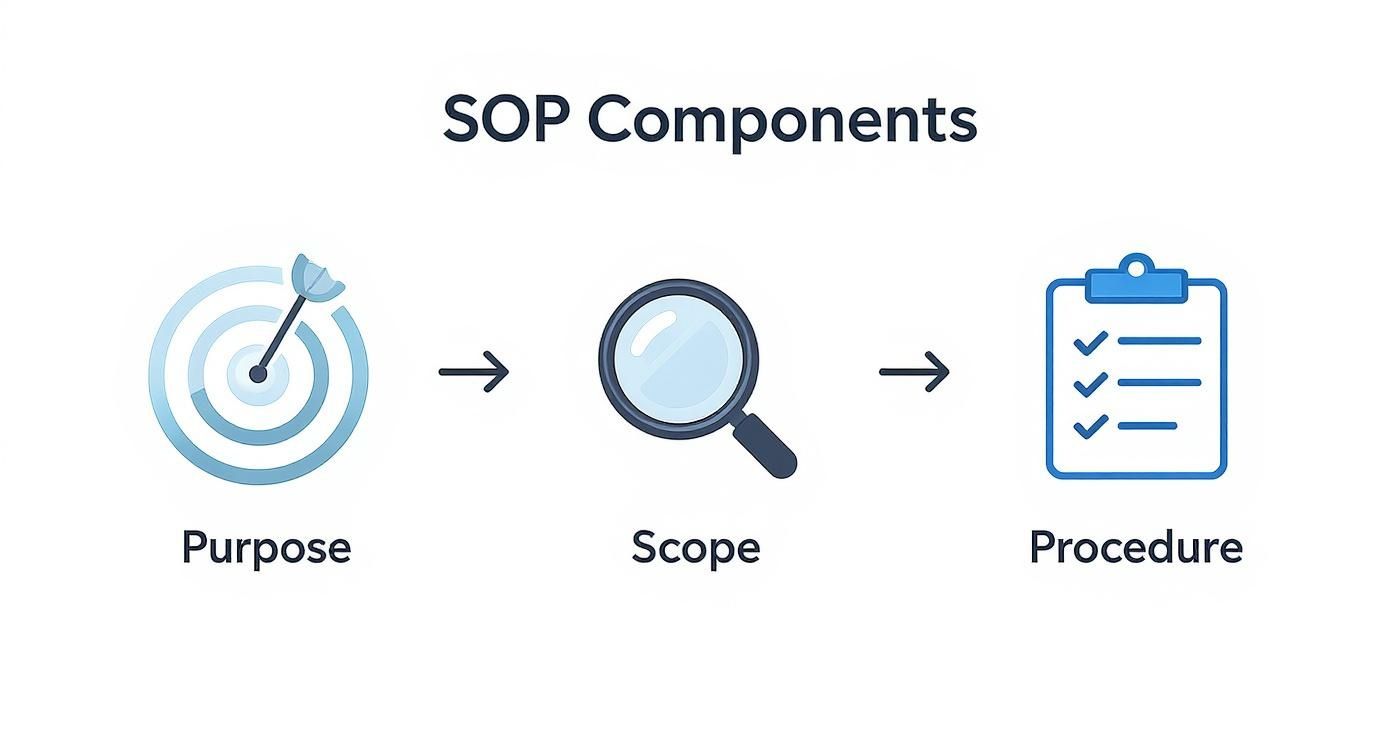
When people understand the why
(Purpose) and the boundaries (Scope), the how
(Procedure) becomes so much more effective.
Avoid Common Writing Traps
As you draft the instructions, stay vigilant. There are a few common traps that can completely undermine your document, forcing your team to stop and ask for help—the very thing you're trying to prevent.
The biggest offender is assuming prior knowledge. Never assume your reader knows all the internal acronyms, project code names, or unwritten rules. If you have to use a specific term, define it the first time you mention it.
Your SOP should empower a brand-new hire to complete the task with confidence on their first day. If it can't do that, it's not finished yet.
Here are a few other pitfalls to watch for:
- Vague Verbs: Get rid of words like
manage,
handle,
orreview.
What do those even mean? Replace them with concrete actions likeapprove the invoice,
update the project ticket,
orcheck for formatting errors.
- Passive Voice: Instead of
The form should be submitted,
writeSubmit the form.
The active voice is direct, feels more energetic, and makes it clear who is responsible. - Walls of Text: Keep your sentences short and your paragraphs shorter. A massive block of text is a huge turn-off. Break up complex steps with numbered lists or bullet points to make them easy to scan.
By sticking to this workflow—organizing your notes, simplifying your language, and sidestepping these common traps—you'll create SOPs that are not just accurate, but genuinely helpful. You’ll build a resource that empowers your team, cuts down on mistakes, and finally puts an end to that endless cycle of repetitive questions.
Put Your SOPs to Work Inside Slack

Let's be honest. A brilliant standard operating procedure is completely worthless if it’s buried in a forgotten Google Drive folder. You’ve done the hard work of documenting your team's expertise, but if no one can find that knowledge when they actually need it, it might as well not exist.
The final—and most crucial—step is bringing your procedures to life right where your team works every day. Forget clunky wikis and shared drives that feel like digital graveyards. Imagine a world where your team never has to stop what they're doing, open another tab, and hunt for a document again.
Picture this instead: a new hire needs to know the process for escalating a support ticket. Instead of tapping you on the shoulder or asking in a public channel, they just ask a question directly in Slack. An instant later, they get the correct, up-to-date answer, pulled directly from the SOP you already wrote. This is the transformation you're looking for—no more context switching, no more searching in multiple places, just instant answers.
Make Following the Rules the Easy Way Out
The real goal here is to make following the correct procedure the path of least resistance. When answers are instant and effortless, people naturally adopt the right way of doing things. This isn't about enforcing rules from on high; it's about removing all the friction.
An AI assistant like SAI plugs directly into your Slack workspace, giving your team the answers they need by simply asking a question. It learns from your SOPs and, even better, from the real questions and answers happening in your channels every single day.
This simple shift changes the entire game. Company knowledge stops being a collection of documents you have to hunt for and becomes a living resource you can simply talk to.
This solves two massive problems at once. First, it makes your official procedures instantly accessible. Second, it starts capturing all that tribal knowledge
—the informal tips, tricks, and updates shared in conversations that almost never make it into a formal document.
Stop Letting Good Answers Disappear
Think about how much valuable information gets exchanged in Slack every day, only to be lost forever in the scroll. Someone asks a great question, an expert gives a brilliant answer, and the conversation moves on. That perfect exchange is gone, just waiting to be repeated the next time someone new has the same question.
This is where integrating your SOPs directly into your workflow becomes a game-changer.
- Preserve Fleeting Insights: When an AI tool sees these Q&A interactions, it captures them. The next time that question is asked, the answer is ready. You’ve just turned a one-off conversation into a permanent, reusable asset.
- Slash Repetitive Questions: Your senior people are freed from answering the same things over and over again. This lets your most valuable team members focus on high-impact work instead of acting as human search engines.
- Build a More Confident Team: When answers are immediate, it fosters a more self-sufficient and confident team. It helps in building better team connection by automating new hire questions and removes the anxiety that often comes with asking for help.
By making your SOPs conversational, you aren't just creating a guide. You're building an intelligent system that learns, preserves, and shares your team's collective knowledge, making sure everyone has the answers they need to do their best work, right at their fingertips.
Keep Your Procedures Relevant and Trusted
Your business doesn’t stand still, so why should your processes? The single biggest mistake you can make with a new SOP is to treat it like a stone tablet—written once and then forgotten. A brilliant procedure is only brilliant if it reflects how work actually gets done today, not six months ago.
This is exactly where so many companies stumble. They invest time creating a library of documents that slowly morphs into a digital graveyard of outdated information. The moment an employee pulls up a guide and sees it’s wrong, trust is broken. Next time, they won't bother with the guide; they’ll just interrupt a coworker, and you're back to square one.
Make Maintenance Effortless
Keeping your SOPs fresh shouldn't feel like a heavy, bureaucratic chore. Think of it more like an ongoing conversation. The goal is to build a living knowledge base that evolves right alongside your business, making sure it’s always the single source of truth.
A procedure is only useful if it’s trusted. Proactive maintenance is what builds and preserves that trust, ensuring your SOPs are a reliable asset, not a liability.
First things first, set up a practical review cadence. Not every process needs the same level of scrutiny. A fast-moving workflow, like your social media posting process, probably needs a quick check-in every quarter. On the other hand, a stable process like year-end financial reporting can likely wait for an annual review.
A Simple System for Continuous Improvement
Assigning clear ownership is absolutely non-negotiable. Every single SOP needs a designated owner—the go-to person responsible for its accuracy. This way, when someone has a question or a suggestion for an update, they know exactly who to ping.
Here’s a straightforward checklist to guide the review process:
- Accuracy Check: Does this procedure still match the current workflow? Have any tools, steps, or roles changed?
- Clarity Review: Is the language still simple and direct? Are there any steps that consistently trip people up?
- Relevance Audit: Is this SOP even necessary anymore? Does it still solve a real problem for the team?
This proactive approach creates a simple, effective feedback loop. Your team on the ground can easily flag outdated info and suggest improvements, helping the process owner keep the document current with minimal friction.
This is how you ensure all your hard work pays off for the long haul. To discover more strategies for building an efficient and knowledgeable team, explore the resources on the SAI blog. By keeping your procedures relevant, you create a trusted resource that truly empowers your team to work with confidence and autonomy.
Answering Your Team's Top SOP Questions
Even with the best templates in hand, a few questions always pop up when a team starts documenting its work. Let's tackle some of the most common ones I hear from leaders trying to get this right.
How Long Should an SOP Be?
Honestly, an SOP needs to be as long as it takes to get the job done right, and not a single word longer. There’s no magic number. A simple task might only need a one-page checklist. A complex, multi-stage workflow could easily hit eight to ten pages.
The real goal isn't hitting a certain page count; it's about making it easy to follow. A well-placed screenshot or a simple flowchart can often do the work of three paragraphs of dense text, so use visuals generously.
What’s the Real Difference Between a Process and an SOP?
I like to think of it like a road trip. The process
is your destination—let's say, 'Onboard a New Client.' You know where you need to end up.
The SOP is the GPS giving you turn-by-turn directions. It’s the detailed, step-by-step guide that ensures everyone on your team takes the right turns, avoids the wrong exits, and gives every single client that same amazing onboarding experience. It’s about consistency and removing guesswork.
How Often Do We Really Need to Update These Things?
This completely depends on how quickly things change. For stable, core business functions, a quick check-in once a year is probably fine.
But for a process that's constantly evolving—think about your digital marketing strategy or the software your dev team uses—you need to be more proactive. A quarterly or semi-annual review for those is a much safer bet.
The most important thing is to establish a consistent review schedule and assign clear ownership for each SOP. This simple habit is what ensures your knowledge base remains a trusted, living resource that people can rely on.
This is what separates a library of useful, up-to-date knowledge from a digital graveyard of forgotten documents.
Imagine your team's expertise captured and ready 24/7, turning every question into an instant answer right inside Slack. SAI learns from your conversations to build a knowledge base that works for you, so your team can stop searching and start doing. Get started for free with SAI.
Article created using Outrank
