7 Incredible Knowledge Database Example Tools for 2026
Imagine your workday with zero context switching. No more hunting through shared drives, old email threads, or outdated wikis just to find one piece of information. Instead, you just ask in Slack and get an instant, accurate answer sourced directly from your team's collective wisdom. This isn't about building yet another database to manage; it's about eliminating the hunt for information altogether.
This article is your definitive guide to making that a reality. We're breaking down 7 powerful knowledge database example platforms that do more than just store information—they deliver it precisely when and where you need it. Forget digging through complex systems. We’ll show you how modern tools, particularly AI-powered solutions like SAI, transform your team’s existing conversations into a reliable source of truth, creating a seamless flow of work where knowledge finds you.
For each platform, you'll find a detailed strategic analysis, screenshots, and direct links to see them in action. Our goal is to help you reclaim lost hours, eliminate constant interruptions, and empower your team with the one-question, one-answer workflow they deserve. Let's dive into the examples that will reshape how your team shares knowledge.
1. SAI
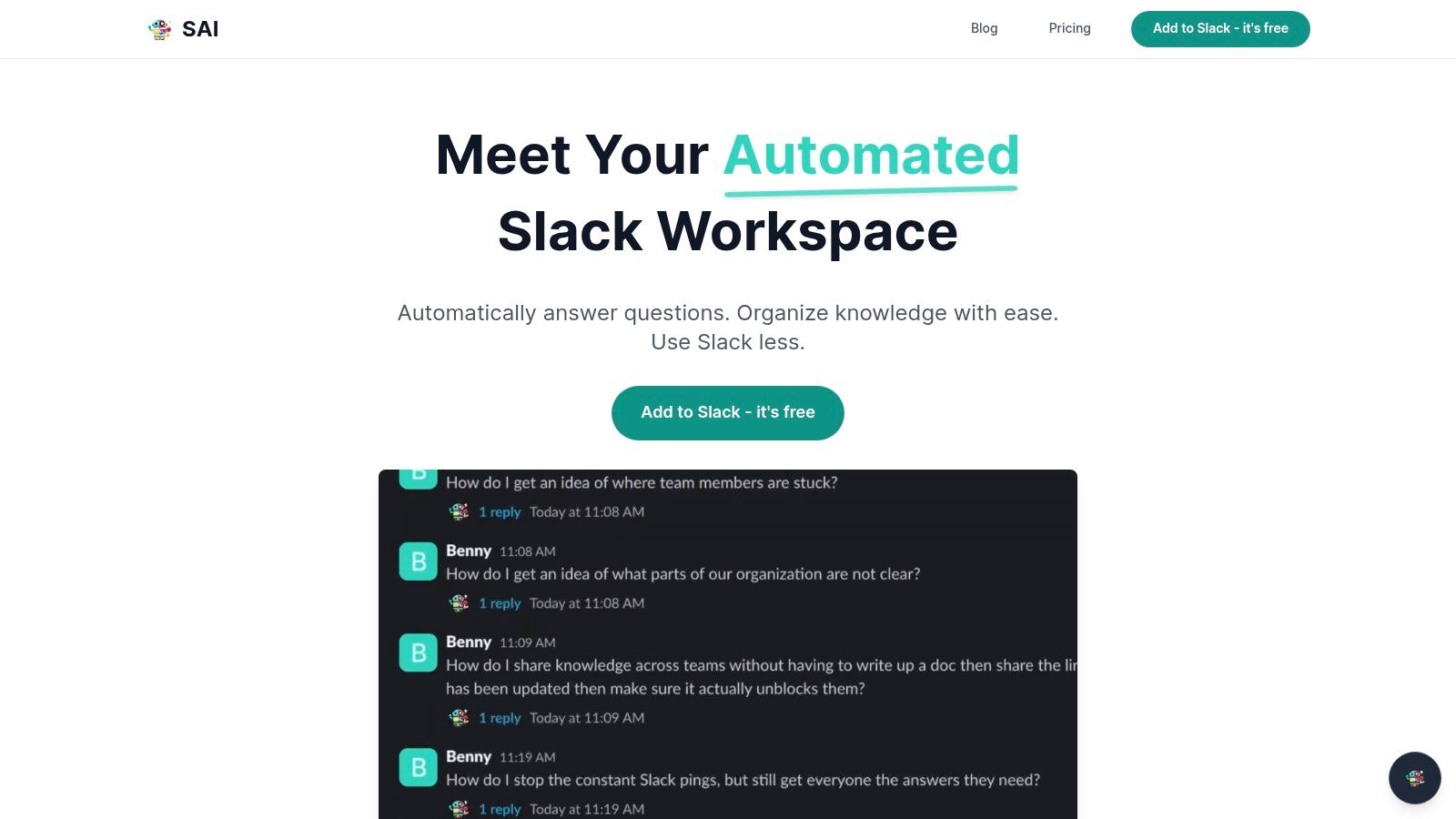
SAI represents a fundamental shift in how teams find answers. Imagine a workday where you never have to open another app, search a shared drive, or interrupt a colleague to get information. You simply ask a question in Slack, and the answer appears instantly. SAI makes this possible by transforming your team's existing Slack conversations into an intelligent, self-building knowledge hub. It’s a powerful knowledge database example that works where you work, eliminating the need to search for information ever again.
Imagine a new hire getting onboarding answers 24/7 without asking a manager. Picture your sales team getting instant product specs without leaving a customer chat. Envision your engineers finding the right code snippet without breaking their focus. With SAI, the constant, productivity-killing hunt for information is over. You just ask, and the AI delivers the precise answer, sourced directly from your team’s collective wisdom. This isn’t just about saving time; it's about reclaiming focus.
Why SAI Stands Out
SAI’s core advantage is its ability to deliver answers within your existing workflow. It operates where your team already collaborates, turning ephemeral Slack conversations into a durable, searchable, and intelligent asset without any extra work.
Strategic Insight: SAI tackles the biggest failure point of traditional knowledge bases: user adoption. By embedding the knowledge creation and retrieval process directly into existing workflows (Slack), it removes the friction of context-switching to a separate tool, ensuring the system is always up-to-date and actively used.
Tactical Breakdown & Replicable Strategy
Here’s a practical look at how teams can leverage SAI’s unique capabilities.
- Automated Onboarding: Designate a
#new-hireschannel and let SAI absorb every question and answer. New team members get instant, 24/7 support without repeatedly asking the same startup questions, freeing up managers and mentors. - Instant IT/Ops Support: In an
#it-supportor#ops-helpchannel, SAI learns from every resolved ticket. It can then autonomously handle common requests likewhat's the wifi password?
orhow do I set up my VPN?
- Sales & Success Enablement: A
#sales-questionschannel becomes a living playbook. SAI instantly surfaces answers on pricing, feature specs, and competitor comparisons, empowering reps to close deals faster.
Pros & Cons Analysis
| Strengths | Weaknesses |
|---|---|
| Zero Setup: Learns from existing Slack history, providing immediate value without any manual configuration. | Single-Channel Limit: The free Early Access plan is confined to one channel, requiring future paid plans for organization-wide use. |
| Intent-Based Answers: Understands the context and intent behind a question, not just keywords. | Lack of Formal Certifications: The website does not list formal security audits like SOC 2, which may be a concern for enterprise users. |
| Automatic Knowledge Base: Passively builds a durable knowledge repository from everyday conversations. | |
| Native Slack Experience: Operates entirely within Slack, eliminating the need to learn or manage a new tool. |
Access and Availability
SAI is currently available through a generous Early Access Plan, which is completely free and does not require a credit card. This plan includes integration into a single Slack channel, unlimited AI responses, and community support. The company has stated it will introduce transparent pricing for expanded, multi-channel features with advance notice to its early users.
You can learn more about how SAI creates a powerful knowledge base example right inside Slack and add it to your workspace for free.
Website: https://sai-bot.ai
2. Atlassian Confluence
Atlassian Confluence is a titan in the world of internal documentation, serving as the go-to knowledge database example for teams that need structure, governance, and deep integration. It’s where your most critical company knowledge lives, from HR policies and IT runbooks to project plans and meeting notes. Imagine a central, organized library for every process, guideline, and piece of tribal knowledge your team relies on.
Confluence excels at transforming scattered documents into a searchable, interconnected wiki. Its power lies in its structured Spaces
and Pages
system, which allows teams to build dedicated hubs for different departments or projects. This organization prevents knowledge silos and ensures everyone from a new hire to a seasoned engineer can find the official source of truth.
Strategic Breakdown & Key Insights
Confluence isn't just a document repository; it's an operational backbone for businesses that have outgrown shared drives and messy docs. Its real value shines when integrated with Jira Service Management (JSM), where it actively deflects support tickets by suggesting relevant knowledge base articles to users before they can even submit a request. This self-service model empowers users and frees up your support teams.
Key Takeaway: Confluence’s strength is its ability to centralize and structure official company knowledge. It's the platform you use to build the canonical source of truth that powers other systems, from IT support to employee onboarding.
Actionable Takeaways for Your Team
- For IT & HR Teams: Use Confluence’s built-in templates to create standardized pages for policies, employee handbooks, and standard operating procedures (SOPs). This ensures consistency and makes updates simple.
- For Support Teams: Connect Confluence to JSM to create a powerful self-service portal. Every new article you write becomes a potential ticket deflection, directly reducing your team’s workload.
- For Onboarding: Create a dedicated
New Hire
space with checklists, team directories, and essential reading. This gives new employees a single place to find answers, reducing their reliance on asking repetitive questions in public channels.
Confluence offers a free plan with limitations, while paid tiers start at $6.05 per user/month, scaling up to include advanced features like automation, unlimited storage, and robust permissions. For a deeper dive into platforms like Confluence, you can learn more about what is a knowledge management system and how they operate. While it can feel complex for smaller teams, its enterprise-grade features make it a powerful foundation for any growing company's knowledge.
Check it out here: Atlassian Confluence
3. Notion
Notion is the modern, flexible workspace that has become a leading knowledge database example for its powerful blend of docs, wikis, and project management tools. It empowers teams to build beautiful, functional, and highly customized knowledge hubs from scratch. Think of it less like a rigid library and more like a set of powerful building blocks, allowing you to create everything from a simple team FAQ page to a complex, multi-layered company wiki.
Notion’s core strength is its unparalleled flexibility. Unlike traditional wikis, every page is a blank canvas where you can mix text, databases, calendars, and embeds. This makes it incredibly easy for non-technical users to build and maintain sophisticated internal resources without writing a single line of code. Its user-friendly interface and vast template library mean you can deploy a functional knowledge base in hours, not weeks.
Strategic Breakdown & Key Insights
Notion excels as a bottom-up
knowledge tool where information can be captured organically and structured later. Its killer feature is the database, which allows you to turn a simple list of meeting notes or SOPs into a filterable, sortable, and interconnected system. This is where teams can build dynamic guides that are always up-to-date, unlike static documents that quickly become obsolete in a shared drive. With the addition of Notion AI, this content becomes even more powerful, enabling teams to search and synthesize information conversationally.
Key Takeaway: Notion’s strength is its flexibility and speed of deployment. It's the ideal platform for teams that need a living, breathing knowledge base that adapts to their workflow, rather than forcing them into a rigid structure.
Actionable Takeaways for Your Team
- For Project Teams: Use a Notion database to create a central project wiki. Add properties for project status, owner, and deadline, then create different views (like a board or calendar) to track progress without ever leaving your documentation.
- For HR & Onboarding: Leverage Notion's templates to build an interactive employee handbook. Embed videos, create checklists for new hires, and link directly to relevant policies, all within a single, visually appealing page.
- For Content & Marketing Teams: Create a
Content Hub
database to manage your entire content pipeline. Track articles from idea to publication with custom properties, attach drafts directly, and link to published pieces, creating a single source of truth for your content strategy.
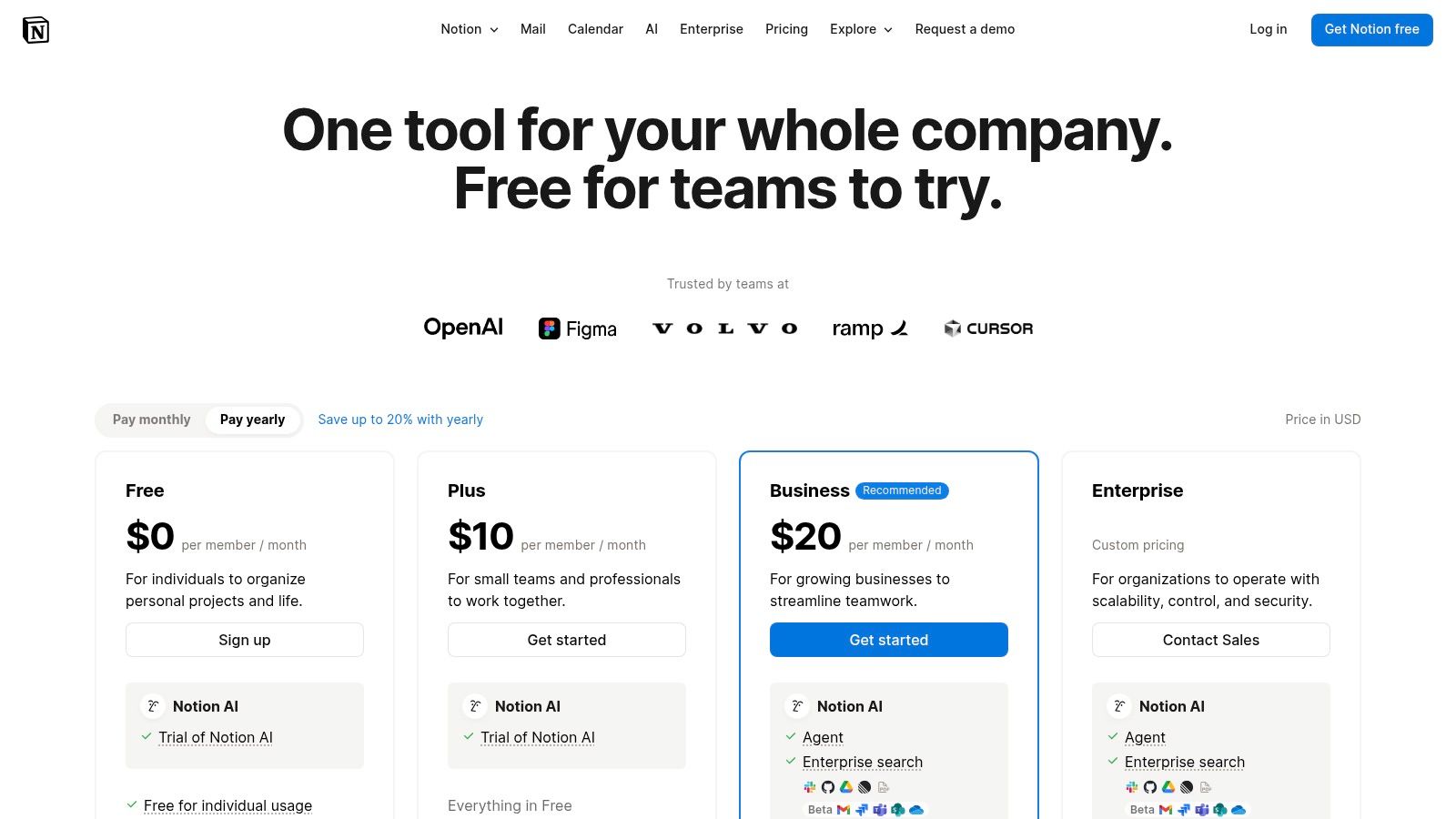
Notion offers a generous free plan for individuals, with team plans starting at $10 per user/month. More advanced features like SSO, audit logs, and enhanced AI capabilities are available on the Business and Enterprise tiers. For teams that value aesthetics, ease of use, and the ability to combine docs with powerful databases, Notion is an outstanding choice.
Check it out here: Notion
4. Zendesk (Suite with Guide/Help Center)
Zendesk is a powerhouse in customer service, and its Guide/Help Center functionality is a prime knowledge database example for teams focused on external support. This isn't just a place to store articles; it’s an active defense system for your support team. Imagine a library of solutions that works around the clock to answer customer questions before they ever become support tickets, integrated directly into every channel you use to communicate.
Zendesk Guide transforms your support knowledge from a reactive tool into a proactive, customer-facing resource. It excels at creating a public-facing, professional help center that feels like a natural extension of your brand. The platform is designed from the ground up to reduce customer friction by making answers easy to find, whether through a web portal, a chat widget, or even AI-powered suggestions in an email thread.
Strategic Breakdown & Key Insights
Zendesk’s true value lies in its seamless integration with its broader omnichannel support suite. A knowledge base article isn't just a static page; it's a dynamic asset that can be surfaced by AI-powered bots, suggested to agents as a macro, and used to deflect tickets across web, chat, and email. This tight coupling between knowledge and action is what separates it from standalone wiki tools, turning your documentation into a direct driver of operational efficiency.
Key Takeaway: Zendesk’s strength is its ability to weaponize knowledge for customer support. It's the platform you use when your primary goal is ticket deflection, self-service resolution, and maintaining a single source of truth for both your customers and your support agents.
Actionable Takeaways for Your Team
- For Customer Support Teams: Create articles for your top 10 most common support requests. Use Zendesk’s analytics to identify these recurring issues and build a library of answers that directly reduces agent workload.
- For Product Teams: Use the help center to publish release notes, feature guides, and FAQs. This keeps customers informed and reduces the
how-to
questions that often flood support queues after a new launch. - For All Teams: Leverage the AI add-ons to provide instant answers in your chat widget. This gives customers the immediate gratification they expect and frees up human agents to focus on complex, high-value conversations.
Zendesk Suite pricing is per agent, starting at $55 per agent/month (billed annually) for the basic suite that includes the help center. More advanced tiers add AI features, analytics, and greater customization. While the cost scales with your team size, its enterprise-grade capabilities make it a foundational tool for any company serious about customer experience.
Check it out here: Zendesk
5. Guru
Guru is an AI-native platform designed to bring knowledge directly into your workflow, making it a stellar knowledge database example for teams that live in Slack. It’s built on the idea that answers should find you, not the other way around. Instead of forcing employees to hunt through different apps and drives for information, Guru surfaces verified knowledge right where conversations are happening, turning every Slack channel into a source of instant, trustworthy answers.
What sets Guru apart is its focus on capturing and surfacing knowledge that often gets lost in DMs and public channels. It transforms this tribal knowledge
into a structured, searchable database that proactively assists your team. Imagine your team's most knowledgeable expert being available 24/7 in Slack to answer questions, all powered by AI that uses only your company's verified content.
Strategic Breakdown & Key Insights
Guru fundamentally changes the way teams interact with information by eliminating the need to context-switch. Its real power comes from its deep Slack integration and browser extension, which deliver answers in the flow of work. When a question arises, an employee can ask Guru’s AI right in Slack and get an immediate, verified response, or see contextual suggestions pop up as they work in other web-based tools.
This approach is about more than just convenience; it's about building a culture of trust in your documentation. With built-in verification workflows, experts are prompted to confirm that information is still accurate, ensuring your team isn't acting on outdated advice. This system keeps your knowledge base fresh and reliable.
Key Takeaway: Guru’s strength is its ability to deliver verified, bite-sized knowledge directly within the tools your team already uses. It excels at capturing ephemeral Slack conversations and turning them into a living, trustworthy knowledge base that actively helps your team.
Actionable Takeaways for Your Team
- For Teams Living in Slack: Use Guru's AI to answer questions in public channels. This not only resolves the immediate query but also captures the question and its verified answer for future use, reducing repetitive inquiries.
- For Sales & Support Teams: Equip your team with the Guru browser extension. It can surface relevant product details, competitor info, and approved messaging in real-time while they are on calls or responding to customer emails.
- For All Teams: Implement a verification schedule. Assign owners to critical pieces of knowledge and have them regularly confirm their accuracy. This builds a highly reliable single source of truth that everyone can trust.
Guru's pricing starts with a free plan for up to three users, with paid plans starting at $5 per user/month, featuring a 10-seat minimum. Advanced tiers include enterprise AI search across more apps and enhanced security features. For teams whose productivity is tied to the speed of their communication, Guru provides the infrastructure to make every employee an expert.
Check it out here: Guru
6. Document360
Document360 is a specialized platform designed to build polished, powerful, and professional knowledge bases. It’s a prime knowledge database example for teams that need to create and manage documentation for both internal and external audiences, including public-facing help centers, developer portals, and private team wikis. It moves beyond general-purpose document editors to offer a purpose-built environment for authoring, styling, and publishing content.
This platform shines by providing dedicated tools for every stage of the documentation lifecycle. From a Markdown-based editor and version control to advanced analytics and user feedback mechanisms, Document360 gives you complete control over your knowledge content. It’s engineered for organizations that view their documentation as a core product, not just an afterthought.
Strategic Breakdown & Key Insights
Document360 is built for teams that require more than a simple internal wiki; they need a robust publishing engine. Its key strength is its versatility, allowing you to run a public customer-facing knowledge base, a private one for internal HR policies, and a mixed-mode portal for API documentation, all from a single platform. This focus makes it a powerhouse for customer support, product, and engineering teams.
Features like multilingual support, SEO controls, and embeddable help widgets allow you to deliver information exactly where your users need it. The optional AI tooling further streamlines content creation by generating FAQs and enhancing search, turning your knowledge base into an intelligent, self-service resource.
Key Takeaway: Document360 excels at creating and managing dedicated documentation portals. It's the ideal choice for businesses that need to deliver a highly professional and controlled knowledge experience to customers, partners, and employees alike.
Actionable Takeaways for Your Team
- For Product & Support Teams: Use the platform to build a public-facing help center with full branding control. Leverage the analytics and user feedback features to identify content gaps and continuously improve your support articles.
- For Engineering Teams: Create a dedicated developer hub with its API documentation support. The structured authoring environment ensures your technical guides are clear, consistent, and easy for developers to follow.
- For Global Teams: Implement the multilingual support feature to provide localized documentation for your international customer base, ensuring a consistent support experience across all regions.
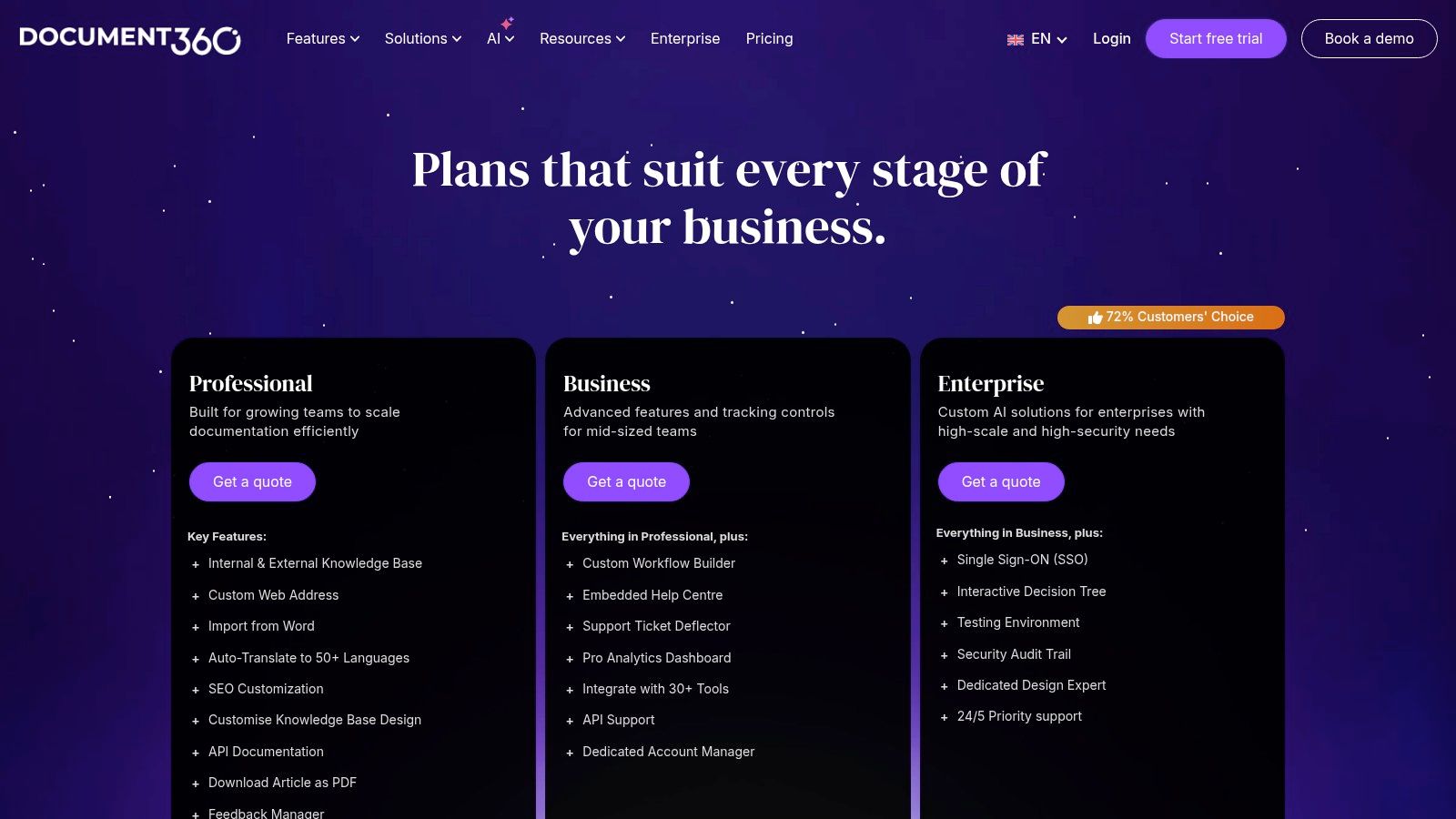
Document360’s pricing starts at $149 per project/month for its Standard plan, with higher tiers for enterprise features like SSO and a sandbox environment. As you build out your resources, it’s crucial to implement the right strategy; you can explore key knowledge management best practices to ensure your content is effective and discoverable. Because it's a specialized tool, it provides a level of polish and control that general collaboration platforms often lack.
Check it out here: Document360
7. Help Scout Docs
Help Scout Docs is a sleek and powerful knowledge database example designed for one primary mission: empowering customers with instant answers. It’s built for teams who want to provide exceptional self-service support without the complexity of a massive enterprise system. Think of it as a beautifully simple public library for your customers, giving them the information they need, exactly when they need it, directly within your app or on your website.
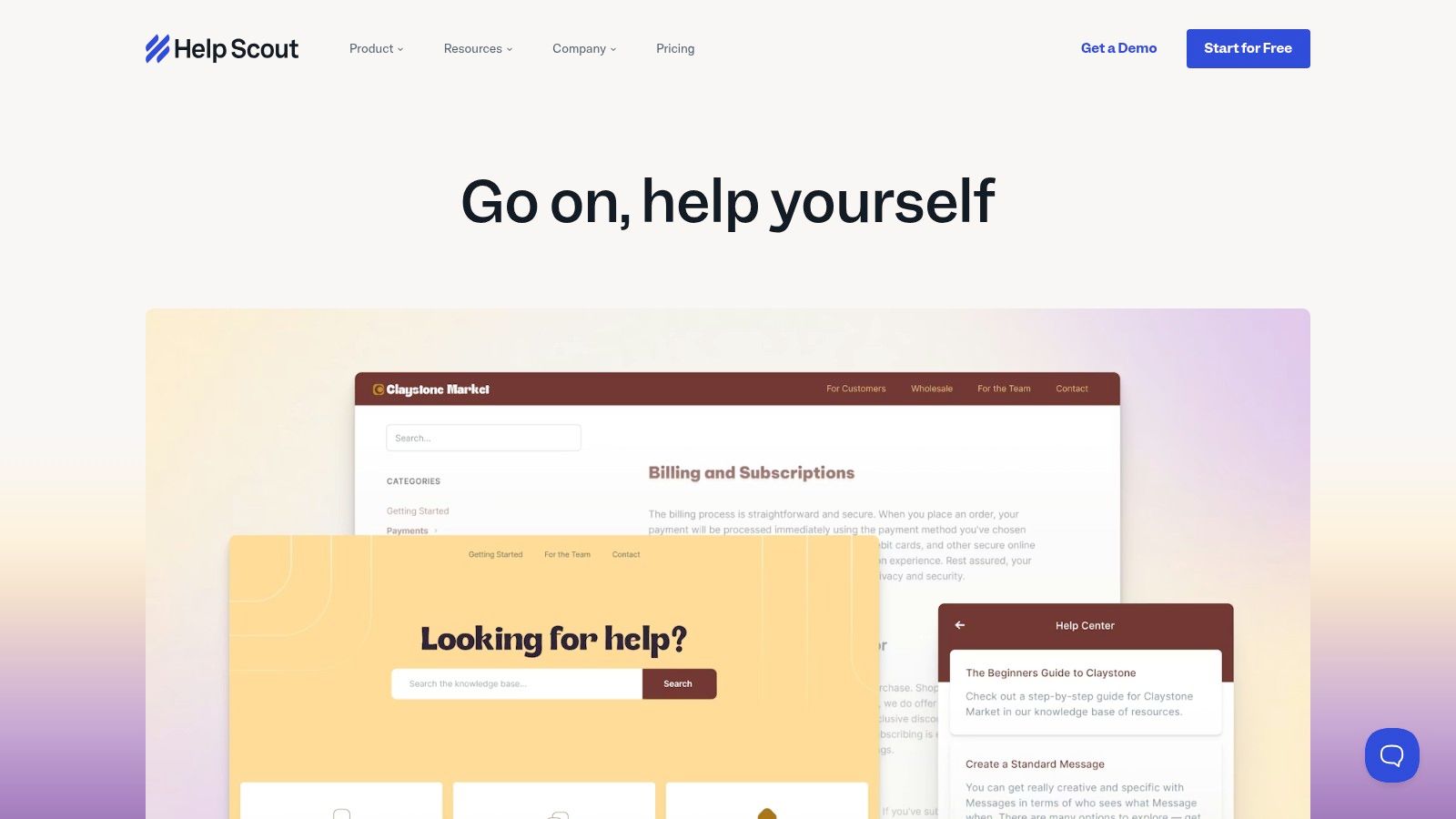
This platform excels at creating clean, searchable help centers that look and feel like a natural extension of your brand. Its strength lies in its seamless integration with the Help Scout ecosystem. With features like the Beacon widget, you can embed your entire knowledge base directly into your product, and its AI Answers feature can automatically respond to common questions using your Docs content, dramatically reducing incoming support volume.
Strategic Breakdown & Key Insights
Help Scout Docs is engineered for ticket deflection and proactive customer support. It's not just a place to store articles; it's an active tool in your support strategy. The platform provides clear analytics on what customers are searching for, which articles are most helpful, and where your documentation has gaps. This data-driven approach allows support teams to continuously refine their content to address real customer pain points before they escalate into support tickets.
Key Takeaway: Help Scout Docs is the ideal solution for customer-facing support. It transforms your help articles from a passive resource into an active, automated support agent that reduces ticket volume and improves customer satisfaction.
Actionable Takeaways for Your Team
- For Customer Support Teams: Use the failed search report to identify content gaps. If customers are searching for a term and finding nothing, that’s your cue to write a new article on that topic immediately.
- For Product Teams: Embed the Beacon widget within your app. This brings help content directly to users, allowing them to find answers without ever leaving your product, reducing friction and frustration.
- For Content Strategists: Monitor article ratings and views to determine which content is performing well. Double down on successful formats and topics to build a truly effective self-service resource.
Help Scout Docs is not sold as a standalone product; it is included with all Help Scout plans, which start at $20 per user/month. This makes it an incredibly valuable addition for teams already using or considering their help desk software. While less suited for deep, internal wikis, it is one of the fastest and most elegant ways to launch a public-facing help center.
Check it out here: Help Scout Docs
Top 7 Knowledge Base Comparison
| Product | Implementation complexity 🔄 | Resource requirements ⚡ | Expected outcomes ⭐📊 | Ideal use cases 💡 | Key advantages ⭐ |
|---|---|---|---|---|---|
| SAI | Very low — native Slack, zero setup (single-channel early access). | Minimal — uses Slack history; no infra or onboarding. | Fewer interruptions; claimed 2+ hrs/day saved (5‑person team). | Slack-first teams, support/ops, startups/SMBs. | Zero-config, intent-aware answers, auto-growing durable KB. |
| Atlassian Confluence | Medium — needs structure, templates, and governance setup. | Moderate — admins, storage; advanced controls on paid tiers. | Centralized enterprise wiki; improved governance and ticket deflection with JSM. | Internal policies, runbooks, onboarding, enterprise wikis. | Enterprise governance, SSO, deep Atlassian integrations. |
| Notion | Low — fast to deploy; simple pages and templates. | Low–moderate — easy to maintain; advanced security on higher tiers. | Quick searchable wiki that scales from single pages to full KB. | Small-to-mid teams, flexible internal docs, lightweight KBs. | Rapid setup, flexible databases, web publishing. |
| Zendesk (Guide) | Medium–high — configure help center, themes, and support workflows. | High — per-agent pricing, add-ons, and configuration overhead. | Strong ticket deflection and omnichannel customer support; measurable deflection. | Customer-facing help centers and growing support teams. | Integrated help desk + KB, analytics, large integration ecosystem. |
| Guru | Medium — Slack integration plus verification and governance flows. | Moderate — AI credits to monitor, seat minimums, security controls (SOC 2). | In-channel verified answers and improved knowledge freshness; usage insights. | Slack-centric enterprises needing trusted in-workflow answers. | Deep Slack delivery, verification workflows, enterprise security options. |
| Document360 | Medium — authoring, localization, and presentation setup. | Moderate–high — enterprise features, branding, and possible sales quotes. | Professional public/internal docs with multilingual support and SEO analytics. | Product docs, API/dev docs, public knowledge bases. | Purpose-built KB features, multilingual support, documentation tooling. |
| Help Scout Docs | Low — quick to launch if using Help Scout; embeddable via Beacon. | Low–moderate — requires Help Scout account; hosted solution. | Branded self-service help center with analytics to spot content gaps. | SMBs and product teams needing fast customer-facing KBs. | Fast launch, clear analytics, tight help-desk integration. |
Your Knowledge Base Isn't a Library, It's a Service
We've journeyed through a landscape of powerful knowledge database examples, from the structured wikis of Confluence to the sleek customer-facing portals of Document360. Each tool offers a unique approach to organizing information, whether it’s Notion’s flexible canvases or Zendesk’s integrated support ecosystem. Yet, a common thread runs through these traditional models: they require you to build, maintain, and actively seek out information. This forces your team into the role of digital librarians, constantly curating and searching for answers.
But what if the goal wasn't to build a better library? What if the goal was to eliminate the hunt for information altogether? This is the fundamental shift that redefines what a knowledge database can be. Instead of a destination you have to visit, it becomes an instant, on-demand service delivered directly within your workflow.
The Real Transformation: From Seeking to Receiving
The most impactful takeaway from any knowledge database example is not the feature set, but the end-user experience. Imagine a day where your team never has to leave Slack to find an answer. No more context switching to log into a separate platform. No more guessing the right keywords to search in a cluttered wiki. No more asking a colleague a question that has already been answered a dozen times.
This is the future that tools operating within your conversational workflow, like SAI, are creating. The strategic shift is profound:
- From Manual Curation to Automated Capture: Knowledge is no longer a separate documentation task. It's an organic byproduct of the conversations you're already having. This removes the single biggest point of failure for any knowledge base: the human effort required to maintain it.
- From Searching to Asking: The user behavior changes from
Where do I find this?
toWhat is the answer?
This seemingly small change saves countless hours by delivering precise information directly, rather than a list of links to sift through. - From Static Repository to Living Intelligence: A knowledge base that captures insights from real-time conversations is always current. It evolves with your team, reflecting the most up-to-date processes, solutions, and decisions without needing a dedicated
update
project.
By reframing your knowledge base as a service, you’re not just providing a resource; you’re delivering productivity. You are giving your team back their most valuable asset: focus. The true measure of success isn't how comprehensive your documentation is, but how infrequently your team needs to think about it. The best knowledge base is the one that feels invisible, providing the right answer at the exact moment it's needed, and then getting out of the way so real work can happen.
Ready to transform your team's access to information? See how SAI turns your Slack conversations into a hands-free, intelligent knowledge base that answers questions instantly. Stop building libraries and start delivering answers by visiting SAI to see a real-world knowledge database example in action.
