7 Examples of Knowledge Base Platforms That Reclaim Your Team’s Time in 2025
Imagine this: it’s 10 AM, and a critical question about a new project spec pops up. Imagine never having to open another app, dig through old conversations, or ping a coworker and wait. Imagine just asking a question directly in Slack and getting an instant, accurate answer. This isn't a fantasy. It's the reality of a modern, integrated knowledge base.
This article moves beyond the traditional, clunky wikis that nobody uses. We're focused on eliminating the daily friction of finding information—the hidden tax on productivity that costs teams countless hours. The goal is to stop the endless hunt for documents, links, and procedures so your team can focus on what actually matters.
We will explore seven transformative examples of knowledge base platforms and templates designed to solve this problem. Each example includes a deep strategic analysis, actionable takeaways, and direct links with screenshots to see them in action. We'll show you how leading platforms like Zendesk, Confluence, and Notion structure their knowledge, and we'll introduce a new, AI-driven approach with tools like SAI that learn from your conversations to deliver answers directly inside Slack.
Forget building another library of static documents. This guide is your blueprint for creating a living, breathing source of truth that turns repetitive questions into instant, accessible knowledge. Let’s reclaim your team's time and end the hunt for information for good.
1. SAI
SAI represents a fundamental shift in how teams access information, making it one of the most innovative examples of a knowledge base available today. Instead of asking you to build and maintain a separate knowledge platform, SAI creates an intelligent resource for your team, right inside the tool you already use all day: Slack. Imagine never having to search multiple places for an answer again. Just ask SAI in Slack, and get the information you and your team are looking for, instantly. It’s an AI assistant that learns from every conversation, transforming routine Q&A into a single, reliable source of truth.
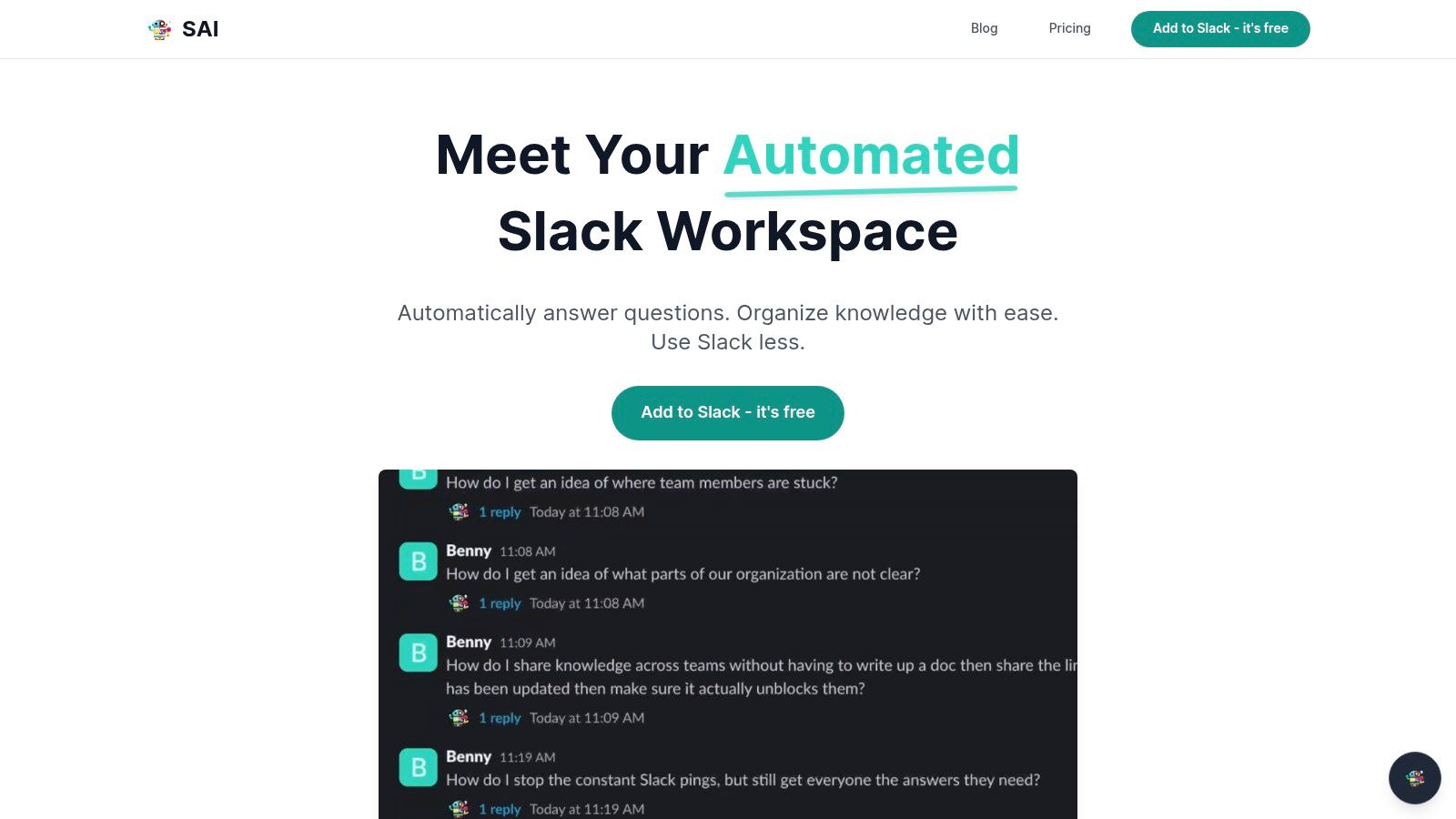
Picture your team's workflow without the constant context-switching, searching through old documents, or interrupting experts. With SAI, the answer to What's our guest Wi-Fi password?
or Where is the latest project brief?
is just a question away, delivered instantly by the AI in the same Slack channel. This approach tackles the primary pain point of knowledge management: low adoption and the friction of using another tool.
Strategic Analysis: The Power of a Zero-Effort Knowledge Base
SAI’s core strength is its ability to learn from your team's existing conversations and deliver value from day one. There's no manual setup, data migration, or training required. It eliminates the significant upfront effort that causes most knowledge base projects to fail.
The strategic advantages are clear:
- Drastically Reduced Interruptions: SAI acts as a 24/7 first line of defense against repetitive questions. By providing instant, context-aware answers, it frees your experts from constant task-switching, which studies show can consume a significant portion of a workday.
- Time and Cost Savings: The platform quantifies the cost of these interruptions, framing the 2+ hours per person it claims to save daily as a tangible financial gain ($50–$100 per hour, per person). This turns a productivity tool into a direct contributor to your bottom line.
- Frictionless User Experience: Because it operates entirely within Slack, there is no new interface to learn or app to adopt. Team members simply ask questions as they normally would, and SAI responds. This native experience ensures high adoption and consistent use.
Actionable Takeaways & Unique Features
What sets SAI apart is its focus on transforming existing behaviors rather than forcing new ones. It doesn't ask your team to change how they work; it works how they do.
Key Features Breakdown:
| Feature | Strategic Benefit |
|---|---|
| Zero-Configuration AI | Starts learning from your Slack history immediately upon installation. This means you get value on day one without any manual article creation or tedious setup. |
| Slack-Native Delivery | Answers are delivered directly in the channel where questions are asked. This keeps workflows contained within Slack, eliminating the need to search external wikis or drives. |
| Context-Aware Responses | The AI understands intent, not just keywords. It can piece together context from conversational threads to provide more accurate and relevant answers than a simple keyword search. |
| 24/7 Instant Availability | Provides immediate support to your team, regardless of time zones or expert availability. This is especially valuable for remote, distributed, or global teams. |
Pricing and Availability
SAI's go-to-market strategy is designed for low-friction adoption.
- Early Access Plan: Currently, SAI is offering a free plan that allows teams to add the assistant to a single Slack channel with unlimited AI responses and community support. No credit card is required to get started.
- Future Tiers: The company plans to introduce paid tiers for teams needing multi-channel support or more advanced enterprise features. Early adopters will be notified in advance of any changes.
This try-before-you-buy
model makes SAI an exceptionally compelling option for any team running on Slack that wants to reclaim lost productivity without the risk of a significant software investment. To dive deeper into the core concepts behind this modern approach, you can explore what a knowledge management system is and how it functions.
Website: https://sai-bot.ai
2. Zendesk
Zendesk provides one of the most powerful and widely-used examples of a knowledge base for customer-facing support. It's not just a standalone wiki; Zendesk’s Help Center is a fully integrated component of its broader customer service suite. This means your support agents, ticketing system, and self-service content all work together seamlessly, creating a unified customer experience that reduces resolution times and boosts satisfaction. Imagine your customers finding answers instantly without ever needing to create a support ticket.
Strategic Breakdown: The Integrated Support Ecosystem
Zendesk’s core strength is its deep integration. When a customer reads a help article, they can still initiate a chat or submit a ticket directly from that page if they need more help. The agent who receives that ticket will see which articles the customer has already viewed, eliminating repetitive questions and providing immediate context. This creates a frictionless journey from self-service to agent-assisted support.
The platform is built for scale, offering enterprise-grade features like multi-brand help centers under a single account, robust analytics to identify content gaps, and extensive theme customization using Handlebars. This allows you to create a branded, professional help center that feels like a natural extension of your website or app.
Key Takeaway: Zendesk turns your knowledge base from a simple FAQ page into a strategic asset for deflecting tickets and improving customer satisfaction. It's a prime example of how connecting self-service content to your support workflow can transform your entire operation.
Actionable Insights & Implementation
- Pricing & Access: The knowledge base is part of the Zendesk Suite, which starts at $55 per agent/month (billed annually). It is not sold as a standalone product. You can explore the plans and features directly on their pricing page.
- User Experience: Zendesk's interface is clean and modern for both admins and end-users. The out-of-the-box themes are mobile-responsive and easy to navigate. Deeper customization, however, may require a developer familiar with HTML, CSS, and their Curlybars templating language.
- Unique Offerings: The ability to embed your knowledge base content directly into websites and mobile apps using its SDKs is a standout feature. This brings help content directly to your users where they need it most, preventing them from having to leave your platform to find answers.
Zendesk excels for teams that see their knowledge base as a central pillar of their overall customer support strategy. By implementing these knowledge management best practices, you can leverage its integrated ecosystem to build a truly effective self-service portal.
3. Help Scout Docs
Help Scout Docs offers one of the most streamlined and elegant examples of a knowledge base for teams prioritizing simplicity and speed. Unlike sprawling enterprise systems, Help Scout focuses on delivering a clean, fast, and user-friendly documentation site that integrates perfectly with its shared inbox and live chat tools. Imagine your customers getting instant, helpful answers from a beautiful, branded portal that took you minutes, not weeks, to set up.
Strategic Breakdown: The Embedded Help Experience
Help Scout’s strategic advantage is its Beacon widget, which brings your knowledge base directly into your app or website. Instead of forcing users to leave your platform to find help, Beacon serves up relevant articles contextually. If a customer still can't find what they need, they can escalate to a live chat or email right from the same widget, with the agent seeing exactly which articles they've already viewed. This creates a cohesive support journey that feels helpful, not disruptive.
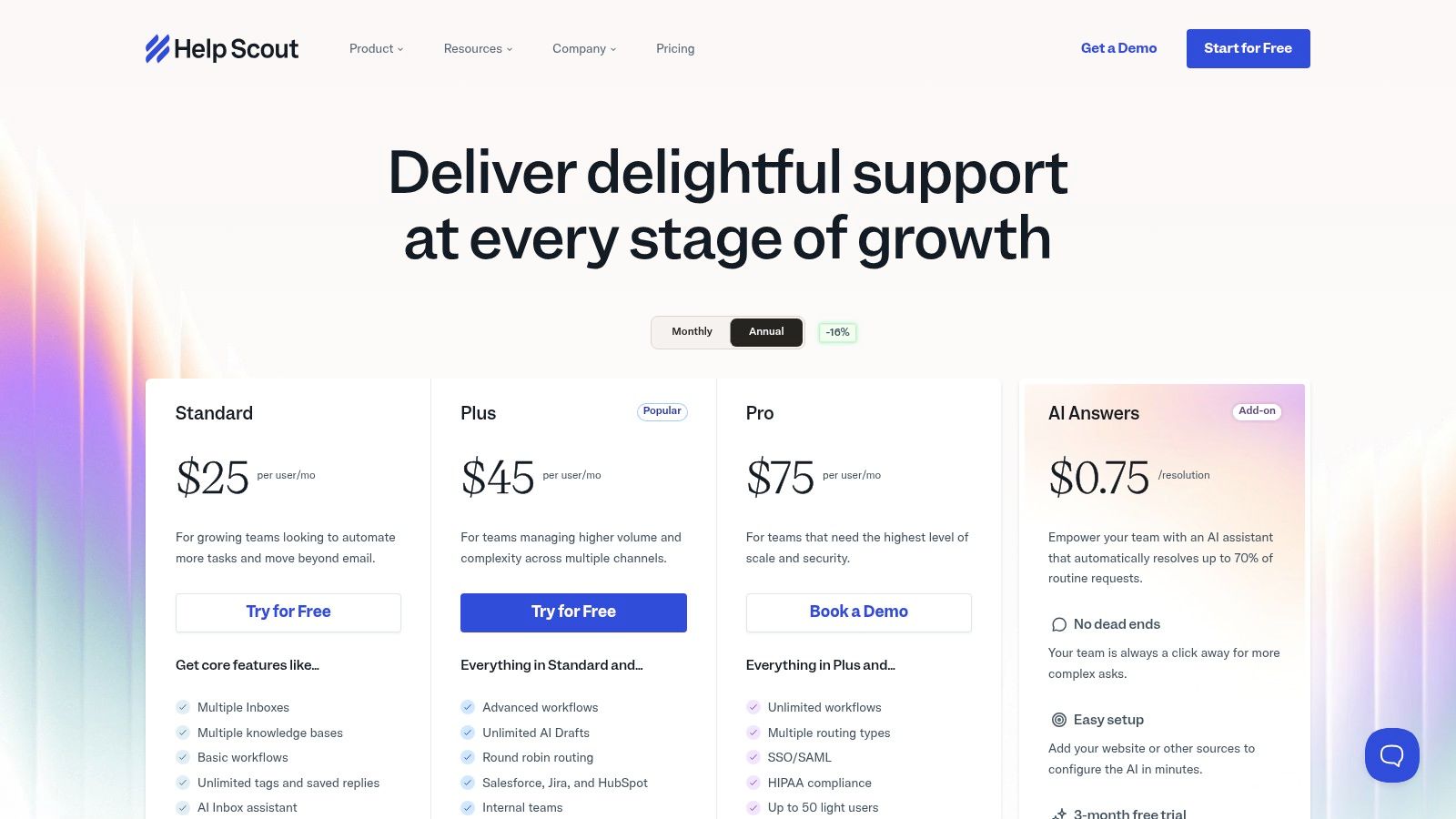
The platform is designed for teams that value efficiency. You can launch multiple Docs sites under one account, each with its own branding, categories, and even access restrictions using private collections. Features like AI Answers further reduce agent workload by automatically responding to common questions, freeing your team to focus on more complex issues.
Key Takeaway: Help Scout makes your knowledge base an unobtrusive, always-on assistant. It’s a prime example of how embedding support content directly within your user experience can proactively solve problems and build customer confidence.
Actionable Insights & Implementation
- Pricing & Access: Docs is included in all Help Scout plans, which start at $25 per user/month (billed annually). It is not available as a standalone product. You can compare the different tiers on their pricing page.
- User Experience: The admin interface is exceptionally clean and intuitive, making it easy for non-technical team members to create and manage content. The end-user experience is fast, mobile-friendly, and search-focused. While basic branding is simple, more advanced customization requires some CSS knowledge.
- Unique Offerings: The Beacon widget is the standout feature, allowing you to offer in-context help anywhere. The straightforward pricing for additional Docs sites ($25/month per site) also makes it affordable to manage knowledge for multiple products or brands from a single account.
Help Scout is ideal for support teams that want to deliver a premium self-service experience without the overhead of a complex system. By applying these transformative help desk best practices, you can use its embedded tools to create a support ecosystem that truly serves your customers where they are.
4. Document360
Document360 presents a compelling, purpose-built example of a knowledge base for organizations that need a powerful, standalone documentation platform. Unlike integrated suite tools, its entire focus is on creating, managing, and delivering high-quality help content. This singular focus allows it to offer deep functionality for both internal and external use cases, from complex product documentation for developers to secure, internal wikis for your HR and operations teams. Imagine a single source of truth so well-organized that your team never has to second-guess where to find the latest policy or procedure.
Strategic Breakdown: The Dedicated Documentation Hub
The core advantage of Document360 is its sophisticated authoring and governance environment. It’s designed for teams who take documentation seriously, offering features like a clean markdown editor, version control, and granular user roles. This allows you to manage content contributions across different departments without sacrificing quality or consistency. The platform separates the content repository from the presentation layer, letting you publish the same article to multiple help sites, each with unique branding and access rules.
For internal knowledge, its private knowledge base capabilities are a major differentiator. You can create secure portals accessible only via SSO or dedicated reader accounts, ensuring that sensitive information like company policies or IT guides remains confidential. Advanced analytics provide insights into what users are searching for and which articles are performing well, helping you identify and fill critical content gaps before they become repetitive questions.
Key Takeaway: Document360 is the ideal choice when your knowledge base is the product, not just an add-on. It provides the enterprise-grade control and scalability needed to manage extensive documentation as a strategic business asset.
Actionable Insights & Implementation
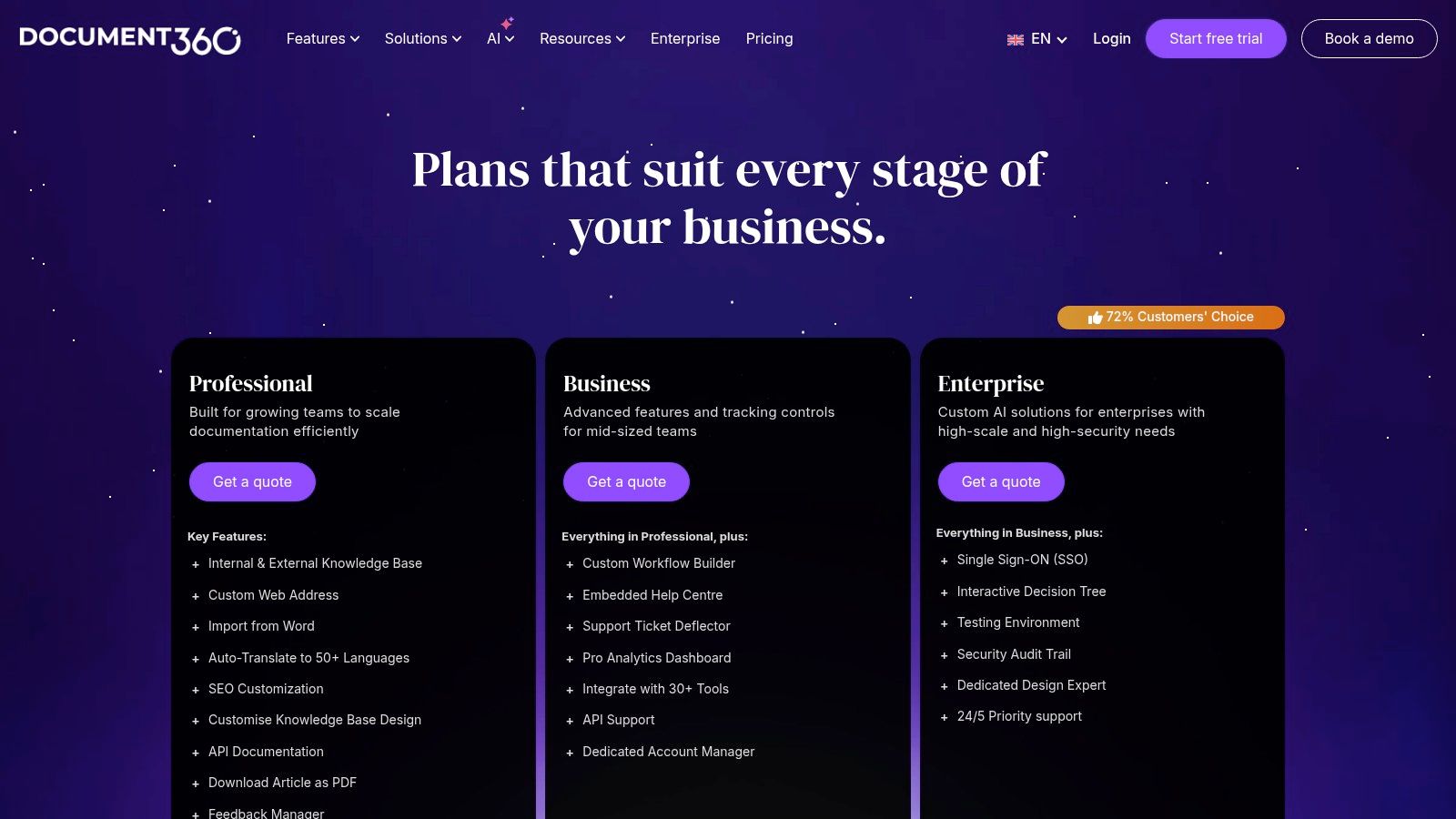
- Pricing & Access: Document360 offers multiple tiers, with a Startup plan beginning at $149 per project/month (billed annually). Pricing scales based on projects, storage, and team accounts. You can review all the options on their pricing page.
- User Experience: The platform provides a modern, intuitive interface for both authors and readers. Its
Knowledge base site 2.0
offers a highly configurable table of contents and a focus on accessibility. The authoring experience is streamlined, making it easy for non-technical users to contribute high-quality content. - Unique Offerings: The ability to create both public and private knowledge bases from a single platform is a standout feature. Interactive elements like step-by-step guides and decision trees allow you to build more engaging and effective help content that goes beyond simple text articles. Its AI-assisted authoring and search further enhance usability and speed up content creation.
5. Atlassian Confluence
Atlassian Confluence serves as a powerful and highly flexible example of a knowledge base, adept at managing both internal team knowledge and external customer support content. More than just a simple wiki, Confluence is a collaborative workspace where teams can create, organize, and discuss work. Its real strength lies in transforming scattered documents and team knowledge into a centralized, searchable hub, creating a single source of truth that powers productivity and consistency across your entire organization.
Strategic Breakdown: The Collaborative Knowledge Engine
Confluence’s core advantage is its deep integration with the Atlassian ecosystem, particularly Jira Service Management. This connection allows you to build a smart knowledge base that actively deflects support tickets. When a user starts typing a request in the Jira portal, Confluence articles are automatically suggested, empowering them to find answers instantly without ever creating a ticket. This tight coupling turns your knowledge base from a passive content repository into an active component of your support workflow.
The platform is built for deep collaboration and extensive knowledge management. With features like granular permissions, page versioning, and a vast library of templates for everything from troubleshooting articles to HR policies, it adapts to nearly any use case. Teams can structure information in dedicated spaces,
ensuring that cross-functional knowledge is organized and easily accessible to the right people at the right time.
Key Takeaway: Confluence excels as a central nervous system for organizational knowledge. It is a premier example of how to build a collaborative environment that not only stores information but also integrates it directly into workflows like IT and customer support to reduce manual effort.
Actionable Insights & Implementation
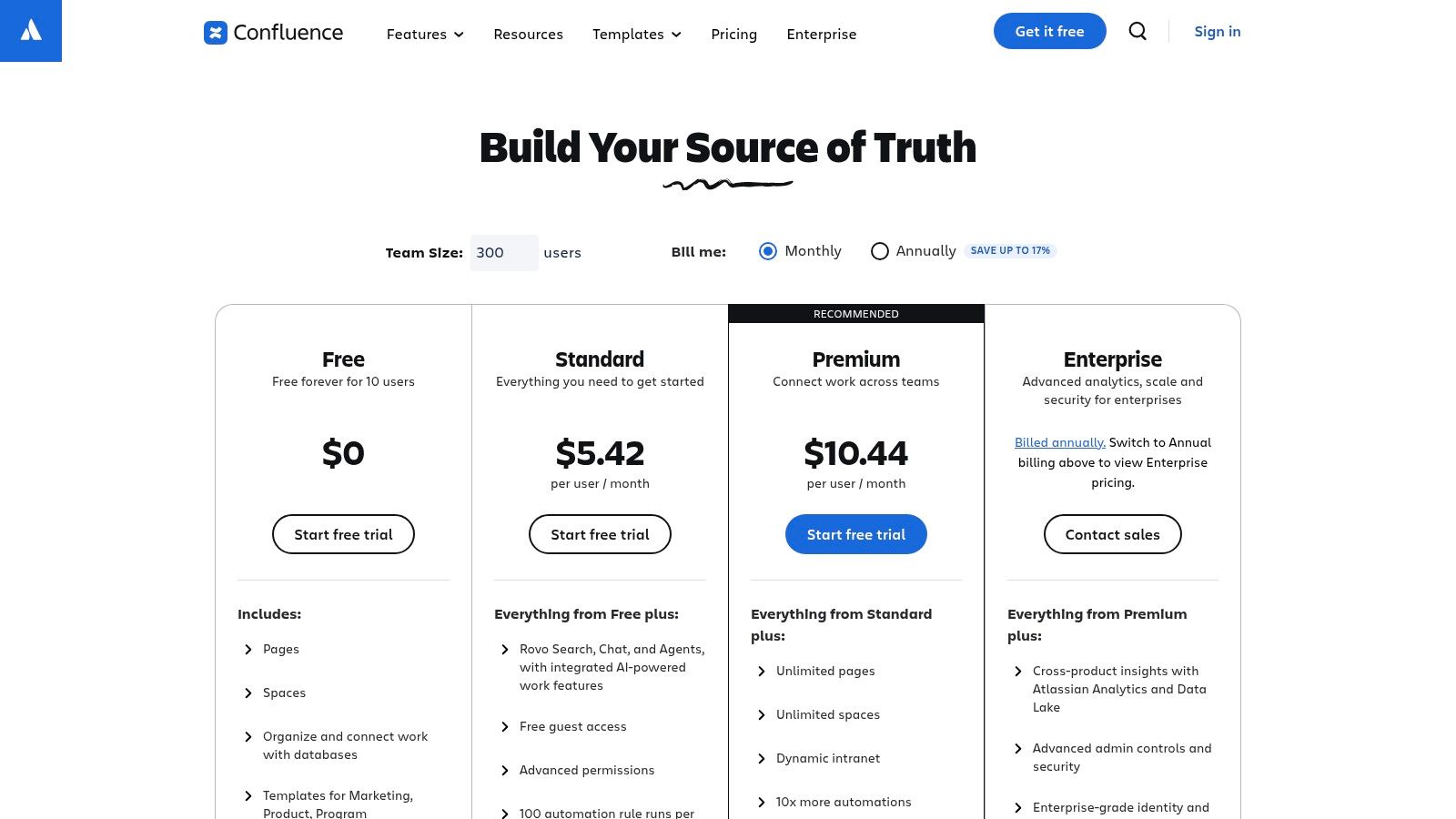
- Pricing & Access: Confluence offers a generous Free plan for up to 10 users, making it an excellent starting point for small teams. Paid plans begin at $6.05 per user/month, offering advanced features and more users. You can compare the tiers on their pricing page.
- User Experience: The editor is intuitive and rich with formatting options, making it easy for anyone to create professional-looking content. While its extensive feature set can feel complex for those needing a simple FAQ, its structured
spaces
and powerful search make navigating large knowledge bases straightforward. - Unique Offerings: The Marketplace is a significant differentiator, offering hundreds of apps and integrations to extend Confluence's functionality. Furthermore, its extensive template gallery provides a massive head start for creating structured knowledge bases for ITSM, HR, and project management.
Confluence is ideal for organizations that are already invested in the Atlassian suite or for any team that needs a robust, scalable platform for both internal and external knowledge sharing. By leveraging its powerful integration with Jira, you can build a self-service machine that dramatically improves efficiency.
6. Notion Template Marketplace
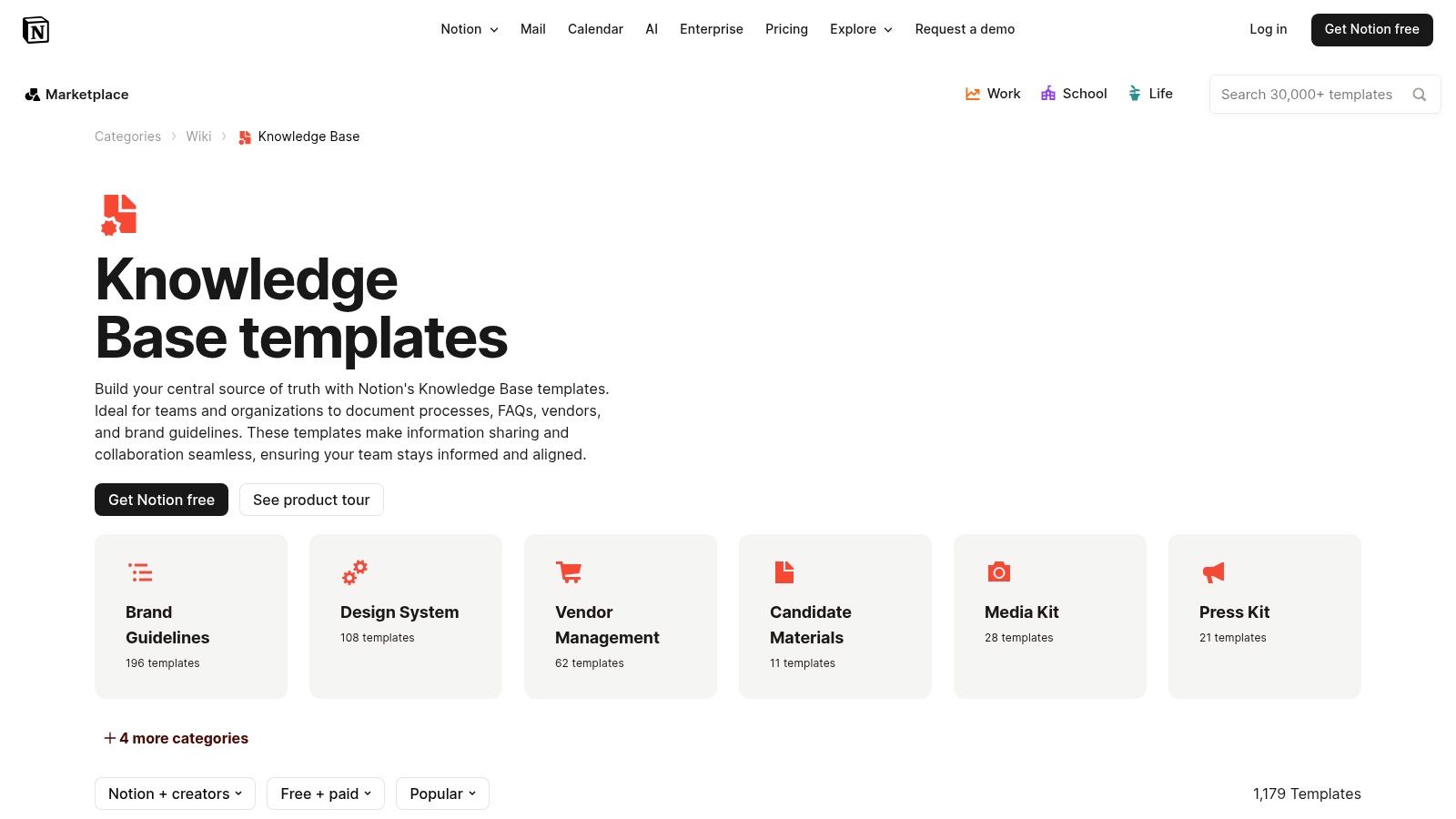
Notion offers one of the most accessible and flexible examples of a knowledge base through its expansive template marketplace. Unlike dedicated platforms, Notion provides a collection of ready-to-use wiki and knowledge base layouts that you can instantly duplicate and adapt within your existing workspace. This approach is perfect for teams that need to spin up an internal knowledge hub or simple public-facing documentation without the overhead of a specialized tool.
Strategic Breakdown: The Adaptable Blueprint Model
Notion's core strength is its speed and adaptability. You aren't starting from scratch; you're starting from a proven blueprint created either by Notion or by expert community builders. This fundamentally changes the setup process from a technical implementation to a simple content-population exercise. Teams can browse thousands of templates, find one that matches their workflow (e.g., an IT help desk, an HR onboarding guide, a team wiki), and have a functional structure in minutes.
The platform is designed for creative freedom, allowing you to embed everything from videos and code snippets to databases and third-party app integrations directly into your articles. This turns a static document into a dynamic, interactive resource. For internal teams, this means creating a single source of truth that is not only informative but also deeply integrated with their daily tools and processes.
Key Takeaway: Notion’s template-driven approach democratizes the creation of a knowledge base, making it incredibly fast and affordable to launch. It’s a prime example of how leveraging community-driven blueprints can help you build a customized solution without the custom-built price tag.
Actionable Insights & Implementation
- Pricing & Access: Many templates in the official Notion Template Marketplace are free. Paid templates from third-party creators are also common, usually sold through platforms like Gumroad. Notion itself has a free personal plan, with paid team plans starting at $8 per user/month (billed annually).
- User Experience: The user experience is Notion's standout feature: it's intuitive, clean, and highly customizable. Duplicating and editing a template requires no technical skill. However, because it's a general-purpose tool, it lacks dedicated knowledge base features like ticket deflection analytics or advanced user permissions without workarounds or add-ons.
- Unique Offerings: The sheer size and diversity of the template ecosystem are unmatched. You can find hyper-specific templates for almost any use case, from a startup's complete
company OS
to a simple project documentation site. This variety gives you an incredible head start compared to building from zero.
Notion excels for teams, especially startups and SMBs, that prioritize flexibility and speed for their internal documentation. By choosing the right template, you can bypass the complex setup and focus immediately on what matters: capturing and sharing your team's knowledge.
7. GitBook
GitBook has carved out a unique niche by providing one of the best examples of a knowledge base tailored specifically for product and developer documentation. It merges the rigor of developer-centric workflows, like Git integration and versioning, with an intuitive, modern editor that non-technical team members can easily use. This dual approach bridges the gap between engineering and the rest of the business, creating a single source of truth that is both powerful and accessible. Imagine your developers pushing documentation updates with their code, while product managers refine feature guides in a simple, visual editor.
Strategic Breakdown: The Developer-First Documentation Hub
GitBook’s core advantage is its deep integration with the developer ecosystem. By syncing directly with GitHub and GitLab repositories, it treats documentation as code (docs-as-code). This means documentation updates can be included in pull requests, reviewed alongside code changes, and published automatically upon merging. This workflow ensures that your public-facing docs are never out of sync with your actual product, which is a critical challenge for fast-moving software companies.
The platform is structured around Spaces,
which are self-contained knowledge bases. This allows organizations to manage separate documentation sites for different products, teams, or audiences under one account. Combined with its AI-powered search and public API, GitBook is designed to not just store information, but to make it discoverable and integrated into other tools.
Key Takeaway: GitBook excels by treating documentation as a first-class citizen in the software development lifecycle. It's a prime example of a knowledge base built to maintain accuracy and velocity, making it an indispensable tool for teams that need to keep their technical documentation pristine.
Actionable Insights & Implementation
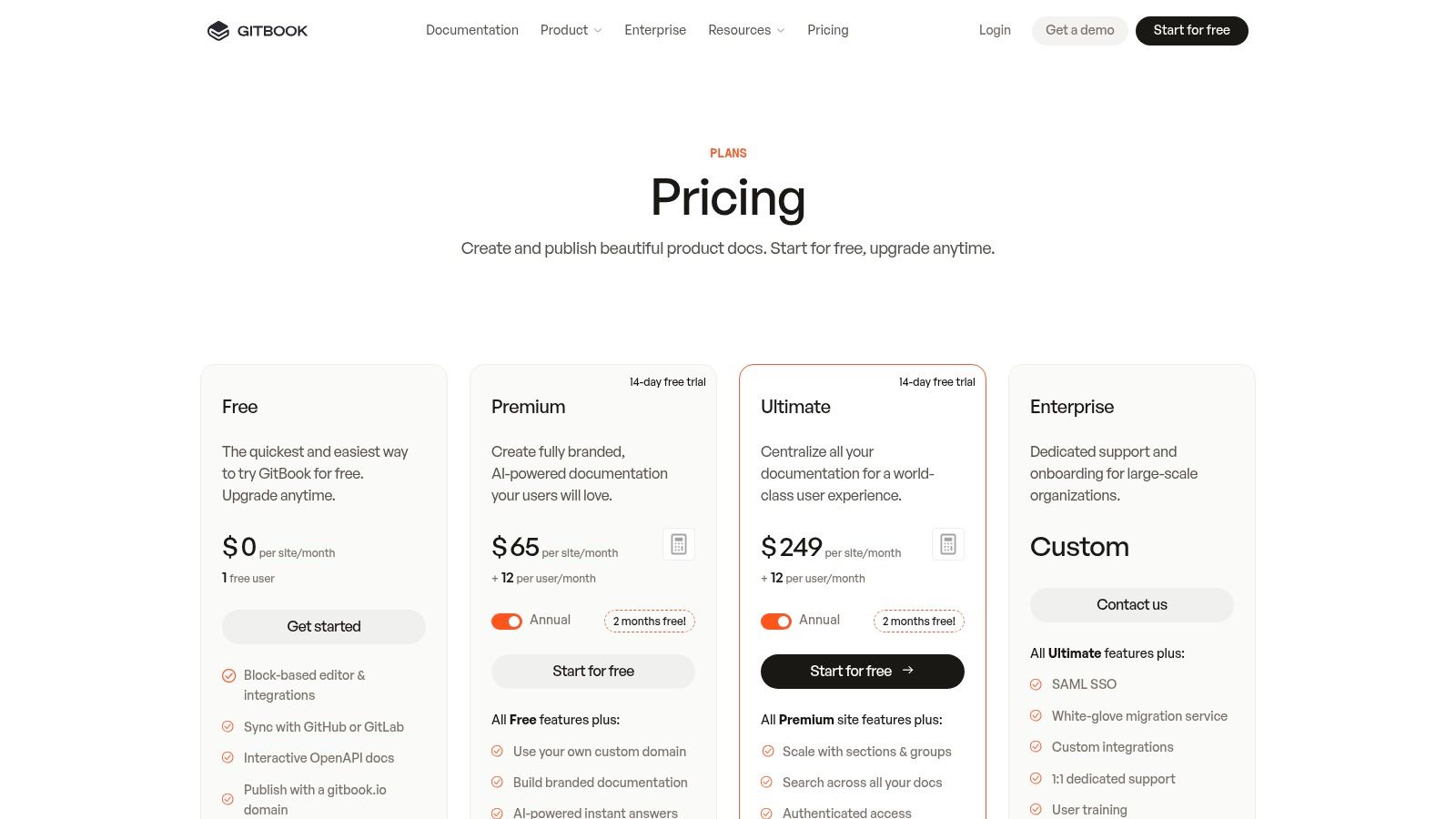
- Pricing & Access: GitBook offers a generous free tier for open-source projects and small teams. Paid plans, which add features like custom domains, private documentation, and advanced branding, start at $8 per user/month. You can review all options on their pricing page.
- User Experience: The platform offers a clean, minimalist interface for both readers and editors. The block-based editor is intuitive for non-developers, while the GitHub sync provides a familiar workflow for engineers. Its search functionality is fast and effective, making it easy for users to find what they need.
- Unique Offerings: The docs-as-code model with native Git sync is GitBook’s defining feature. It also stands out by allowing users to explore a vast library of public, real-world examples from other companies, providing excellent inspiration for structuring your own knowledge base.
For teams building software, a well-maintained knowledge base is non-negotiable. GitBook provides the perfect framework to ensure your documentation is always accurate and up-to-date, preventing the frustrating experience of users working from outdated guides.
Top 7 Knowledge Base Tools Comparison
| Tool | Implementation Complexity 🔄 | Resource & Cost ⚡ | Expected Outcomes ⭐ / 📊 | Ideal Use Cases 💡 | Key Advantages |
|---|---|---|---|---|---|
| SAI | Very low — zero setup, Slack-native 🔄 | Low upfront; Early Access $0 for single channel; paid tiers planned ⚡ | Faster answers, reduced repetitive Q&A; claims ~2+ hrs/person/day recovered ⭐📊 | Slack-first teams, support/success, ops, SMBs 💡 | Instant context-aware answers in Slack; frictionless trial |
| Zendesk | Medium — suite integration and theming may need dev work 🔄 | Higher — per-agent pricing and paid add-ons ⚡ | Enterprise-grade customer KB with analytics and ticket deflection ⭐📊 | Customer support teams, enterprises needing integrated support 💡 | Deep integrations, marketplace, branded help centers |
| Help Scout Docs | Low — quick launch with sensible defaults 🔄 | Low–medium — bundled with Help Scout plan; add-ons metered ⚡ | Fast-to-launch KB for support; decent in-app embedding ⭐📊 | Small support/customer-success teams wanting simplicity 💡 | Lightweight setup, Beacon widget, clear limits and pricing |
| Document360 | Medium — dedicated KB features and governance controls 🔄 | Medium–high — purpose-built pricing for KBs ⚡ | Robust standalone KBs with governance, private reader accounts ⭐📊 | Product docs, internal enterprise knowledge with strict controls 💡 | Deep admin controls, SSO, workflows, advanced authoring/search |
| Atlassian Confluence | Medium — very flexible but can feel heavy for simple use 🔄 | Low–medium — free tier for small teams; scales with users ⚡ | Strong cross-team knowledge sharing, versioning, request deflection ⭐📊 | Cross-functional orgs, Jira-aligned teams, IT/HR knowledge hubs 💡 | Large template/gallery ecosystem, granular permissions |
| Notion Template Marketplace | Very low — copy-and-adapt templates quickly 🔄 | Very low — many free templates; paid creators optional ⚡ | Rapid prototyping of KBs; limited enterprise KB features ⭐📊 | Teams needing quick examples or lightweight internal docs 💡 | Fastest path to examples, low/no cost, large template library |
| GitBook | Low–medium — visual + developer workflows; easy publishing 🔄 | Low for basic/public; Premium for advanced branding/features ⚡ | Developer-friendly docs and public examples; collaborative publishing ⭐📊 | Product/dev docs, public technical docs, teams needing Git sync 💡 | Git integration, branch editor, free tier and public examples |
From Constant Searching to Instant Answers: Your Next Step
Throughout this guide, we've explored a wide range of powerful examples of knowledge base solutions. From the comprehensive, structured approach of Zendesk and Help Scout to the collaborative, project-oriented power of Confluence and Notion, the options are as diverse as the teams they serve. We analyzed how each platform tackles the universal challenge of organizing information, offering unique strengths for customer support, internal documentation, and operational efficiency.
The core lesson from these examples is not just about having a repository of information; it's about accessibility and adoption. A knowledge base, no matter how detailed, is only effective if your team actually uses it. The most significant barrier to adoption is friction. Asking a team member to stop their workflow, open a new tab, navigate to a separate platform, and search for a document creates just enough resistance to make asking a colleague in Slack feel faster. This is the critical disconnect that traditional tools often fail to bridge.
The True Cost of Just Asking
Every time a question is asked and answered in a private chat or a busy channel, that knowledge evaporates. It helps one person in that moment but is lost to the next person who has the same query tomorrow. This cycle of repetitive questions and scattered answers is a silent productivity killer, forcing your most knowledgeable team members to become internal support agents and leaving others waiting for critical information.
The most transformative knowledge base strategy, therefore, is one that meets your team where they already work. It's about shifting from a destination
model, where knowledge is a place you go, to an integrated
model, where knowledge finds you. The future isn't about building a more complex external wiki; it's about intelligently capturing and resurfacing the expertise that already flows through your company’s communication hub every single day.
Your Path to an Intelligent, Self-Building Resource
The journey from scattered information to instant answers requires a fundamental mindset shift. Instead of focusing solely on manual documentation, consider how to leverage the conversations happening right now in Slack. This is where the true innovation lies, and it’s the principle behind a new generation of tools.
Here are the key takeaways to guide your next steps:
- Focus on Workflow Integration: The best tool is the one that disappears into your team's existing habits. Prioritize solutions that live inside the applications you use most, minimizing context switching and cognitive load.
- Automate Knowledge Capture: Manual documentation is a chore. Look for ways to automatically capture valuable Q&A from public conversations, turning everyday interactions into a permanent, searchable resource without extra effort.
- Prioritize a Single Source of Truth: Your goal is to eliminate the need to check multiple systems. An effective knowledge base centralizes information, providing one reliable place for your team to get verified answers, whether it was documented last year or asked and answered five minutes ago.
- Imagine the End Result: The ultimate goal is not a perfectly organized library of articles. The goal is to empower every employee to ask a question in their primary communication tool and get an instant, accurate answer, freeing up your experts to focus on high-impact work.
By embracing this modern approach, you move beyond static documentation. You begin building a living, breathing organizational brain that learns and grows with every conversation. The best examples of knowledge base implementations are those that make finding information as easy as asking a question.
Ready to transform your Slack channels from a source of endless questions into a powerful, self-updating knowledge base? SAI captures the valuable Q&A happening in your workspace and makes it instantly accessible to everyone, right where they work. Stop the repetitive search and start building your team’s collective intelligence today by adding SAI to a Slack channel for free.
