Your Step By Step Guide to Ending Repetitive Slack Questions
Let’s be honest, what does your ideal workday really look like? You're finally in the zone, making serious headway on that big project, when the Slack pings start rolling in. Where's the Q3 report again?
What's our guest Wi-Fi password?
Imagine a day where you never have to open another tab, dig through another drive, or interrupt a colleague to find an answer. This guide is your ticket out of that endless loop and into a workday where answers just appear.
Escape the Loop of Constant Slack Interruptions
Think about what those tiny, seemingly harmless interruptions actually cost you. It's not just the five seconds it takes to fire off a reply. It's the broken concentration, the lost momentum, and the sheer mental energy it takes to get back to a state of deep work. For too many of us, that's just a normal Tuesday.
Every single time a subject matter expert on your team has to stop what they're doing to answer a question they've answered a dozen times before, the whole company pays a price. The developer who has to pause their coding, the HR manager re-explaining a policy for the tenth time, the IT lead pointing someone to the same help article—it all adds up to a massive drain on productivity and, frankly, morale.
The True Cost of Context Switching
This isn't just a hunch; it's a very real, measurable problem. In companies that run on Slack, teams can lose up to 28% of their productivity just from the context-switching forced by constant pings. And for the people who are expected to have all the answers? The weight is even heavier. With about 60% of internal support questions being asked outside the typical 9-to-5 workday, the pressure to be always on
is immense. You can dig into more data on AI assistant market trends to see the full scope of the issue.
A New Way of Working
Now, what if there was a different way? Imagine a workplace where the default isn't to ping a colleague but to simply ask Slack. This guide is all about making that happen. We're going to walk through how to shift from a reactive, interruption-first culture to one where knowledge is just… there. Instantly.
This isn't about working harder. It's about getting rid of the friction that stops smart people from doing their best work. The goal is to make your company's knowledge as easy to tap into as flipping a light switch.
What if every question, once answered, instantly became a permanent, automated resource for the entire team? Just think about what that means:
- New hires could get fully up to speed in a matter of days, not weeks, because the answers they need are available 24/7.
- Your senior people could stop repeating themselves and focus on the complex, high-value problems you hired them to solve.
- The entire organization would build a shared brain that gets smarter and more helpful with every single interaction.
This is how you move from a culture of interruptions to a culture of true empowerment.
Turn On Your Team's Automated Expert in Seconds
This is where your team's relationship with Slack is about to get a whole lot better. Forget everything you know about complicated setups and long onboarding processes. Getting your automated knowledge hub running is as easy as a one-click install from the Slack App Directory. No credit card needed, no complex configuration required—just instant relief.
The key to a successful rollout is to focus your fire. Don't try to boil the ocean and solve every single communication problem at once. Instead, start where the pain is most obvious.
Find the Noisiest Channel
Take a moment and think about your Slack workspace. Where is the constant, repetitive chatter happening?
- Is it the #dev-help channel, where junior engineers are always asking for the staging server credentials?
- Maybe it's #it-support, which feels like a never-ending loop of
How do I connect to the VPN?
- Or it could be #hr-questions, with the same questions about vacation policy popping up like clockwork every Friday.
Identify that one channel that’s absolutely drowning in repeat questions. That's your ground zero. By inviting SAI into that single, high-traffic space, you’ll see an immediate, tangible impact. It's like putting a highly-efficient librarian in the loudest room in your office.
This is the shift you're making—from a workflow tangled with interruptions to one with clear, automated answers.
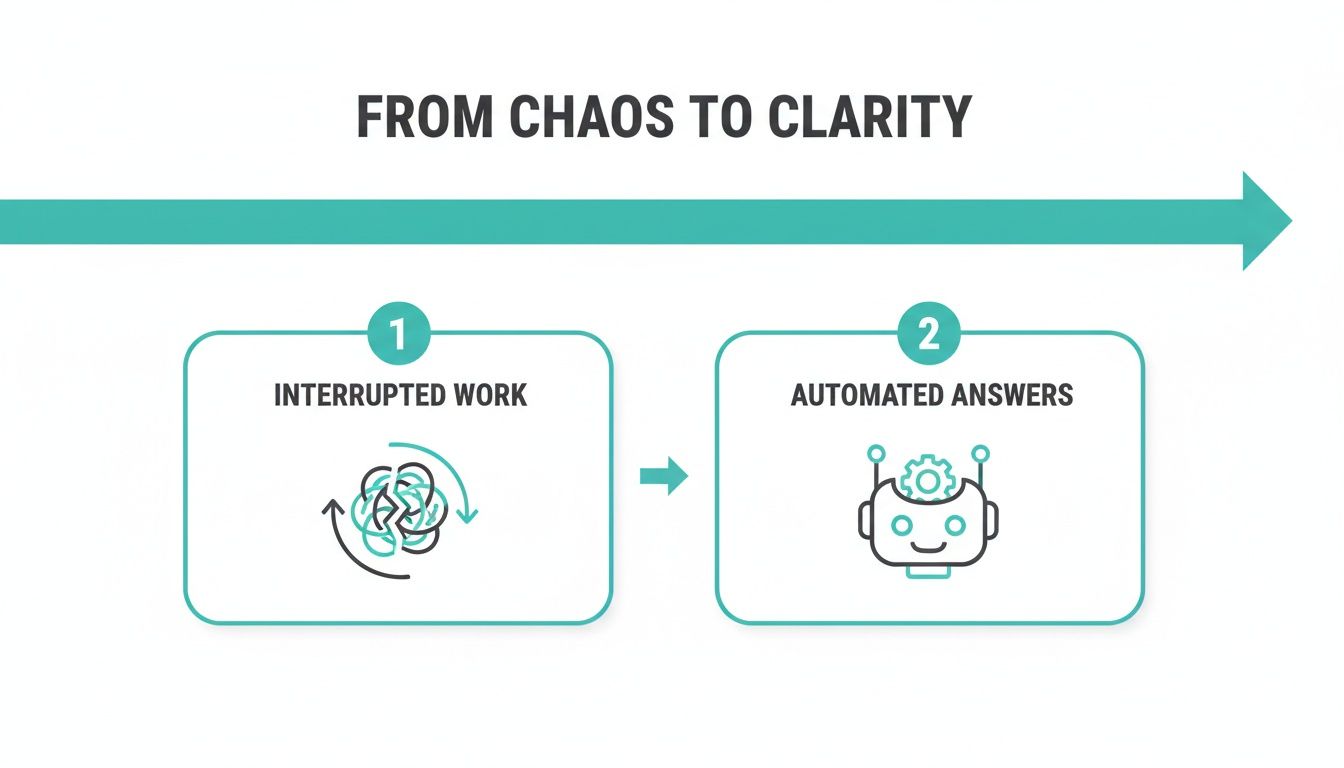
The goal here isn't just about adding a bot; it's about transforming tangled, manual work into a clean, direct path to the right information. You're giving your team back their most valuable asset: focus.
Activate Your Team's Collective Brain
The magic starts the second SAI joins the channel. Forget needing to upload documents or spend hours building a knowledge base. SAI instantly begins learning from the conversations that have already happened, absorbing the rich history of questions and answers your team has shared over time.
Think about it. Every explanation from a senior developer, every policy clarification from HR, and every support solution from IT is instantly indexed. Your chaotic channel history becomes a smart, searchable brain without you lifting a finger. If you're curious about the mechanics behind this, you can learn more about what a knowledge management system is and see why this automated approach is so effective.
You’re not just installing another app. You're activating a team-wide memory that never forgets, never gets distracted, and never goes on vacation. It’s the ultimate expert, on call 24/7.
This means that today—right now—you can break the cycle of digging through old threads or tapping a colleague on the shoulder. Imagine never again having to hunt down that one link in a dusty Google Doc or Confluence page because you know someone shared it a few months ago. The answer is just there, inside Slack, ready to be served up the moment it's needed. This is how you reclaim your team's time and build a more self-sufficient, focused workplace.
Teach Your AI Without Writing a Single Document
This is where the real power of SAI kicks in. Forget about spending weeks painstakingly building a knowledge base from scratch. The truth is, your team has already created all the knowledge you need, just by communicating every day.
Imagine never again having to open another Google Doc, search through shared drives, or dig through old project wikis. All the answers you and your team need are already there, buried inside your Slack history. With SAI, you can finally capture that expertise and make it instantly accessible to everyone.
Capture Knowledge with a Simple Emoji
The whole process is designed to be ridiculously simple and fit right into your natural workflow. Just think about a high-value question that was answered perfectly in Slack last week.
- A senior developer explained a complex API query in the #dev-help channel.
- A support lead detailed the official refund process for a tricky customer situation.
- The HR manager clarified the updated remote work policy in #general.
These answers are goldmines of organizational knowledge. Instead of letting them get buried in the channel history, you can save them forever with a single click. By simply reacting to the expert’s message with a specific emoji (like a brain 🧠 or a checkmark ✅), you instantly teach SAI.
That one-time effort from your expert is now a permanent, automated resource. It's a system that turns your team's existing conversations into a durable, evergreen knowledge hub that benefits everyone—especially new hires looking for guidance.
Turn Tribal Knowledge into Company Power
This simple emoji-based approach solves a massive, hidden problem in most companies. The constant flow of information in Slack is overwhelming. In fact, research shows a staggering 72% of employees feel swamped by information overload, wasting 21% of their week on searches that could be avoided.
SAI directly counters this by capturing answers right where they happen, making them available 24/7. This is particularly effective for ops, HR, and support teams that handle up to 40% repetitive queries daily.
For a deeper look at how this works, check out our guide on how an AI in Slack knowledge base example delivers immediate results. This is the ultimate step by step guide to building a smarter, more self-sufficient team.
This isn’t just about convenience; it’s a fundamental shift in how your team accesses information. The expertise that once lived only in the heads of your senior staff is now democratized. Anyone on the team can tap into that collective intelligence without interrupting anyone’s day.
How to Ask Questions and Get Instant Answers
Now that SAI is live and learning from your team’s knowledge, the real change begins. This part is less about technology and more about habits. Your goal is to create a culture where the first instinct isn't to interrupt a coworker but to ask SAI.
We're talking about rewiring that muscle memory—turning the disruptive quick question
into a smooth, self-service flow. Instead of digging through old channels or waiting hours for a response, your team can get what they need instantly. The aim is to make asking SAI a natural reflex.
From Keywords to Conversations
The secret to getting the most out of SAI is in how you ask. This isn’t a clunky keyword search. SAI understands natural, conversational language, just like a person would.
So, instead of just typing a single word like password, a teammate can ask a complete question: I forgot how to reset my password for the internal marketing dashboard, can someone help?
SAI doesn't just look for a keyword match; it understands the context and delivers the precise, verified answer right away. This is where you see the power of artificial intelligence to answer questions fast—it cuts out all the time-wasting back-and-forth.
Picture this: no more waiting for someone to finish a meeting, get back from lunch, or log on from a different time zone. The answer is simply there, available 24/7, the moment the question is asked.
The table below shows how this simple shift in asking questions can completely change your team's workflow.
Transforming Team Questions From Interruptions to Instant Answers
| Common Question (The Old Way) | How to Ask SAI (The New Way) | The Outcome |
|---|---|---|
Hey @Sarah, where's the latest Q4 sales deck? |
@SAI where is the latest Q4 sales deck? |
SAI instantly provides the direct link, no waiting. |
Anyone know the guest Wi-Fi password? |
@SAI what is the guest Wi-Fi password? |
The password is provided privately via DM in seconds. |
How do I submit an expense report? |
@SAI show me how to submit my expense report. |
SAI shares the step-by-step guide and a link to the portal. |
What's our company policy on remote work? |
@SAI what is our remote work policy? |
The full, up-to-date policy document is surfaced immediately. |
This isn't just about finding information; it's about reclaiming focus and momentum for the entire team.
Get Your Team Onboard
Getting your team to adopt this new way of working is everything. It all starts with a clear, simple announcement that shows them what's in it for them.
Feel free to adapt this template and post it in your main channels to get the ball rolling.
Announcement Template:
Hey Team! 👋
To help us all spend less time searching and more time doing, we've activated SAI in this channel.
From now on, instead of pinging a person for common questions, just @SAI and ask your question in plain English. For example, instead of asking where the Q4 sales deck is, just ask SAI directly.
This will help everyone get answers faster and cut down on interruptions. Let's make this our first stop for questions!
This simple message sets the expectation and gives a clear step by step guide on how to get started. The impact is hard to ignore. Businesses that integrate AI copilots see 55.8% faster task completion. For a 100-person team reclaiming just 30 minutes each day, that adds up to over $1 million annually in recovered productivity. You can dive deeper into these AI assistant market findings to see the full financial upside.
Measure the Impact of Fewer Interruptions
How do you really know if this is working? The proof isn't buried in some complex analytics dashboard; it's in the reclaimed time and renewed focus you'll see across your team. You don’t need to be a data scientist to spot the difference. It’s all about the clear before and after
picture in your daily workflow.
Think about it. Imagine a day where you never have to open another tab or dig through another drive to find an answer. That's the future you're building. The true measure of success is when your team’s first instinct is to ask SAI in Slack, knowing they’ll get what they need without derailing someone else's day.
From Channel Noise to Quiet Productivity
Let's start with a simple experiment. Pick your busiest, most question-heavy channel—maybe it’s #it-support or #hr-questions.
Before you unleash SAI, spend a week just counting the repetitive questions that pop up. Be a fly on the wall. Then, after SAI has been learning for a week, do the same count. You'll see the number drop, for sure, but the real win is what that newfound quiet represents.
That reduction in noise is a direct line to increased focus. Every question SAI handles is one less tap on the shoulder for your experts. It’s one less context switch for a developer deep in code or a manager trying to finish a report. This isn't just a small tweak; early users of no-setup AI tools have seen 40-50% reductions in response times for these common questions. If you want to dig into the broader trends, you can learn more about AI assistant market research.
Listening for the Real-World Wins
Beyond the raw numbers, pay attention to the stories your team starts to tell. Honestly, these are the most powerful signs that you’ve actually made a difference.
You’ll start hearing things like:
- Faster Onboarding: New hires will mention how they found the benefits info or the software setup guide on their own, without feeling like they were pestering someone on their first day.
- Fewer Bottlenecks: Project leads will notice that simple questions about brand guidelines or API keys no longer stall progress for hours.
- Increased Autonomy: People just feel more empowered. They know they have a reliable sidekick available 24/7, ready to help.
This is what it's all about—moving your team from a state of constant interruption to one of effortless self-service. When you start hearing these stories, you'll know you're not just answering questions; you're fundamentally changing how your team works for the better. You're creating an environment where people can finally do their best work.
Still Have Questions About Automating Slack?
Moving to an automated knowledge system right inside Slack is a game-changer, but it’s normal to have a few questions. We’ve answered the most common ones we hear to help you see just how much easier your workday can be when the endless searching and repeat questions finally stop.
This isn't about just bolting on another tool. It's about fundamentally changing how your team finds and shares information. Picture this: no more digging through shared drives, no more opening a dozen browser tabs, and no more tapping a coworker on the shoulder for an answer they've already given a hundred times.
How Does SAI Actually Learn Our Company's Specific Information?
SAI learns directly from the one place your team already lives: your Slack conversations. You don't have to waste time uploading documents or building a knowledge base from scratch.
It’s incredibly simple. When a subject matter expert drops a great answer in a channel, you just react with an emoji. That's it. SAI instantly grabs that question-and-answer pair and adds it to your team's collective brain. It’s a seamless step by step guide to knowledge capture that fits right into your daily workflow.
Won't This Just Create More Work for My Team?
Absolutely not—it does the opposite. The entire point is to kill the repetitive busywork that drains your team's time and energy. Let's be honest, in most companies that run on Slack, the situation is pretty rough. Customer support teams, for instance, are often buried under 65% repeat questions, which can bloat operational costs by 25%.
SAI steps in and automates the whole process, learning from conversation threads to provide solid, reliable answers. This puts a stop to the constant task-switching that research shows can cause a 40% productivity loss. If you're curious, you can dig deeper into the impact of virtual assistants on business productivity.
What Happens When an Answer Becomes Outdated?
Keeping your knowledge base fresh is surprisingly easy and intuitive. If SAI gives an answer that’s no longer correct, you can update it right there in the Slack thread where it was first saved.
Just find that original message, edit it with the new info, and SAI will automatically start serving the updated version. This keeps your knowledge base accurate without ever needing to log into a separate system.
Think of it as a living document that evolves right alongside your business. It's a single source of truth that never gets stale because your team maintains it in the same place they collaborate.
This whole approach ensures the knowledge being shared is always relevant and trustworthy. It transforms your Slack channels into a self-maintaining hub of expertise, freeing up everyone to focus on the work that truly matters.
Ready to break the cycle of repeat questions and give your team the gift of uninterrupted focus? SAI learns from the conversations you're already having to provide instant, automated answers right inside Slack.
Add SAI to a single channel for free and see the difference today.