12 Best Free Knowledge Base Software Options for 2025
Imagine a workday where your team never has to search through old messages, dig through shared drives, or tap a coworker on the shoulder for the same information again. Picture this: instead of opening multiple tabs and resources, you simply ask a question in Slack and get an instant, accurate answer. That's the transformation we're talking about—not just adopting a new tool, but reclaiming hours of lost focus and productivity by making information flow effortlessly.
The constant hunt for information is a silent killer of efficiency. For a small team, this internal friction easily wastes over 40 hours every month, time that could be spent on critical, high-impact work. This guide isn't just another list of the best free knowledge base software; it’s a roadmap to building a single source of truth that lives where your team already works. We’ve done the heavy lifting to help you find the right solution to centralize your team's collective wisdom and make it instantly accessible.
We will explore 12 powerful options, from traditional wikis like Confluence and Notion to open-source platforms like DokuWiki and modern documentation sites like GitBook. We'll even look at innovative tools like SAI that build this knowledge base for you, learning from your team's daily conversations in Slack and delivering answers on demand.
Each review includes a detailed breakdown with screenshots, pros and cons, key limitations of the free plan, and a best for
recommendation to match the tool to your specific needs. By the end of this article, you'll have a clear path to eliminating information silos and empowering your team to get the answers they need, when they need them.
1. SAI
Imagine a workday where you never have to leave Slack to find an answer. No more digging through Google Docs, searching old Confluence pages, or interrupting a colleague. You simply ask SAI in Slack, and the correct, context-aware answer from you and your team appears instantly. This is the workflow transformation SAI delivers, positioning it as a powerful and innovative contender for the best free knowledge base software, especially for teams living in Slack.
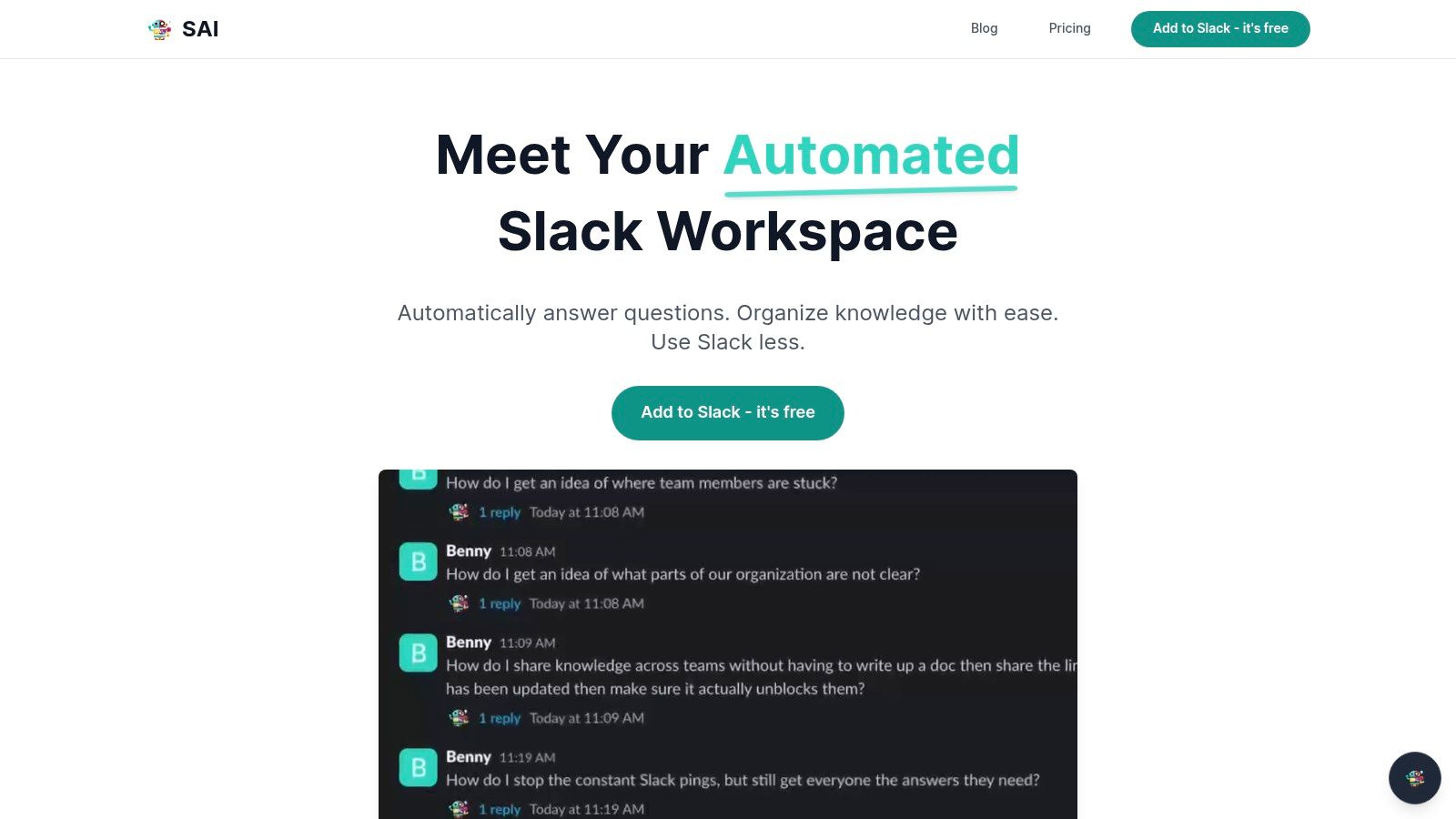
SAI’s brilliance lies in making your team's collective knowledge instantly available. Instead of making you build and maintain a separate knowledge base, it plugs directly into a Slack channel and immediately starts learning from your team’s existing conversations. Every question asked and answered becomes a permanent, searchable knowledge asset, captured organically without anyone having to do extra work.
Why SAI Stands Out
What truly sets SAI apart is how it understands what your team is looking for. It comprehends the meaning behind a question, not just the specific keywords used. This is a critical distinction; a new team member can ask Where's the guide for setting up my dev environment?
and get the same helpful answer as a veteran asking Link the staging setup doc.
This intelligent retrieval system eliminates the friction of having to phrase a query perfectly, ensuring information is always accessible.
The result is a significant reduction in repetitive questions and context switching. Teams using SAI report saving over two hours per day, reclaiming valuable focus time that was previously lost to finding or re-answering the same questions. For a five-person team, that equates to more than 40 hours per month.
Key Features & Use Cases
- Effortless Knowledge Capture: Turns your team's natural Slack conversations into an instant knowledge source.
- Context-Aware AI: Understands user intent and conversational nuances to provide highly relevant answers 24/7.
- Instant Implementation: Add it to a Slack channel and it begins working immediately with no training or configuration required.
- Measurable Productivity Gains: Drastically reduces interruptions and empowers team members with self-serve information.
Best For: Support, Ops, IT, and HR teams overwhelmed by repetitive questions, as well as fast-moving startups and SMEs that rely on Slack as their central communication hub.
| Pros | Cons |
|---|---|
| Instant value with zero setup; learns from existing Slack history. | Currently Slack-only; not an option for teams using other platforms. |
| Reduces interruptions and task switching, saving significant time. | Free plan is limited to a single channel. |
| AI understands intent, not just keywords, improving answer accuracy. | Relies on existing conversations; requires good data hygiene to prevent surfacing outdated or incorrect information. |
| Free Early Access plan offers unlimited AI responses in one channel. |
The free Early Access plan allows you to add SAI to a single Slack channel with unlimited AI responses and community support, making it a frictionless, high-impact tool to trial. You can add it to your workspace directly from the SAI website.
2. Atlassian Confluence
For teams already embedded in the Atlassian ecosystem, Confluence is often the default choice for building a wiki, and for good reason. It provides a polished, enterprise-ready environment for collaborative documentation right out of the box. Its free-forever plan is an excellent entry point for small teams or for larger organizations looking to pilot a structured internal knowledge base without an initial investment.
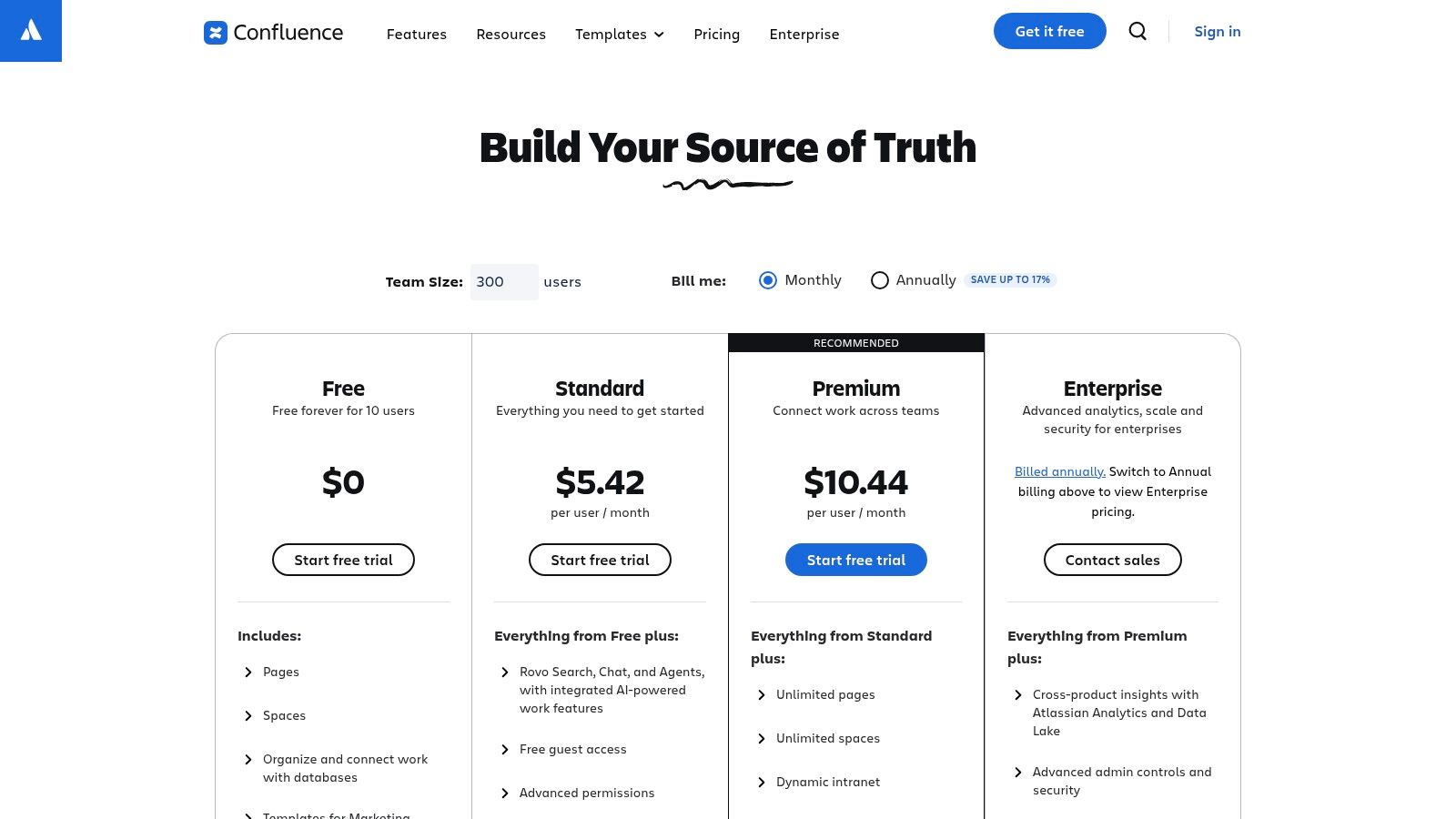
What makes Confluence one of the best free knowledge base software options is its seamless, native integration with Jira. Linking project documentation directly to Jira tickets creates a single source of truth that streamlines development workflows and project management. This synergy is invaluable, eliminating the need to hunt for context across different platforms.
Key Takeaway: Confluence’s free plan is a powerful starting point for internal documentation, especially for teams that live and breathe in Jira.
The platform excels with its vast library of templates, from project plans to meeting notes, making it easy to create structured, professional-looking pages quickly. Learn more about the core components of an effective knowledge management system to see how these features fit into a broader strategy. While its free tier is generous for up to 10 users, be mindful of the 2 GB storage limit and the restriction that keeps your knowledge base private; public access requires a paid plan.
- Best For: Small tech startups and agile development teams using the Atlassian suite for project management.
- Website: atlassian.com/software/confluence/pricing
| Feature | Free Plan Limit |
|---|---|
| Users | Up to 10 users |
| Storage | 2 GB file storage |
| Public Access | No (Requires paid plan) |
| Jira/Trello Integration | Yes, native and seamless |
| Key Features | Pages, Spaces, Templates, Whiteboards, Databases |
Slack Integration Note: You can connect Confluence to Slack for notifications on page updates. However, finding information still requires leaving Slack to search within the Confluence interface. An AI tool like SAI complements this by pulling answers directly from your Confluence pages into Slack, allowing your team to access vital information without ever switching context.
3. Freshdesk
For businesses seeking a free knowledge base that’s natively tied to a customer support system, Freshdesk is a standout contender. It’s a full-featured help desk platform where the knowledge base isn't just an add-on; it's a core component of the support workflow. The free plan offers a robust starting point for small support teams to manage tickets and publish public-facing articles simultaneously, creating an integrated self-service portal for customers from day one.
What makes Freshdesk one of the best free knowledge base software options for customer support is this direct link between ticketing and documentation. Support agents can easily convert ticket resolutions into new knowledge base articles, ensuring their documentation stays relevant and grows organically based on real customer issues. This seamless process empowers customers to find answers on their own, reducing inbound ticket volume.
Key Takeaway: Freshdesk excels by combining a free, public-facing knowledge base with a powerful ticketing system, perfect for startups building their initial customer support function.
The platform is designed for simplicity and quick onboarding, with a clean interface for both agents and end-users. While the free plan’s limit of 10 agents is a significant constraint for growing teams, it provides more than enough runway for early-stage companies to establish a professional support presence. Keep in mind that advanced features like AI-powered suggestions (Freddy AI) and complex automation workflows are reserved for paid tiers.
- Best For: Startups and small businesses needing an integrated help desk and public knowledge base for customer support.
- Website: freshworks.com/freshdesk/pricing/
| Feature | Free Plan Limit |
|---|---|
| Users | Up to 10 agents |
| Storage | Not specified (subject to fair use) |
| Public Access | Yes, includes a customer portal |
| Ticketing Integration | Yes, core feature |
| Key Features | Ticketing, Knowledge Base, Reporting, Social & Email Channels |
Slack Integration Note: The Freshdesk integration for Slack can notify channels about new tickets, but it doesn't solve the core issue of accessing knowledge. Agents still have to leave Slack to search the Freshdesk knowledge base for answers. In contrast, an AI tool like SAI brings the knowledge directly to them, instantly pulling answers from your Freshdesk articles into the Slack conversation, which accelerates response times and resolves customer issues faster.
4. Notion
Notion has transcended its note-taking origins to become an all-in-one workspace that doubles as a highly flexible knowledge base. Its free plan is a fantastic entry point for individuals and small teams looking to build a wiki from the ground up, combining documents, databases, and project trackers into a single, interconnected system. The platform’s incredible versatility allows you to create anything from simple documentation pages to complex, filterable databases for managing assets or projects.
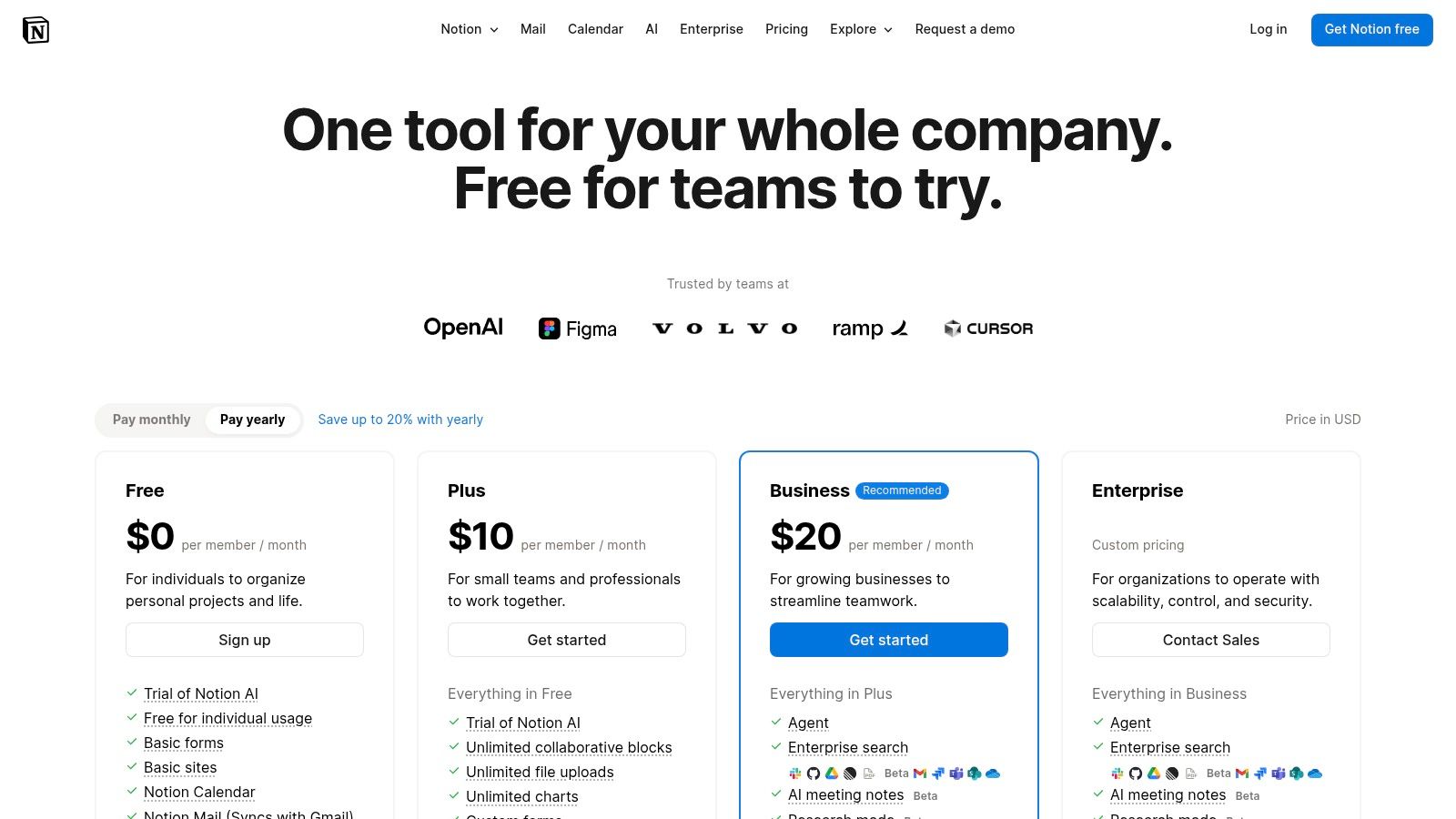
What makes Notion stand out as one of the best free knowledge base software options is its block-based editor and extensive template library. This modular approach makes content creation incredibly fast and intuitive. You can easily drag and drop elements, embed media, and link pages to build a rich, contextual knowledge hub without writing a single line of code.
Key Takeaway: Notion’s free plan is ideal for teams that need a highly customizable and visually organized internal wiki that can adapt to any workflow.
The platform’s strength lies in its ability to centralize different types of information, preventing knowledge from becoming siloed. For a deeper understanding of how this centralization fits into a larger strategy, explore these knowledge management best practices for 2025. While the free tier offers generous features, be aware of the block storage trial for teams and the 5 MB file upload limit. Advanced features like granular permissions and SSO are reserved for paid plans.
- Best For: Creative teams, startups, and individuals building a personalized internal wiki or public portfolio.
- Website: notion.so/pricing
| Feature | Free Plan Limit |
|---|---|
| Users | Invite up to 10 guests |
| Storage | 5 MB per file upload |
| Public Access | Yes, can publish pages to the web |
| Version History | 7 days |
| Key Features | Pages, Databases, Templates, Integrations, Blocks |
Slack Integration Note: Notion’s Slack integration can post page updates to channels, keeping your team informed. However, accessing the actual knowledge requires clicking out of Slack and navigating Notion. An AI tool like SAI transforms this workflow by retrieving answers directly from your Notion databases and pages, delivering them instantly inside Slack so your team can get information without context switching.
5. GitBook
For developers and technical writers looking to create beautiful, public-facing product documentation, GitBook is a standout contender. It masterfully blends a clean, user-friendly editor with powerful, Git-native workflows, allowing teams to treat their documentation like code. Its free plan offers a fantastic way for open-source projects or solo developers to publish polished, professional-looking docs without any upfront cost.
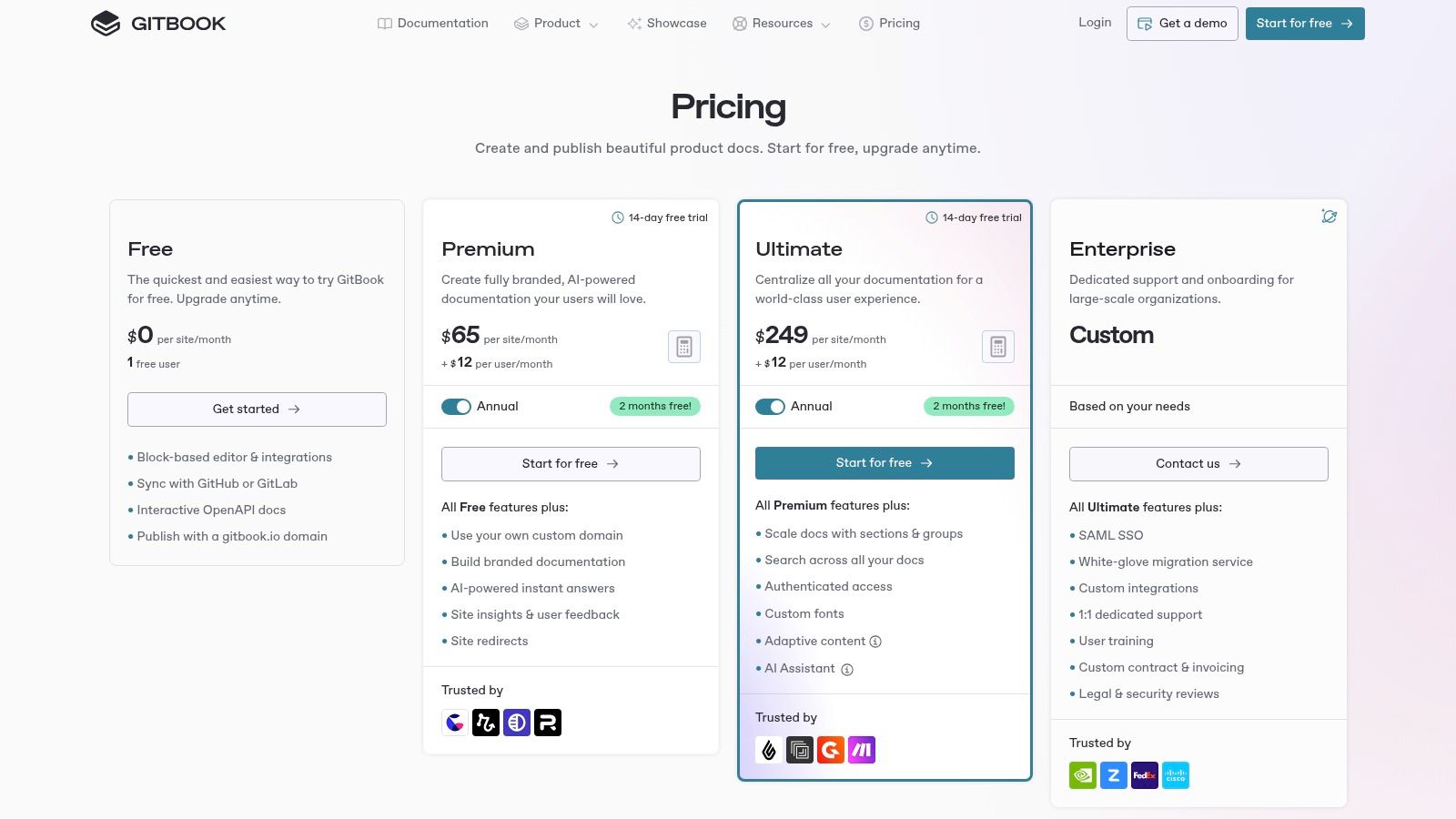
What makes GitBook one of the best free knowledge base software options is its unparalleled reader experience and developer-centric features. The ability to sync content directly from a GitHub repository streamlines the entire documentation process, ensuring that what your users see is always aligned with the latest code. This creates a single source of truth for both your internal team and your external audience.
Key Takeaway: GitBook is the go-to free choice for creating elegant, public-facing developer documentation with a Git-based workflow.
The platform's block editor is intuitive, supporting everything from code snippets to OpenAPI specs, making it easy to build rich, interactive guides. You can see some inspiring examples of knowledge base setups to understand how a polished public-facing site can elevate your product. However, the free tier is quite restrictive, limiting you to one user and one published site on a gitbook.io domain; custom domains and team collaboration are reserved for paid plans.
- Best For: Open-source projects, solo developers, and small teams needing to publish public technical documentation.
- Website: gitbook.com/pricing
| Feature | Free Plan Limit |
|---|---|
| Users | 1 user |
| Storage | Fair use policy (no hard limit listed) |
| Public Access | Yes, on a gitbook.io subdomain |
| Git Integration | Yes, core feature |
| Key Features | Block Editor, Git Sync, Public Site, Search |
Slack Integration Note: While GitBook itself doesn't offer a deep Slack integration for search, you can set up repository notifications in Slack. To make that documentation truly accessible, an AI tool like SAI can connect to your GitBook content. This empowers your team to ask questions in natural language and get instant answers directly within Slack, avoiding the need to leave the conversation to search through your published docs.
6. Zoho Desk
For teams seeking a customer support-centric knowledge base, Zoho Desk presents a compelling integrated solution. It’s primarily a help desk platform, but its free plan includes a robust knowledge base feature tied directly to email ticketing and a customer portal. This makes it an ideal starting point for businesses that want to build a self-service resource that works in tandem with their support agents, reducing ticket volume from day one.
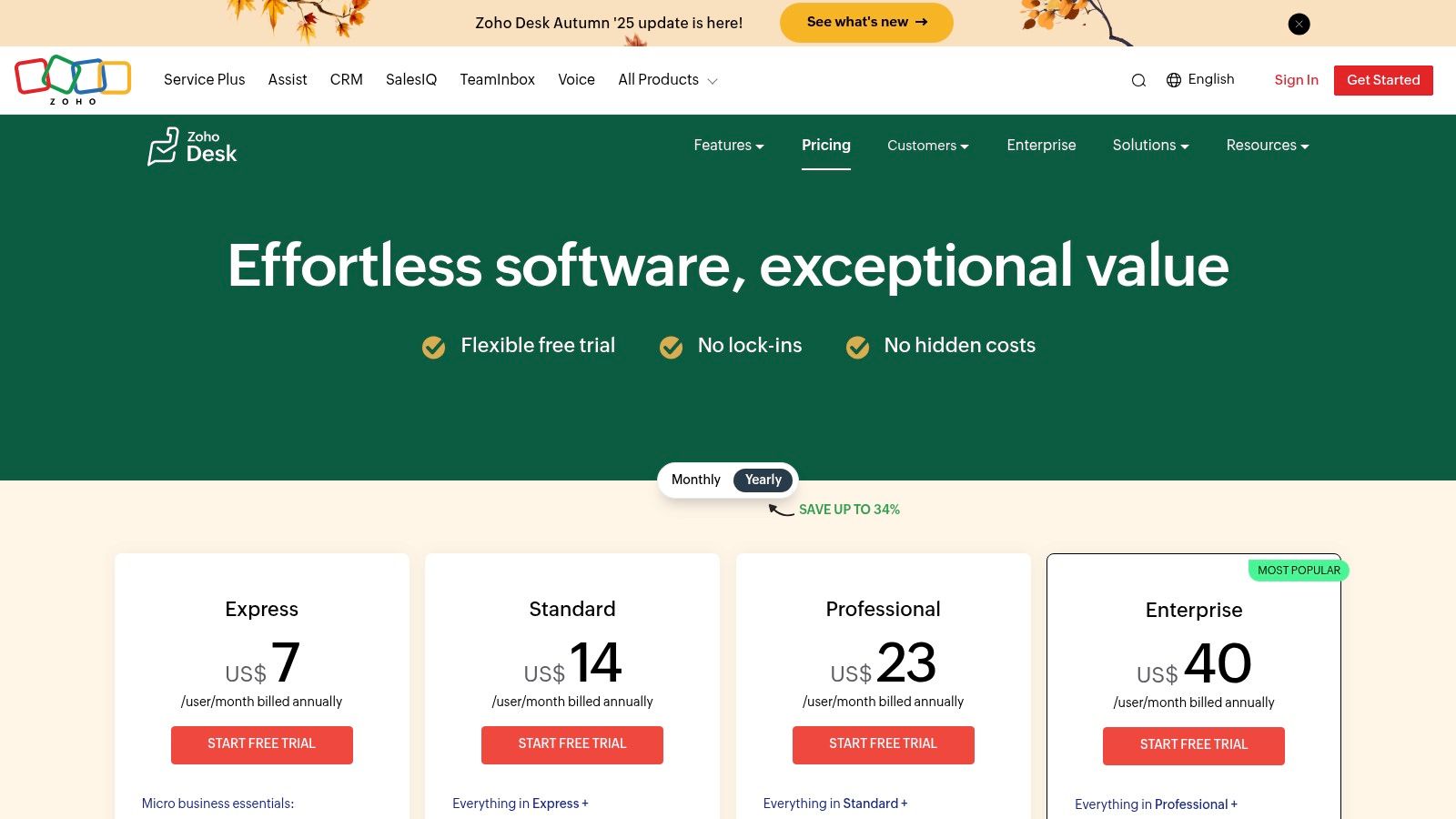
What makes Zoho Desk one of the best free knowledge base software options is its seamless connection between documentation and customer service. When a support ticket comes in, agents can easily pull answers from the knowledge base, ensuring consistent and quick replies. This integration provides a clear upgrade path within the extensive Zoho ecosystem, allowing your support tools to grow with your business without complex migrations.
Key Takeaway: Zoho Desk offers a free, powerful customer-facing knowledge base tightly integrated with a ticketing system, perfect for streamlining support.
The platform's free tier is generous for a small support team, offering three free agent licenses and essential features like a customer portal and mobile apps. Keep in mind that more advanced capabilities, such as multi-brand portals and expanded automation, are reserved for paid plans. The transition from the initial trial to the free plan can also be a bit confusing, so pay close attention during setup.
- Best For: Small businesses and customer support teams needing a free, integrated help desk and knowledge base to improve self-service.
- Website: zoho.com/desk/pricing.html
| Feature | Free Plan Limit |
|---|---|
| Users | Up to 3 agents |
| Storage | 1 GB file storage |
| Public Access | Yes, via a customer portal |
| Ticketing Integration | Yes, native and core to the platform |
| Key Features | Knowledge Base, Email Ticketing, Customer Portal, Predefined SLAs, Mobile Apps |
Slack Integration Note: Zoho Desk can send notifications to Slack channels for new tickets. However, agents still need to leave Slack to find answers in the Zoho Desk knowledge base. An AI tool like SAI transforms this workflow by bringing the knowledge base to your team, allowing them to instantly retrieve verified answers from your Zoho articles directly within Slack and resolve customer issues faster.
7. BookStack
For teams that prioritize data ownership and complete control, BookStack offers a compelling open-source alternative. This self-hosted platform is built around a simple, intuitive book/chapter/page hierarchy that makes organizing information feel natural. As it’s entirely free to download and run on your own server, it represents the ultimate in cost-effectiveness, removing all license fees from the equation.
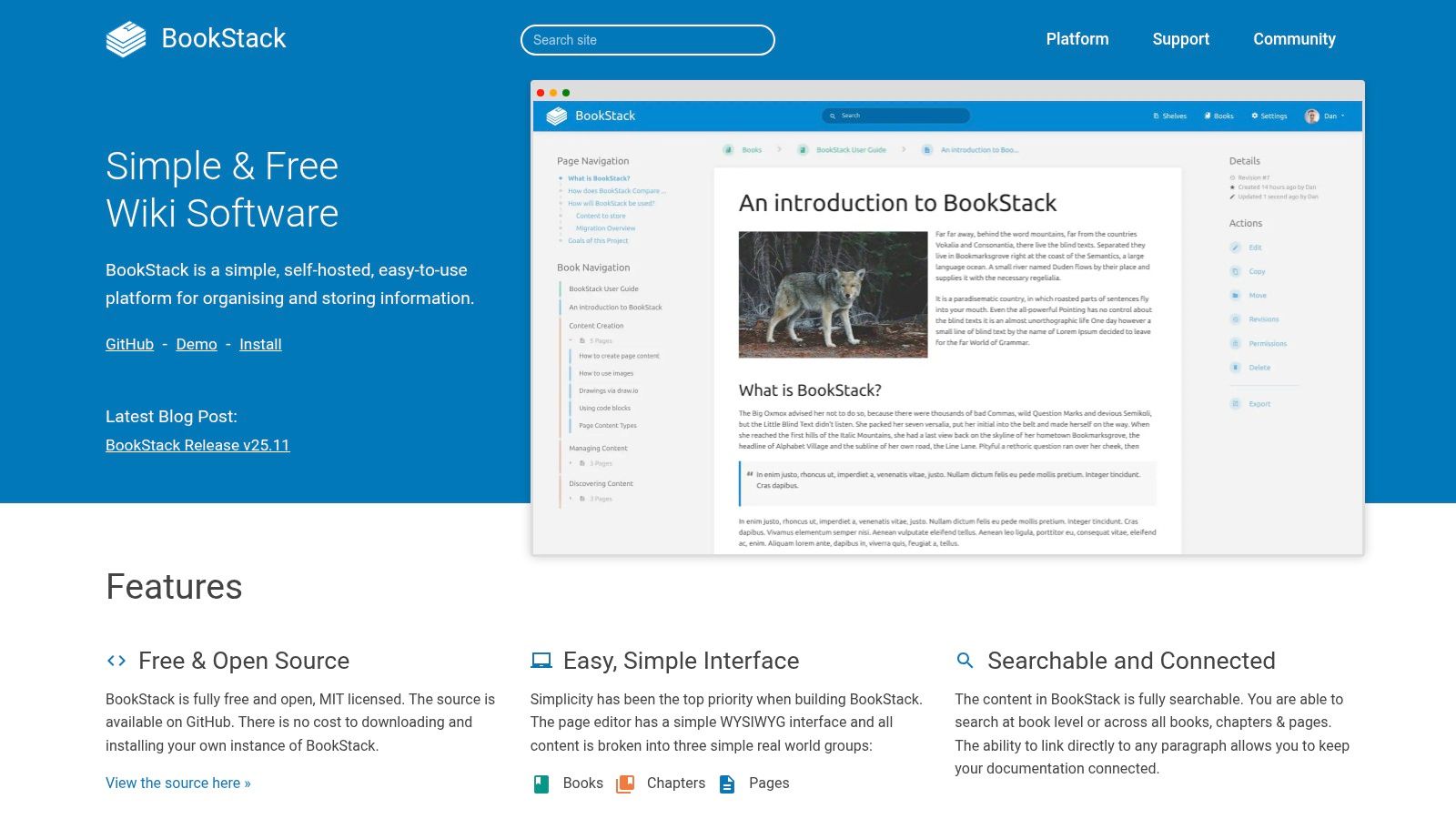
What makes BookStack one of the best free knowledge base software options is its commitment to simplicity without sacrificing power. It provides a clean WYSIWYG editor, robust permission controls, and integrated authentication options like LDAP and OIDC, which are often premium features elsewhere. This makes it a fantastic choice for organizations with the technical resources to manage their own hosting and a desire to avoid vendor lock-in entirely.
Key Takeaway: BookStack is the ideal free, self-hosted solution for technically proficient teams who want full data sovereignty and a straightforward, book-like structure.
The platform is surprisingly lightweight, running efficiently on modest server specs, and is supported by an active community. While its primary strength is self-hosting, this is also its main hurdle; it requires you to handle installation, maintenance, and security. It also has fewer out-of-the-box integrations compared to major SaaS players, requiring custom work for deeper connections with other tools.
- Best For: Developer teams, educational institutions, and any organization with in-house IT that wants a no-cost, fully customizable wiki.
- Website: bookstackapp.com
| Feature | Free Plan Limit |
|---|---|
| Users | Unlimited (Self-hosted) |
| Storage | Limited only by your server's hardware |
| Public Access | Yes, fully configurable |
| Jira/Trello Integration | No (Requires custom development) |
| Key Features | Book/Chapter/Page hierarchy, WYSIWYG Editor, Full-text Search, Revision History, SSO Support |
Slack Integration Note: While BookStack doesn't have an official Slack integration, community-driven solutions can be configured for basic notifications. This still requires your team to leave Slack to search for answers. A tool like SAI can connect to your self-hosted BookStack instance via its API, empowering your team to query your entire library of documentation and get instant answers without ever leaving the Slack interface.
8. MediaWiki
For organizations seeking ultimate control and scalability, MediaWiki is the powerhouse behind Wikipedia and thousands of other wikis. This free, open-source platform is designed for massive-scale, collaborative content creation, making it a robust choice for extensive internal or public-facing knowledge bases. It provides a battle-tested foundation that can be extended and customized to meet virtually any documentation need, from corporate intranets to public encyclopedias.
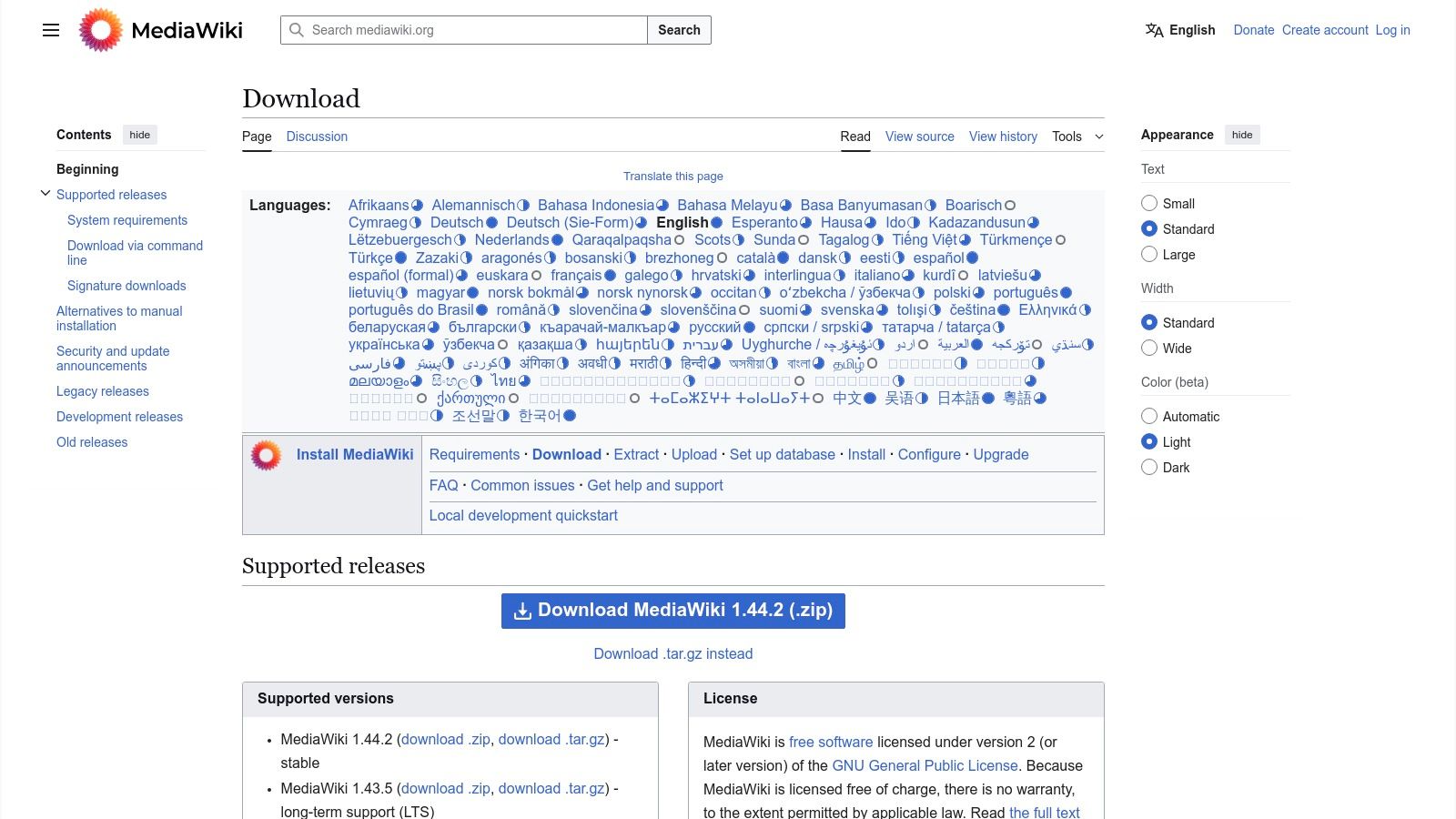
What makes MediaWiki one of the best free knowledge base software options is its unparalleled stability and extensibility. Because you host it yourself, you have complete ownership over your data and infrastructure, with no user or storage limits imposed by a provider. The vast ecosystem of extensions allows you to add features like advanced search, rich media embedding, and sophisticated permission controls, tailoring the platform precisely to your workflow.
Key Takeaway: MediaWiki is the ultimate free choice for technical teams needing a highly customizable, self-hosted, and scalable wiki engine.
While its power is a major advantage, it comes with a steeper learning curve. The initial setup, configuration, and theming require technical expertise, and its out-of-the-box interface is utilitarian compared to modern SaaS solutions. However, for teams with the developer resources to manage it, MediaWiki offers a level of freedom and power that proprietary software cannot match.
- Best For: Technically proficient teams, academic institutions, and large enterprises that require a powerful, self-hosted, and highly customizable wiki.
- Website: mediawiki.org/wiki/Download
| Feature | Free Plan Limit |
|---|---|
| Users | Unlimited (Self-hosted) |
| Storage | Unlimited (Limited by your server) |
| Public Access | Yes, fully configurable |
| Integrations | Via extensive third-party extensions |
| Key Features | Version History, Extensions, Multilingual Support, Categories |
Slack Integration Note: Integrating MediaWiki with Slack typically requires custom webhooks or third-party extensions for notifications. This setup still forces users to leave Slack to find answers. An AI tool like SAI bridges this gap by directly connecting to your MediaWiki database, allowing your team to query your comprehensive wiki and receive instant answers right inside Slack, keeping workflows uninterrupted.
9. DokuWiki
For teams seeking ultimate control and simplicity, DokuWiki is a standout open-source option that runs without a database. It stores all information in plain text files, making it incredibly lightweight, easy to back up, and portable. This approach makes it a fantastic choice for organizations that need a self-hosted, low-maintenance internal wiki without the complexity of traditional database management.
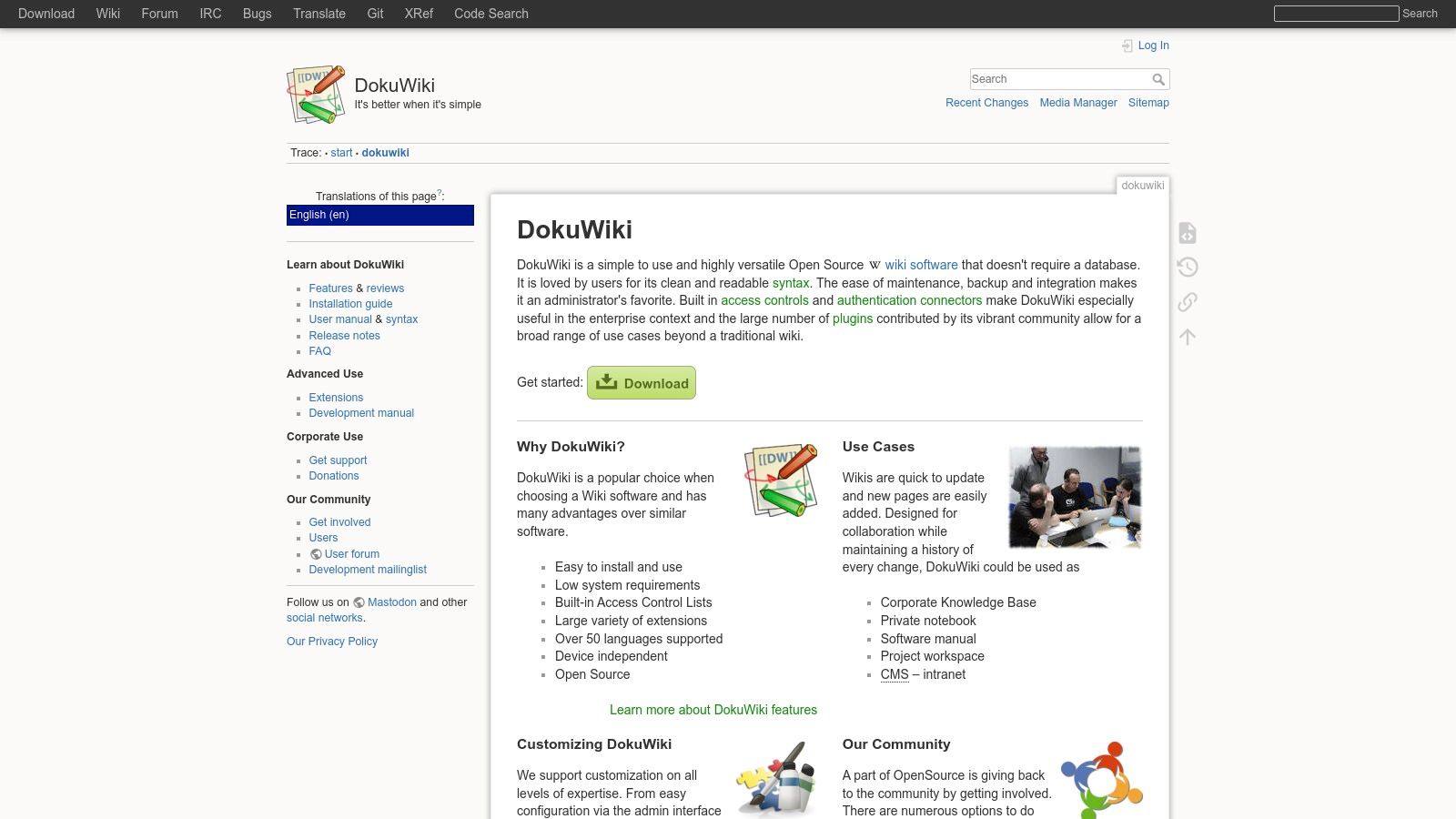
What makes DokuWiki one of the best free knowledge base software choices is its sheer flexibility and minimal overhead. Because it's open-source, it's completely free forever, with no user or storage limits beyond what your own hosting can handle. The active community provides hundreds of plugins and templates, allowing you to extend its functionality to include everything from Markdown support to enhanced search capabilities.
Key Takeaway: DokuWiki is the ideal self-hosted solution for teams that value simplicity, portability, and complete ownership over their documentation.
While the default interface can feel dated, customization can modernize its look and feel. The platform’s strength lies in its core function as a reliable, no-frills documentation engine. Its built-in access control lists allow you to set granular permissions, ensuring sensitive information remains secure. Be prepared to install plugins for features like a WYSIWYG editor, which are not always included out of the box.
- Best For: Technical teams, SMBs, and educational institutions needing a simple, self-hosted, and highly extensible internal wiki.
- Website: dokuwiki.org
| Feature | Free Plan Limit |
|---|---|
| Users | Unlimited |
| Storage | Limited only by your server |
| Public Access | Yes, fully configurable |
| Customization | Extensive via plugins & templates |
| Key Features | No database, Plain-text storage, ACLs, Revision history |
Slack Integration Note: While DokuWiki can be connected to Slack for notifications using community plugins, accessing information requires your team to leave Slack and search the wiki manually. This creates a context-switching problem. An AI tool like SAI bridges this gap by fetching answers directly from your DokuWiki pages and delivering them inside Slack, letting your team stay focused and productive.
10. MkDocs
For engineering teams that treat their documentation like code, MkDocs is the ultimate open-source solution. It’s a fast, simple static site generator that transforms Markdown files into a professional-looking knowledge base. Because it’s free and open-source, it’s a prime candidate for developers who want complete control over their documentation workflow, from version control in Git to automated deployments.
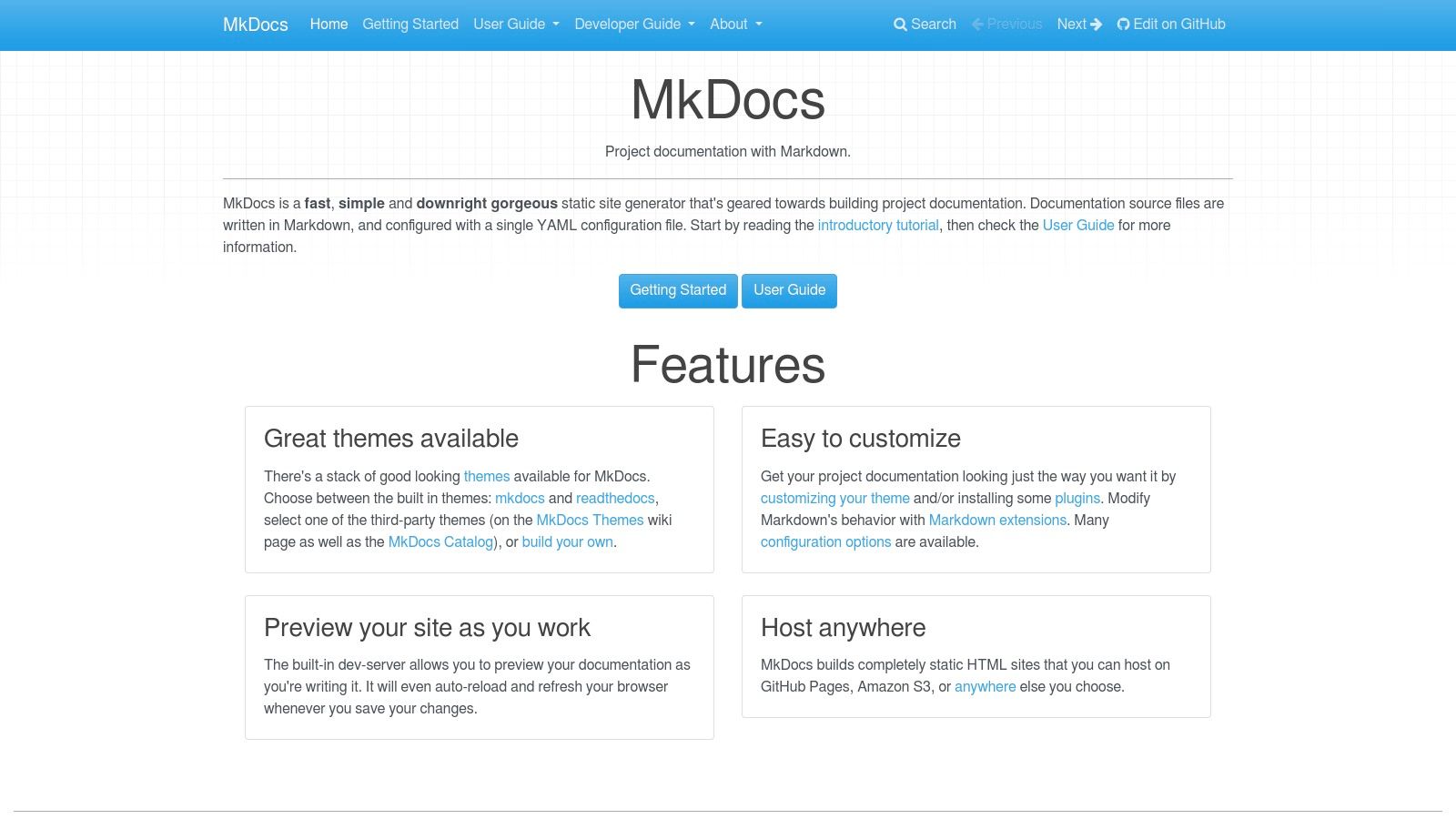
What makes MkDocs one of the best free knowledge base software options is its docs-as-code
philosophy. Storing your knowledge base in a Git repository means you get versioning, peer reviews via pull requests, and a single source of truth that lives right alongside your source code. This approach ensures technical documentation stays current and accurate, which is a common pain point for fast-moving development teams.
Key Takeaway: MkDocs is the ideal free choice for developer-centric documentation that needs to be version-controlled and deployed automatically.
The platform is incredibly lightweight and the resulting static site can be hosted virtually anywhere for pennies, including on GitHub Pages or AWS S3. While its reliance on a command-line interface and Git workflow is a significant barrier for non-technical users, it’s a feature, not a bug, for its target audience. Customization is easy through themes and a robust plugin ecosystem, allowing you to add search, diagrams, and more.
- Best For: Engineering teams, open-source projects, and any organization wanting to manage technical documentation as part of their CI/CD pipeline.
- Website: www.mkdocs.org
| Feature | Free Plan Limit |
|---|---|
| Users | Unlimited |
| Storage | Limited only by your hosting provider |
| Public Access | Yes, by default |
| Git Integration | Yes, core to the workflow |
| Key Features | Markdown-first, Version control, Static site output, Theming, Plugins |
Slack Integration Note: There's no native Slack integration for MkDocs. You'd need to build custom webhook notifications for deployments. Even then, your team must leave Slack to search the documentation site. An AI tool like SAI can index your entire MkDocs site, making every piece of technical documentation instantly searchable directly within Slack. This allows engineers to get answers from their meticulously crafted docs without ever breaking their focus.
11. Docusaurus
For developers looking to build a polished, modern, and highly customizable public-facing knowledge base, Docusaurus is a standout open-source solution. Powered by React, this static site generator is designed specifically for creating fast, content-rich documentation sites. Its core strength lies in providing enterprise-grade features like versioning and internationalization completely for free, making it a top contender for software documentation and public guides.
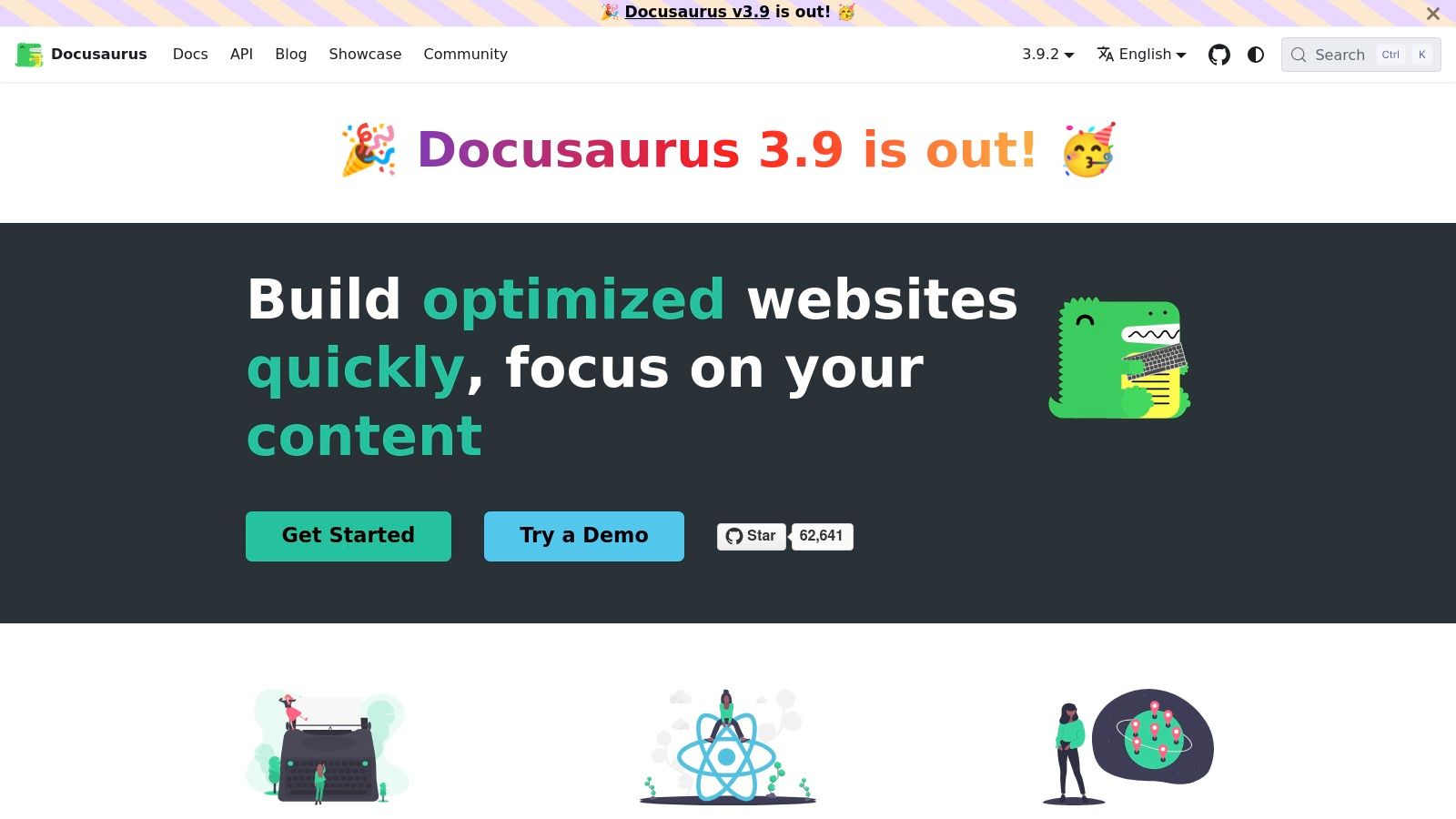
What makes Docusaurus one of the best free knowledge base software options is its extensibility. Since it's built with React, you can embed custom components directly into your Markdown (MDX) files, creating interactive and dynamic documentation that goes far beyond static text. This is perfect for API references, code tutorials, and detailed developer portals that need to be both functional and visually appealing.
Key Takeaway: Docusaurus is the ideal free choice for engineering teams that need a powerful, customizable, and code-centric platform for public documentation.
While its power is undeniable, it comes with a steeper learning curve. Docusaurus requires familiarity with frontend development tools like React and Node.js, as content isn't edited live but rather managed in a codebase and deployed like a website. This trade-off gives you unparalleled control over the final product, including powerful search integrations with tools like Algolia.
- Best For: Engineering teams building public-facing developer documentation or open-source project websites.
- Website: docusaurus.io
| Feature | Free Plan Limit |
|---|---|
| Users | Unlimited (Self-hosted) |
| Storage | Unlimited (Self-hosted) |
| Public Access | Yes, designed for public sites |
| Versioning & i18n | Yes, built-in and robust |
| Key Features | Markdown/MDX, React components, Plugin architecture, Algolia search |
Slack Integration Note: Docusaurus doesn't have a direct Slack integration for content access. While your team can share links to documentation, they still have to leave Slack to find answers. An AI tool like SAI can index your Docusaurus site, allowing team members to ask questions in natural language within Slack and get instant, accurate answers pulled directly from your official documentation.
12. Read the Docs
For open-source projects, Read the Docs is the gold standard for hosting public-facing documentation. It automates the entire process of building and publishing beautiful, versioned docs directly from a Git repository, making it an essential tool for developers who need a robust, no-cost solution. Its community plan offers a powerful way to create a public knowledge base without any hosting overhead.
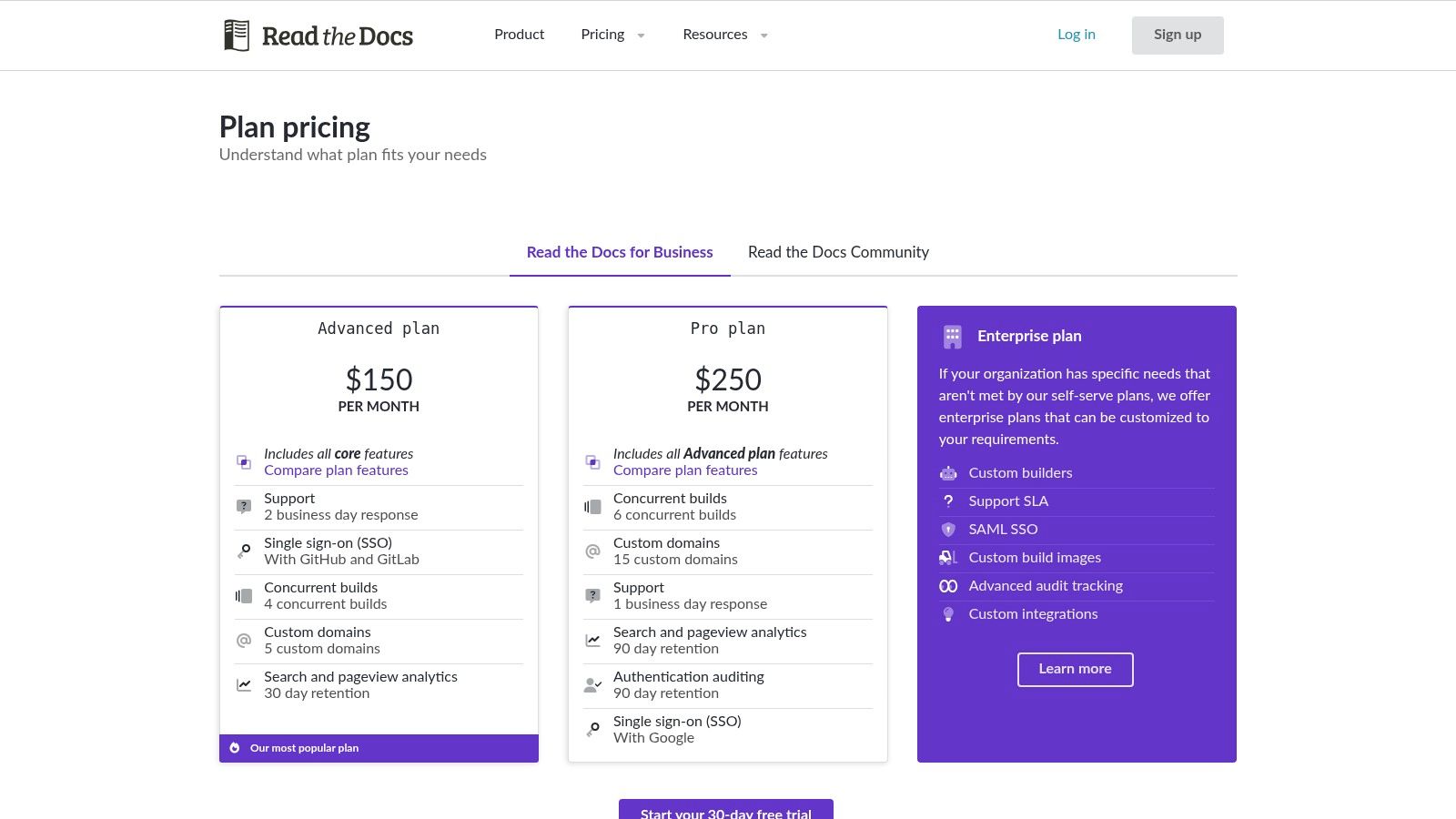
What makes Read the Docs one of the best free knowledge base software options is its CI-driven workflow. Every time you push a commit to your Git repository, it automatically builds and deploys the updated documentation. This keeps your knowledge base perpetually in sync with your codebase, a critical feature for technical teams that demand accuracy and timeliness.
Key Takeaway: Read the Docs is the definitive choice for creating and hosting free, public-facing documentation for any open-source project.
The platform supports popular documentation generators like Sphinx and MkDocs, giving developers flexibility in how they structure their content. While the free community tier is fantastic for public knowledge bases, keep in mind that it is ad-supported, and private repositories require a paid commercial plan. The focus is squarely on external, technical documentation rather than internal team wikis.
- Best For: Open-source projects, developer-focused companies, and any organization needing to host public technical documentation.
- Website: about.readthedocs.com/pricing/
| Feature | Free Plan Limit |
|---|---|
| Users | Unlimited |
| Storage | Project-based, subject to fair use |
| Public Access | Yes, public by default |
| Git Integration | Yes, native auto-builds from Git |
| Key Features | Automatic builds, versioning, internationalization |
Slack Integration Note: While Read the Docs itself doesn't integrate directly with Slack for content queries, the information it hosts is invaluable. A tool like SAI can index your public Read the Docs site, allowing your team to ask questions in Slack and get instant answers pulled directly from your official documentation. This transforms your static docs into a dynamic, conversational resource inside the tool your team already uses.
Top 12 Free Knowledge Base Software Comparison
| Product | Core features | UX / Quality (★) | Value & Pricing (💰) | Target (👥) | Unique selling points (✨) |
|---|---|---|---|---|---|
| SAI 🏆 | Slack-native AI that learns from conversations; instant, context-aware answers | ★★★★☆ | 💰 Early Access: $0/mo (single channel), unlimited responses | 👥 Slack-based teams (support, ops, HR, IT, startups → enterprises) | ✨ Learns from existing Slack threads; builds durable searchable KB automatically |
| Atlassian Confluence | Team wiki, templates, spaces, Jira integration | ★★★★ | 💰 Free up to 10 users; paid tiers for storage/guests | 👥 Teams in Atlassian ecosystem, product & ops teams | ✨ Rich templates + tight Jira/Atlassian integrations |
| Freshdesk | Help desk + KB, customer portal, multichannel ticketing | ★★★☆ | 💰 Free for up to 2 agents; paid AI/workflows | 👥 Support teams & SMBs needing integrated ticketing | ✨ KB embedded in ticket workflows and portal |
| Notion | Docs, databases, templates, basic publishing | ★★★★ | 💰 Free tier (limits); paid for advanced perms/SSO | 👥 Startups and teams wanting flexible authoring | ✨ Fast authoring + highly flexible structure/templates |
| GitBook | Docs hosting, Git sync, polished reader experience | ★★★★ | 💰 Free solo/site; paid for branding & teams | 👥 Product teams & developer docs owners | ✨ Git integrations + clean published reader |
| Zoho Desk | Help desk with KB, multilingual support, mobile apps | ★★★☆ | 💰 Free starter; affordable upgrade path within Zoho | 👥 SMBs using Zoho suite & multilingual support needs | ✨ Seamless path into broader Zoho ecosystem |
| BookStack | Self-hosted wiki, WYSIWYG, book/chapter/page hierarchy | ★★★☆ | 💰 Free OSS — self-hosting costs only | 👥 Teams that want data ownership & customization | ✨ MIT-licensed, easy self-hosting and lightweight |
| MediaWiki | Scalable wiki engine, extensions, multilingual support | ★★★☆ | 💰 Free OSS; hosting/maintenance required | 👥 Large orgs & public knowledge bases | ✨ Battle-tested at massive scale (Wikipedia engine) |
| DokuWiki | Database-less wiki, plain-text pages, plugin ecosystem | ★★★☆ | 💰 Free OSS; very low hosting cost | 👥 SMBs & low-maintenance internal wikis | ✨ No DB required — simple backups and light footprint |
| MkDocs | Markdown-first static-site docs, fast builds & themes | ★★★☆ | 💰 Free OSS; minimal hosting costs (static) | 👥 Developer teams using Git/CI for docs | ✨ CI-friendly static builds and fast local preview |
| Docusaurus | React-based static docs, versioning, i18n, plugins | ★★★★ | 💰 Free OSS; deployment costs for hosting | 👥 Developer/public docs needing customization | ✨ Built-in versioning, i18n and React extensibility |
| Read the Docs | Hosted docs with auto-builds, versioning, CI integration | ★★★☆ | 💰 Free public hosting; paid private plans | 👥 Open-source projects & OSS docs maintainers | ✨ Automatic CI builds and free community hosting |
From Searching for Answers to Getting Them Instantly in Slack
You’ve explored a dozen of the best free knowledge base software options available today, from powerful, structured wikis like Confluence and Notion to open-source developer favorites like Docusaurus and GitBook. Each tool offers a unique path toward a shared goal: centralizing your team's collective intelligence. But selecting a tool isn't just about picking features from a list; it’s about choosing a new way of working. The fundamental choice you're making is between building a library your team must visit and creating an intelligent assistant that brings the answers directly to them.
The traditional approach, embodied by tools like MediaWiki, BookStack, and even the free tiers of Freshdesk and Zoho Desk, requires a significant upfront and ongoing investment of time. Your team must consciously step out of their workflow, open a separate application, create a page, format the content, and remember to update it. This creates a documentation debt
that quickly accumulates, leading to outdated articles and frustrated employees who revert to asking the same questions over and over again because they don't trust the official source. The very system designed to save time becomes another time-consuming chore.
The Real Cost of Free
Knowledge Management
The hidden cost of many free knowledge base platforms is the manual labor required to make them useful. Think about your team's daily reality. How many times have you stopped your work to search through three different platforms, trying to recall that one specific keyword to find a policy document or a project update? How often have you given up and just asked a coworker, interrupting their focus in the process? This cycle of searching, waiting, and interrupting is a massive drain on productivity.
The goal isn't just to have a knowledge base. The goal is to eliminate the search. It's to create a work environment where information flows effortlessly, empowering every team member to be autonomous and self-sufficient. This requires a fundamental shift from a pull
model, where users must actively seek information, to a push
model, where knowledge is delivered proactively and contextually, right where the work happens.
Moving Beyond the Manual Wiki: A New Paradigm in Slack
This is where the paradigm shifts from a static, manually curated library to a dynamic, living system. Instead of asking your team to build and maintain a separate information silo, imagine a system that learns organically from the conversations and decisions already happening in Slack. This is the core difference between a traditional knowledge base and an automated, AI-driven one.
Your team doesn't need another tool to log into or another process to learn. They need the right answer, right now, in the application they already use all day: Slack. The ideal solution works in the background, capturing institutional knowledge as it's created and making it instantly accessible without anyone having to manually write a single wiki
article. This transforms knowledge management from a burdensome task into an invisible, automated benefit.
Choosing the best free knowledge base software for your team comes down to this pivotal question: Do you want to build a destination, or do you want to build an instant-answer engine? One requires constant upkeep and a change in behavior. The other seamlessly integrates into your existing workflow, reduces interruptions, and gives your team back its most precious resource: uninterrupted time for focused, high-impact work. The future of team knowledge isn't about better search bars; it's about making the search obsolete.
Ready to stop searching and start knowing? SAI transforms your Slack conversations into a self-updating knowledge base, delivering instant, AI-powered answers where your team already works. See how much time you can save and sign up for free at SAI.
