best internal communication tools: Top picks for 2025
Imagine a workday where repetitive questions disappear. No more digging through old Slack channels, searching outdated wikis, or interrupting a colleague for a link you know you've seen before. What if you could reclaim that lost time for deep, focused work?
This isn't about adding another platform to your stack; it's about making your existing communication hub radically more intelligent. We’ve curated a definitive list of the best internal communication tools that integrate seamlessly with Slack to solve this exact problem. Our focus isn't on generic features but on the transformation you'll experience. Picture this: your team asks a question in Slack and gets an instant, accurate answer pulled directly from your collective knowledge, without ever leaving the conversation.
This guide is for leaders ready to eliminate information silos and empower their teams with immediate access to the answers they need. We'll dive into 12 top-tier options, complete with screenshots, direct links, and honest assessments of their strengths and weaknesses. Forget context-switching and endless searching. It's time to build a workflow where information finds you, right where you already work.
1. SAI
SAI transforms how your team accesses information by eliminating the hunt. Imagine this: instead of interrupting a colleague or searching through cluttered drives and wikis, your team simply asks a question in Slack. Instantly, they get a precise, context-aware answer. SAI learns directly from your workspace’s existing conversations, so there’s no need to build a knowledge base from scratch. It just works.
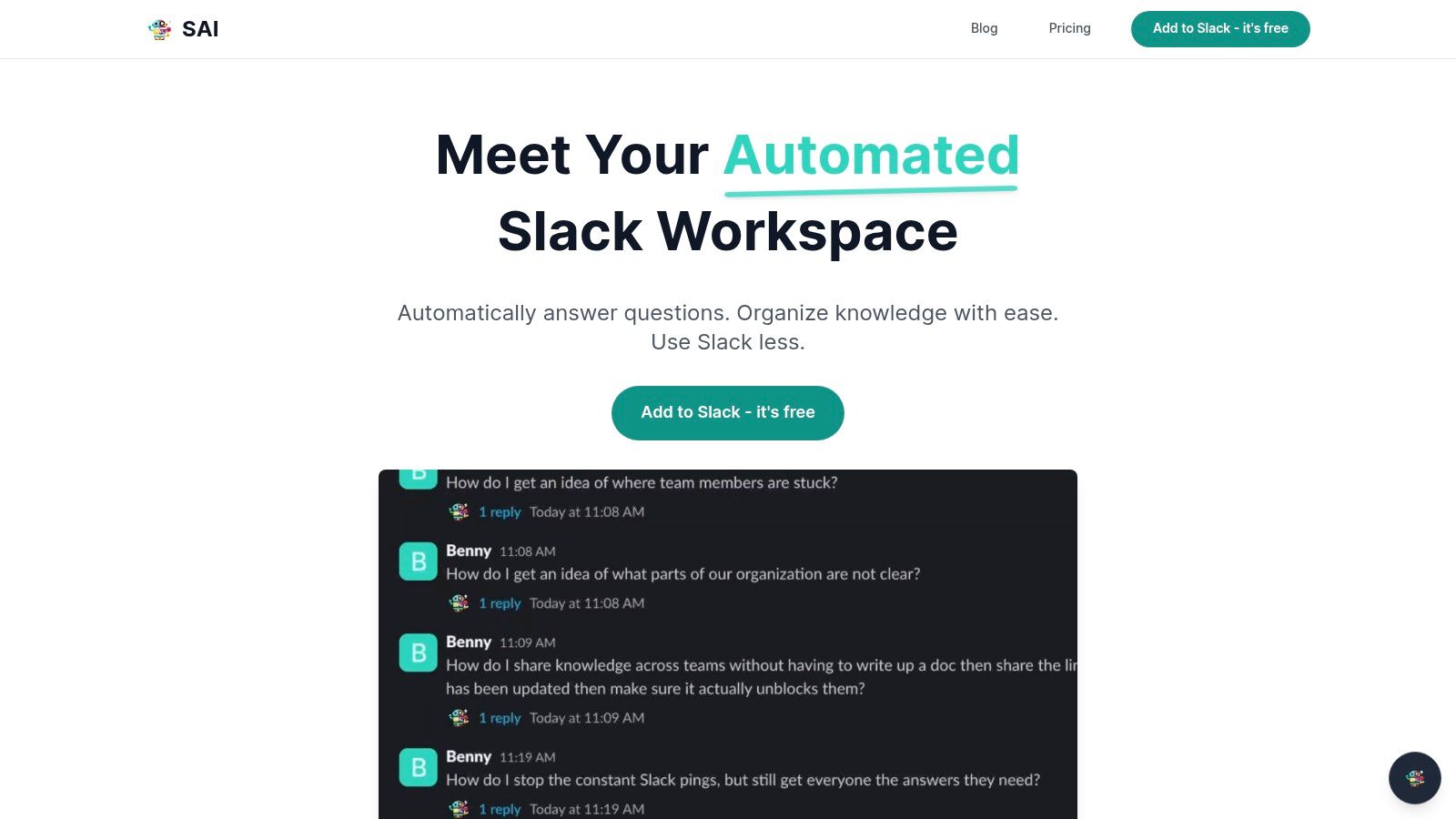
The real transformation is the end of task-switching. Today, your team probably opens multiple tabs, searches different platforms, and waits for replies. With SAI, their workflow becomes a single, fluid motion in Slack. Just ask, get the answer, and keep working. This simple change allows teams in support, IT, HR, or operations to reclaim hours for strategic initiatives, freeing them from the constant drain of repetitive questions.
Why It's a Top Choice
SAI’s standout power is its ability to learn from your team's existing knowledge on its own. There is zero setup. It analyzes your historical Slack data to understand the context behind a question, not just keywords. This lets it surface the kind of nuanced answers you'd expect from an expert teammate who is available 24/7. This immediate utility and seamless integration make it an exceptionally powerful and low-friction tool for enhancing internal communication.
“Imagine your team never having to leave Slack to find an answer again. That’s the workflow SAI creates. It recaptures lost time, protects your team's focus, and ensures critical knowledge is always just a question away.”
Key Details & Recommendation
| Feature | Detail |
|---|---|
| Best For | Slack-centric teams of any size looking to automate responses to repetitive questions, streamline onboarding, and build a self-service knowledge culture. |
| Slack Native? | Yes, fully integrated. Operates exclusively within Slack. |
| Starting Price | Free for early users (single channel, unlimited responses, community support). |
| Pros | Zero setup required, provides instant value, creates a growing knowledge base, and fits perfectly into existing Slack workflows. |
| Cons | Early-access product (single-channel on free plan). Lacks public certifications, requiring diligence from teams with strict compliance or data privacy needs. |
| Our Verdict | An exceptional choice for any business running on Slack. SAI is more than a bot; it’s an operational upgrade that measurably boosts productivity by protecting your team’s most valuable resource: its time and attention. |
Learn more and get started at sai-bot.ai.
2. Slack
As the de facto digital headquarters for millions, Slack is more than a messaging app; it's the central nervous system for modern teams. It excels at consolidating real-time conversations, project updates, and automated alerts into a single, searchable platform. Its core strength lies in its channel-based architecture, which organizes discussions by topic, team, or project, drastically reducing email clutter and siloed information. This structure transforms communication from a chaotic mess into a streamlined, transparent flow of knowledge.
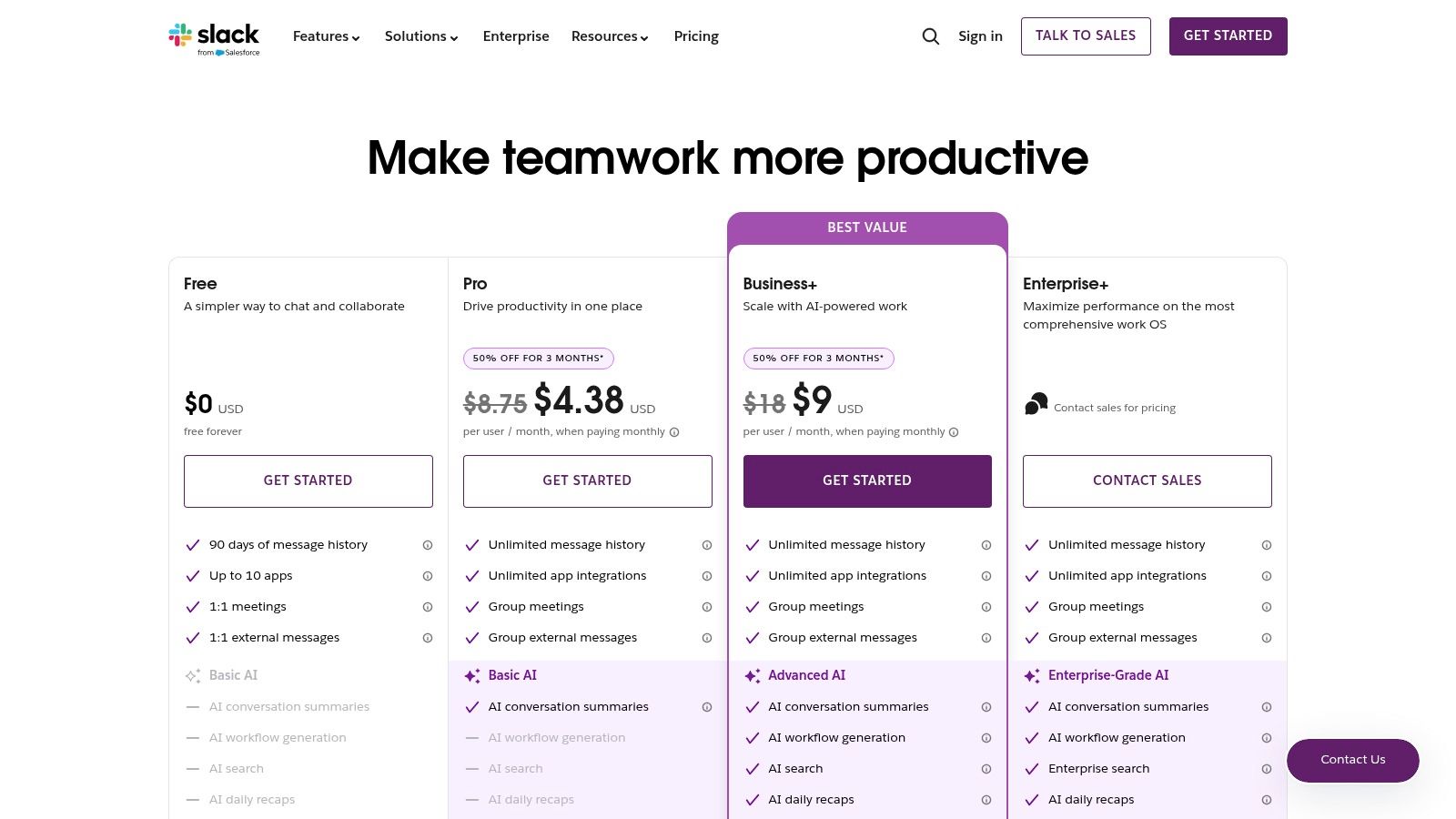
The platform’s legendary integration marketplace, featuring over 2,600 apps, allows teams to connect their entire tech stack directly into their conversations. This turns Slack into a powerful command center, not just a communication tool. New AI features on paid plans, like channel recaps and smart search, further enhance productivity by surfacing key information instantly.
Why It's One of the Best Internal Communication Tools
Slack earns its spot by being the most mature and widely adopted platform in the space. User familiarity is a significant advantage, reducing onboarding friction. For any team looking to build a connected, agile, and efficient communication culture, Slack provides an unparalleled foundation. The platform's scalability ensures it can support a small startup and a global enterprise with equal effectiveness, making it a reliable long-term investment.
Slack Pricing & Key Details
| Plan | Price (per user/mo, billed annually) | Key Features |
|---|---|---|
| Free | $0 | 90-day message history, 10 integrations, Huddles |
| Pro | $8.75 | Unlimited message history, unlimited integrations |
| Business+ | $15 | SAML-based SSO, data exports, 99.99% uptime |
| Enterprise Grid | Custom Pricing | Org-wide security, compliance, unlimited workspaces |
Recommendation: Slack is the ideal hub for teams that live and breathe in a fast-paced, collaborative environment. Its robust ecosystem supports nearly any workflow imaginable. To prevent it from becoming a source of noise, implementing strong governance and knowledge management best practices for 2025 is crucial for maximizing its value. Learn more about optimizing your Slack knowledge base on sai-bot.ai.
3. Microsoft Teams (including Viva Engage)
For organizations deeply embedded in the Microsoft 365 ecosystem, Microsoft Teams is the gravitational center for internal communication. It seamlessly integrates persistent chat, video meetings, and file collaboration with foundational tools like SharePoint and OneDrive. This creates a unified workspace where conversations are directly linked to the documents and projects they concern, providing a cohesive, all-in-one experience that streamlines workflows for users already accustomed to Microsoft’s suite.
The inclusion of Viva Engage (formerly Yammer) extends Teams beyond daily operational chat into a platform for building company-wide communities. It facilitates leadership engagement, campaigns, and cross-departmental discussions, effectively bridging the gap between direct team collaboration and broader organizational culture. For enterprises, this combination provides a powerful, secure, and compliant communication infrastructure.
Why It's One of the Best Internal Communication Tools
Microsoft Teams earns its place by offering an unparalleled level of integration for Microsoft-centric organizations. The ability to manage identity, security, and application access through a single admin center is a significant advantage for IT departments. The bundling of Teams and Viva Engage within many existing Microsoft 365 licenses makes it an incredibly cost-effective and powerful option, eliminating the need for separate tools and simplifying the tech stack.
Microsoft Teams Pricing & Key Details
| Plan | Price (per user/mo, billed annually) | Key Features |
|---|---|---|
| Microsoft 365 Business Basic | $6 | Teams meetings, 1TB cloud storage, web/mobile Office apps |
| Microsoft 365 Business Standard | $12.50 | Everything in Basic, plus desktop Office apps |
| Microsoft 365 E3 | $36 | Advanced security, compliance, analytics tools |
| Microsoft 365 E5 | $57 | Everything in E3, plus advanced security, voice, analytics |
Recommendation: Teams is the undeniable choice for businesses committed to the Microsoft 365 environment. Its tight integration and enterprise-grade security are unmatched in that context. However, this all-in-one approach can lead to feature sprawl, making it complex to administer and navigate. To prevent knowledge from getting lost in its vast ecosystem, integrating a smart knowledge solution is key. Learn more about connecting your knowledge to Slack with SAI.
4. Google Workspace (Chat and Spaces)
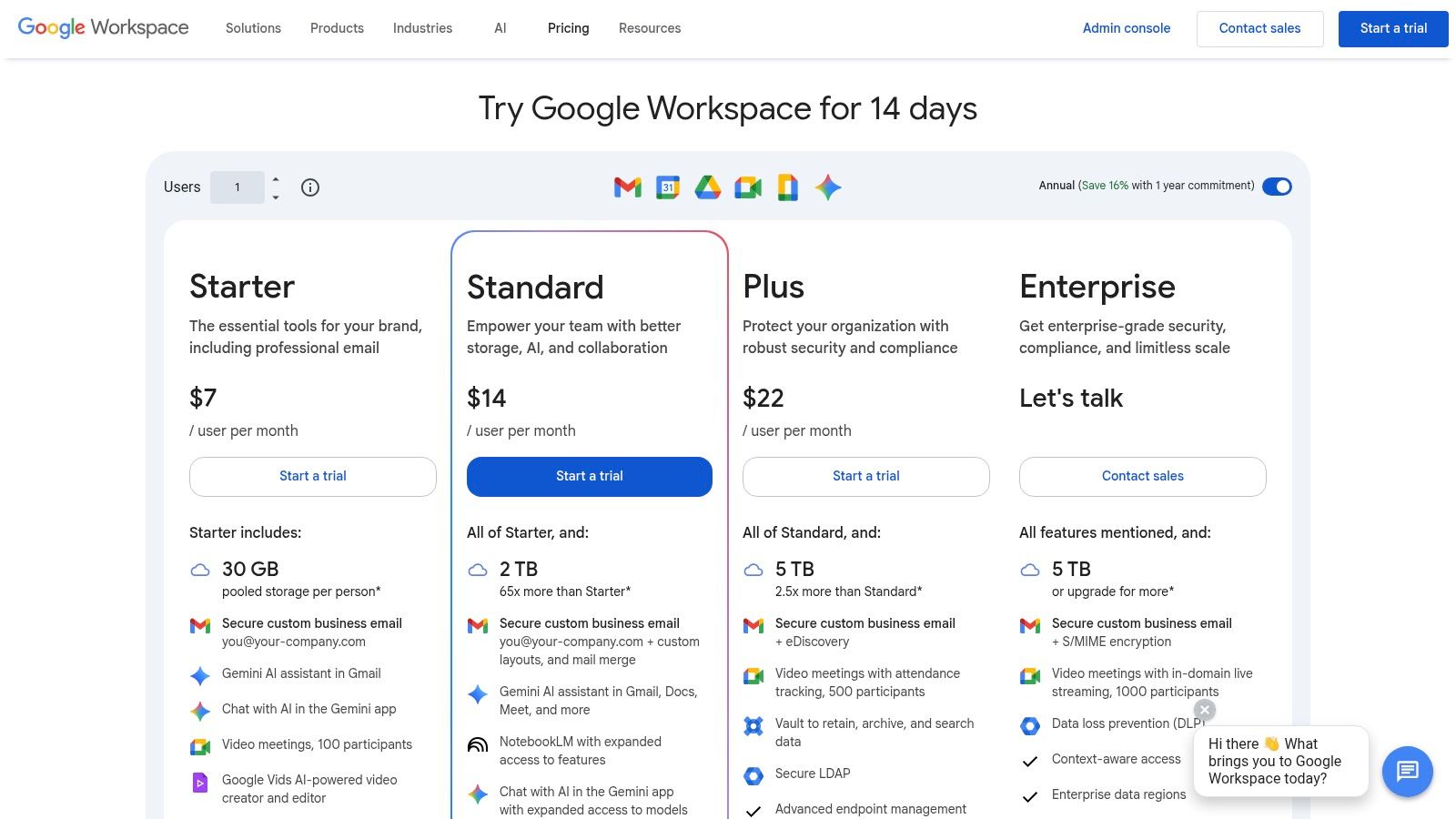
For organizations already embedded in Google’s ecosystem, Workspace offers a deeply integrated communication hub through Google Chat and Spaces. Its power isn’t in being a standalone app, but in its seamless connection to Gmail, Drive, Calendar, and Meet. This creates a unified environment where conversations naturally flow into document collaboration or video calls with a single click, eliminating the friction of switching between disparate applications. The experience is designed for simplicity and immediate familiarity for anyone who has used a Google product.
Topic-based Spaces
function as dedicated rooms for projects or teams, mirroring the channel concept while being tightly coupled with shared Drive files and tasks. With the integration of Gemini AI features on paid plans, Workspace enhances productivity by summarizing conversations and assisting with content creation directly within the collaborative flow. This makes it an incredibly efficient choice for distributed teams that rely on Google's suite for their daily operations.
Why It's One of the Best Internal Communication Tools
Google Workspace earns its place by offering an all-in-one solution that bundles powerful communication tools with essential productivity apps at an exceptional value. The user interface is clean, intuitive, and requires minimal training, reducing onboarding time significantly. For SMBs and organizations prioritizing a cohesive, user-friendly, and cost-effective tech stack, Workspace provides a robust foundation for both synchronous and asynchronous communication, making it one of the best internal communication tools available.
Google Workspace Pricing & Key Details
| Plan | Price (per user/mo, with annual commitment) | Key Features |
|---|---|---|
| Business Starter | $6 | Custom email, 30 GB storage, 100-participant meetings |
| Business Standard | $12 | 2 TB storage, 150-participant meetings + recording |
| Business Plus | $18 | 5 TB storage, eDiscovery, enhanced security controls |
| Enterprise | Custom Pricing | Unlimited storage, advanced security, premium support |
Recommendation: Google Workspace is the undeniable choice for teams built on Gmail, Drive, and Calendar. Its native integration provides a frictionless workflow that competitors can't match. While it consolidates core work, knowledge can still get trapped in endless chat threads and documents. Integrating a tool like SAI can bridge this gap by creating a single source of truth directly within your communication hub, ensuring valuable information is instantly accessible.
5. Zoom Workplace (Team Chat included)
For organizations already embedded in the Zoom ecosystem for video conferencing, Zoom Workplace presents a compelling, unified solution. It integrates its robust Team Chat directly with Meetings, Phone, Whiteboard, and Docs, effectively eliminating the need to juggle multiple applications. This consolidation is its primary strength; chat conversations from a meeting can persist in a dedicated channel, ensuring context is never lost and follow-ups are seamless. This transforms communication from fragmented, multi-app chaos into a single, cohesive workflow.
Zoom leverages its established platform to offer a familiar interface, which drastically simplifies adoption for existing users. The inclusion of the AI Companion on eligible paid plans brings powerful features like meeting summaries and intelligent search directly into the chat environment. This positions Zoom not just as a meeting tool, but as a central hub for collaboration and one of the best internal communication tools for video-first companies.
Why It's One of the Best Internal Communication Tools
Zoom earns its spot by offering a powerful, all-in-one platform that reduces context switching and simplifies the tech stack. For the millions of teams starting their day with a Zoom call, extending that experience to persistent chat is a natural and efficient progression. The tight integration between meetings and messaging creates a continuous communication loop that other platforms struggle to replicate, making it an excellent choice for streamlining daily operations.
Zoom Workplace Pricing & Key Details
| Plan | Price (per user/mo, billed annually) | Key Features |
|---|---|---|
| Basic | $0 | Team Chat, Meetings (40 min), Whiteboards |
| Pro | $13.32 | Everything in Basic + unlimited meeting length |
| Business | $18.32 | Everything in Pro + AI Companion, SSO |
| Enterprise | Custom Pricing | Enterprise-grade features, unlimited cloud storage |
Recommendation: Zoom Workplace is the logical choice for teams that are already Zoom-first for meetings and calls. It excels at reducing app fatigue and centralizing communication. However, to ensure information from meetings and chats doesn't get lost, integrating a knowledge management tool like SAI is key to capturing and surfacing critical decisions and action items directly within Slack for wider team visibility.
6. Workvivo by Zoom
Acquired by Zoom, Workvivo is an employee experience platform designed to unify enterprise-wide communication, foster culture, and serve as a modern social intranet. It excels at creating a central hub for top-down strategic announcements and company news, effectively replacing outdated intranets and email newsletters. Its strength lies in building a vibrant, engaging digital space where leadership can connect directly with every employee, from the corporate office to the frontline. This transforms internal comms from a one-way broadcast into a two-way conversation.
The platform is engineered for large, distributed organizations, featuring a mobile-first design that ensures all employees are connected, regardless of their location or role. With a familiar social feed, recognition features, and robust analytics, Workvivo provides a comprehensive solution for companies focused on boosting morale and organizational alignment. The backing of the Zoom ecosystem promises deep integrations and a forward-thinking product roadmap.
Why It's One of the Best Internal Communication Tools
Workvivo earns its place by masterfully blending the functions of a social intranet with powerful employee engagement tools. It is particularly effective for organizations looking to scale their culture and centralize communications across a global workforce. For businesses migrating from platforms like Meta Workplace or those aiming to build a more connected, transparent company culture, Workvivo offers a proven and powerful platform.
Workvivo by Zoom Pricing & Key Details
| Plan | Price (per user/mo, billed annually) | Key Features |
|---|---|---|
| Business | Custom Pricing | Company news feeds, mobile app, recognition |
| Enterprise | Custom Pricing | Advanced analytics, comms campaigns, API access |
Recommendation: Workvivo is ideal for large enterprises prioritizing culture and strategic, top-down communication. It’s a powerful tool for unifying a dispersed workforce under a single digital roof. To ensure its success, leadership must actively champion the platform. Learn more at www.zoom.com/en/products/workvivo/.
7. Mattermost
For organizations where data control is non-negotiable, Mattermost offers a powerful, open-source alternative. As a self-hosted or enterprise-grade cloud platform, it provides the familiar channel-based messaging experience but places security and data residency at its core. This makes it a standout choice for regulated industries like finance, government, and healthcare, as well as for technical and DevOps teams who require deep integration with their development lifecycle and absolute control over their communication infrastructure.
The platform is built for developers and technical teams, offering extensive APIs, plugins, and webhooks that enable sophisticated workflow automation. It facilitates secure collaboration on sensitive projects without the risk of data being stored on third-party servers. The open-source nature also ensures transparency and allows for extensive customization to meet very specific organizational needs, from security protocols to user interface tweaks.
Why It's One of the Best Internal Communication Tools
Mattermost secures its place by catering to a critical niche: organizations that cannot compromise on security or data sovereignty. Its strength lies in providing a robust, modern collaboration environment that aligns with strict compliance and privacy requirements. For teams that need to own their data from end to end, Mattermost is not just an option; it's the standard for secure, self-managed communication.
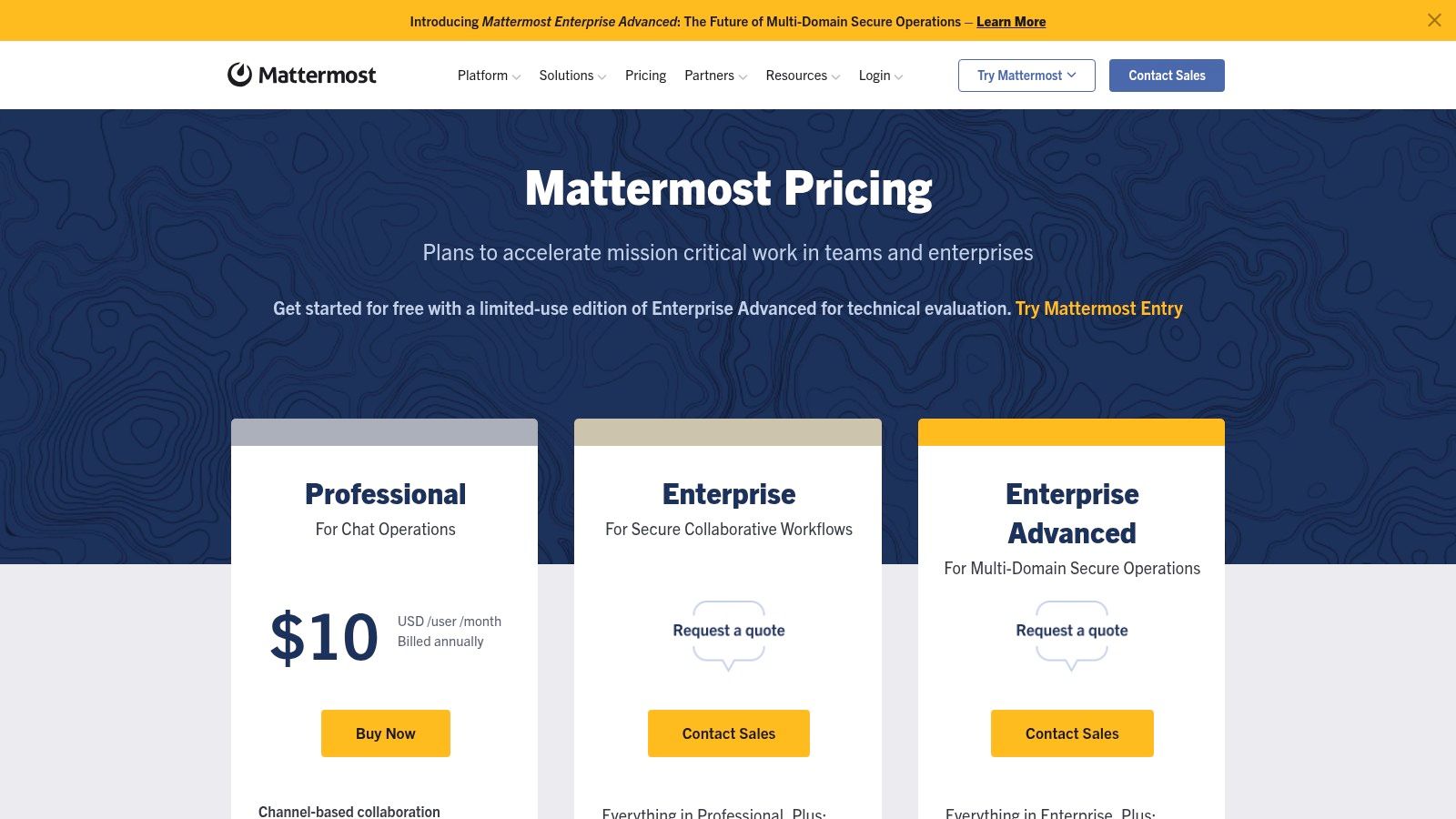
Mattermost Pricing & Key Details
| Plan | Price (per user/mo, billed annually) | Key Features |
|---|---|---|
| Free | $0 (Self-Hosted) | Core collaboration features, unlimited users & channels |
| Professional | $10 | Advanced access controls, MFA enforcement, guest accounts |
| Enterprise | Custom Pricing | High availability, compliance exports, advanced permissions |
Recommendation: Mattermost is the premier choice for security-conscious technical teams and regulated industries needing full data control. While it provides a secure environment, knowledge can still become siloed within its channels. Integrating a tool like SAI allows teams to create a centralized, searchable knowledge hub right within Mattermost, ensuring that even in the most secure setups, critical information is instantly accessible and never lost. Learn more about building an internal knowledge base on sai-bot.ai.
8. Rocket.Chat
For organizations where data sovereignty and security are non-negotiable, Rocket.Chat offers an open-source alternative to mainstream SaaS platforms. It provides robust, real-time team collaboration with unparalleled control over deployment, allowing for on-premise, air-gapped, or private cloud setups. This makes it a go-to solution for government, finance, and other highly regulated industries that cannot risk data exposure. Its core value lies in its customizability, from white-labeling the entire interface to integrating advanced identity and access management systems.
The platform is built for extensibility, empowering developers to tailor the environment to exact specifications using its open APIs and marketplace. While it demands more administrative overhead compared to typical SaaS tools, the trade-off is complete ownership and control over the communication environment. This focus on security and flexibility makes it one of the best internal communication tools for specialized use cases.
Why It's One of the Best Internal Communication Tools
Rocket.Chat secures its place on this list by catering specifically to the needs of security-conscious organizations. It provides a level of control and customization that is simply unattainable with most cloud-based competitors. For teams that need to adhere to strict compliance standards like GDPR or HIPAA, or operate in sovereign environments, Rocket.Chat is not just an option; it's often the only viable one.
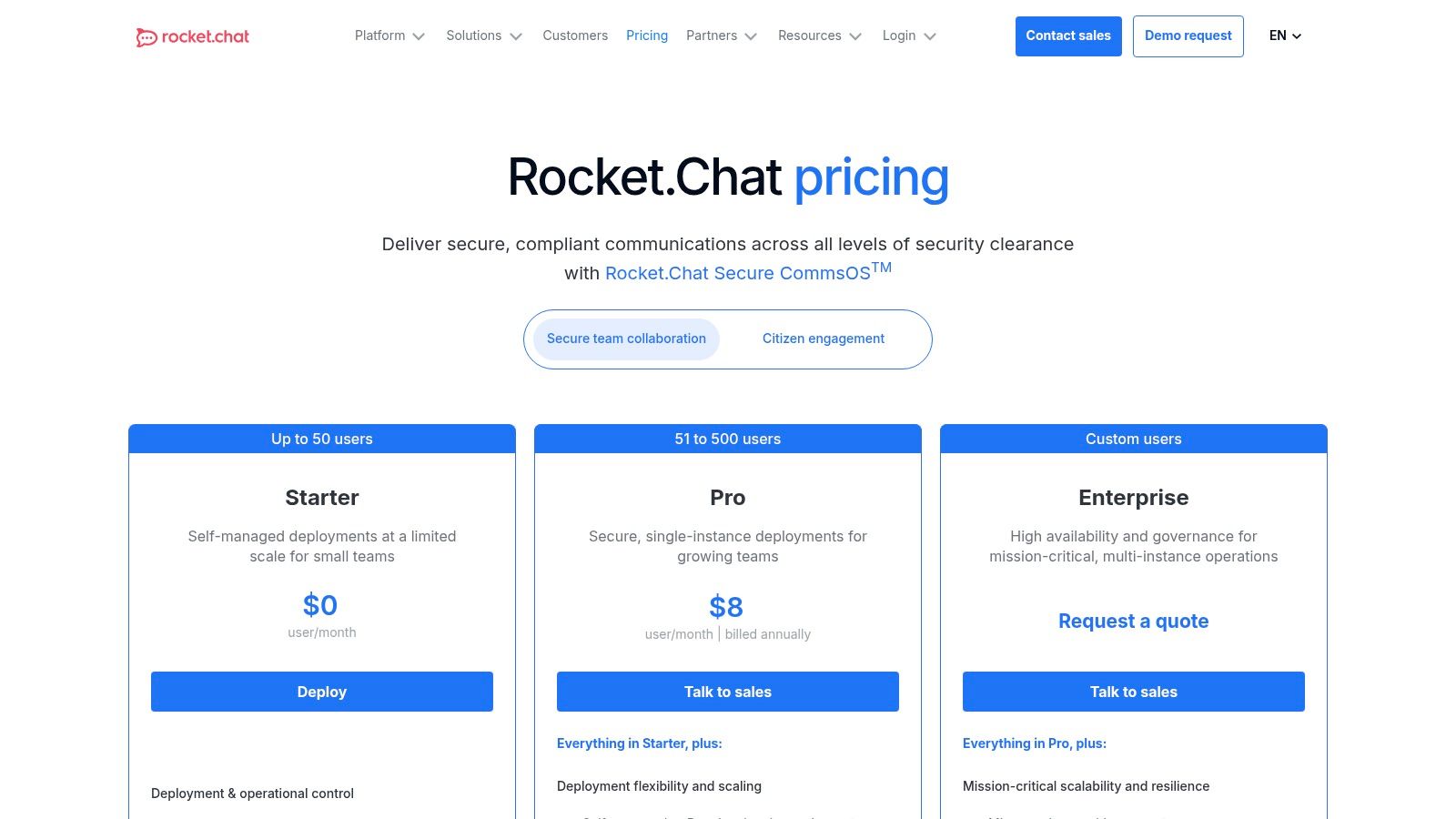
Rocket.Chat Pricing & Key Details
| Plan | Price (per user/mo, billed annually) | Key Features |
|---|---|---|
| Starter | $0 (Self-Managed) | Secure core features for community or small teams |
| Pro | $7 | Push notifications, social logins, basic analytics |
| Enterprise | Custom Pricing | Advanced security, white-labeling, high availability |
Recommendation: Rocket.Chat is the ideal choice for organizations with stringent security, compliance, or data residency requirements. Its open-source nature provides ultimate flexibility, but be prepared for a higher initial setup and maintenance lift. Learn more about Rocket.Chat’s offerings.
9. Simpplr
Simpplr elevates the traditional company intranet into a modern, AI-powered employee experience platform. It’s designed specifically for strategic communication teams that need to broadcast essential, top-down information in a polished, engaging format. Unlike chat-based tools, Simpplr focuses on creating a single source of truth for official company news, policies, and resources, ensuring every employee receives a consistent and personalized message. This approach transforms the intranet from a static document repository into a dynamic communications engine.
The platform provides non-technical users with powerful editorial and campaign tools, allowing them to create, target, and measure the impact of their communications. Features like its companion AI editor, auto-translation, and detailed analytics empower teams to refine their strategy and prove their value. It’s built to centralize critical knowledge that needs to be easily accessible and officially sanctioned by the organization.
Why It's One of the Best Internal Communication Tools
Simpplr earns its spot by providing a dedicated solution for structured, top-down communication that complements the real-time, conversational flow of tools like Slack. Its focus on user experience for both content creators and employees makes it highly effective for large enterprises needing to align a distributed workforce. For organizations serious about measuring communication effectiveness and building a strong corporate culture, Simpplr is an invaluable asset.
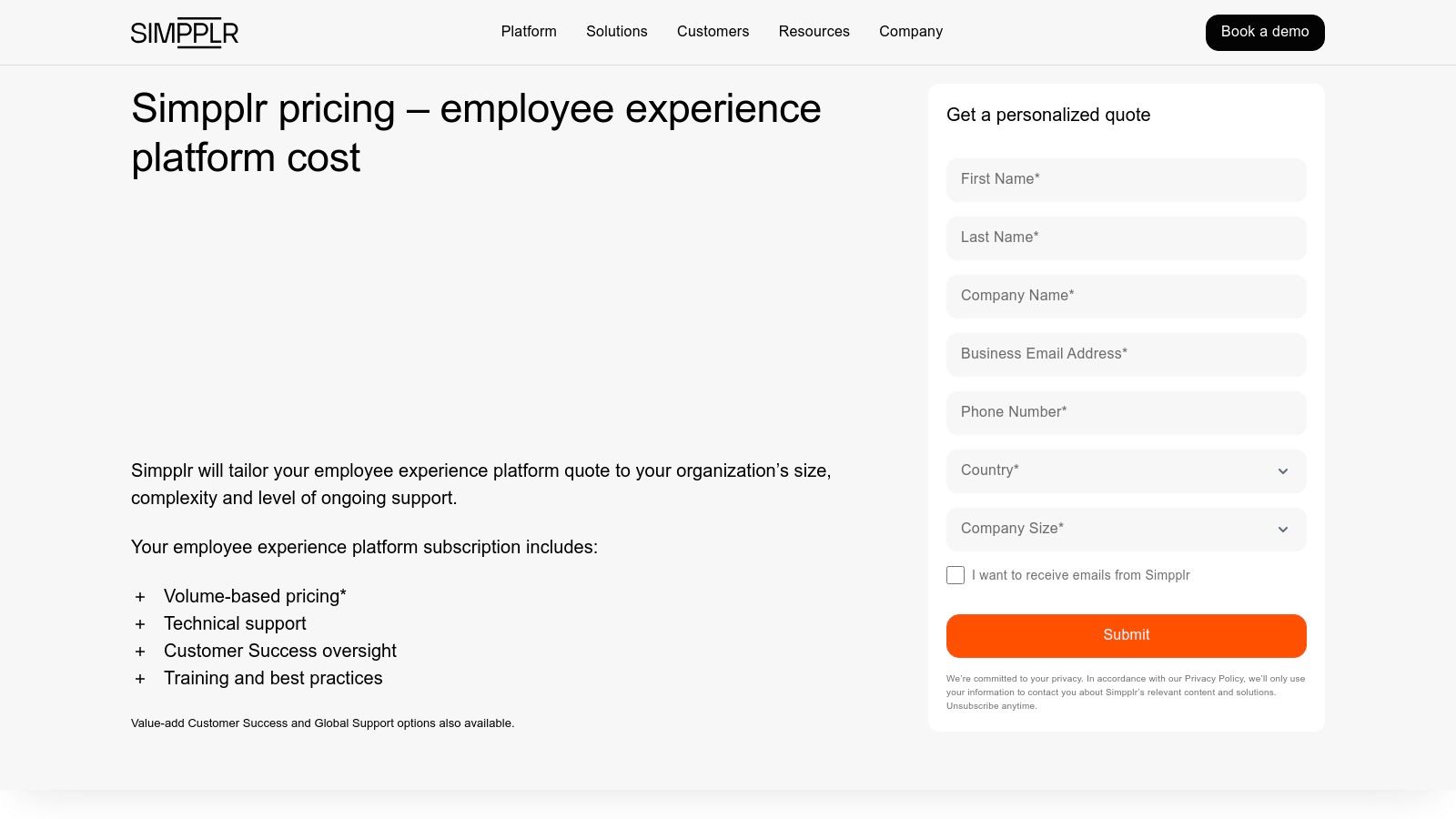
Simpplr Pricing & Key Details
| Plan | Price | Key Features |
|---|---|---|
| Customized Plans | Custom Pricing | Branded intranet, Editorial tools, Analytics dashboards, AI editor, Auto-translation, Smart Campaigns |
Recommendation: Simpplr is the ideal choice for large organizations that need a powerful, dedicated platform for official corporate communications and resource hosting. It serves as an authoritative hub that can feed critical updates into other channels like Slack. By integrating it with a conversational knowledge management system, you can ensure official information is both stored centrally and delivered instantly where work happens. Learn more about what a knowledge management system is on sai-bot.ai.
10. Staffbase
Staffbase is an enterprise-grade internal communications platform designed to connect every employee, especially deskless and frontline workers who often miss traditional corporate messaging. It unifies a mobile employee app, a modern intranet, and targeted email campaigns into a single suite, enabling comms teams to orchestrate and measure strategic initiatives. Its strength lies in its ability to deliver personalized, relevant content to specific employee segments, ensuring critical information cuts through the noise.
The platform provides robust tools for campaign management, including an editorial calendar, approval workflows, and detailed analytics to track engagement. Features like an AI editor and auto-translation help global organizations maintain consistency and inclusivity. This comprehensive approach transforms internal comms from a simple broadcast function into a strategic driver of employee engagement and organizational alignment.
Why It's One of the Best Internal Communication Tools
Staffbase earns its place by masterfully addressing the challenge of reaching a distributed workforce. Its mobile-first design is exceptional for organizations with significant frontline staff, ensuring everyone feels connected and informed. For leadership looking for one of the best internal communication tools to manage top-down messaging with precision and governance, Staffbase offers an unparalleled, all-in-one solution that scales effectively across complex enterprises.
Staffbase Pricing & Key Details
| Plan | Price | Key Features |
|---|---|---|
| Essential | Custom Pricing | Employee App & Intranet with Spaces, Campaign Management, AI Editor |
| Growth | Custom Pricing | Advanced Analytics, Journeys, Multi-language support |
| Enterprise | Custom Pricing | Staffbase Studio, Add-ons like Staffbase Screens, Advanced Integrations |
Recommendation: Staffbase is ideal for large, complex organizations focused on strategic, top-down communication and reaching non-desk employees. It requires significant investment and planning but pays off with unmatched reach and control. For teams already centered in Slack who need to surface company knowledge instantly, Staffbase can be a powerful source, but an AI tool is needed to bridge the gap. SAI can integrate with your Staffbase content, making critical company-wide announcements and resources available directly within Slack conversations.
11. Twist by Doist
Twist by Doist offers a radical alternative to the real-time chaos of typical chat apps. It's an asynchronous-first messaging platform designed for teams that prioritize deep work and calm, focused communication. Its core strength is its thread-centric architecture, where every conversation is a self-contained thread with a clear topic. This structure eliminates the pressure of constant notifications and creates a more organized, searchable knowledge base by default.
Unlike platforms that encourage a constant “online” presence, Twist empowers team members to disconnect and engage on their own schedule without missing crucial context. This focus on asynchronous communication helps reduce meeting fatigue and context switching, allowing for more productive work sessions. The minimal, distraction-reducing user experience is a deliberate choice to support this philosophy.
Why It's One of the Best Internal Communication Tools
Twist earns its place by being the best internal communication tool for teams intentionally building an async-first or remote culture. Its thread-based system naturally prevents important information from being buried in a fast-moving chat stream, making knowledge retention cleaner and more intuitive. For organizations looking to escape the always-on
mentality and foster a more thoughtful communication style, Twist provides the ideal framework.
Twist Pricing & Key Details
| Plan | Price (per user/mo, billed annually) | Key Features |
|---|---|---|
| Free | $0 | 1 month of comments & messages, up to 5 integrations, 5GB file storage |
| Paid | $8 | Unlimited comments, messages, integrations & file storage, guest access |
Recommendation: Twist is perfect for distributed teams or any group that values deep work over constant chatter. Its structured approach is a powerful antidote to communication overload. While it excels at organized, asynchronous discussions, teams may still rely on a tool like Slack for real-time alerts and integrations. Combining Twist with a powerful knowledge assistant like SAI in Slack can create a balanced ecosystem for both focused work and instant information retrieval.
12. Comparison Marketplaces (G2 and Capterra)
Instead of a single tool, these platforms are your strategic starting point for discovery. G2 and Capterra are buyer research marketplaces that aggregate thousands of verified user reviews, rankings, and detailed feature breakdowns. They are indispensable for creating an initial longlist or shortlist when searching for the best internal communication tools. Their strength lies in providing a bird's-eye view of the entire software landscape, organized into clear categories and comparison grids.
These marketplaces allow you to filter solutions by features, pricing models, company size, and user satisfaction scores, saving you hours of manual research. G2's Grid® reports visualize market presence against user satisfaction, while Capterra offers curated buyer guides and shortlists. This data-driven approach helps you move beyond marketing claims and understand how tools perform in real-world scenarios.
Why It's One of the Best Internal Communication Tools
G2 and Capterra earn their spot by empowering buyers with comprehensive, crowd-sourced intelligence. They provide a structured, unbiased foundation for your decision-making process, ensuring you consider a wide range of options before committing. For any leader tasked with finding the right software, these platforms are the most efficient way to navigate a crowded market and identify vendors that truly align with their team’s specific communication needs.
Comparison Marketplaces & Key Details
| Platform | Key Features | Best For |
|---|---|---|
| G2 | Grid® reports, verified user reviews, comparison grids | B2B software discovery, enterprise-level comparisons |
| Capterra | Buyer guides, feature filters, pricing information | SMBs, creating feature-specific shortlists |
| Both | Free to use, links to vendor trials and quotes | Initial research and building a list of candidates |
Recommendation: Use these marketplaces to build your initial list of potential tools. They are perfect for comparing high-level features and gauging user sentiment before you dive into demos. While you're researching, consider how different tools contribute to your knowledge ecosystem. Find out more about the best free knowledge base software on sai-bot.ai.
Top 12 Internal Communication Tools Comparison
| Product | Core features | UX / Quality | Price / Value | Target audience | Unique selling points |
|---|---|---|---|---|---|
| SAI 🏆 | ✨ Slack‑native AI that learns from history; 24/7 context‑aware answers | ★★★★☆ | 💰 Free early access (single channel, unlimited AI); paid plans coming | 👥 Slack admins, team leads, support, IT/HR, startups → enterprises | ✨ Zero setup; intent‑aware answers; growing shared knowledge base |
| Slack | Channels, DMs, threads, integrations, built‑in AI on paid plans | ★★★★★ | 💰 Free tier + paid tiers for advanced features | 👥 Startups → large enterprises; product teams, ops | ✨ Mature ecosystem; 2,600+ integrations |
| Microsoft Teams (incl. Viva Engage) | Chat, meetings, OneDrive/SharePoint, Viva Engage comms | ★★★★★ | 💰 Included with M365 (complex licensing) | 👥 M365 customers, enterprises needing compliance | ✨ Tight M365 identity/app integration; enterprise security |
| Google Workspace (Chat & Spaces) | Spaces, Chat, Meet, Drive/Docs integration, Gemini AI features | ★★★★☆ | 💰 Paid per‑user Workspace plans | 👥 Google-centric orgs, distributed teams, SMBs | ✨ Seamless cross‑app collaboration; Drive co‑editing |
| Zoom Workplace (Team Chat) | Persistent chat + Meetings, Phone, Whiteboard, AI Companion | ★★★★☆ | 💰 Chat included on Zoom plans; add‑ons for premium | 👥 Zoom-first orgs wanting unified meetings + chat | ✨ Meeting + chat in one app; meeting summaries |
| Workvivo by Zoom | Company news feeds, mobile intranet, recognition, analytics | ★★★★ | 💰 Quote‑based enterprise pricing | 👥 Comms teams, HR, large global enterprises | ✨ Employee experience + culture building at scale |
| Mattermost | Channel messaging, self‑hosted or enterprise, granular security | ★★★★ | 💰 Free self‑hosted + paid enterprise tiers | 👥 Regulated orgs, DevOps, engineering teams | ✨ Data residency & control; open‑source ecosystem |
| Rocket.Chat | Self‑managed/hosted, white‑labeling, advanced IAM, air‑gapped options | ★★★★ | 💰 Free starter (self‑managed); paid hosted/enterprise | 👥 Government, security‑sensitive orgs, sovereign clouds | ✨ Air‑gapped deployments; heavy customization & IAM |
| Simpplr | Branded intranet, editorial tools, personalization, analytics | ★★★★ | 💰 Quote‑based enterprise pricing | 👥 Strategic comms teams, large enterprises | ✨ Editor workflows, smart campaigns, analytics |
| Staffbase | Employee app, intranet, campaign mgmt, mobile distribution | ★★★★ | 💰 Quote‑based, enterprise focus | 👥 Comms teams for frontline/deskless workers | ✨ Mobile-first distribution & governance at scale |
| Twist by Doist | Thread‑centric async messaging, minimal UX, integrations | ★★★★ | 💰 Simple paid plans (transparent pricing) | 👥 Remote teams, deep‑work focused groups | ✨ Async‑first design for reduced noise & better retention |
| Comparison Marketplaces (G2, Capterra) | Reviews, rankings, comparison grids, buyer guides | ★★★★ | 💰 Free to use (vendor lead generation) | 👥 Buyers doing vendor research & shortlists | ✨ Verified reviews, side‑by‑side comparisons and filters |
From 'Where Is It?' to 'Here It Is': Your Instant Answer Engine
We've explored a wide landscape of the best internal communication tools, from comprehensive platforms like Microsoft Teams and Google Workspace to dedicated intranets such as Simpplr and Staffbase. Each offers a unique approach to connecting your team, centralizing information, and fostering a collaborative culture. But the central challenge for most Slack-centric teams isn't a lack of platforms; it's the constant friction of finding information right now.
The real transformation isn't about adding another destination for your team to check. It's about eliminating the hunt altogether. Imagine a workday where no one has to leave Slack, open a new tab, or ping a colleague just to ask, Where's the latest project brief?
or What's our policy on X?
The goal is to shift from a culture of constant interruption to one of instant empowerment.
Choosing Your Path: Centralization vs. Instant Access
Your decision hinges on your most significant pain point.
- For broad organizational alignment and company-wide announcements, a structured intranet like Simpplr or a platform like Workvivo can be invaluable. They excel at creating a single, top-down source of truth for corporate news and culture-building initiatives.
- For all-in-one ecosystem consolidation, migrating to a platform like Microsoft Teams or fully leveraging Google Workspace makes sense. This approach brings chat, video, and document management under one roof, simplifying your tech stack.
- For solving the immediate, daily drain of repetitive questions inside Slack, a different approach is needed. This is where the true power of a tool like SAI shines.
The most profound productivity gains often come from solving the smallest, most frequent problems. While large platforms solve for macro-level communication, they don't erase the micro-level friction of knowledge retrieval that happens dozens of times a day within Slack.
The True Cost of 'Just Asking'
Every time a team member has to stop their work to find an answer or ask a question they've asked before, it creates a ripple effect of lost focus, for both the asker and the person answering. This isn't just an inconvenience; it's a direct drain on your team's momentum and creative energy.
The ultimate goal of implementing one of the best internal communication tools is to make accessing knowledge as seamless as asking a question. Instead of forcing your team to build and maintain yet another knowledge base, the most effective solution meets them exactly where they are. By intelligently leveraging the conversations and documents you already have, you can turn your Slack workspace from a place of questions into a place of instant, reliable answers. Your team's collective knowledge becomes an on-demand resource, freeing everyone to focus on the high-impact work that truly matters.
Ready to eliminate repetitive questions and give your team the gift of uninterrupted focus? SAI transforms your existing Slack conversations and connected documents into an intelligent, on-demand answer engine. Stop searching and start getting answers, instantly. Try SAI for free today.