Knowledge base examples: Build a self-running business with less searching
Imagine a workday where you never have to search through old chats, ping a colleague for a link, or answer the same onboarding question for the tenth time. This isn't about building a complex, technical wiki that no one uses. It's about a fundamental transformation: creating a single source of truth that lives where your team already works, turning repetitive questions into instant, autonomous answers.
This article is your tactical guide to achieving that workflow. We've curated 7 powerful knowledge base examples that solve the universal problem of scattered information. But this isn't just a gallery of websites. For each example, we break down the strategic thinking behind its structure, revealing replicable methods you can apply immediately to your own operations, support, and internal processes.
The goal is to stop the endless cycle of searching and asking. Imagine a day where you don't open any other resource, search across multiple platforms, or wait for a coworker to reply. Instead, you just ask a question in Slack and get the exact answer you and your team need, instantly. This shift frees up your team's most valuable resource: focused time. You’ll see how each platform and template, from HubSpot to Help Scout, contributes to this vision. We'll explore their design choices, content strategies, and the measurable benefits of centralizing knowledge.
You will find a detailed analysis for each example, complete with screenshots and direct links, designed to help you find the perfect solution to build a truly self-sufficient team. Let's dive in and see how the best companies are building knowledge bases that actually get used.
1. SAI
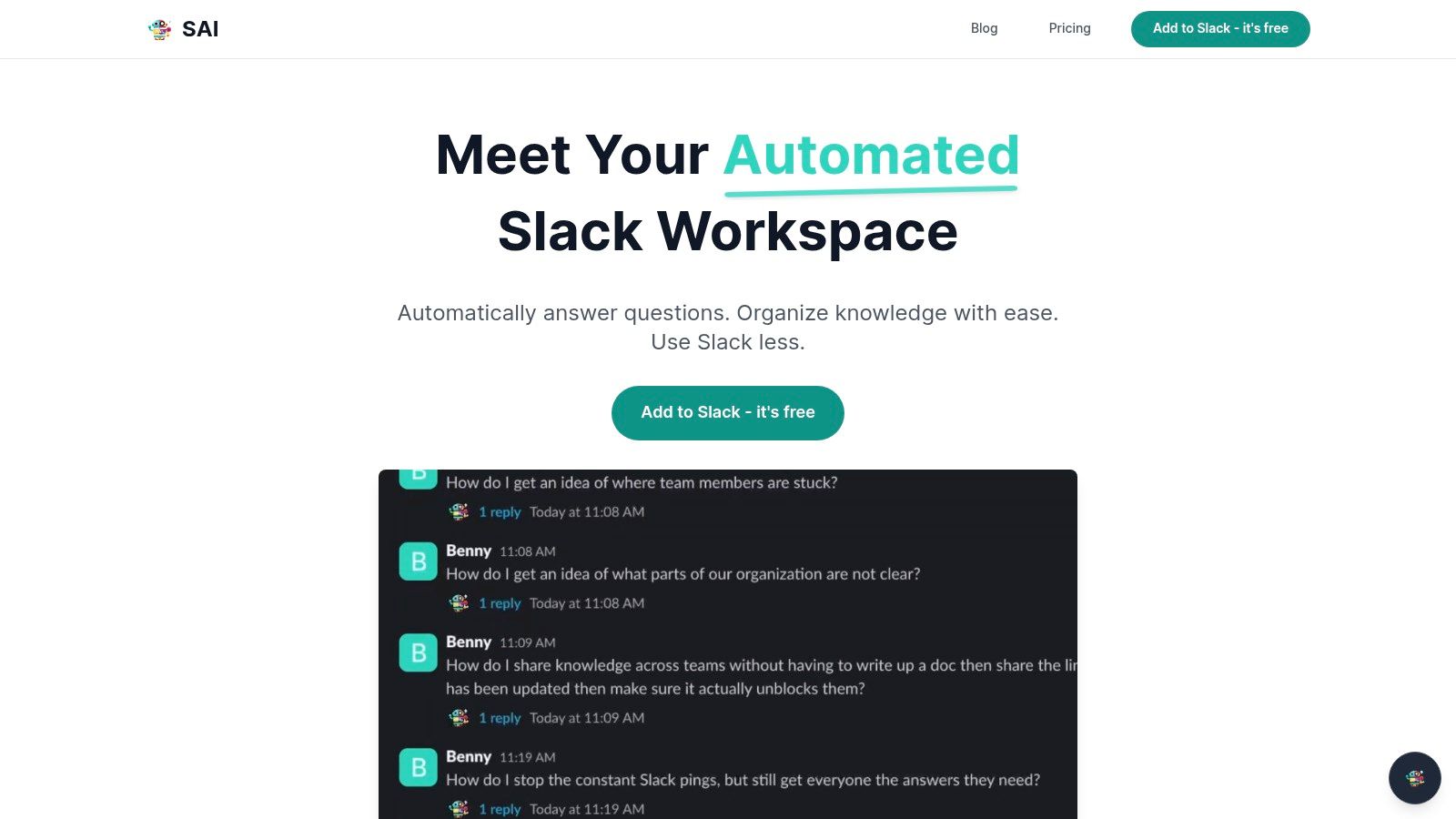
Imagine a workday where you never have to leave Slack to find an answer. No more switching tabs to search through Google Docs, Confluence pages, or old project wikis. No more pinging a coworker and waiting for a response, breaking both your focus and theirs. SAI transforms this vision into reality by creating a dynamic, self-growing knowledge base directly within your existing Slack conversations. It stands out as a premier knowledge base example because it makes company knowledge accessible with a simple question, right where your team is already working.
SAI operates on a revolutionary principle: your knowledge base should build itself. Instead of a massive project to migrate documents or manually create entries, SAI learns from the natural conversations happening in your workspace. Every question asked and answered in a connected channel becomes a durable piece of knowledge that SAI can instantly recall and deliver to anyone on the team, 24/7. This fundamentally changes how your team works, shifting from a disruptive search and find
model to an integrated ask and receive
workflow.
Strategic Analysis: The Power of Conversational Knowledge
What makes SAI a standout choice is its focus on the workflow itself. It doesn't just store information; it intercepts the moment of need. By living inside Slack, it removes the friction and context-switching that drain productivity. The platform's AI is designed to understand intent, meaning teammates can ask questions naturally without needing to remember specific keywords or document titles. Just ask SAI, and get the answers you and your team are looking for.
Key Takeaway: The most effective knowledge base is the one that meets users where they already are. SAI's native Slack integration means adoption is frictionless, and its value is felt immediately by reducing interruptions and accelerating problem-solving.
Core Features and User Impact
SAI's feature set is intentionally focused on delivering immediate ROI and transforming daily team collaboration.
- Effortless Knowledge Capture: It learns from historical and ongoing Slack conversations. The moment you connect it, it starts building a knowledge repository without any manual input from you.
- Instant, Context-Aware Answers: The AI surfaces relevant information directly in-channel, reducing the need for repetitive questions and freeing up your subject matter experts.
- Continuous Improvement: Every answer provided and validated reinforces the knowledge base, making it smarter and more comprehensive over time, all in the background.
- Seamless Slack Integration: It feels like a native part of the Slack experience, not a separate tool that requires another login or a new set of behaviors.
How to Leverage SAI Effectively
To get the most out of this tool, focus on integrating it into a high-traffic channel where repetitive questions are common, such as #dev-help, #support-tier1, or #product-questions. Encourage your team to ask SAI first before interrupting a colleague. This simple behavioral shift trains both the team and the AI, creating a virtuous cycle of efficiency. You can explore a real-world example of how this works by reading how SAI delivers instant answers within Slack.
| Strengths | Considerations |
|---|---|
| Immediate Value: Delivers answers right after setup. | Single-Channel Limit: The free plan is restricted to one channel. |
| Frictionless Workflow: Works entirely inside Slack. | Early Access Stage: Enterprise features and compliance details are not yet fully documented. |
| Reduces Interruptions: Saves significant team time. | |
| Cost-Effective: Free Early Access plan has unlimited AI responses. |
Access and Availability
SAI is currently available through a free Early Access Plan. This plan allows you to add the bot to a single Slack channel with unlimited AI responses and no credit card required. This makes it an exceptionally low-risk, high-reward option for any team looking to reclaim focus and build a powerful, self-maintaining knowledge base.
Website: https://sai-bot.ai
2. Help Scout
Help Scout offers a one-two punch for any team looking to build a world-class knowledge base. It combines a curated gallery of excellent knowledge base examples with its own powerful Docs product, creating a seamless journey from inspiration to implementation. This approach removes the guesswork, allowing you to see what works for successful companies and then immediately start building your own version.
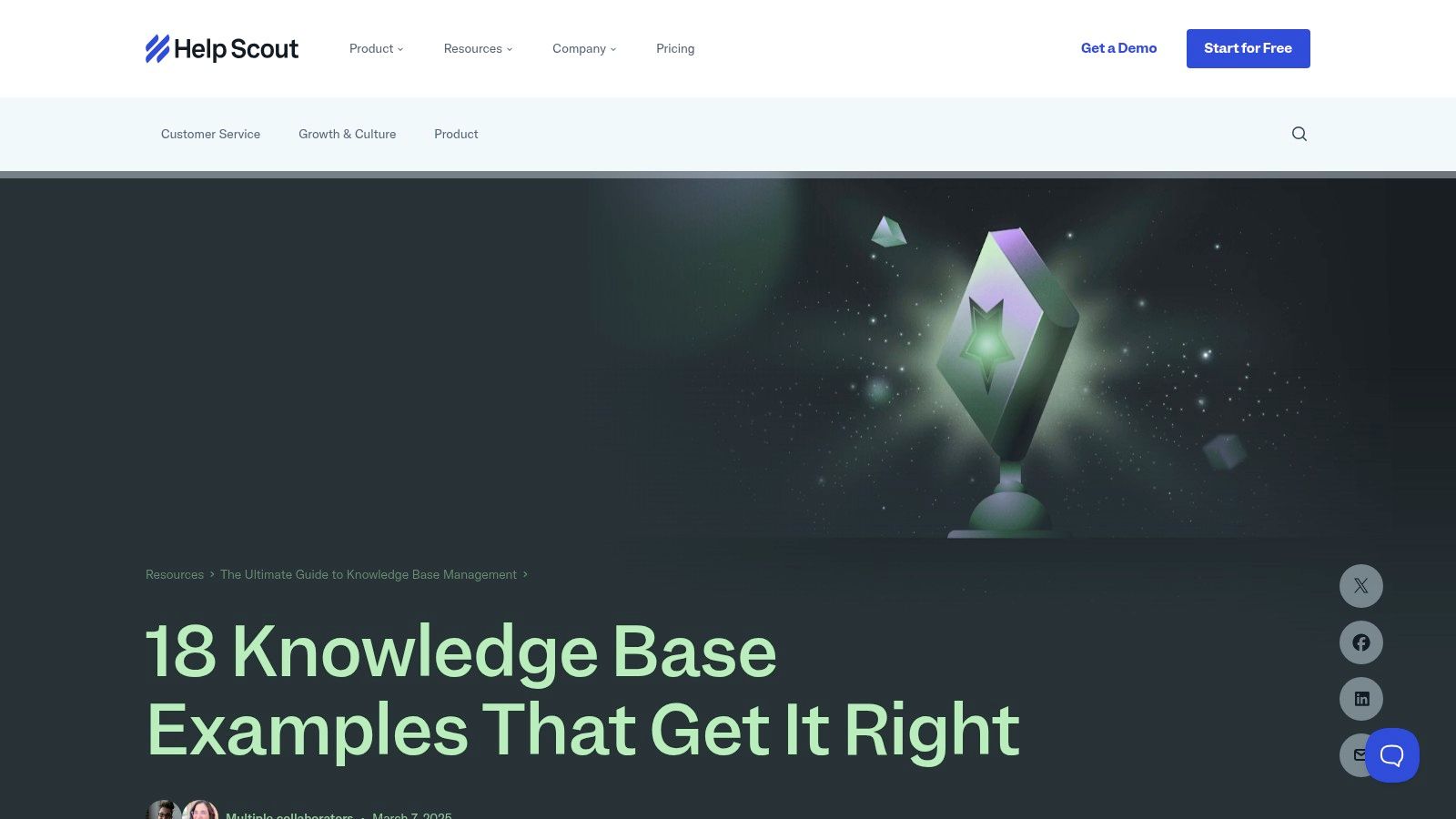
The platform is a goldmine for managers and team leads who need to build a customer-facing help center or an internal resource hub but aren't sure where to begin. Instead of starting from a blank page, you can browse over 18 real-world examples from companies like Trello, Spindesk, and Mixmax, analyzing their structure, tone, and design.
Why It Stands Out
What makes Help Scout unique is the tight integration between its example gallery and its Docs software. You can study a high-performing knowledge base and then, with a few clicks, start a free trial of the tool used to build something similar. This direct path from learning to doing is incredibly efficient. The Docs editor itself is user-friendly, with a WYSIWYG interface and an AI assistant to help you write and refine articles faster.
Strategic Insight: The biggest hurdle to creating a knowledge base isn't technology; it's strategy. Help Scout solves this by providing a visual blueprint for success. You can deconstruct why a certain layout works, how categories are organized, and what type of content resonates with users before you ever write a single word.
Actionable Takeaways
- Model Success: Before building, spend 30 minutes in Help Scout's gallery. Identify two or three knowledge bases you admire. Ask yourself: What do they have in common? How do they organize complex information?
- Structure First, Content Second: Use your chosen examples to outline your own knowledge base structure. Define your top-level categories and potential article titles before you start writing.
- Embrace the Trial: Sign up for a Help Scout free trial to test-drive their Docs product. This is the fastest way to turn your strategic outline into a functional, branded knowledge base.
Pricing and Access
While Help Scout doesn't sell Docs as a standalone product, it's included in all their customer service platform plans, which start at $20 per user/month (billed annually). You can create your first Docs site with any plan, and additional sites can be added for a fee as your company grows.
Website: https://www.helpscout.com/helpu/knowledge-base-examples/
3. Zendesk Marketplace (Help Center themes)
Zendesk Marketplace offers a unique approach for teams building their customer-facing knowledge base. Instead of just software, it provides a commercial catalog of professionally designed themes for Zendesk Guide. This turns the marketplace into a gallery of functional, high-quality knowledge base examples that are also immediately installable, bridging the gap between design inspiration and a live help center.
This platform is perfect for teams that value premium design and user experience but lack the in-house development resources to build a custom solution. You can browse dozens of live theme demos, see exactly how they organize content and handle search, and then purchase and install the one that best fits your brand. It eliminates the risk of a lengthy design process, letting you launch a polished, on-brand help center in a fraction of the time.
Why It Stands Out
The key differentiator for Zendesk Marketplace is its focus on aesthetics and proven UX. While many knowledge base tools offer basic templates, Zendesk's ecosystem provides a wide commercial catalog of themes crafted by professional design agencies. These themes are not just skins; they are fully realized user experiences with no-code customization for fonts, colors, and layouts, and often include add-on widgets for enhanced engagement like video galleries or advanced search bars.
Strategic Insight: Your help center's design is not just cosmetic; it's a direct reflection of your brand's commitment to customer support. A clunky, hard-to-navigate knowledge base erodes trust. By starting with a professionally designed theme, you're investing in a positive first impression and ensuring that your valuable content is accessible and engaging from day one.
Actionable Takeaways
- Browse with a Purpose: Explore the theme demos not just for their look, but for their information architecture. Pay attention to how they use categories, sidebars, and call-to-action blocks to guide the user.
- Prioritize UX Over Features: Select a theme based on how intuitive its navigation and search feel. A clean, simple layout is often more effective than one loaded with complex widgets that may confuse users.
- Customize for Brand Consistency: Once you choose a theme, use the no-code customization options to align its colors, fonts, and logo with your main website. A consistent brand experience builds credibility and trust.
Pricing and Access
Access to the marketplace requires a Zendesk Guide subscription, which is part of the broader Zendesk Suite plans. The themes themselves are sold a-la-carte by third-party vendors, with prices varying significantly from around $100 to over $1,000 for a one-time license. This is a separate cost from your Zendesk subscription.
Website: https://www.zendesk.com/marketplace/themes/
4. Intercom (Help Center)
Intercom offers a tightly integrated, no-code Help Center designed for teams that want to bridge the gap between self-service support and live conversation. It excels at making knowledge base content an active part of the customer journey, not just a passive library of articles. This approach is perfect for businesses looking to provide instant answers directly within their chat widget, product, or mobile app, creating a seamless support experience.
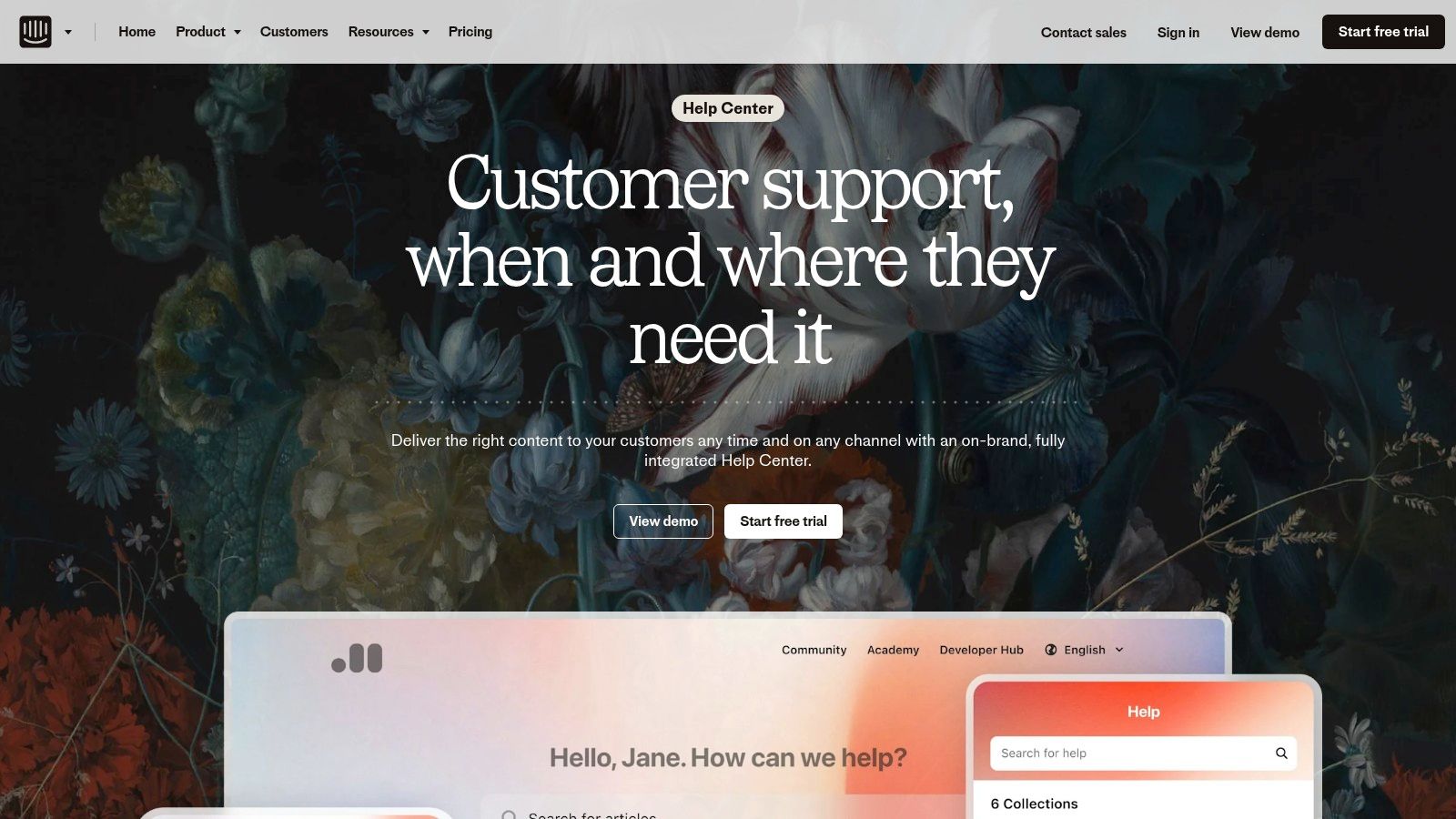
The platform is built for fast-moving support teams who need their knowledge base to do more than just exist; they need it to actively deflect tickets and empower users. With features like article targeting, multilingual support, and powerful analytics, you can build a smart help center that anticipates user needs. Examples on their site show how to reuse content across channels, from the Help Center to AI chatbots and live agent responses.
Why It Stands Out
Intercom’s unique strength lies in its ecosystem. The Help Center isn't a standalone product but a core component of its customer service platform. This means any article you write can be instantly shared by support agents in a live chat, surfaced by an AI bot to answer a question, or showcased within your app’s messenger. This omnichannel reuse ensures consistency and maximizes the ROI of every piece of content you create. The no-code styler also makes it incredibly easy to launch a branded help center quickly.
Strategic Insight: The most effective knowledge base is the one your customers actually use. Intercom's strategy is to bring the answers to the user, wherever they are. By integrating help content directly into the chat and product experience, you dramatically reduce customer effort and increase the likelihood of successful self-service.
Actionable Takeaways
- Map Your Channels: Before building, identify all the places your customers ask for help (website chat, in-app messenger, email). Plan how you will use Intercom to deliver consistent answers across every channel.
- Target High-Volume Questions First: Use your existing support data to identify the top 5-10 most common questions. Create high-quality articles for these first and configure the AI bot to surface them automatically.
- Leverage In-Product Messaging: Use the Content Showcase feature to proactively display relevant help articles to users on specific pages of your website or app, preventing questions before they are even asked.
Pricing and Access
The Help Center is a feature included within Intercom’s broader suite of products. Plans that include the Help Center start at $39 per seat/month. Intercom offers a 14-day free trial, allowing you to explore how the Help Center integrates with their Messenger and Inbox products before committing.
Website: https://www.intercom.com/suite/helpdesk/help-center
5. Document360
Document360 provides an enterprise-grade, AI-enabled knowledge base platform designed for teams that need precision, control, and scalability. It excels at creating public help sites, internal SOP hubs, and detailed technical documentation. The platform guides you through the process of authoring, managing, and publishing highly structured knowledge bases, showcasing what a truly polished and professional resource looks like.
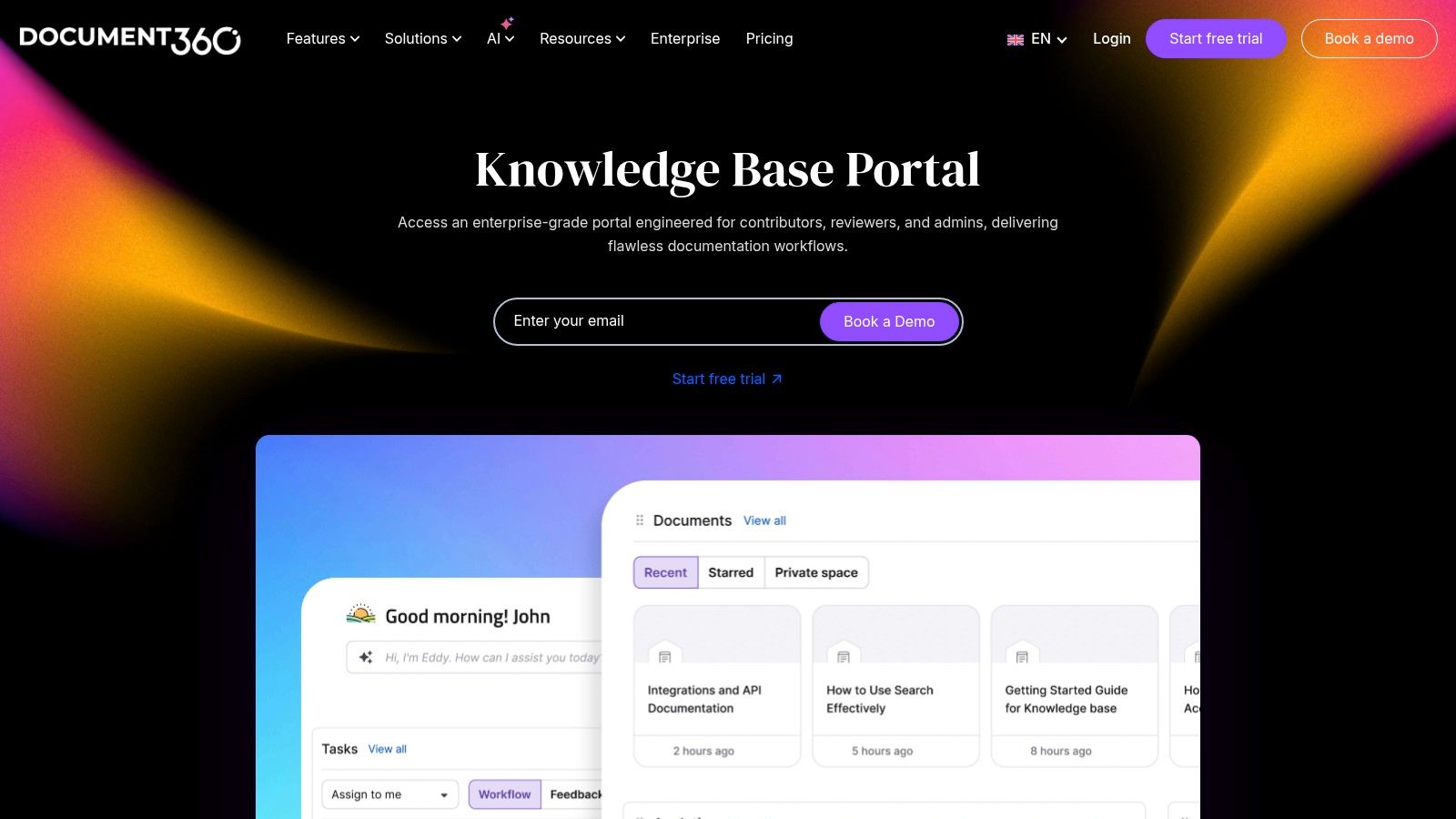
This platform is ideal for organizations where documentation is a critical asset, not an afterthought. It supports both business and technical writers with dual editors (advanced WYSIWYG and Markdown) and enforces a clear workflow from draft to review to publication. By exploring Document360's portal, you get a masterclass in how to build knowledge base examples that are not just informative but also secure, brand-consistent, and easy to navigate.
Why It Stands Out
What sets Document360 apart is its robust, built-in governance and workflow management. Unlike simpler tools, it creates a clear separation of duties for authoring, reviewing, and publishing content. This ensures accuracy and consistency, which is crucial for technical documentation and internal SOPs where mistakes can be costly. Features like version control, article-level feedback, and detailed analytics provide a 360-degree view of your content's performance and health.
Strategic Insight: A knowledge base fails when it becomes outdated or untrustworthy. Document360 tackles this head-on by embedding content lifecycle management into its core. The structured authoring and review process means your team can trust that every article is vetted and current, transforming the knowledge base into a single source of truth that people actually use.
Actionable Takeaways
- Define Your Workflow: Before writing, map out your content creation process. Who writes the first draft? Who needs to review it for technical accuracy? Who gives the final approval? Use Document360’s features to enforce this workflow.
- Cater to All Writers: Acknowledge that different team members have different skills. Let your marketing and support teams use the user-friendly WYSIWYG editor, while your developers can work efficiently in Markdown.
- Analyze User Behavior: Once live, dive into the built-in analytics. Identify which articles are most popular, what terms users are searching for, and where they are leaving feedback. Use these insights to continuously improve your content. To dive deeper into how this kind of setup works, check out these game-changing knowledge base examples.
Pricing and Access
Document360 offers several pricing tiers tailored to different business sizes. Plans start with the Standard
tier at $149 per project/month, which includes two team accounts and support for one knowledge base. Higher tiers add features like private knowledge bases, advanced security, and more team accounts, scaling up to enterprise-level needs. A free trial is available for all plans.
Website: https://document360.com/knowledgebase-portal/
6. HubSpot Service Hub (Knowledge Base templates & tools)
HubSpot tackles a common barrier to building a knowledge base: article creation. It offers free, downloadable templates for common support scenarios like how-to
guides and troubleshooting articles. This approach is perfect for teams that want to standardize content creation and ensure every article is helpful, structured, and on-brand from day one.

The platform combines these practical templates with its powerful Service Hub software, creating a clear pathway from drafting to publishing. You can use their proven formats to write high-quality articles and then host them within a knowledge base that’s fully integrated with your CRM. This setup is ideal for support teams aiming to reduce ticket volume and provide proactive customer service.
Why It Stands Out
HubSpot's primary advantage is its seamless integration of content strategy and platform technology. The templates, freely available on its blog, solve the blank page
problem by providing a fill-in-the-blanks structure. This accelerates content production significantly. For companies already using HubSpot, the built-in knowledge base tool is a natural next step, offering themed layouts, custom categories, and import tools to migrate existing content from platforms like Zendesk or Help Scout. The fine-grained access controls, allowing content to be public, private, or gated, add another layer of strategic flexibility.
Strategic Insight: A great knowledge base isn't just a collection of articles; it's a content engine. HubSpot's templates force you to think like a content strategist, focusing on user intent (e.g.,
How do I fix X?) and clear resolutions. This structured approach ensures your knowledge base becomes a reliable resource, not a document graveyard.
Actionable Takeaways
- Start with Templates: Download HubSpot's free
how-to
andtroubleshooting
article templates. Use them to write your first five support articles, focusing on the most common customer questions. - Plan Your Migration: If you have an existing knowledge base on another platform, evaluate HubSpot's import tools. A smooth migration path can save dozens of hours and consolidate your customer data and support content in one place.
- Integrate with Your CRM: If you're a HubSpot user, explore how the Service Hub knowledge base connects with your customer data. This allows you to personalize support and gain deeper insights into what content your users need most. For a full breakdown of platform options, check out this guide on the best internal knowledge base software.
Pricing and Access
The knowledge base article templates are free to download from the HubSpot blog. To use HubSpot's own knowledge base software, you need a subscription to Service Hub Professional (starting at $450/month for 5 users) or Enterprise.
Website: https://blog.hubspot.com/service/knowledge-base-article-templates
7. HelpKit (Notion Knowledge Base template)
For teams already embedded in the Notion ecosystem, HelpKit offers an incredibly efficient path to a public-facing knowledge base. It provides a free, best-practice Notion template that acts as a ready-made blueprint, complete with pre-built categories like Getting Started,
Billing,
and Troubleshooting.
This approach lets you leverage your team's existing workflow and content directly within Notion, transforming it into a professional help center with minimal friction.
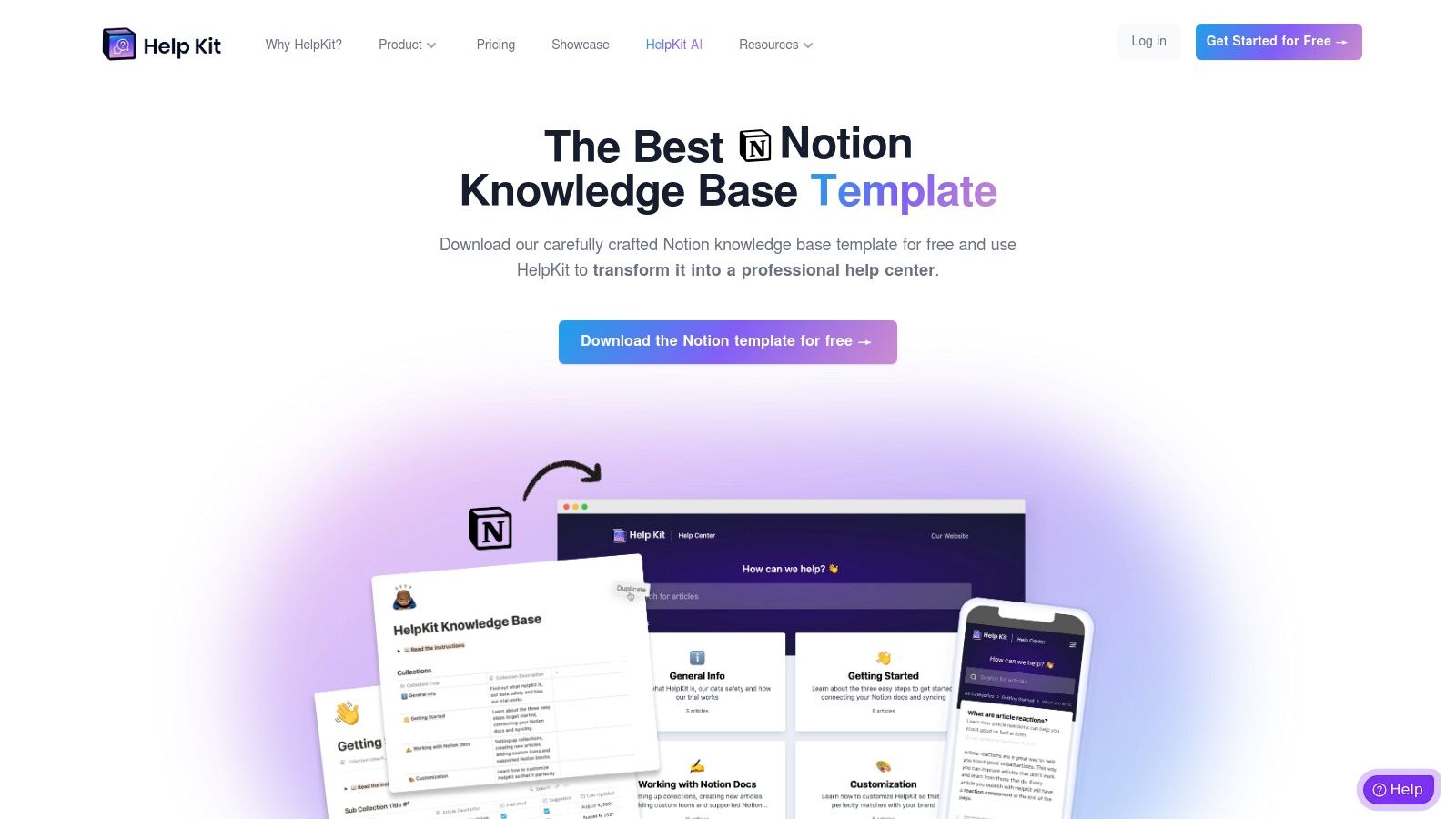
The platform is perfect for startups and small teams that want to launch a polished knowledge base quickly without investing in a separate, complex software suite. By using a tool they already know and love, teams can focus on creating high-quality content instead of learning a new system. The provided template offers excellent knowledge base examples within its structure, guiding your content creation process from day one.
Why It Stands Out
HelpKit’s key differentiator is its seamless integration with Notion. It isn't just a template; it's a publishing engine that turns your internal Notion pages into a fast, searchable, and branded public website. This direct Notion-to-help-center workflow is a game-changer for content management. Any update you make in your Notion document is instantly reflected on your live help site, eliminating the tedious process of copying and pasting between platforms.
Strategic Insight: The fastest way to launch a knowledge base is to build it where your team already works. HelpKit removes the barrier between internal documentation and external support. This means your product experts can write and update articles in Notion, and customers get those updates in real-time without any operational overhead.
Actionable Takeaways
- Duplicate and Customize: Start by duplicating the free Notion template. Before writing new content, customize the existing categories and example articles to match your product's features and your brand's voice.
- Establish a Workflow: Define a simple process within your team for creating, reviewing, and publishing articles directly from Notion. Since it's a familiar environment, adoption will be fast.
- Connect to HelpKit: Sign up for HelpKit to connect your Notion workspace. Use their customization options to add your logo, brand colors, and a custom domain to create a fully branded help center.
Pricing and Access
The Notion template itself is completely free to download and use. To publish your Notion pages as a public knowledge base, you'll need a HelpKit subscription. Plans start at $19 per month (billed annually), which includes one site, a custom domain, and full customization features. This makes it a highly cost-effective solution for teams invested in the Notion ecosystem.
Website: https://www.helpkit.so/notion-knowledge-base-template
Knowledge Base Platforms — 7-Way Feature Comparison
| Product | Implementation (🔄) | Resources (⚡) | Expected Outcomes (📊⭐) | Ideal Use Cases (💡) | Key Advantages (⭐) |
|---|---|---|---|---|---|
| SAI | Minimal — zero‑setup, native Slack install (early access single channel) | Low — needs Slack access; free Early Access plan | Instant context‑aware answers; reduces repeat questions and interruptions | Slack‑first teams, support/ops, onboarding, startups to enterprises seeking quick ROI | ⭐ Zero setup, learns from historical chat, 24/7 responses, free early plan |
| Help Scout | Low — WYSIWYG editor and example gallery, quick deployment | Moderate — requires Help Scout plan (trial available) | Ready public/private KBs and clear article patterns to emulate | Teams wanting production‑ready KB with examples and simple setup | ⭐ Curated examples, AI assist, transparent pricing |
| Zendesk Marketplace | Low–Medium — install themes, no‑code customization; requires Zendesk Guide | Medium — theme purchase + Zendesk subscription | Polished, on‑brand Help Center UX with proven templates | Teams wanting high‑quality design without custom development | ⭐ Professional themes, extensible widgets, proven UX |
| Intercom (Help Center) | Low — no‑code Help Center, quick to spin up and integrate | Medium — best value with Intercom suite subscription | Integrated KB with chat reuse, article targeting, multilingual support | Teams using Intercom for messaging/support and omnichannel help | ⭐ Tight chat/inbox integration, targeting, translations |
| Document360 | Medium — enterprise setup for structured navigation and workflows | High — enterprise plans and admin configuration time | Scalable, secure KB with analytics, review/publish workflows | Enterprises needing SOPs, technical docs, multi‑workspace portals | ⭐ Dual editors, strong security, review/publish workflows |
| HubSpot Service Hub | Low–Medium — templates + platform guidance; full features on paid tiers | Medium–High — migration tools and Service Hub Professional/Enterprise | CRM‑integrated KB with import tools and ready templates | Teams consolidating KBs and using HubSpot CRM | ⭐ Import tools, article templates, fine‑grained access control |
| HelpKit (Notion template) | Minimal — import Notion template and publish via HelpKit | Low — free template; depends on Notion and optional HelpKit costs | Fast, low‑cost KB launch; limited enterprise capabilities | Small teams already on Notion, rapid prototyping and iteration | ⭐ Free best‑practice template, minimal setup, quick iteration |
The End of 'Where Do I Find That?': Your Next Step
We’ve explored a diverse landscape of powerful knowledge base examples, from the polished customer-facing portals built with HubSpot and Intercom to the highly structured internal wikis powered by Document360 and HelpKit. Each example offers a blueprint for centralizing information, streamlining support, and empowering teams. But looking at these platforms reveals a deeper, more fundamental truth about modern work.
The core challenge isn't just about having a knowledge base; it's about eliminating the friction of using it. The most beautifully designed FAQ page or meticulously organized internal wiki is useless if your team has to leave their workflow, open a new tab, remember the right login, and guess the right search terms to find an answer. This constant context-switching is a silent productivity killer, slowly draining your team's focus and momentum.
The real transformation happens when knowledge stops being a destination and becomes an instant, integrated part of the conversation. Imagine a day where no one on your team has to say, Let me check the SOP,
Where is the latest sales deck?
or Who do I ask about our expense policy?
Imagine all that tribal knowledge, currently trapped in private messages, scattered across channels, and buried in old documents, being instantly accessible.
Shifting from Archives to Answers
The examples we've reviewed highlight a critical evolution. Traditional knowledge bases like Zendesk and Help Scout are excellent for creating structured, public-facing help centers. They are archives built for deliberate, one-way information consumption. However, the future of internal knowledge management lies in a different direction. It’s about creating a living, breathing system that learns from your team's daily interactions.
This is where the paradigm shifts. The goal is no longer to build a perfect digital library that requires constant manual curation. Instead, the goal is to build an intelligent system that surfaces the right information, at the right time, in the right place.
Key Takeaway: The most effective knowledge base is the one your team doesn't even realize they're using. It's the one that delivers answers directly within their primary workspace, like Slack, without ever needing to switch context.
Your Action Plan for Instant Knowledge
To move from information chaos to effortless clarity, you don't need another complex project. You need to leverage the work your team is already doing.
Audit Your Current
Search
Time: For one week, ask your team to informally track how much time they spend searching for information or asking repetitive questions. The results will likely be staggering and provide a clear business case for change.Identify Your Biggest Bottlenecks: Is it the new hire onboarding process? Repetitive IT support tickets? Finding the latest marketing assets? Pinpoint the 1-3 areas where a lack of accessible knowledge causes the most friction.
Choose a Tool That Lives in Your Workflow: Instead of forcing your team to adopt another new platform, choose a solution that integrates seamlessly into the tool they already use all day, every day: Slack. This single decision eliminates the biggest barrier to adoption.
Embrace Conversational AI: The ultimate step is to move beyond manual search. Implement a tool that understands natural language and can deliver precise answers from your existing documents, conversations, and resources. This turns your entire digital footprint into a queryable, intelligent knowledge source.
By focusing on accessibility and integration over sheer volume of documentation, you create a system that doesn’t just store knowledge; it activates it. The end of Where do I find that?
is within reach. It’s a future where your team spends less time searching and more time doing the meaningful, strategic work that drives your business forward.
Ready to build a knowledge base that answers questions for you, right inside Slack? SAI connects to your company's apps and documents to create an intelligent system that learns from your team's work, turning scattered information into instant, reliable answers. Stop building archives and start a conversation with your knowledge by visiting SAI today.
