Sop Formats Templates to Boost Team Knowledge Sharing
Let's be honest, standard operating procedures (SOPs) often get a bad rap. They conjure up images of dusty binders or forgotten folders in a shared drive. But what if we thought about them differently? What if they weren't just documents, but your team's living, breathing playbook?
Getting your sop formats and templates right is about more than just consistency. It's about creating a single source of truth that cuts down on mistakes and gives back thousands of dollars in lost productivity every year. This guide will help you build a system that finally puts an end to the constant searching and shoulder-tapping.
Your Team's Single Source of Truth Is Closer Than You Think
Picture this: a day where Hey, where do I find the doc on...?
is a question nobody has to ask. It's not a fantasy. It's what happens when you ditch scattered files and embrace SOPs that actually work for your team. The real win isn't just having better documentation; it's freeing up your team to spend less time digging for information and more time getting things done.
Most teams are swimming in information chaos. Critical processes are trapped in random Google Docs, buried in long-forgotten email chains, or worse, exist only in the head of that one person who's been here forever. It's a huge time-waster. In fact, unproductive labor can cost a midsize company as much as $5,900 annually for every single employee, and a lot of that comes from fuzzy instructions and inconsistent workflows.
From Static Files to Living Answers
Here's the fundamental problem with old-school SOPs: they're static. They're out of date almost as soon as you hit save,
and they're impossible to find when you're in the middle of a crisis. This traps your team in a soul-crushing loop of searching for a doc, interrupting a coworker, and then waiting around for an answer.
A better way is to turn that dusty digital library into a living knowledge base. Instead of forcing everyone to learn yet another tool, you bring the answers to where they're already working—inside a platform like Slack.
The goal is to build a new reality where your team's collective wisdom is captured on the fly. This system virtually eliminates repetitive questions and gives everyone the power to find what they need in seconds, not hours.
Making this shift can completely change the feel of your team's workday. Suddenly, you see:
- An end to context switching: Your team can stay locked in on their tasks instead of breaking their focus to hunt down a document they vaguely remember seeing three months ago.
- Onboarding that just works: New hires get up to speed on their own, finding answers to basic procedural questions without having to constantly ping their manager.
- Knowledge that sticks around: Every answer shared in a conversation becomes a permanent, searchable asset for the whole company, not just a one-off reply.
Stop thinking about adding another tool to the pile. The best sop formats and templates help you design a system where the answers find your team. It's all about transforming your everyday conversations into a reliable, instantly accessible library of your company’s best practices.
How To Choose an SOP Format That Actually Gets Used
Picking the right SOP format is what separates a document that gathers digital dust from one that becomes your team’s most trusted playbook. Let's be real—if a process is clunky to follow, your team will find a workaround. The goal isn't just to write instructions; it's to create a resource so clear and intuitive that people genuinely want to use it.
Think about your IT team during a system outage. A frantic scramble? Or do they pull up a clean, hierarchical guide that breaks down the chaos into manageable stages? With main steps like Isolate, Diagnose, and Resolve, and detailed sub-steps providing the exact commands, they have a clear path forward. That's the power of the right format.
Matching the Format to the Function
There's no single best
format. The structure you choose has to match the complexity of the task. A simple checklist won’t cut it for a multi-faceted incident response, and a detailed flowchart is overkill for making coffee. By matching the format to the function, you give your team the right tool for the job every time.
Here are the three formats that I've found cover 99% of business needs:
Simple Step-by-Step: Your best friend for linear, straightforward tasks. Think new employee onboarding. A simple numbered list guides HR from setting up payroll to scheduling orientation. It’s almost impossible to miss a beat.
Hierarchical Checklist: This is what you pull out for complex procedures with multiple phases. That IT incident response? A hierarchical list keeps the team organized, preventing panic and costly mistakes under pressure.
Flowchart Format: Unbeatable for any process with decision points or
if-then
scenarios. Imagine a marketing team launching a new campaign. A flowchart can map out every possibility, from A/B test results to budget approvals, so the project keeps moving without a million check-in meetings. For a deeper look, check out our complete guide on selecting the perfect SOP documentation format.
This is the crossroads every team faces when they need an answer: either dig through a mess of scattered documents or get an instant, clear path from a well-structured SOP.
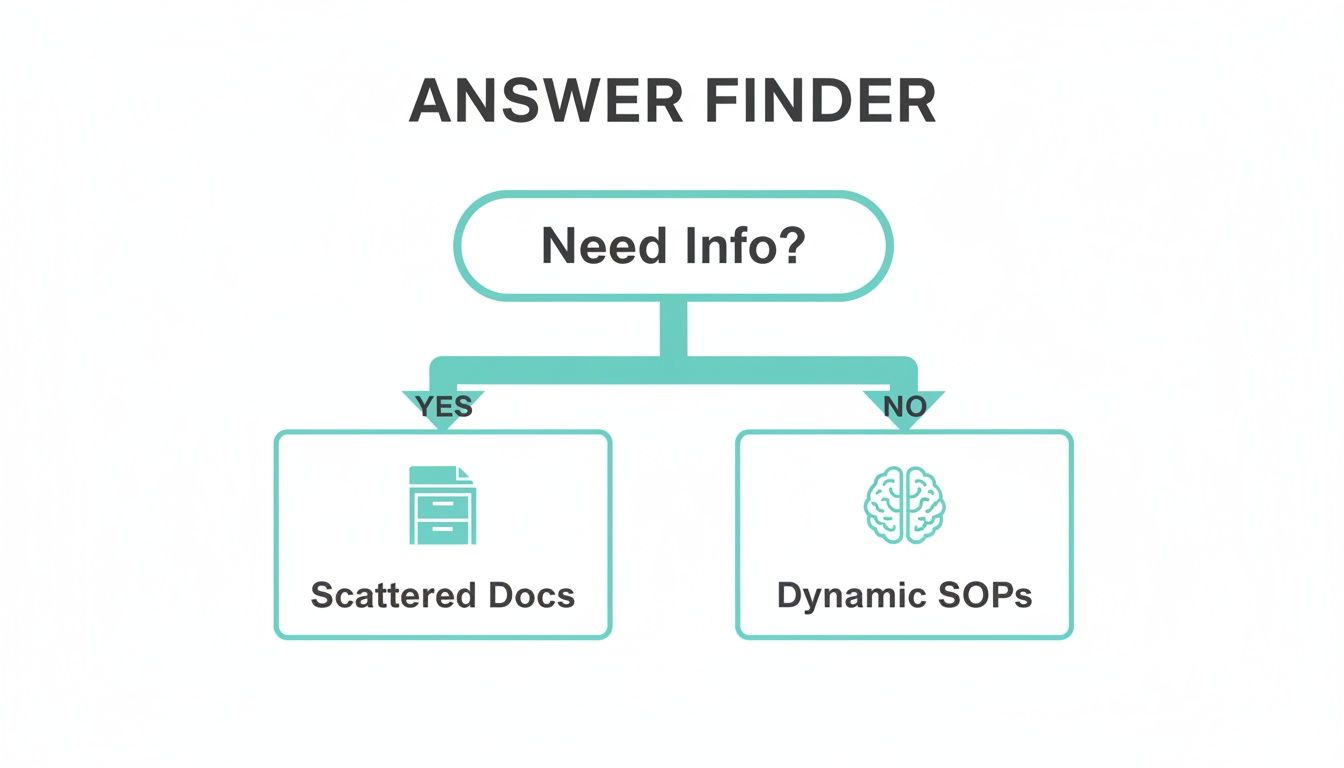
The visual says it all. You can guide your team away from information chaos and toward streamlined, accessible knowledge.
SOP Format Selector
Not sure where to start? This table breaks it down. Match your business need to the most effective SOP format to ensure clarity and adoption.
| SOP Format | Best For | Real-World Example |
|---|---|---|
| Step-by-Step List | Simple, linear tasks that must be done in a specific order. | A checklist for closing out the cash register at the end of a retail shift. |
| Hierarchical List | Complex procedures with multiple distinct phases or sub-tasks. | An IT team’s guide for setting up a new server, broken down by hardware, OS, and security. |
| Flowchart | Processes with multiple decision points and conditional outcomes. | A customer support script for troubleshooting a product issue, with different paths for each user response. |
Choosing the right format from the get-go saves you countless hours of rework and drives much higher adoption from your team.
The Real-World Payoff of the Right Format
When you nail the format, the change is almost immediate. Ambiguity vanishes. The endless stream of Hey, quick question...
messages slows to a trickle. Why? Because the document itself makes responsibilities crystal clear—defining who does what, and when.
By choosing a structure that fits the task, you’re not just creating documentation. You're building a system that actively reduces errors, empowers your team to act decisively, and turns operational chaos into predictable excellence.
Ultimately, the best SOP formats and templates are the ones people actually use. When a new sales rep can confidently handle a customer handoff with a simple checklist, or a support agent navigates a tough issue with a flowchart, you haven’t just documented a process. You’ve built a scalable, self-sufficient team.
3 Essential SOP Templates Your Business Needs Today
Staring at a blank document trying to write an SOP from scratch is a special kind of nightmare. You know exactly what needs to be done, but figuring out how to structure it all can be paralyzing. Here’s a little secret I've learned over the years: the solution isn't to write more, but to start with the right framework. Using proven SOP formats and templates changes the game entirely, turning a daunting project into a simple fill-in-the-blanks exercise.
This is about more than just saving a few hours. When you use a solid template, you're embedding best practices directly into your operations from day one. You instantly boost consistency across the team, slash ambiguity, and give everyone the confidence to execute their work flawlessly.
Let’s dive into three templates I’ve seen make a huge, immediate impact.
Template 1: New Employee Onboarding
A disorganized onboarding process is one of the fastest ways to sour a new hire's experience. It sends a terrible first impression and dramatically slows down their path to becoming a productive team member. A well-structured onboarding SOP ensures every new person gets the same high-quality introduction to the company, their role, and the tools they need to succeed.
Think of this template as less of a checklist and more of a journey map for their critical first week. It’s designed to make them feel welcome, informed, and ready to contribute.
- Pre-boarding (The Week Before): This is where you get ahead of the game. It should include tasks for IT to set up hardware, for HR to send welcome packets, and for the hiring manager to schedule a few introductory meetings. No more day-one scrambles for a laptop.
- Day One Essentials: Focus on the basics that make them feel settled. This covers payroll setup, system logins, an office tour (whether virtual or physical), and a proper introduction to their immediate team.
- First Week Goals: Outline specific, achievable tasks for their first five days. This helps them score an early win and gives them a clear understanding of their initial priorities.
Standardizing this process puts an end to that frantic, last-minute chaos that so often defines a new hire’s first day. For some great ready-to-use examples, check out our guide to process document examples and templates.
Template 2: Customer Handoff from Sales to Success
I've seen it happen time and again: a new client relationship gets damaged right out of the gate because of a clumsy handoff. When the Customer Success team has to ask the same questions the client just answered for the sales rep, it screams disorganization and erodes trust before you've even started.
This SOP template acts as a seamless bridge between the two departments. It becomes the single source of truth for that new client, guaranteeing that crucial context is transferred perfectly every single time.
A great handoff template is designed to prevent things from falling through the cracks. It should have specific fields for client goals, technical setup needs, key contacts, and—most importantly—any unique promises made during the sales cycle.
A structured format ensures every handoff is smooth, professional, and complete. It sets the stage for genuine, long-term customer loyalty.
Template 3: Urgent Incident Response
When a critical system goes down, panic is your worst enemy. An Incident Response SOP gives your team a clear, logical path to follow, turning a chaotic fire drill into a controlled, methodical process. This template is all about helping your team diagnose, communicate, and resolve issues without missing a beat.
In a high-stakes environment, simply structuring how you approach a problem can boost success rates by up to 30-40%. It’s the same principle that helps teams across industries perform under pressure. This approach has been shown to cut preparation and context-rebuilding time by 50% for everyone involved.
Your incident response template should guide the team through a few critical stages:
- Identification: Who has the authority to confirm the incident and declare its severity level?
- Communication: Who is the single point person for all internal and external updates? (This is huge for preventing mixed messages.)
- Resolution: What are the step-by-step troubleshooting procedures for this specific type of issue?
- Post-Mortem: How does the team get together afterward to analyze the root cause and make sure it never happens again?
Having this structure in place means you can mount a fast, coordinated response that minimizes downtime and protects your company's hard-earned reputation.
Turning SOPs From Static Docs Into Instant Slack Answers
What if your SOPs could actually answer questions for you? Imagine a day where your team never has to open another browser tab, dig through a shared drive, or interrupt a colleague to get the information they need. They just ask a question in Slack and get the right answer, instantly. That’s the transformation we’re talking about.
This is where well-built SOP formats and templates become a real productivity engine for your team. It happens when you connect your documented processes to an AI assistant like SAI. Just imagine—your entire team, asking questions and getting answers in the same place they do their work, without ever breaking their focus.

From Search and Wait
to Ask and Know
The end goal here is simple: eliminate the search. Think about a day with zero time wasted digging through shared drives, clicking through endless documents, or pinging a coworker and waiting for them to get back to you. This isn't some far-off dream; it's a practical shift you can make in how your team finds information.
Consider the immediate impact on a new hire. Instead of feeling like they're bothering everyone with dozens of questions, they can just ask SAI in Slack. They get an instant, accurate answer pulled straight from your approved procedures, empowering them to get up to speed on their own from day one.
The entire dynamic of your team shifts. Work doesn't grind to a halt because someone is waiting for an answer. Your senior people are no longer interrupted to answer the same questions over and over, freeing them up to focus on work that actually moves the needle.
This is more than a simple convenience. It's a direct attack on the productivity killers every growing team faces:
- Interruptions are minimized. No more shoulder-tapping or breaking someone's concentration.
- Task-switching costs plummet. Focus is protected, leading to deeper, faster work.
- Knowledge is instantly accessible. Your team gets 24/7 support, no matter their time zone.
Building a Knowledge Base That Actually Learns
The best SOPs do more than just list steps; they explain the why. After all, 80% of effective SOPs are built around personal experiences and the motivations behind a process. They tell a story by outlining the goal, identifying potential roadblocks, and defining what success looks like.
This human-centric approach is precisely what allows an AI like SAI to learn from your team's conversations. It starts to understand the context behind the rules, turning casual Slack chats into durable, institutional knowledge. This is how you finally break the costly cycle of repetitive questions and can even slash after-hours interruptions by as much as 70%.
The Beginning of the End for Repetitive Questions
By connecting your SOPs to an AI that lives right where your team works, you create a system that constantly improves itself. The more questions people ask and answer, the smarter the system becomes. Every daily interaction is an opportunity to capture and preserve valuable knowledge that would otherwise be lost.
This is the real promise of modern SOPs. They aren't just documents you write, file, and forget. They are the living foundation of an intelligent system that gives your team back its most valuable asset: time.
For a deeper dive, check out our guide on how to build an AI in Slack knowledge base that delivers instant answers.
7. Weave SOPs into Your Team's Daily Workflow
Let’s be honest: a perfect procedure that no one uses is completely worthless. You can create the most brilliant SOP formats and templates, but if they just gather dust in a folder somewhere, you’ve wasted your time. The final, and most critical, step is making your new processes an integral, almost invisible, part of your team's daily habits.
The real goal here is to build a culture where documentation isn't a chore but a shared reflex. It’s about creating a system so seamless that checking an SOP feels easier and faster than interrupting a colleague. This is where you see the real return on your effort.
Make Adoption Effortless
Getting your team on board starts with visibility. When you roll out a new or updated SOP, don't just quietly drop it into a shared drive. Announce it directly in the relevant Slack channels with a quick summary of what changed and, more importantly, why it matters to them.
Your team leads are your biggest champions here. When they consistently reference the SOP to answer a question, it models the right behavior and reinforces the habit for everyone else.
The ultimate sign of success is when your team stops seeing SOPs as rigid rules and starts seeing them as reliable tools that make their jobs easier. It’s a powerful shift from enforcement to empowerment.
Create a Living, Breathing Knowledge System
Your SOPs should never be set in stone. A simple review cadence—maybe quarterly for the most critical procedures—is a good starting point to keep them relevant. But the real magic happens when you create a continuous feedback loop.
Encourage your team to suggest improvements on the fly. When someone discovers a better, faster way to handle a task, make it incredibly easy for them to propose an update to the process. This creates a sense of collective ownership and ensures your documentation actually evolves with your business.
Tools like SAI can be a game-changer here. It can analyze the questions your team asks in Slack, automatically spotting knowledge gaps and showing you exactly where your next SOP is needed most.
Bridge Gaps and Get Time Back
Well-crafted SOP templates do more than just standardize tasks; they unite diverse teams—from tech to ops to sales—around a common way of working. In fact, structured formats are shown to correlate with 35% higher success odds in getting people to follow the process.
Think about the connections. The real power is linking a person's question directly to the right answer, much like how SAI provides instant, context-aware answers right inside Slack.
Consider this: teams can lose a staggering 20-40% of their productivity to the constant interruptions from repetitive questions. An easily accessible SOP knowledge base slashes those task-switching costs and can even reduce bottlenecks by up to 50%. You can learn more about how structured documents drive success.
By weaving your SOPs directly into the fabric of your daily workflow, you're not just writing documents. You're building a more resilient, scalable, and efficient business where everyone has the information they need to succeed.
Even with the best templates in hand, I get it—rolling out new procedures can feel like a huge lift. You might be wondering if the team will actually use them or just fall back into the same old routines. These are completely valid concerns.
Let's walk through the most common questions and roadblocks I see teams hit when they’re trying to make new SOPs stick. The goal here isn't just to write documents that collect dust; it's to build a system that genuinely makes everyone's job easier.
How Do We Get Our Team to Actually Use the New SOPs?
This is the million-dollar question, isn't it? If your SOPs are buried in a shared drive somewhere, they’ll be forgotten. The trick is to make them impossible to ignore by embedding them directly into your team's daily workflow.
Think about where work actually happens. For most of us, that's Slack.
When someone asks a question in a channel, a tool like SAI can instantly surface the answer from the right SOP. This is a game-changer. It doesn't just provide an answer; it trains your team, in real-time, to rely on the documented process instead of pinging a coworker and waiting.
Another pro tip? Get your team involved in building the SOPs from the get-go. When people have a say in creating the process, they have a real sense of ownership and are far more likely to follow it.
We Have Zero SOPs. Where on Earth Do We Start?
Don't try to document everything at once. That’s the fastest way to get overwhelmed and give up. Instead, find the single biggest point of friction your team deals with every day and start there.
Ask yourself:
* What’s the one question that gets asked over and over again in our main channel?
* Which specific task always seems to cause confusion or delays?
That’s your starting point. Tackle that one high-impact issue. Use a simple, straightforward template to document the process. Once your team feels the immediate relief of having that one problem solved and easily accessible, you’ll build the momentum—and the buy-in—to move on to the next one.
How Often Should We Be Updating Our SOPs?
SOPs are not set it and forget it
documents. They need to be living, breathing resources. A good rule of thumb is to schedule a formal review of your most critical procedures quarterly, and maybe twice a year for everything else.
But honestly, the best approach is to make updates a continuous habit, not a scheduled chore. Empower your team to flag an SOP for an update the very moment they find a better way of doing something.
When a process changes, the SOP should change right along with it. This fosters a culture of constant improvement. Capturing these small adjustments as they happen ensures your documentation is always accurate, relevant, and genuinely useful.
Ready to stop repetitive questions and give your team instant answers? SAI learns from your Slack conversations to build a knowledge base automatically, so your team can find what they need without breaking focus. Add SAI to a channel for free and see the difference. Learn more at https://sai-bot.ai.
