The 12 Best AI Knowledge Management Tools for 2026
Imagine your workday without the endless hunt for information. No more digging through Google Drive, chasing down colleagues for a link, or trying to remember which Slack channel held that one crucial update. Instead, you just ask a question and get an instant, accurate answer, right where you're already working. This isn't a future fantasy; it's what the right AI knowledge management tools make possible today.
The constant context-switching and searching for scattered information drains your team's productivity and focus. Critical knowledge gets lost in crowded channels, outdated documents, and forgotten folders. This digital clutter costs you time, creates frustration, and slows down everything from onboarding new hires to answering urgent customer questions. The core problem isn't a lack of information-it's a lack of immediate, intelligent access to it.
This guide is your direct path to solving that problem. We've compiled a comprehensive list of the best AI knowledge management tools designed to centralize your company's intelligence and deliver it on demand. Forget wading through marketing jargon. We provide an honest, in-depth analysis of each platform, complete with screenshots, direct links, and practical insights.
You'll discover how each tool works, its specific strengths, potential limitations, and who it's truly built for. We’ll look at key features like automated content ingestion, powerful search capabilities, and seamless Slack integrations, highlighting how a tool like SAI can transform your workspace into a single source of truth. Our goal is simple: to help you choose the perfect tool to stop the endless searching and empower your team to know.
1. SAI
Imagine a day where you never have to open another resource or search through multiple places to find information. Instead of hunting through old channels, digging through shared drives, or interrupting a colleague, you simply ask SAI in Slack and get the precise answer you and your team are looking for. SAI represents a fundamental shift in how teams access institutional knowledge. It works silently in the background of your workspace, turning the organic, everyday conversations your team is already having into a durable, searchable, and instantly accessible source of truth.
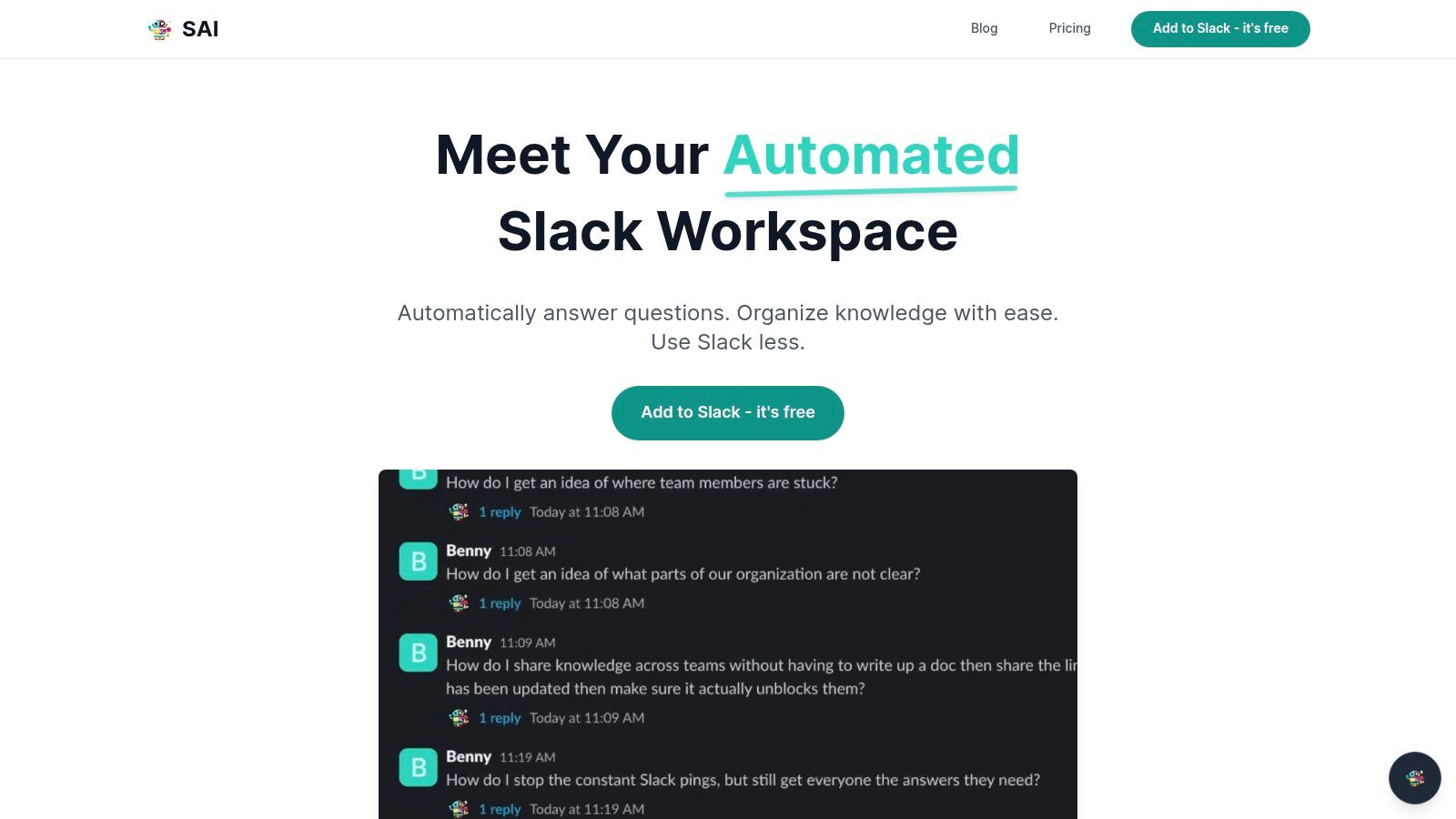
This tool is engineered for immediate impact, targeting one of the biggest hidden costs in any organization: repetitive questions and the resulting productivity drain from task-switching. By providing a 24/7 AI assistant that learns from every interaction, SAI empowers team members to get unblocked instantly, whether they're in a different time zone or the subject matter expert is unavailable. This approach transforms knowledge management from a burdensome administrative task into an automated, self-sustaining process. For a deeper dive into the principles behind this technology, you can learn more about what makes a modern knowledge management system effective on the SAI blog.
Key Features & Benefits
- Zero-Setup Knowledge Automation: SAI is uniquely powerful because it requires no manual configuration. It learns directly from your existing Slack conversations, building a context-rich knowledge base from day one without any data entry.
- Immediate Productivity Gains: The platform is designed to save significant time. By handling repetitive questions, SAI reportedly saves small teams over 40 hours per month, freeing up experts to focus on high-value work.
- Slack-Native Experience: As a tool built exclusively for Slack, it integrates seamlessly into existing workflows. There are no new platforms to learn or apps to switch between, which drives near-instant adoption.
Pros & Cons
| Pros | Cons |
|---|---|
| Instant Value: Delivers answers immediately upon installation. | Slack-Only: Not suitable for teams who don't use Slack as their primary hub. |
| Effortless: Automatically builds knowledge without manual upkeep. | Early Stage: Enterprise features like advanced data governance are still in development. |
| Risk-Free Trial: The free Early Access Plan is generous. | Dependent on Chat Quality: Effectiveness relies on the quality of existing Slack conversations. |
Who is SAI Best For?
SAI is an ideal solution for any team that lives in Slack and struggles with knowledge silos or repetitive inquiries. It's particularly effective for customer support, operations, and HR teams who are constantly fielding the same questions. Startups and distributed teams will also find immense value in its ability to provide 24/7 answers and streamline onboarding for new hires.
Website: https://sai-bot.ai
2. Notion
Notion has evolved from a powerful note-taking app into an all-in-one workspace, making it a formidable contender among AI knowledge management tools. Its core strength lies in unifying wikis, project management, and documents into a single, interconnected ecosystem. Imagine a world where your company's standard operating procedures (SOPs) live right next to the projects they govern, and your team's meeting notes are automatically linked to the tasks that arise from them. This consolidation is Notion's biggest advantage, drastically reducing the time wasted switching between different applications.
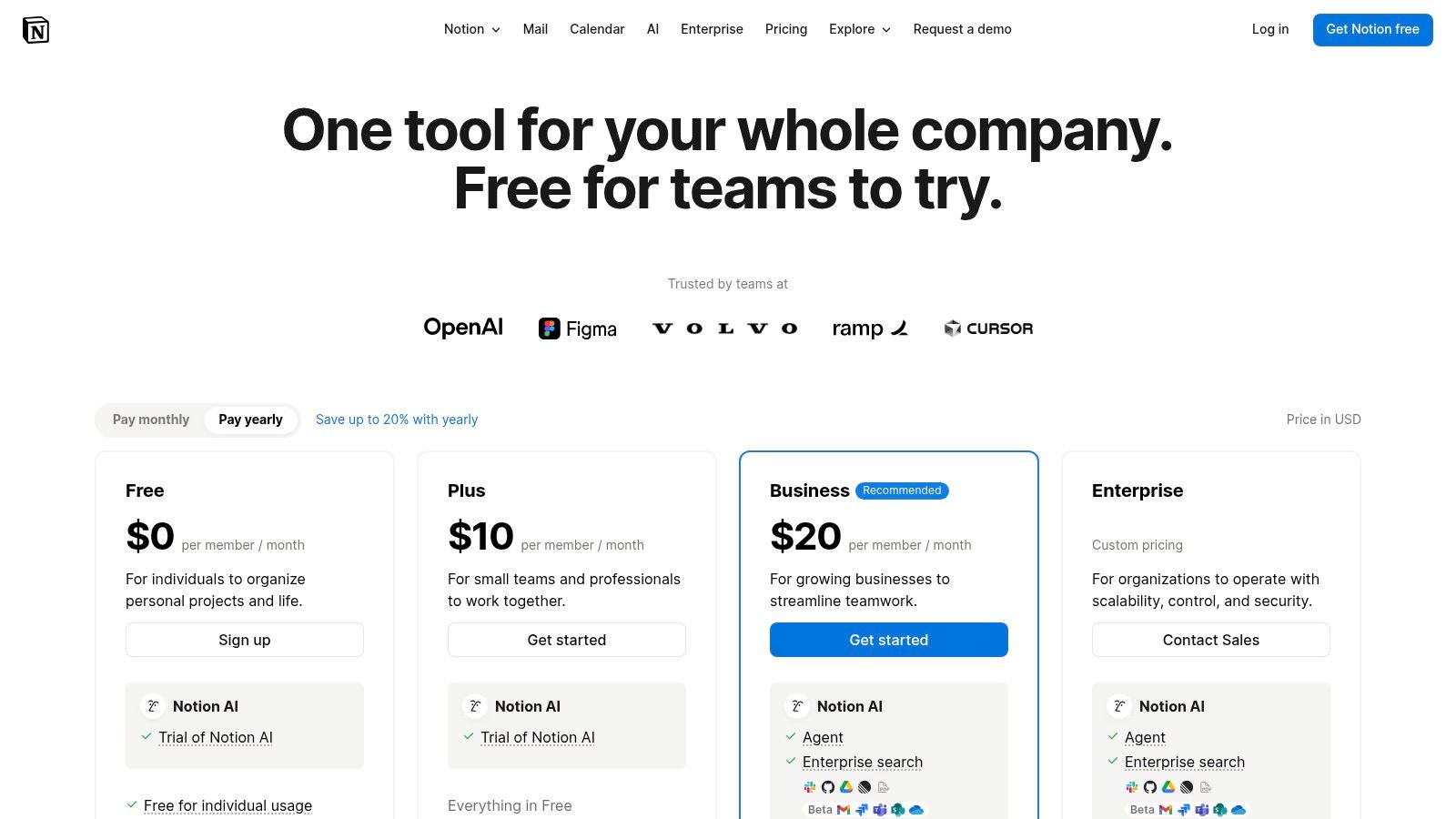
With the introduction of Notion AI, the platform now allows you to search across your entire workspace, summarize lengthy documents, and even generate content directly within your pages. For teams already embedded in the Notion ecosystem, this built-in intelligence feels like a natural extension of their workflow, not a bolted-on feature. The platform’s true power is unlocked when you start creating a comprehensive internal knowledge base, a foundational step in any successful strategy. For a deeper dive, explore these 10 knowledge management best practices for 2025 to maximize your setup.
Key Features & Considerations
- All-in-One Workspace: Integrates wikis, databases, and project management, eliminating the need for multiple tools.
- Notion AI: Offers enterprise search, Q&A, and content generation within your existing workspace.
- Template Ecosystem: A massive library of community and official templates helps you build anything from a CRM to a content calendar quickly.
- Pricing: A free plan exists for individuals. Paid plans start at $8 per user/month (billed annually), with full AI features and advanced controls like SAML/SCIM reserved for Business and Enterprise tiers.
While its all-in-one nature is a huge plus, new teams may find that establishing strong governance and structure at scale requires a dedicated effort to prevent content chaos.
3. Atlassian Confluence (Atlassian Intelligence / Rovo)
Confluence has long been the gold standard for enterprise wikis, especially for technical teams. With the integration of Atlassian Intelligence (and the forthcoming Rovo), it has become a powerful AI knowledge management tool that excels in structured, long-form documentation. For organizations already invested in the Atlassian ecosystem, its key advantage is the seamless connection to Jira. Imagine your project documentation, technical specs, and team meeting notes not only living in one place but also being intelligently linked to the Jira tickets that drive the work forward, creating a single source of truth for your entire development lifecycle.
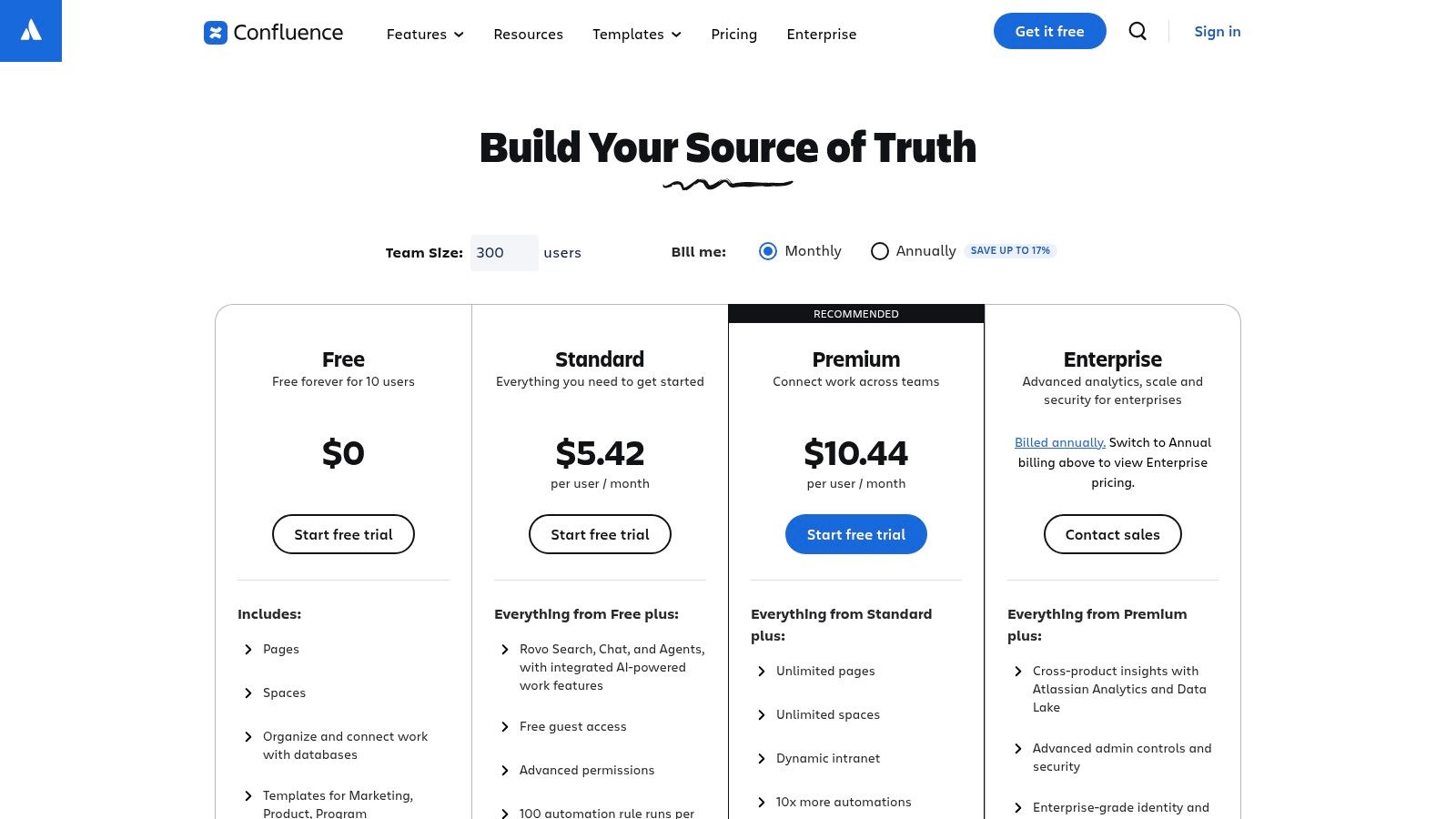
Atlassian Intelligence enhances the platform by enabling users to get instant answers from across their Confluence spaces, summarize dense pages, and generate new content from simple prompts. This turns a static wiki into a dynamic knowledge hub where information is not just stored but is easily discoverable and digestible. For product and engineering teams, this means less time spent searching for context and more time spent building. The platform’s robust structure and permissions make it a reliable choice for managing complex information at an enterprise scale.
Key Features & Considerations
- Deep Jira Integration: Unparalleled connectivity with Jira for linking documentation directly to projects, epics, and tasks.
- Atlassian Intelligence: Provides AI-powered Q&A, definitions surfaced in search, page summaries, and content creation tools.
- Structured Knowledge Base: Utilizes a 'spaces' and 'pages' hierarchy, perfect for building comprehensive wikis, intranets, and documentation portals.
- Pricing: A free plan is available for up to 10 users. Paid plans start at $6.05 per user/month, with Atlassian Intelligence features included in Premium ($11.55 per user/month) and Enterprise tiers.
While its integration with Jira is a major benefit for technical teams, the administrative setup and configuration can be more demanding than more lightweight alternatives, requiring a deliberate effort to maintain organization.
4. Guru
Guru positions itself as an AI-native knowledge platform that operates directly within your team's existing workflow, making it a powerful choice among AI knowledge management tools. Its core philosophy is to bring verified information to you, rather than making you hunt for it. Imagine your sales team getting instant, expert-vetted answers about a competitor directly within Salesforce, or your support agents receiving the correct troubleshooting steps in Zendesk without ever leaving the ticket. This in-context delivery is Guru's primary strength, turning knowledge from a destination into a seamless part of daily work.
By integrating deeply with tools like Slack and Microsoft Teams, Guru allows you to capture, verify, and share knowledge without context switching. Its AI-powered search and chat can instantly surface answers from your entire knowledge base, complete with citations so you can trust the source. The platform’s emphasis on verification workflows ensures that information stays current and reliable, a crucial component for any high-performing team. This proactive approach helps build a single source of truth that your team can depend on.
Key Features & Considerations
- AI Chat & Search: Delivers answers with source citations and respects user permissions, surfacing information from across your connected apps.
- Verification Workflow: A built-in system prompts experts to review and update content regularly, preventing knowledge from becoming stale.
- Deep Integrations: Pushes relevant knowledge directly into the flow of work in Slack, Microsoft Teams, Salesforce, and Zendesk.
- Pricing: Plans have a 10-seat minimum for self-serve tiers, with advanced features like private models and zero data retention available on higher-tier plans.
While its proactive knowledge surfacing is a major advantage, the usage-based credit model on some plans may require careful monitoring to manage costs effectively.
5. Glean
Glean positions itself as an enterprise-grade AI search platform designed for large organizations that need to index information across a vast and complex app ecosystem. Its core mission is to provide a single, unified search experience that respects existing user permissions and delivers highly relevant, verifiable answers. Imagine your team being able to ask a complex question like, What was our Q3 revenue from the EMEA region for Product X?
and getting a direct answer synthesized from Salesforce reports, Google Slides presentations, and internal wiki pages, complete with citations pointing directly to the source documents. This level of cross-application intelligence is what makes Glean a powerful choice among AI knowledge management tools for established enterprises.
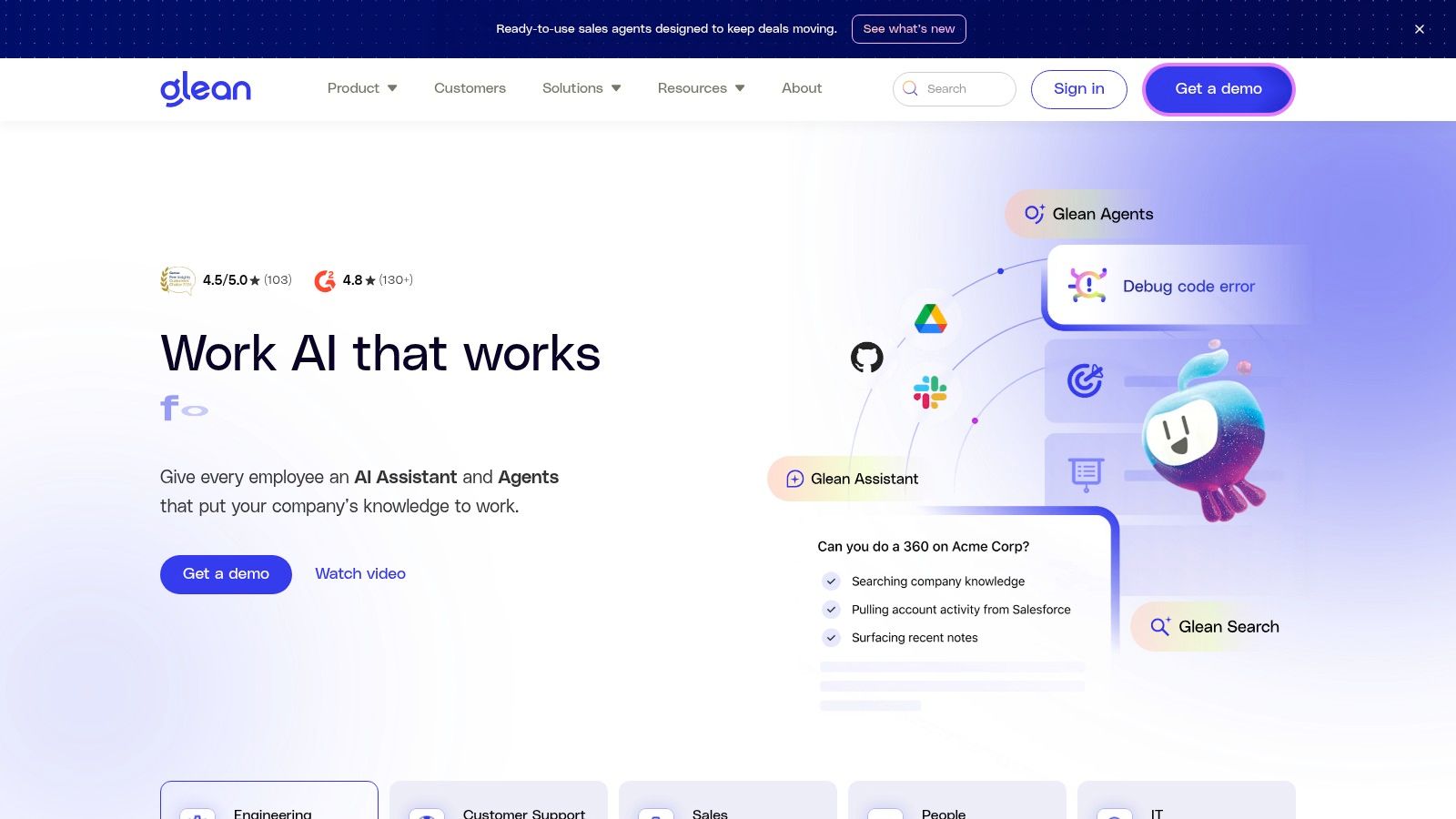
Glean’s strength lies in its robust, high-quality connectors and its unwavering focus on security and governance. With features like a chat interface for conversational queries, deep research capabilities, and even a browser companion that injects context into other web apps, Glean aims to be the intelligent fabric connecting all of a company's disparate knowledge silos. This enterprise-first approach means it's built to handle the scale and complexity that smaller tools might struggle with, ensuring that as your company grows, your knowledge management system can keep pace without compromising on security or accuracy. Learn more at glean.com.
Key Features & Considerations
- Enterprise-Grade Connectors: Indexes over 100 workplace apps, ensuring comprehensive search coverage across your entire tech stack.
- Permission-Aware AI: Delivers answers and search results that strictly adhere to the user's existing access rights in the source applications.
- Verifiable Answers: All AI-generated answers include direct citations and links to the source documents, building trust and allowing for verification.
- Pricing: Glean does not offer public self-serve pricing. Access is typically sales-led, often involving a proof-of-concept (POC) and a tailored implementation process for enterprise clients.
While Glean's powerful search and security features are ideal for large corporations, the required implementation effort and sales-led pricing model may make it less accessible for smaller teams or startups seeking a quick, self-serve solution.
6. Slab
Slab carves out its niche as a knowledge hub for the modern workplace,
focusing on a clean, intuitive interface that feels more like a beautifully crafted blog than a stuffy corporate wiki. Its strength lies in simplicity and structure, offering a refreshing alternative to more complex, database-driven systems. Imagine a single source of truth that your team actually enjoys using, where creating and finding documentation is as straightforward as writing an email. This focus on user experience makes Slab an excellent choice for teams that prioritize fast adoption and clarity over endless customization options.
The platform’s AI features, like Slab Ask,
integrate seamlessly to answer questions by searching across all your Slab content, turning your meticulously organized wiki into an interactive expert. For teams that live in Slack, Slab offers deep integration, allowing users to search for and share knowledge without ever leaving their chat window. This makes it one of the more focused ai knowledge management tools for organizations looking to combine a structured wiki with the convenience of AI-powered search and a strong Slack-centric workflow.
Key Features & Considerations
- Intuitive Authoring: A clean, modern editor that makes creating and formatting content effortless, encouraging widespread contribution.
- Slab Ask: An AI-powered Q&A feature that searches across your entire knowledge base to provide direct answers.
- Deep Slack Integration: Enables searching, sharing, and receiving notifications directly within Slack, embedding knowledge into daily conversations.
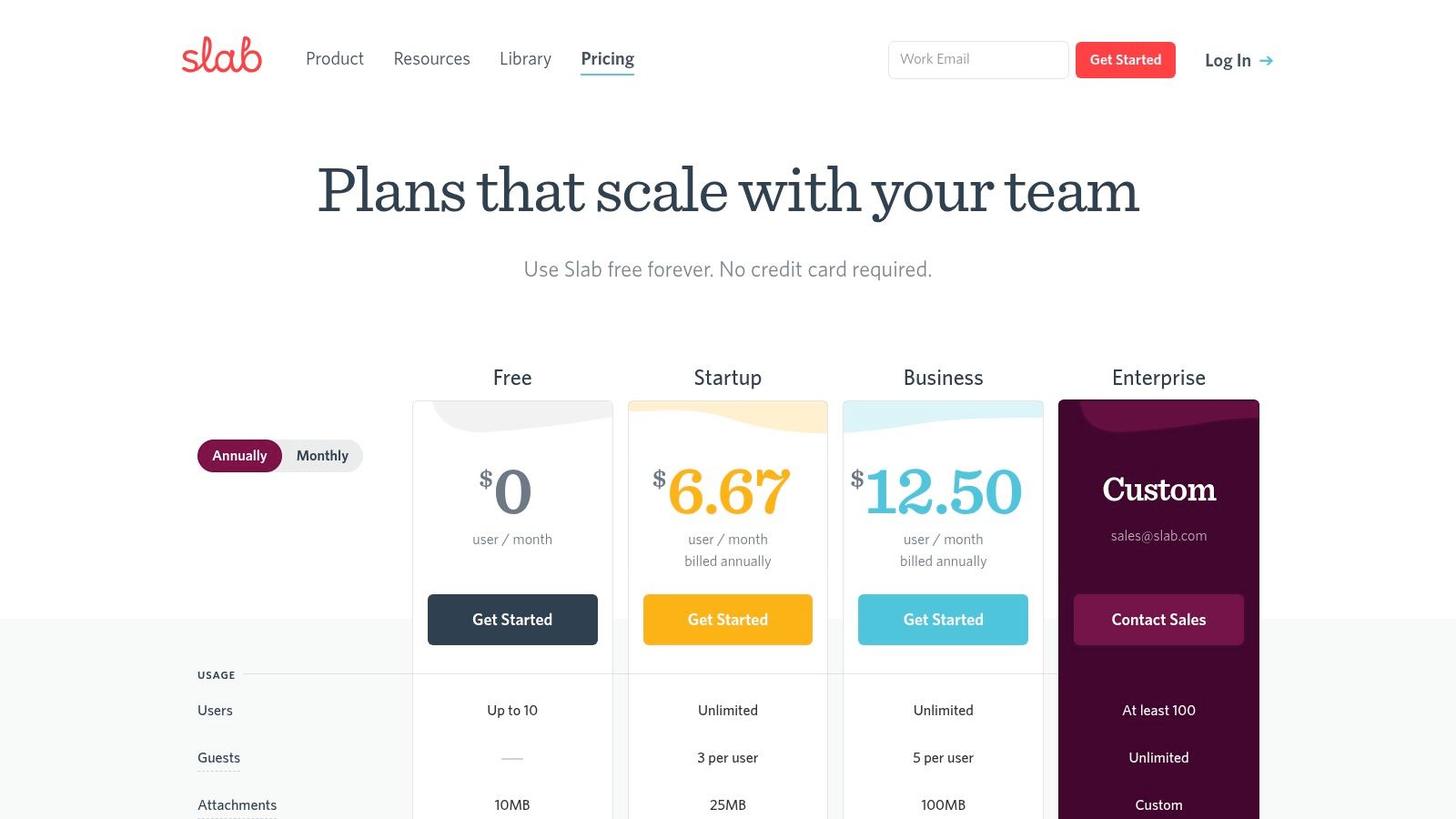
- Pricing: Offers a free plan for up to 10 users. Paid plans start at $6.67 per user/month (billed annually), with Slab Ask reserved for the Business and Enterprise tiers. You can learn more at slab.com/pricing.
While its ease of use is a major advantage for quick rollouts, organizations requiring granular permissions, complex workflows, or extensive enterprise add-ons may find its feature set more limited than larger, all-in-one platforms.
7. Tettra
Tettra is engineered from the ground up to be a Slack-first knowledge base, making it a standout AI knowledge management tool for teams living in Slack. It focuses on solving one of the most persistent problems in any organization: answering repetitive questions quickly and accurately. Imagine your team never having to leave Slack to find the latest policy, a how-to
guide, or a project update. Tettra's AI-powered bot lives directly in your channels, providing instant answers and drastically reducing the time spent searching through scattered documents or interrupting colleagues.
By connecting directly to sources like Google Workspace, Tettra turns your existing documentation into a living, queryable resource without a massive migration effort. Its AI can automatically generate FAQs from conversations and tag pages, ensuring your knowledge base stays organized and relevant with minimal manual input. For teams overwhelmed by the constant stream of questions in Slack, Tettra offers an incredibly fast path to creating a centralized, intelligent source of truth where answers are always just a question away.
Key Features & Considerations
- Slack-First AI Answers: Delivers instant, AI-powered answers directly within Slack channels, preventing context switching.
- AI-Powered Content Management: Features include AI FAQ generation from conversations and auto-tagging to keep the knowledge base organized.
- Seamless Integrations: Connects with Google Workspace and other common tools to learn from your existing documentation.
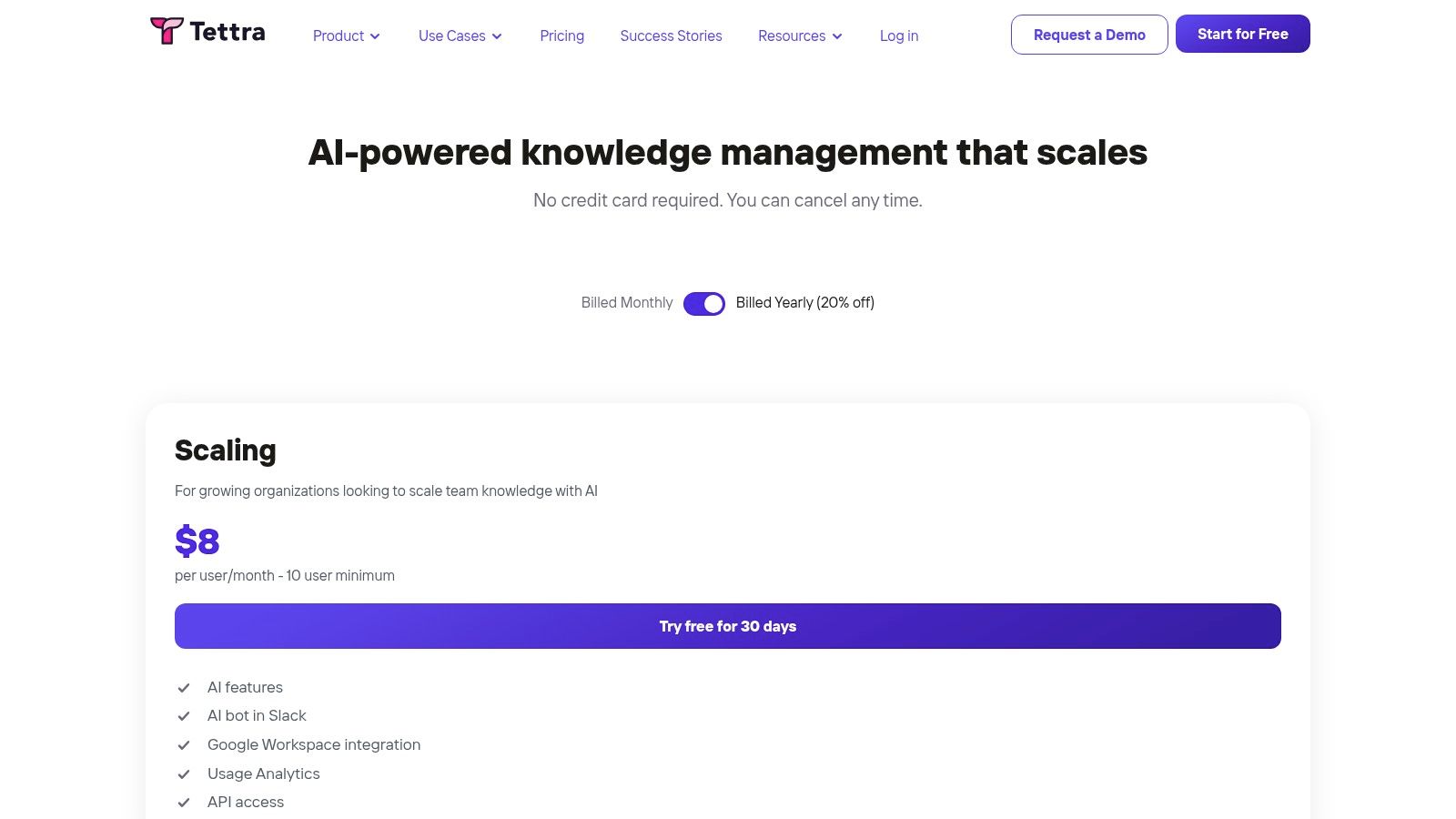
- Pricing: The Scaling plan starts at $99/month for the first 10 users. A more comprehensive Enterprise plan with SSO/SCIM is available with custom pricing.
Tettra's purpose-built design for Slack provides rapid time-to-value, though teams should note the 10-user minimum on its primary paid plan and that advanced features are gated behind the Enterprise tier.
8. Document360
Document360 excels where many tools falter, by expertly bridging the gap between internal and external knowledge management. It’s designed for organizations that need to present a polished, searchable help center to their customers while simultaneously maintaining a secure, private knowledge base for their internal teams. Imagine a world where your customer support articles and your internal SOPs are managed from a single, cohesive platform, ensuring consistency and reducing duplicate effort. This unified approach is Document360’s core strength, making it a powerful contender among AI knowledge management tools for businesses focused on both customer self-service and internal efficiency.
The platform’s AI capabilities are thoughtfully integrated to serve both audiences. An AI writing agent helps create clear, professional support articles, while its advanced search provides instant, accurate answers from across the entire knowledge base. For a customer, this means finding a solution without ever needing to file a support ticket. For an employee, it means getting an immediate, context-aware answer to an internal policy question. This dual functionality streamlines information access for everyone, making it an excellent choice for scaling support and operations.
Key Features & Considerations
- Dual Knowledge Bases: Manage public-facing help centers and private internal wikis from one unified platform.
- AI-Powered Content & Search: Utilizes an AI writing agent for content creation and an intelligent search function to provide instant answers.
- Enterprise-Grade Security: Offers features like SSO, audit trails, and SOC 2 compliance, making it suitable for security-conscious organizations.
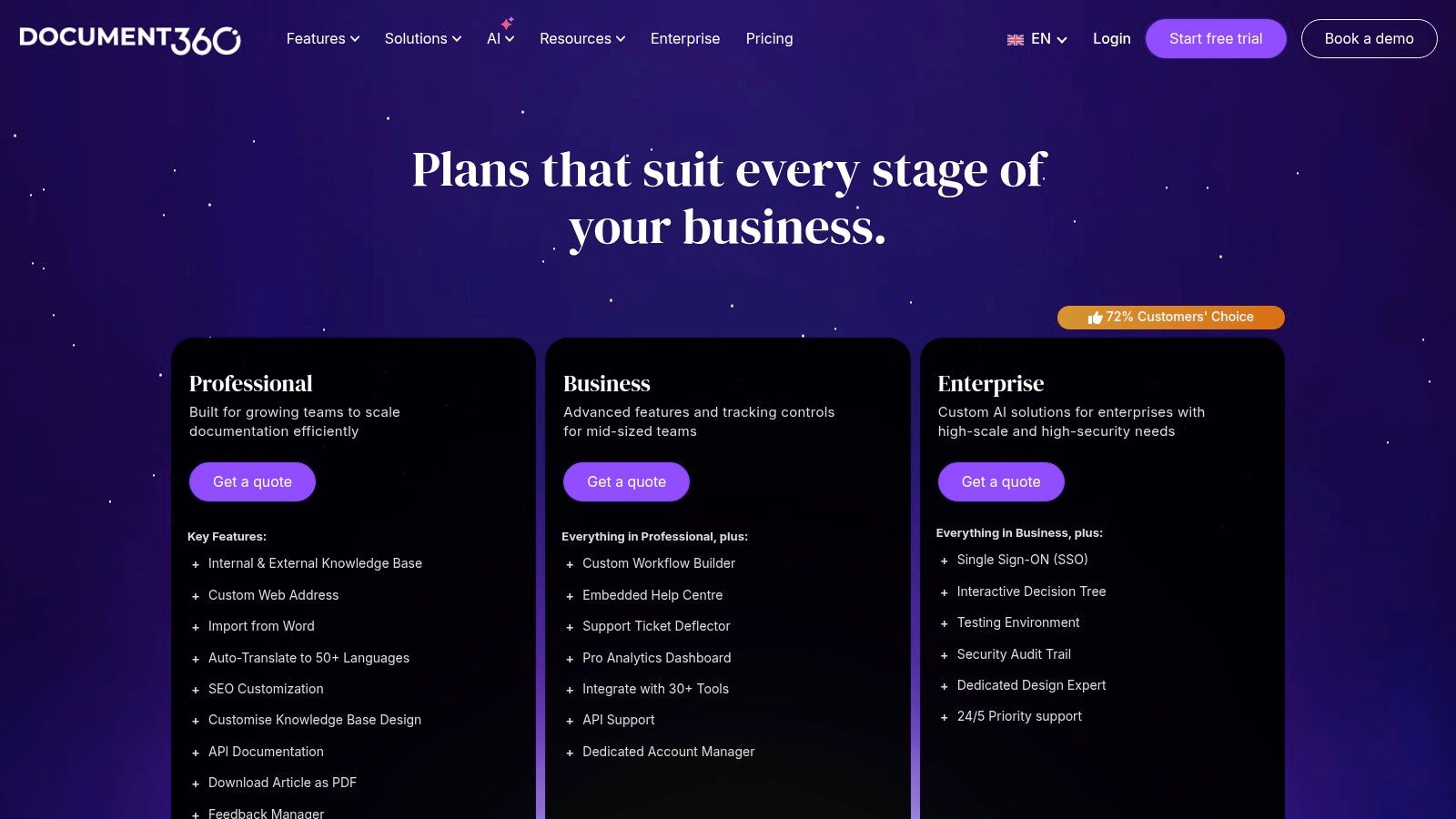
- Pricing: Starts at $149 per project/month (billed annually) for the Standard plan. Business and Enterprise plans are quote-based and unlock advanced features like private knowledge bases, SSO, and more extensive integrations.
While its feature set for building robust help centers is extensive, teams looking for a simple, lightweight internal wiki might find its configuration more involved than necessary.
9. Bloomfire
Bloomfire is an enterprise-grade knowledge platform designed to centralize and surface critical business insights. It stands out by combining powerful AI search with robust analytics and content management features, positioning itself as a central nervous system for company intelligence. Imagine a platform where your support team can instantly find verified answers while on a call, and your sales team can access the latest competitive battle cards without ever leaving their workflow. Bloomfire aims to break down information silos, ensuring that collective knowledge is not just stored but actively used to drive decisions.
The platform's AI goes beyond simple search, offering generative authoring to help teams create and refine content faster. A key differentiator is its focus on content health, providing tools to ensure information remains accurate and up-to-date, a common challenge in large organizations. This makes it one of the more comprehensive ai knowledge management tools for enterprises that need strong governance over their information assets. By integrating with tools like Slack and Salesforce, it embeds knowledge directly into the daily operational flow, making intelligence accessible at the point of need.
Key Features & Considerations
- AI-Powered Search & Authoring: Delivers deep search capabilities across all content types and assists in generating new knowledge articles.
- Content Health & Analytics: Provides robust tools to track content usage, identify knowledge gaps, and manage the lifecycle of information.
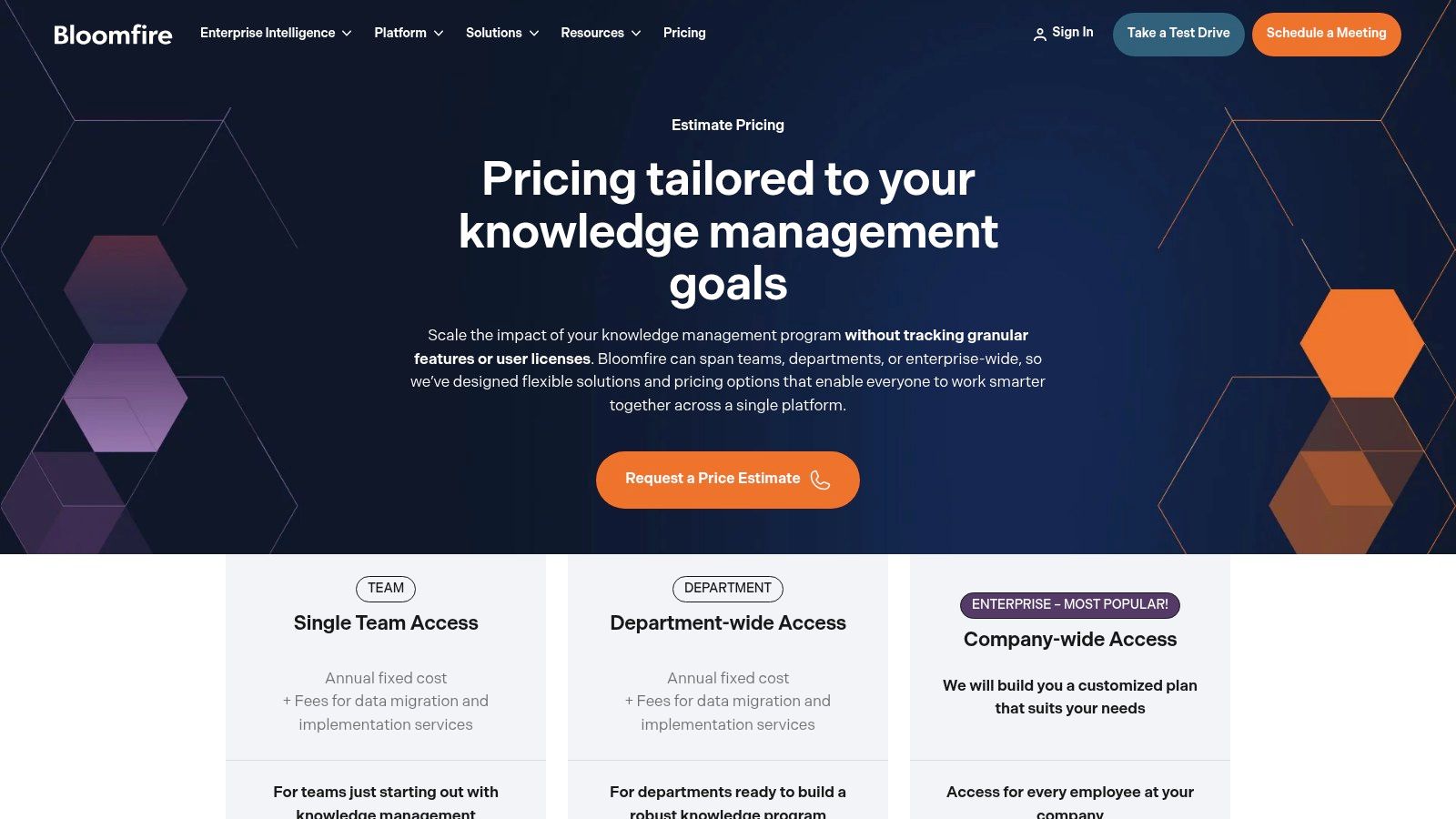
- Flexible Pricing Models: Offers options that are not strictly per-seat, making it scalable for entire departments or company-wide rollouts.
- Pricing: Pricing is customized and sales-led, typically involving multi-year contracts. Implementation and data migration services are often a necessary part of the package.
Bloomfire is best suited for established organizations that require a structured, high-governance knowledge platform and are prepared for a more involved implementation process.
10. Stack Overflow for Teams
Built on the foundation of the world’s most trusted developer Q&A site, Stack Overflow for Teams brings that same powerful, question-driven knowledge format into the private domain of your organization. It’s designed to capture institutional knowledge that often gets lost in one-off Slack messages or forgotten email threads. Imagine your team having a single, searchable source of truth for every technical question, onboarding query, and process clarification that has ever been asked, turning repeat questions into a repository of validated answers. This structured approach is its key differentiator among other AI knowledge management tools.
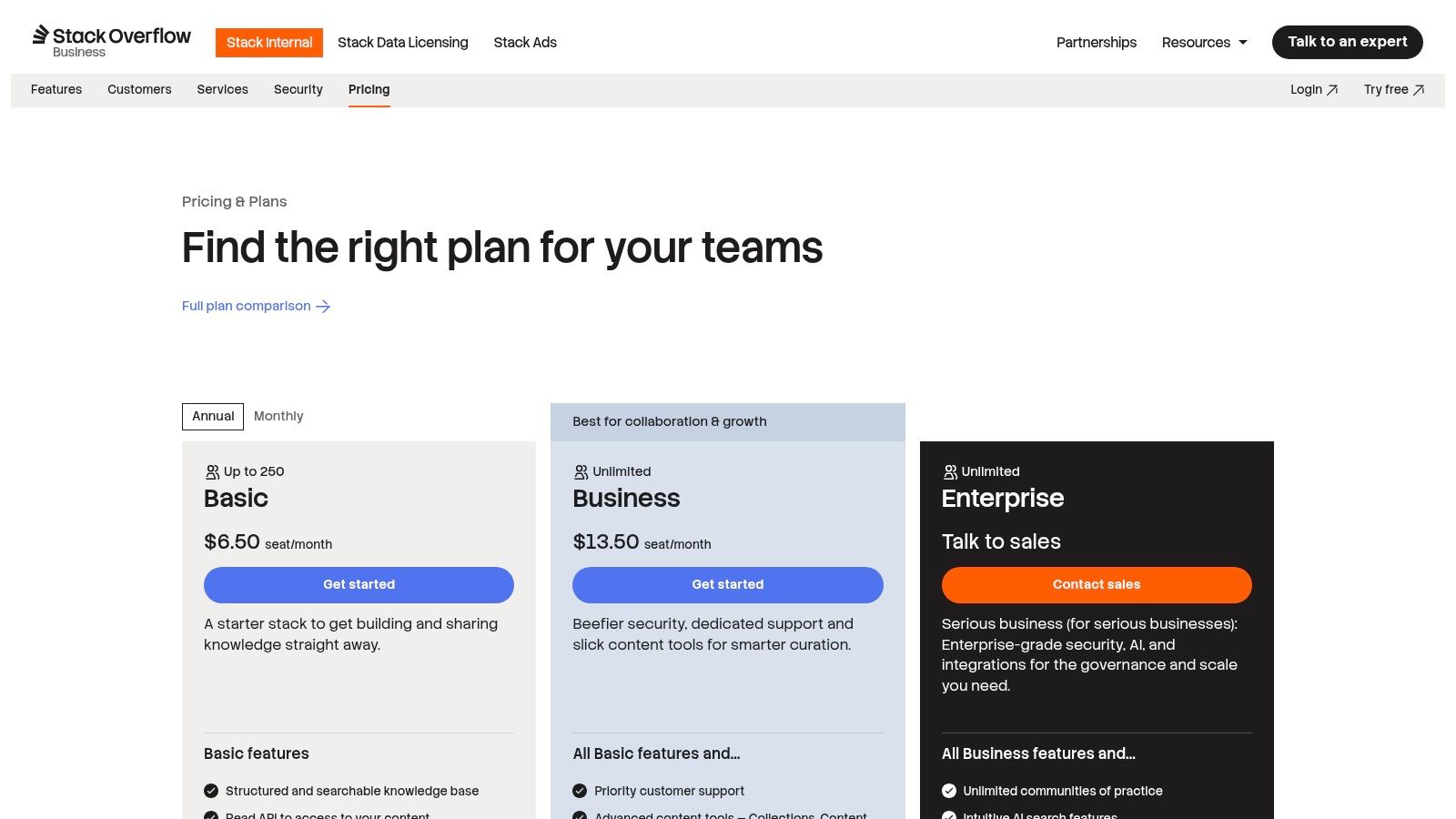
The platform is supercharged with AI-enhanced search and an Auto-Answer app, which proactively surfaces existing answers to prevent duplicate questions before they are even asked. By integrating directly with tools like Slack and Microsoft Teams, it meets your team where they work, allowing them to ask questions and get AI-powered answers without breaking their workflow. The platform’s strength lies in its ability to build a living knowledge base organically from the daily questions and answers that drive your business forward, making it an excellent choice for engineering and technical teams.
Key Features & Considerations
- AI-Enhanced Q&A: Uses AI to power search and provide auto-answers, reducing interruptions and repeat questions.
- Structured Knowledge: Organizes information through a proven question, answer, and validation format, supplemented by long-form Articles and Collections.
- Core Integrations: Connects with Slack and Microsoft Teams to capture and surface knowledge directly within your collaborative hubs.
- Pricing: Offers a generous free plan for up to 50 users. Paid plans start at $6.50 per user/month, with Enterprise tiers offering advanced features like SSO/SAML and premium integrations.
While its Q&A format is ideal for technical teams, organizations that rely heavily on traditional, long-form documentation may need to adapt their content strategy to fully leverage its structure.
11. Coveo
Coveo is an enterprise-grade search and relevance platform designed for large organizations that need to unify information across a complex web of applications. Its core mission is to inject powerful, AI-driven search capabilities into existing portals and digital experiences, such as Salesforce, ServiceNow, or public-facing websites. Imagine your customer support agents no longer needing to hunt through multiple systems for an answer; instead, they get a single, unified response directly within their CRM, complete with citations pointing to the original source documents. This consolidation is Coveo’s defining strength, making it a powerful player among AI knowledge management tools for complex enterprise ecosystems.
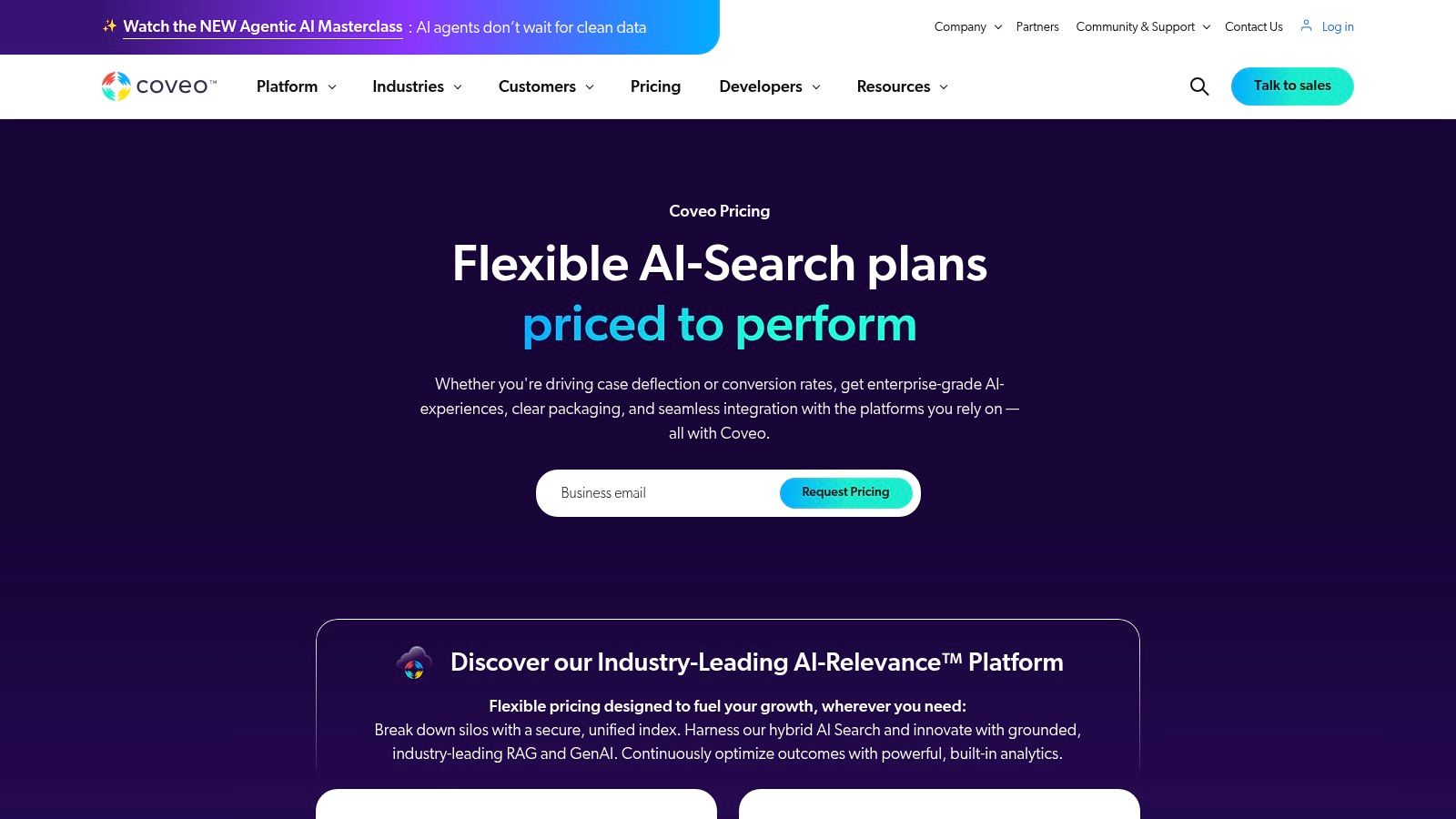
The platform delivers Relevance Generative Answering, which provides direct answers pulled and synthesized from your indexed content, maintaining strict governance and security protocols. For businesses in regulated industries like finance or healthcare, Coveo’s configurable security, multi-region hosting, and compliance add-ons (HIPAA, BYOK) are critical differentiators. Rather than a standalone destination, it acts as an intelligence layer that enhances the tools your teams already use, ensuring information is not only findable but also contextually relevant and secure. This approach is ideal for organizations looking to upgrade their existing knowledge infrastructure without replacing it entirely.
Key Features & Considerations
- Enterprise Connectors: Offers mature, pre-built connectors for a vast array of enterprise systems, unifying disparate data sources.
- Generative Answering: Provides cited, AI-generated answers with robust security controls and configurable rules.
- Security & Compliance: Built for regulated industries with options for HIPAA compliance, BYOK (Bring Your Own Key), and multi-region data hosting.
- Pricing: Pricing is quote-based and tied to query and index volumes, requiring direct sales contact. It is not self-serve.
While incredibly powerful for large-scale deployments, Coveo typically requires implementation partners and significant integration work, making it less suitable for smaller teams seeking a quick, out-of-the-box solution.
12. Microsoft 365 Copilot
For organizations deeply embedded within the Microsoft ecosystem, Copilot for Microsoft 365 represents a native and powerful entry into AI knowledge management tools. It embeds an intelligent assistant directly into the apps your team already uses daily, such as Teams, Outlook, Word, and SharePoint. Imagine drafting a project proposal in Word and instantly pulling in key data from an Excel sheet and a recent Teams conversation without ever leaving your document. This is Copilot’s core promise: eliminating the friction of context-switching by bringing answers and data directly into your workflow.
The system leverages the Microsoft Graph to reason over your company’s entire universe of data, including emails, chats, calendars, and files. This makes it exceptionally skilled at surfacing internal, often unstructured, knowledge that would otherwise be lost in a sea of documents and conversations. Its ability to summarize meetings you missed in Teams or draft email responses based on internal documentation transforms how information is accessed. For a deeper understanding of how this works, explore this guide on what conversational AI is and how it can supercharge your workflow.
Key Features & Considerations
- Deep M365 Integration: Natively embedded across Teams, Outlook, SharePoint, and Office apps, bringing AI capabilities directly into existing workflows.
- Microsoft Graph Grounding: Reasons over your organization's entire data set (emails, files, meetings, chats) to provide context-rich, personalized answers.
- Copilot Studio: Allows for customization and the creation of custom copilots, with connectors to integrate third-party data sources.
- Pricing: Requires a Microsoft 365 Business Standard/Premium or E3/E5 license and is available as an add-on for $30 per user/month (billed annually), with a minimum one-year commitment.
While its native integration is a massive advantage for Microsoft-centric companies, its effectiveness is highly dependent on a well-organized and governed M365 information architecture.
Top 12 AI Knowledge Management Tools — Feature Comparison
| Product | Core features | UX / Quality (★) | Value & Pricing (💰) | Target (👥) | Unique selling points (✨) |
|---|---|---|---|---|---|
| SAI 🏆 | Slack-native AI; learns from existing chats; searchable KB; 24/7 answers | ★★★★☆ — instant, context-aware | 💰 Free (single channel Early Access); multi-channel plans coming | 👥 Slack-first teams, SMBs, remote/distributed teams | ✨ Zero setup; answers become durable team knowledge; reduces task switching |
| Notion | Wiki, docs, databases, AI Agent & Enterprise Search | ★★★☆☆ — polished editor, workspace-wide | 💰 Tiered; full AI on Business/Enterprise | 👥 Teams wanting unified docs + project mgmt | ✨ All-in-one platform; large templates & integrations |
| Atlassian Confluence | Enterprise wiki, AI Q&A, pages/spaces, Jira integration | ★★★☆☆ — flexible but config-heavy | 💰 Tiered; Premium/Enterprise for advanced AI | 👥 Product & engineering orgs | ✨ Deep Jira/Atlassian integration; strong admin controls |
| Guru | AI chat/search, verification workflows, push surfacing, integrations | ★★★★☆ — in-flow answers, Slack strong | 💰 Usage/credit model; 10-seat min | 👥 Support, sales, ops teams needing in-workflow answers | ✨ Verification + private models; push-based knowledge delivery |
| Glean | Enterprise AI search/chat, 100+ connectors, permissioned answers | ★★★★☆ — high-quality search & citations | 💰 Sales-led; POC/impl. often required | 👥 Large enterprises with many apps | ✨ Robust connectors; strong governance & security |
| Slab | Lightweight wiki, AI Ask, Slack SSO/commands, versioning | ★★★★☆ — intuitive authoring & rollout | 💰 Tiered; AI on higher plans | 👥 SMBs & mid-market teams | ✨ Simple UX; fast time-to-value with Slack ties |
| Tettra | Slack-first KB, AI answers in Slack, FAQ gen, auto-tagging | ★★★★☆ — fast Slack experience | 💰 Tiered; Scaling plan 10-user min | 👥 Slack-centric teams needing quick KB | ✨ Purpose-built for repetitive Q&A; fast setup |
| Document360 | External help centers + internal docs, AI writing, multilingual | ★★★☆☆ — feature-rich, heavier setup | 💰 Quote-based; add-ons for Enterprise | 👥 Teams needing customer-facing KB + internal docs | ✨ External+internal KB support; SOC 2 & migration services |
| Bloomfire | AI search, content health, analytics, integrations, unlimited storage | ★★★★☆ — enterprise analytics & content tooling | 💰 Sales-led; often multi-year contracts | 👥 Dept/company-wide knowledge initiatives | ✨ Non per-seat pricing options; strong analytics |
| Stack Overflow for Teams | Q&A-first KB, AI-enhanced search, Auto-Answer app | ★★★★☆ — ideal Q&A format for engineers | 💰 Generous free pilot (≤50); tiered plans | 👥 Engineering & technical teams | ✨ Q&A-native workflow; community-style answers |
| Coveo | Relevance generative answers, indexing, enterprise connectors/security | ★★★★☆ — relevance-focused, implementation-heavy | 💰 Sales-led; pricing by queries/index | 👥 Regulated enterprises needing secure search | ✨ HIPAA/BYOK, multi-region hosting; mature enterprise connectors |
| Microsoft 365 Copilot | Copilot across Teams/SharePoint/Outlook/Office; Graph connectors | ★★★☆☆ — powerful within M365, infra-dependent | 💰 Paid add-on for many; enterprise pricing | 👥 Organizations on Microsoft 365 | ✨ Native M365 integration; enterprise security & admin controls |
How to Choose the Right Tool and Reclaim Your Team's Time
Navigating the landscape of AI knowledge management tools can feel overwhelming, but the journey ends with a powerful transformation for your team. We’ve explored a dozen powerful platforms, from comprehensive enterprise solutions like Microsoft 365 Copilot and Coveo to specialized, focused tools like Guru and Tettra. The core takeaway is clear: the era of manually sifting through disparate drives, wikis, and chat histories for a single piece of information is over. The right AI tool doesn't just organize your knowledge; it fundamentally changes how your team accesses and uses it, turning information from a buried liability into an instant, on-demand asset.
Imagine your team’s workday without the constant context switching. No more opening ten browser tabs to hunt down a single statistic. No more interrupting a colleague for a link you know exists somewhere. Instead, team members simply ask a question and get a precise, synthesized answer, complete with sources, without ever leaving the application where they do their most productive work. This is the promise of AI-powered knowledge management, a shift from searching for documents to getting direct answers. The result isn't just saved minutes, it's reclaimed hours of deep work, accelerated onboarding for new hires, and a dramatic reduction in repetitive questions that drain your experts' energy.
Making Your Decision: A Practical Framework
Choosing the right tool from this list requires looking inward at your team's unique DNA. A tool that’s perfect for a large enterprise with a complex tech stack might be overkill for a fast-moving startup. To find your perfect fit, move beyond feature checklists and evaluate each option through the lens of your daily workflow and biggest pain points.
Consider these critical questions to guide your selection:
- Where does your team live? If your entire company operates within Slack, a native solution like SAI or Tettra will create a frictionless experience, meeting your team exactly where they are. Conversely, if your workflow is deeply embedded in the Microsoft or Atlassian ecosystems, their native AI tools (Copilot, Rovo) will offer the most seamless integration.
- What is your primary source of knowledge chaos? Is your biggest challenge the unstructured, conversational knowledge trapped in Slack? Or is it the sprawling, siloed documentation in Google Drive, Notion, and Confluence? Tools like Glean excel at indexing everything, while others are purpose-built to tame specific environments. Be honest about your main problem.
- How much configuration are you willing to do? Some platforms require significant setup, permissions management, and connector configurations to deliver value. Others offer a lighter, more immediate impact with minimal administrative overhead. Assess your IT resources and how quickly you need to see a return on your investment.
- What is your single source of truth? Do you need a tool that becomes the new wiki (like Notion or Slab), or one that intelligently sits on top of your existing sources, leaving them untouched? This is a crucial philosophical and practical distinction that will immediately narrow your options.
Ultimately, the best AI knowledge management tools fade into the background. They don't demand new behaviors or force your team into yet another platform. Instead, they integrate so smoothly into the flow of work that accessing the entirety of your company's collective brain feels as simple and intuitive as asking a trusted colleague a question. The goal is to eliminate friction, empower self-sufficiency, and give your team back its most valuable resource: time to focus on what matters.
Ready to stop searching and start answering? If your team runs on Slack, SAI is built to turn your conversational chaos into a reliable source of truth, delivering instant, accurate answers right where your team works. Learn how SAI can reclaim your team's time.
