The 12 Best Knowledge Management System Software Picks for 2026
Imagine your workday with zero friction. No more toggling between a dozen tabs, endlessly scrolling through Slack channels, or digging through shared drives to find that one critical document. The constant hunt for information isn't just frustrating; it's a silent killer of productivity, pulling your team away from meaningful work to answer repetitive questions and search for answers that should be readily available.
What if you could eliminate this daily scavenger hunt entirely? Picture this: instead of interrupting a colleague or opening another app, your team simply asks a question right inside Slack and gets an instant, accurate answer. This isn't about adding another complex tool to your stack. It's about a fundamental transformation in how your team accesses and shares knowledge, creating a single source of truth that works where your team already is.
This guide provides a comprehensive breakdown of the best knowledge management system software designed to solve this exact problem. We're not just listing features; we're showing you how these platforms can reshape your daily workflow, empower your employees, and build a collective organizational brain that stops valuable information from getting lost.
We've done the heavy lifting to help you find the perfect fit, whether you're a startup needing a simple solution or a large enterprise looking to unify disparate knowledge sources. Each review includes a practical analysis of its ideal use case, key strengths, potential limitations, and, most importantly, how it integrates with Slack to minimize disruption. Let's find the tool that lets your team get back to doing what they do best.
1. SAI
Imagine a day where your team never has to open another resource, search multiple apps, or interrupt a senior colleague to find an answer. SAI makes this a reality by embedding an intelligent AI assistant directly into your Slack workspace. It transforms your daily conversations into a single, reliable source of truth, so when a question arises, your team's first and only stop is asking SAI in Slack. The system delivers precise, context-aware information instantly, 24/7, ending the disruptive scavenger hunt for good. This approach turns reactive Q&A into a proactive, automated knowledge engine that works where your team already is.
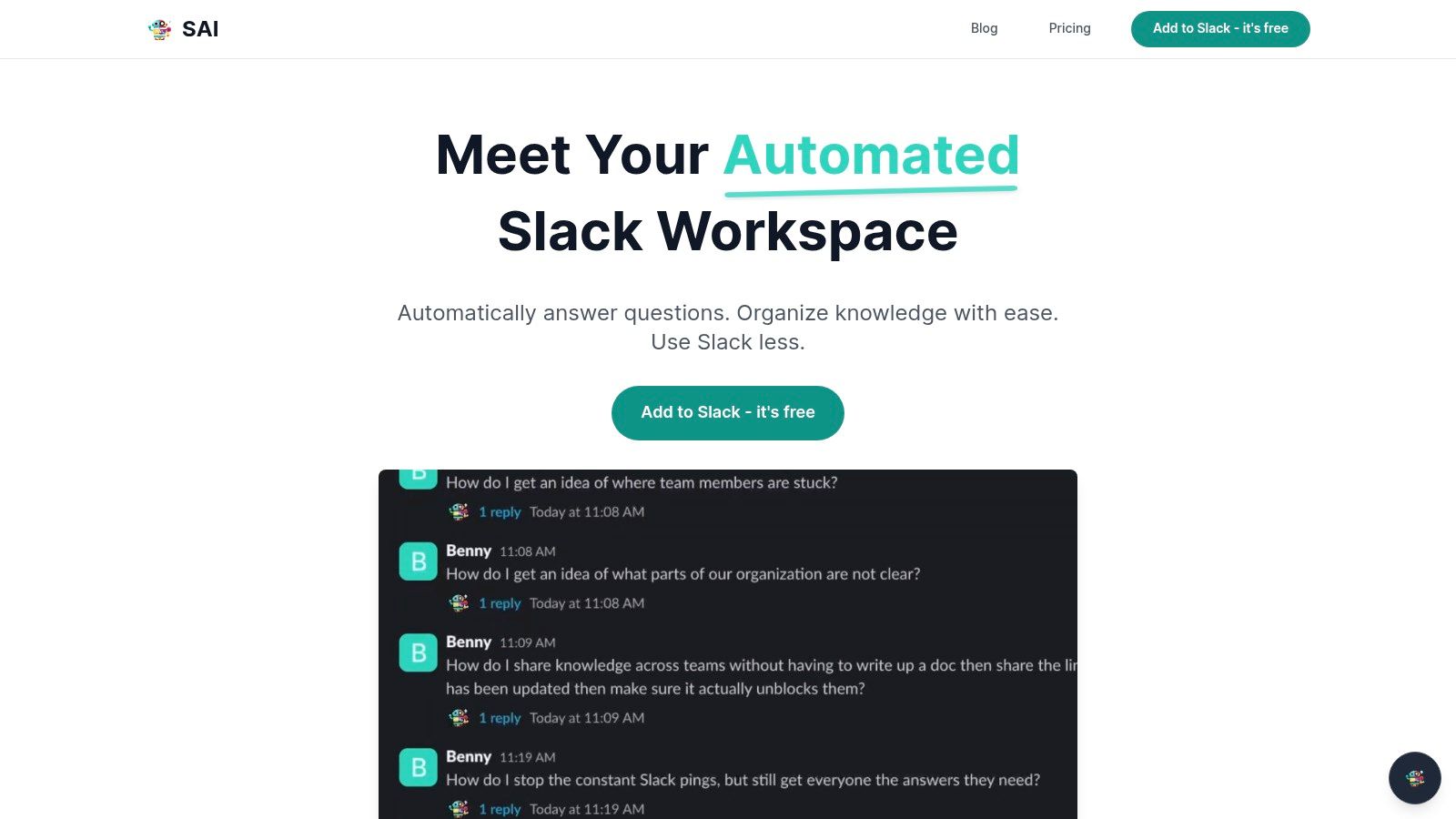
SAI’s standout advantage is its zero-setup, passive learning model. It analyzes questions and answers that already exist in your Slack channels, building a durable knowledge base without manual data entry or configuration. This means it starts delivering value from day one, understanding the nuance and intent behind questions, not just keywords. For fast-moving startups, support teams, and HR departments, this translates to tangible productivity gains by eliminating repetitive inquiries and streamlining onboarding.
Key Strengths & Use Cases
- Effortless Knowledge Capture: SAI’s AI passively learns from answered questions in Slack, automatically building a knowledge base that reflects your team's real workflows and terminology.
- Immediate, On-Demand Answers: It provides instant, context-aware responses to team questions, significantly reducing the interruptions and task-switching that kill productivity. Vendor-reported data suggests teams can save over two hours daily.
- Streamlined Onboarding: New hires can self-serve information about processes, tools, and company policies directly in Slack, allowing them to become productive faster and reducing the burden on managers and HR.
Pricing & Implementation
SAI is currently available through an Early Access Plan, which is free and offers integration into a single Slack channel with unlimited AI responses. You can add it to Slack without a credit card. The team plans to introduce transparent paid tiers in the future. The implementation is remarkably simple: just authorize the app for your Slack workspace, and it begins learning immediately.
Pros & Cons
| Strengths | Limitations |
|---|---|
| Instant Value: Zero-setup integration means it starts working right away without manual knowledge creation. | Single-Channel Focus: The free plan is limited to one Slack channel, with multi-channel pricing yet to be announced. |
| Cost-Effective: The current Early Access plan is completely free and includes unlimited AI responses. | Limited Social Proof: The website lacks independent customer testimonials or third-party certifications. |
| Workflow-Native: Operates entirely within Slack, eliminating the need for a separate platform. | Data Privacy Details: Explicit compliance and data privacy information is not prominently featured. |
To learn more about how this approach modernizes knowledge management, explore SAI's guide on what a knowledge management system is.
Visit the website: https://sai-bot.ai
2. Atlassian Confluence
Atlassian Confluence is a titan in the knowledge management space, evolving from a simple team wiki into a sophisticated, enterprise-grade knowledge hub. It excels where structured, long-form documentation is paramount, making it an ideal choice for engineering teams, product managers, and HR departments building comprehensive playbooks and policies. Its core strength lies in its deep, native integration with the Atlassian suite, particularly Jira. Imagine linking project requirements in Confluence directly to development tickets in Jira, creating a seamless, single source of truth for your entire project lifecycle.
Confluence stands out with its powerful organizational structure of spaces
and pages,
governed by granular permissions. This ensures sensitive information, like HR policies or financial projections, remains accessible only to authorized personnel. While its robust feature set can present a learning curve for smaller teams, it provides the scalability that growing organizations need. For businesses already invested in the Atlassian ecosystem, Confluence is often the default, and most powerful, choice for a knowledge management system software.
Best for: Teams deeply embedded in the Atlassian ecosystem, especially those needing tight Jira integration for technical documentation and project management.
Key Details & Differentiators
| Feature | Confluence Offering |
|---|---|
| Deployment | Cloud and self-managed (Data Center) options available. |
| Core Strength | Unmatched integration with Jira and the Atlassian marketplace. |
| AI Features | Includes Atlassian Intelligence (formerly Rovo) for AI-assisted search and content generation. |
| Pricing | Free plan for up to 10 users; paid plans start at $6.05/user/month. |
- Pros: Powerful admin controls, enterprise-grade security and uptime, and a massive library of templates and macros.
- Cons: The interface can feel dense, and its feature depth may be overwhelming for teams seeking a simpler solution.
Dive deeper into how tools like Confluence fit into a broader plan by reading about how to master your knowledge management and strategy.
3. Notion
Notion has redefined the concept of a document
by merging it with databases, wikis, and light project management into a single, fluid workspace. It breaks away from traditional, rigid document structures, offering an all-in-one platform where teams can build their ideal knowledge hub from scratch using modular blocks. This incredible flexibility makes it a favorite among startups and creative agencies that need a tool to adapt to their evolving workflows, rather than forcing them into a predefined system. Notion allows you to build everything from a simple team wiki to a complex content calendar or employee onboarding portal, all within the same interconnected environment.
The platform’s core strength is its powerful database functionality, which lets teams turn collections of pages into structured, sortable, and filterable datasets with different views like Kanban boards or galleries. While its open-ended nature means that maintaining governance at a large scale requires careful planning and setup, its fast adoption rate and intuitive interface make it an exceptional knowledge management system software for teams wanting a single source of truth for diverse types of information.
Best for: Teams looking for a highly customizable, all-in-one workspace that combines documents, databases, and project management.
Key Details & Differentiators
| Feature | Notion Offering |
|---|---|
| Deployment | Cloud-based only. |
| Core Strength | Unmatched flexibility with its block-based editor and database functionality. |
| AI Features | Notion AI offers content generation, summarization, and AI-powered search on paid plans. |
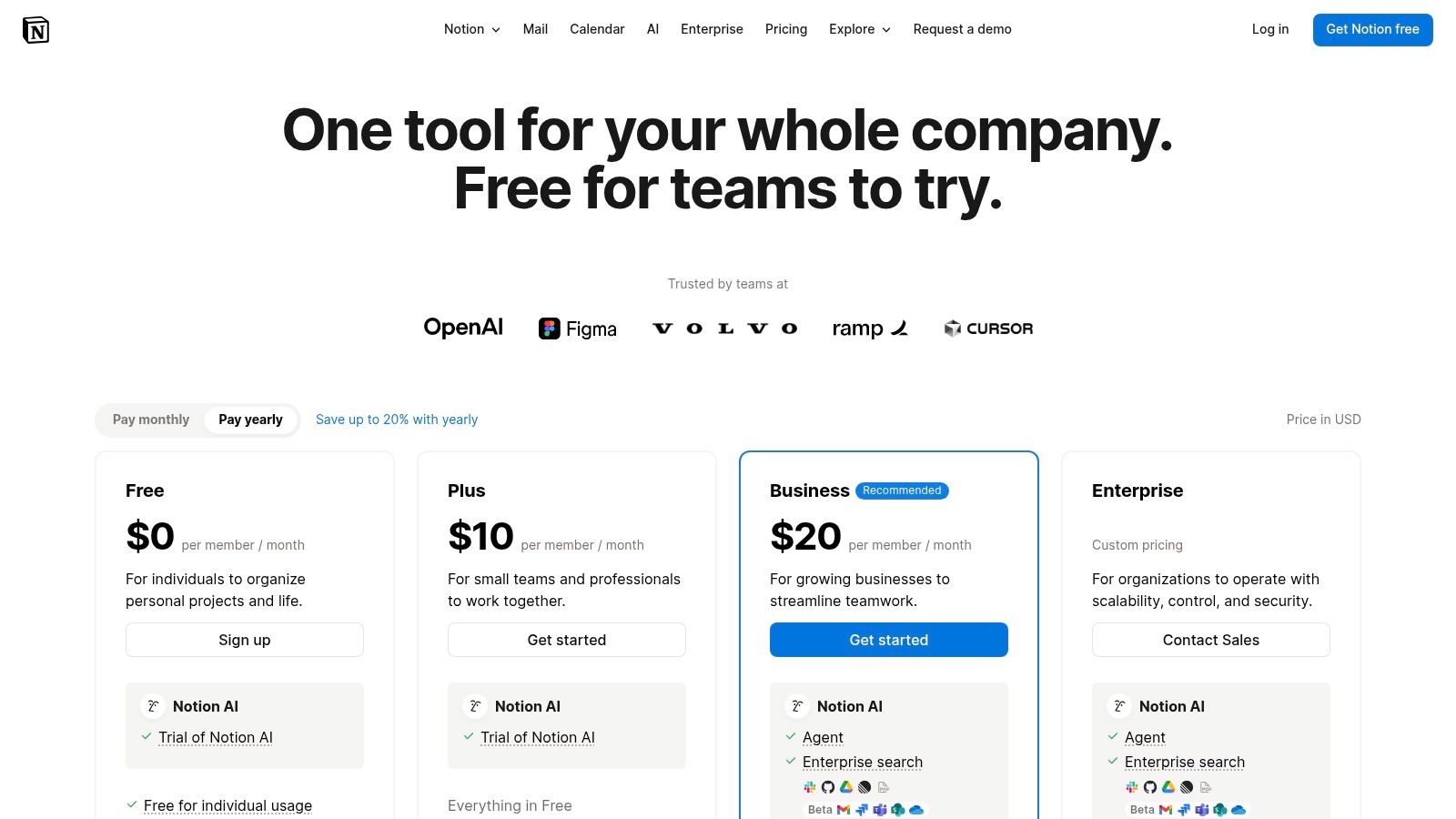
| Pricing | Free personal plan available; paid team plans start at $10/user/month. |
- Pros: Extremely flexible information model, fast iteration and wide user adoption, and a clean, minimalist user interface.
- Cons: Governance at a large scale requires careful setup, and performance can vary with very large databases.
To get the most out of a flexible tool like Notion, you need to understand the principles of how to build a knowledge base that actually gets used.
4. Guru
Guru positions itself as an AI-native knowledge platform that brings verified, trusted information directly into your workflow. Instead of a traditional wiki structure, Guru utilizes a system of cards
- bite-sized, single-subject pieces of knowledge. This model is designed to combat information decay, with built-in verification workflows that assign owners to cards and prompt them to confirm accuracy on a set schedule. Imagine your sales team getting real-time, verified product updates delivered in their browser extension right next to a customer email, eliminating the need to hunt for the latest spec sheet.
The platform's core strength is its focus on delivering answers where work happens, most notably through powerful Slack and browser integrations. Guru excels at surfacing knowledge proactively, reducing context switching and ensuring teams use the most current information. While the card-based architecture requires a shift in thinking from long-form documents, it creates a highly agile and trustworthy knowledge management system software for fast-moving teams, especially in customer support and sales enablement where quick, accurate answers are critical.
Best for: Revenue teams (sales and support) and remote-first companies that need to deliver verified, bite-sized knowledge directly into existing workflows like Slack and email.
Key Details & Differentiators
| Feature | Guru Offering |
|---|---|
| Deployment | Cloud-based (SaaS) only. |
| Core Strength | Proactive knowledge delivery with a strong emphasis on content verification and freshness. |
| AI Features | Enterprise AI search, AI-powered content creation, and custom AI answers trained on your content. |
| Pricing | Plans start at $6/user/month; offers a free plan for teams up to 3 users. |
- Pros: Excellent at maintaining knowledge accuracy through verification workflows and strong integrations for in-the-flow answers.
- Cons: The card-based model can have a learning curve for teams used to traditional wikis, and costs can increase for larger teams.
Explore Guru's pricing and feature details directly on their official pricing page.
5. Slab
Slab positions itself as the antidote to the overly complex and bloated knowledge base, offering a beautifully streamlined and modern team wiki. It focuses on clean, distraction-free writing and powerful, unified search capabilities that pull information not just from Slab itself, but from all your connected applications. This approach prioritizes speed and accessibility, ensuring that creating and finding documentation is a low-friction experience for every team member.
Where Slab truly shines is in its philosophy of being a dedicated knowledge hub rather than an all-in-one work suite. It excels at being the central source of truth and integrates with tools like Slack, Asana, and GitHub, allowing you to find what you need without leaving the Slab interface. Its Unified Search
feature is a game-changer for teams tired of context-switching, making it a highly efficient knowledge management system software for organizations that value focus and integration over a monolithic platform.
Best for: Modern teams seeking a fast, intuitive, and beautifully designed wiki with powerful cross-platform search capabilities.
Key Details & Differentiators
| Feature | Slab Offering |
|---|---|
| Deployment | Cloud-based (SaaS). |
| Core Strength | Unified Search across all integrated apps from a single interface. |
| AI Features | Includes Slab AI for content generation, summarizing, and Q&A (Ask AI). |
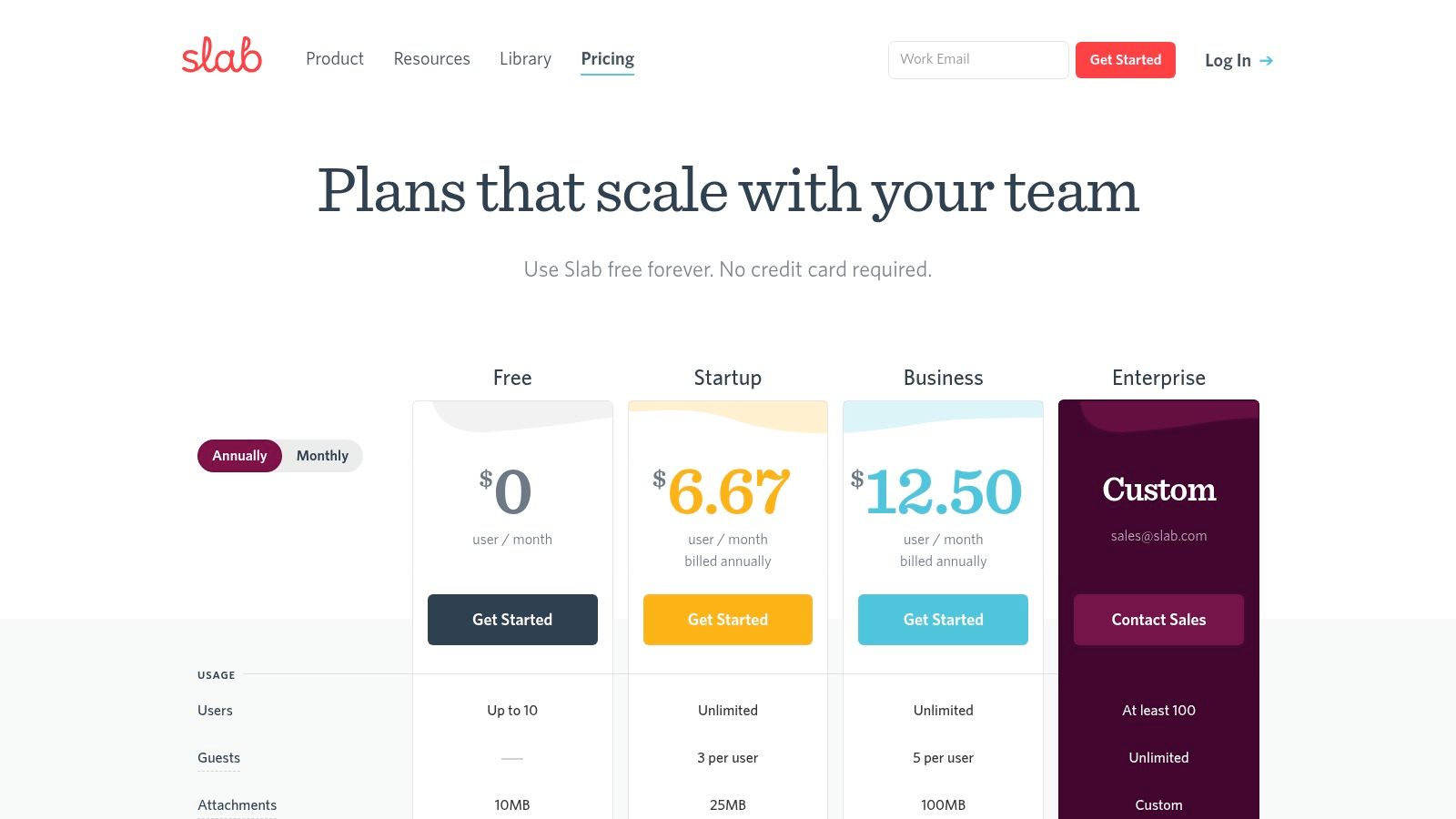
| Pricing | Free plan for up to 10 users; paid plans start at $8/user/month. |
- Pros: Elegant and intuitive editor that's a joy to use, generous guest access on paid plans, and powerful topic-based organization.
- Cons: Lacks the project management or task-tracking features of larger suites, and some advanced AI features are gated to higher-tier plans.
Learn more about building a powerful, searchable knowledge base on the Slab pricing page.
6. Document360
Document360 carves out a powerful niche by focusing on creating sophisticated, customer-facing help centers and detailed internal knowledge bases. It shines for teams that need to manage distinct documentation sets, such as a public product guide, an internal SOP wiki, and a private developer portal, all from a single dashboard. Imagine your support team using a finely-tuned internal base to solve tickets while your customers self-serve from a beautifully branded, SEO-optimized public help site. This multi-portal capability is its core strength.
It excels where structure and presentation are critical, offering deep customization, version control, and localization features that allow you to serve a global audience effectively. While its specialization means it isn't a general-purpose collaboration tool, it is an exceptional knowledge management system software for producing professional documentation at scale. The platform's AI add-ons further streamline content creation, helping teams generate tutorials and interactive demos with ease, reducing the manual lift required to keep information current and engaging.
Best for: SaaS companies and enterprises needing to create and manage separate, highly polished internal and external knowledge bases.
Key Details & Differentiators
| Feature | Document360 Offering |
|---|---|
| Deployment | Primarily a Cloud (SaaS) solution. |
| Core Strength | Manages multiple, distinct knowledge bases (public/private) from one account. |
| AI Features | Offers AI add-ons for content capture, tutorials, and interactive demos. |
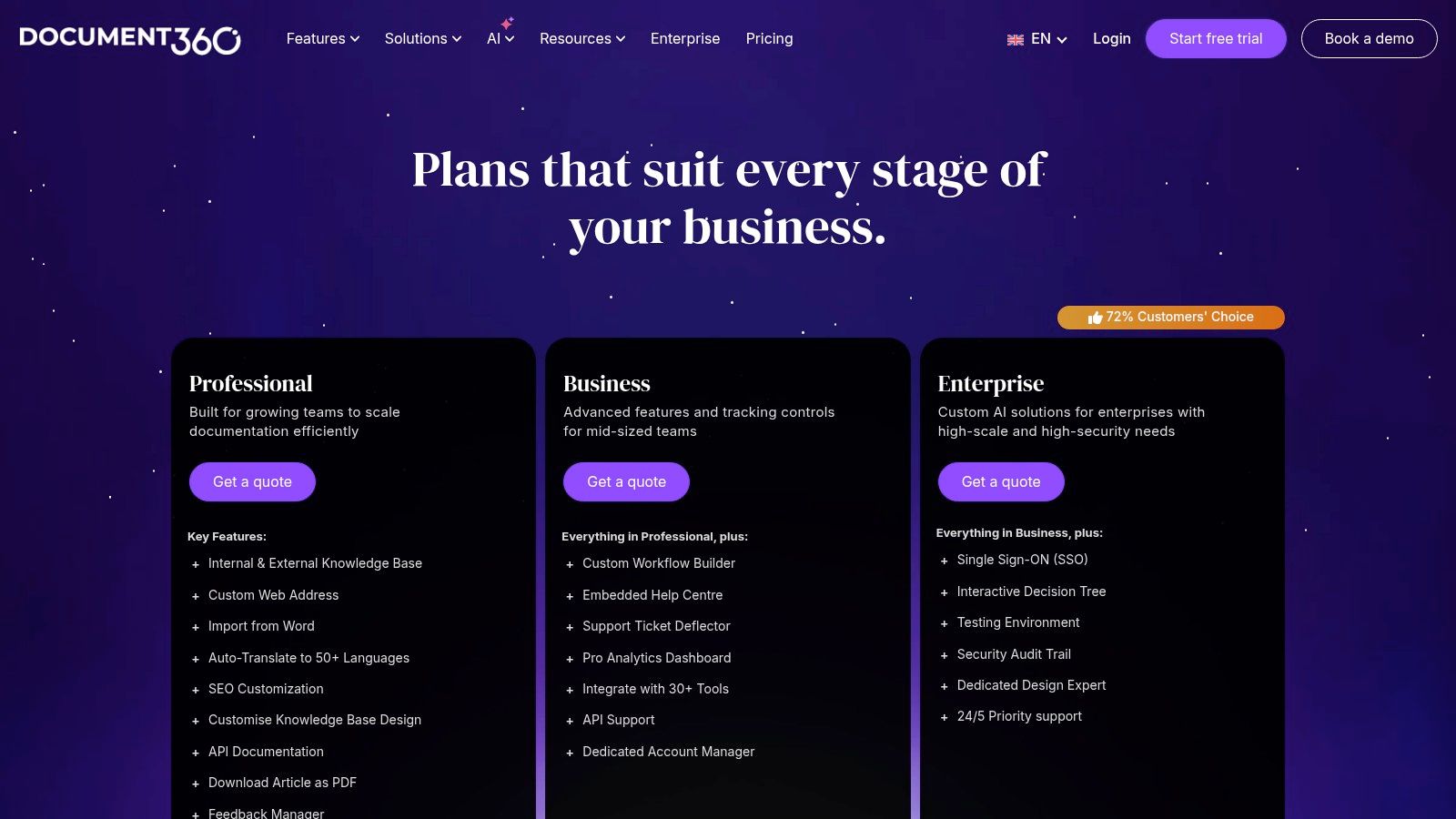
| Pricing | Starts at $149/project/month; custom quotes for enterprise plans. |
- Pros: Strong structure for both product documentation and internal SOPs, robust localization and versioning, and scales well with proven market traction.
- Cons: Pricing can be quote-based and complex, and its extensive feature set may require dedicated admin time to configure and maintain effectively.
Learn more about building a robust knowledge ecosystem for your team by reading our guide to mastering your knowledge management and strategy.
7. Tettra
Tettra is an internal knowledge base built for teams that live and breathe in Slack. It positions itself not just as a documentation tool but as a central nervous system for company information, designed to eliminate repetitive questions and the endless search for answers. Its core philosophy is simple: meet your team where they already work. Imagine a world where your new hires no longer need to hunt through shared drives or ping multiple colleagues for onboarding docs; they just ask a question in Slack and get an instant, verified answer. Tettra makes that a reality by turning your chat platform into a reliable source of truth.
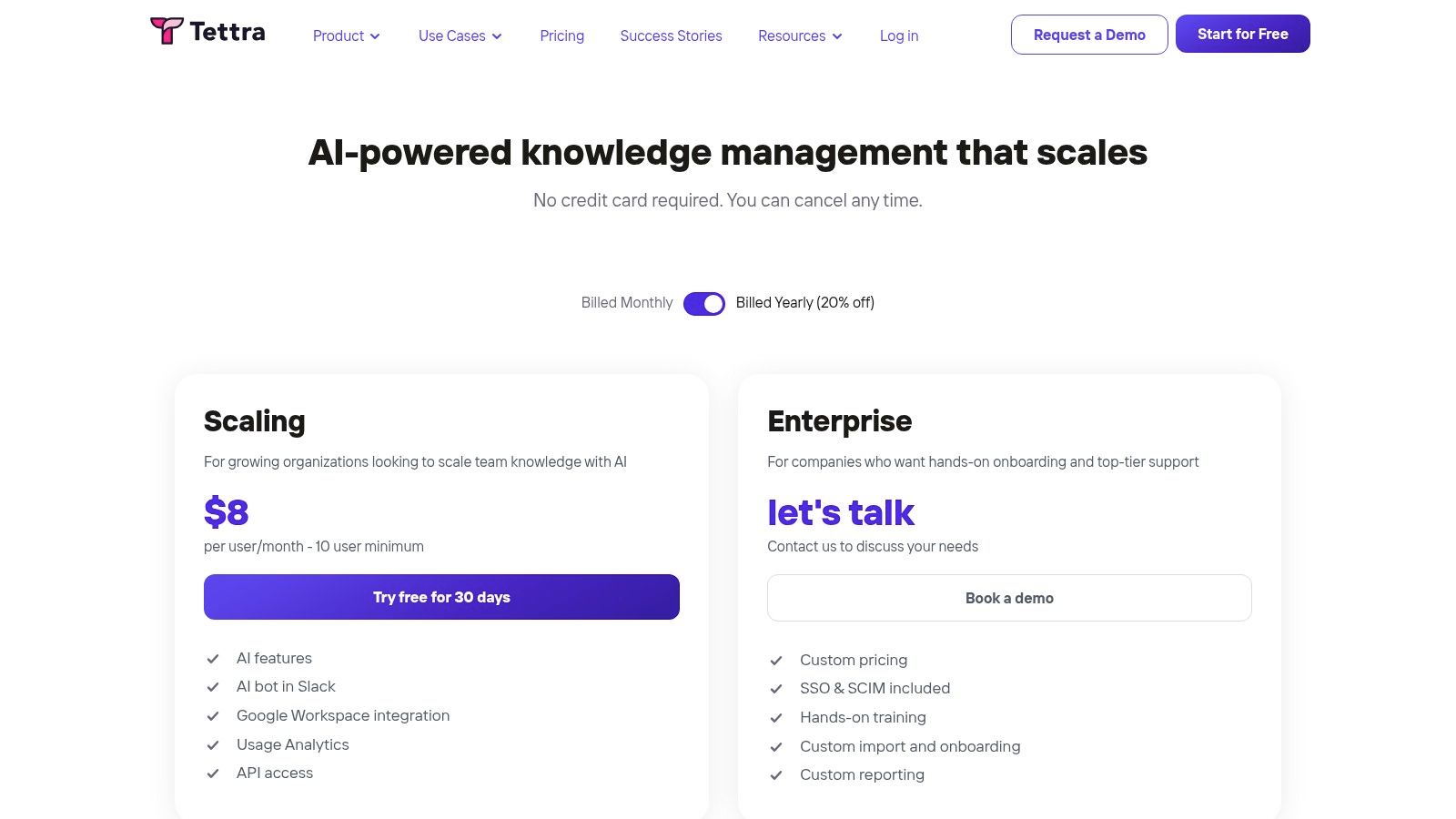
The platform shines with its AI-powered features, such as smart suggestions to answer questions and tools that help identify outdated content. This focus on content curation and verification ensures that the information your team relies on is always current and trustworthy. While it may not have the sheer feature depth of an enterprise suite like Confluence, its approachable interface and tight integration with Google Workspace make it a powerful yet user-friendly knowledge management system software for fast-moving teams. Tettra is built for organizations that prioritize speed and accessibility over complex configurations.
Best for: Slack-centric companies and startups looking for a simple, AI-enhanced internal wiki that reduces repetitive questions directly within chat.
Key Details & Differentiators
| Feature | Tettra Offering |
|---|---|
| Deployment | Cloud-based (SaaS). |
| Core Strength | Deep, native Slack integration with an AI bot for instant answers. |
| AI Features | AI-powered Q&A in Slack, content suggestions, and page tagging. |
| Pricing | Free plan for up to 10 users; paid plans start at $10/user/month (with a 10-user minimum). |
- Pros: Extremely intuitive for teams already using Slack, AI features actively help maintain content quality, and strong Google Workspace integration.
- Cons: Feature set is lighter than enterprise-focused competitors, and the 10-user minimum on its Scaling plan can be a hurdle for very small teams.
Find out more about Tettra's pricing and features on their official website.
8. Bloomfire
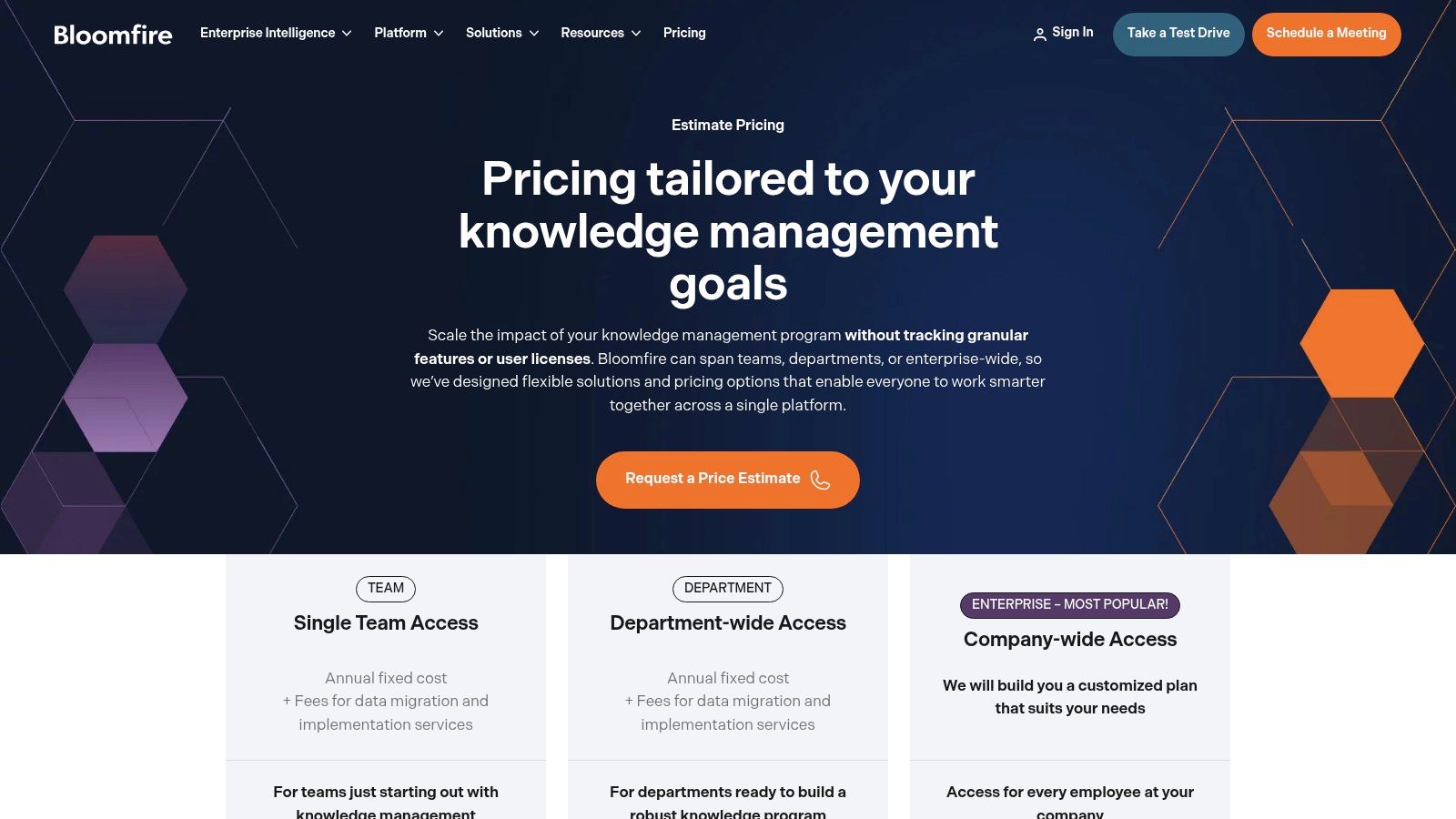
Bloomfire carves out its niche by focusing intensely on knowledge discovery and engagement, rather than just storage. It operates less like a digital filing cabinet and more like a company's internal search engine, powered by AI that can index content within documents and even pinpoint spoken words in videos. This makes it an exceptional tool for organizations with a rich media library or complex documents, allowing employees to find precise answers without sifting through hours of content. Imagine your team instantly locating a specific comment made during a 60-minute training video, transforming how they access and reuse existing knowledge.
Bloomfire's model is designed for enterprise-level adoption, with an emphasis on creating communities of practice and ensuring information is discoverable. Its fixed-fee pricing, which is not based on individual user seats, can be a major advantage for larger departments or entire companies, simplifying budget forecasting. This approach, combined with dedicated implementation support, positions Bloomfire as a powerful, centralized knowledge management system software for businesses committed to fostering a culture of shared intelligence.
Best for: Large, enterprise organizations that prioritize deep search capabilities, including video indexing, and prefer a predictable, non-per-user pricing model.
Key Details & Differentiators
| Feature | Bloomfire Offering |
|---|---|
| Deployment | Cloud-based. |
| Core Strength | AI-powered deep search that indexes content within documents and videos. |
| AI Features | AI-driven search, Q&A pairings, and content recommendations. |
| Pricing | Quote-based with fixed-fee, scope-based tiers; typically requires a multi-year contract. |
- Pros: Non-per-seat pricing can be cost-effective at scale, and its deep indexing is a significant differentiator.
- Cons: Quote-only pricing and the need for guided implementation make it less accessible for smaller teams.
Learn more about Bloomfire's enterprise-focused pricing tiers on their official pricing page.
9. Zoho Learn
Zoho Learn enters the knowledge management arena by uniquely combining a traditional knowledge base with a built-in learning management system (LMS). This positions it perfectly for teams that see knowledge not just as static documentation, but as a foundation for active training and employee development. It's designed for organizations that want to build structured training manuals, create onboarding courses with quizzes, and manage learning paths all within a single, unified environment. Imagine creating a comprehensive sales playbook and then immediately turning its key chapters into a trackable onboarding course for new hires.
The platform excels at connecting documentation with education. You can build detailed knowledge manuals with version control and content verification, and then leverage that same content to construct courses complete with video, SCORM files, and assessments. While it may not offer the deep, code-level integrations of more developer-focused tools, its strength lies in its simplicity and integration with the broader Zoho ecosystem. For businesses already using Zoho CRM or Zoho People, it provides a seamless and cost-effective knowledge management system software that also solves basic training needs.
Best for: Small to mid-sized businesses, particularly HR and L&D teams, seeking a combined knowledge base and lightweight learning management system.
Key Details & Differentiators
| Feature | Zoho Learn Offering |
|---|---|
| Deployment | Cloud-based. |
| Core Strength | Integrated knowledge manuals and course authoring in one platform. |
| AI Features | Includes Zia, Zoho's AI assistant, for search and content suggestions. |
| Pricing | Free plan for 5 users/5 manuals; paid plans start at $1/user/month. |
- Pros: Excellent value for money, especially for existing Zoho users, and combines two key functions (knowledge and learning) effectively.
- Cons: The UI and reporting features are functional but less sophisticated than top-tier, standalone LMS or KM platforms.
Learn more about building a complete knowledge hub by exploring Zoho Learn's features.
10. Microsoft SharePoint (Microsoft 365)
For organizations already embedded in the Microsoft 365 ecosystem, SharePoint serves as a foundational content and knowledge platform. It functions as the backbone for company intranets, team sites, and sophisticated document management, making it a familiar environment for millions of users. Its true power lies in its deep integration with tools like Teams, OneDrive, and the broader Microsoft Graph, creating a centralized repository for everything from project files to HR policies. Imagine all your company's documents, lists, and pages interconnected and searchable from one place.
SharePoint excels in structured, formal knowledge management where governance and compliance are critical. Its document libraries with versioning and granular access controls, managed through Microsoft Entra ID, provide an enterprise-grade security framework. While the authoring experience can feel less fluid than modern wiki tools, the platform's ability to serve as a comprehensive knowledge management system software for large enterprises is undeniable, especially when augmented with Microsoft Copilot for AI-powered search and summarization.
Best for: Large enterprises standardized on Microsoft 365 seeking a secure, compliant platform for both company intranets and document management.
Key Details & Differentiators
| Feature | SharePoint Offering |
|---|---|
| Deployment | Cloud-based (included with Microsoft 365 business plans). |
| Core Strength | Deep, native integration across the entire Microsoft 365 suite. |
| AI Features | Enterprise search powered by Microsoft Graph; enhanced with Copilot add-ons. |
| Pricing | Included with most Microsoft 365 Business and Enterprise plans. |
- Pros: Ubiquitous in enterprises with built-in compliance and identity controls, highly flexible for combined intranet and KMS scenarios.
- Cons: Authoring user experience can feel formal or dated, and it requires careful governance to prevent content sprawl at scale.
Discover how to streamline knowledge sharing for your teams by exploring how to master your knowledge management and strategy.
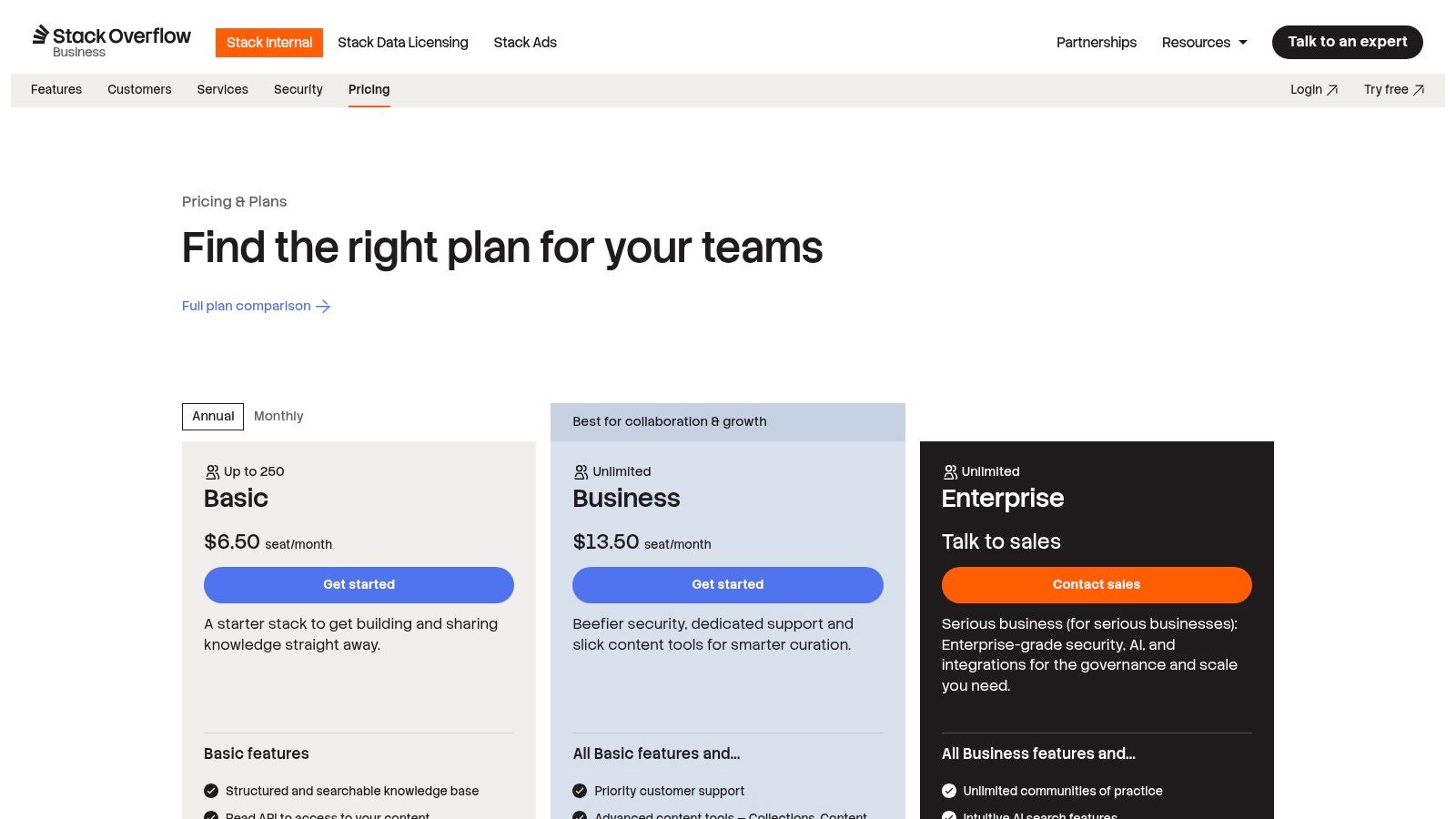
11. Stack Overflow for Teams (Stack Overflow Internal)
Stack Overflow for Teams translates the wildly successful public Q&A model into a private, secure space for your organization. It's purpose-built to capture the tribal knowledge that often evaporates in ephemeral chat messages or gets siloed in individual inboxes. Instead of long-form, wiki-style documentation, it thrives on a question-and-answer format, making it incredibly effective for technical teams, support desks, and operations groups who need definitive, vetted answers to specific problems. This approach builds a living FAQ, where each answered question prevents future interruptions and streamlines onboarding.
The platform shines by making expertise searchable and reusable, reducing repetitive questions and empowering employees to self-serve. Integrations with Slack and Microsoft Teams allow users to ask questions and receive answers directly within their workflow, turning conversations into lasting assets. While it requires a cultural shift toward active participation, its structured format makes it a uniquely powerful knowledge management system software for solving problems, not just storing documents. For organizations looking to democratize expertise, it's a stellar choice.
Best for: Technical and operations teams that need a structured, searchable Q&A platform to scale expert knowledge and reduce repetitive questions.
Key Details & Differentiators
| Feature | Stack Overflow for Teams Offering |
|---|---|
| Deployment | Cloud-based (SaaS) with options for Business and Enterprise tiers. |
| Core Strength | Proven Q&A format that promotes knowledge reuse and validation. |
| AI Features | AI-enhanced search and auto-answer suggestions to surface relevant information faster. |
| Pricing | Free plan for up to 50 users; paid plans start at $7.50/user/month. |
- Pros: Familiar Q&A model drives high adoption, integrates well with engineering tools like Jira and Slack, and promotes the reuse of institutional knowledge.
- Cons: Requires a cultural shift if teams prefer traditional wiki documentation, and its value depends on sustained, active user participation.
Learn more about building a centralized knowledge hub on the official Stack Overflow for Teams website.
12. G2 – Knowledge Management Software Category
While not a KMS itself, G2’s Knowledge Management category is an indispensable research hub for anyone in the market for a new system. It functions as a dynamic marketplace and review platform, aggregating verified user reviews, detailed feature comparisons, and real-time vendor rankings. Instead of relying on vendor marketing, you can see how peers in similar company sizes and industries rate different platforms, offering an unfiltered look at performance, ease of use, and customer support. This is where you can discover rising stars and validate the claims of established players.
G2 excels at helping you create a shortlist. Its powerful filtering tools allow you to narrow down the vast market by specific features, company size, or user satisfaction scores. The side-by-side comparison feature is particularly useful for evaluating top contenders on a granular level. By leveraging G2, you can move beyond guesswork and make a data-driven decision, ensuring the knowledge management system software you choose truly fits your team’s unique workflow and business needs.
Best for: Teams in the evaluation stage, looking to compare vendors, read unbiased user reviews, and build a data-backed shortlist of potential KMS solutions.
Key Details & Differentiators
| Feature | G2 Offering |
|---|---|
| Deployment | N/A (Web-based review and comparison platform). |
| Core Strength | Extensive library of verified, current user reviews and detailed comparison tools. |
| AI Features | Uses data analytics to generate reports and rankings like its Grid® Reports. |
| Pricing | Free to browse reviews and comparisons; premium reports may require contact information. |
- Pros: Broad market coverage with very current user feedback, and excellent for discovering new tools and filtering by specific needs.
- Cons: Some platform details are vendor-supplied and should be validated, and accessing certain in-depth reports is gated for lead generation.
Discover your options on G2 before finding a solution that integrates seamlessly where your team already works at https://www.g2.com/categories/knowledge-management.
Top 12 Knowledge Management Systems — Feature Comparison
| Product | Core features | UX / Quality (★) | Pricing & Value (💰) | Target audience (👥) | Unique selling points (✨) |
|---|---|---|---|---|---|
| SAI 🏆 | Slack-native Q&A; learns from Slack history; auto-builds shared KB; 24/7 context-aware answers | ★★★★★ (instant value; vendor-reported time savings) | 💰 Early Access: $0/mo (single-channel), unlimited answers; paid tiers coming | 👥 Slack admins, team leads, support/ops, HR/IT, startups & enterprises | ✨ Zero setup; intent-aware answers; builds durable KB from answers |
| Atlassian Confluence | Pages/spaces/templates; advanced permissions; cloud & Data Center; AI search (Rovo) | ★★★★☆ (enterprise-grade; configurable) | 💰 Tiered cloud/DC, per-user/enterprise pricing | 👥 Enterprises, Jira-heavy teams, admins | ✨ Deep Jira/Atlassian integration; strong admin controls |
| Notion | Docs, databases, teamspaces, templates; AI on Business/Enterprise | ★★★★☆ (very flexible; rapid adoption) | 💰 Free→Paid tiers; AI features on Business+ | 👥 Startups, PMs, design & product teams | ✨ Highly adaptable info model; all-in-one workspace |
| Guru | Verified cards; content health automation; enterprise integrations; in-flow answers | ★★★★☆ (accuracy & freshness focused) | 💰 Per-seat; can be costly at scale | 👥 Ops, support, knowledge-driven enterprises | ✨ Verification workflows; content health & custom AI agents |
| Slab | Clean authoring; unified search; templates & verification; AI on higher tiers | ★★★★☆ (fast, low-friction authoring) | 💰 Clear tiered pricing; paid features for Business | 👥 Small→mid teams wanting simple KB | ✨ Fast editor; unified search across tools |
| Document360 | Internal/external docs; localization; API docs tooling; AI add-ons | ★★★★☆ (scales for product docs; structured) | 💰 Quote-based/paid plans; add-ons for AI | 👥 Product doc teams, engineering, SOP owners | ✨ Strong localization & API documentation features |
| Tettra | Slack-first wiki; AI tagging & FAQ generation; Google Workspace integration | ★★★★☆ (very approachable for Slack teams) | 💰 Paid tiers; scaling plan min. users apply | 👥 Slack-centric orgs, small→mid teams | ✨ Slack bot-first experience; AI curation for content |
| Bloomfire | AI search; deep indexing (including video); role-based communities | ★★★★☆ (high satisfaction; needs rollout support) | 💰 Quote-based, fixed-fee options typical | 👥 Large enterprises, customer success & knowledge ops | ✨ Deep media indexing; non–per-seat pricing models |
| Zoho Learn | Knowledge manuals with verification; course authoring & SCORM; search | ★★★★☆ (good value for SMBs) | 💰 Cost-effective; part of Zoho suite | 👥 SMBs, teams needing KB + basic LMS | ✨ Combines KB with training/course features |
| Microsoft SharePoint (M365) | Document libraries, team sites, Lists; OneDrive/Teams integration; Copilot | ★★★★☆ (enterprise ubiquity; formal UX) | 💰 Included in M365 licensing; enterprise plans | 👥 Microsoft-centric enterprises & IT orgs | ✨ Deep M365 integration; Microsoft Graph & Copilot |
| Stack Overflow for Teams | Structured Q&A & Articles; AI-enhanced search; SSO/SCIM & APIs | ★★★★☆ (Q&A-first; high reuse potential) | 💰 Per-seat/team pricing tiers | 👥 Engineering & technical ops teams | ✨ Familiar Q&A model that captures tribal knowledge |
| G2 – KMS Category | Vendor comparisons, verified reviews, rankings & reports | ★★★★☆ (broad market insight; up-to-date reviews) | 💰 Free browsing; some gated reports/lead-gen | 👥 Buyers, procurement, product evaluators | ✨ Verified user reviews & side-by-side comparisons |
The Future of Work is Asking, Not Searching
We've explored a dozen powerful options for knowledge management system software, from comprehensive enterprise suites like SharePoint to flexible, modern workspaces like Notion and Confluence. Each tool offers a unique approach to a universal problem: how do we capture what our team knows and make it effortlessly accessible to everyone who needs it?
The core takeaway from this extensive review isn't just about features or pricing tiers. It's about a fundamental shift in how teams interact with information. The old model of work involved a lot of searching. You would leave your primary communication hub, navigate to a separate drive or wiki, type in keywords, and sift through documents hoping to find the right answer. This process is slow, disruptive, and often ends in frustration.
The future, however, is conversational. It’s about asking, not searching. The most transformative knowledge management system software solutions are those that meet you where you already work, integrating so seamlessly that accessing collective wisdom feels as natural as asking a colleague a question. This is the critical difference between a static information repository and a dynamic, living knowledge base.
The Real Cost of Just Searching for It
Think about the hidden costs of the traditional search-first model. Every time an employee has to stop what they're doing to hunt for a document, productivity dips. When a new hire can't find the onboarding guide or a support agent can't locate the right troubleshooting steps, it creates friction that ripples across the entire organization.
Worse yet, this friction encourages knowledge silos. When finding information is difficult, people stop trying. They either interrupt subject matter experts with the same repetitive questions, draining valuable time, or they make decisions with incomplete information. The best knowledge in your company isn't in a perfectly curated wiki; it's locked in the heads of your team members and buried in thousands of past conversations. The right software doesn't just store documents, it unlocks that trapped expertise.
Choosing Your Path: Documentation vs. Conversation
Your decision on the best knowledge management system software comes down to a strategic choice:
* The Documentation-First Path: Tools like Confluence, Document360, and SharePoint excel at creating structured, long-form content. They are powerful libraries, ideal for housing official policies, technical documentation, and complex project plans. Their implementation requires a dedicated effort to write, organize, and maintain this content.
* The Conversation-First Path: This is the new frontier, pioneered by Slack-native tools. Instead of creating a separate library you have to visit, these solutions build knowledge directly from the conversations your team is already having. They turn every question and answer in Slack into a reusable, searchable asset automatically.
For teams that live and breathe in Slack, the conversation-first approach is revolutionary. Imagine a world where you never have to leave your workflow to find an answer. You simply ask a question in a channel, and an AI instantly provides the correct information, citing the original conversation where it was first discussed. This isn't just a convenience; it's a complete paradigm shift that eliminates the need for manual knowledge base creation and maintenance.
This is where a tool like SAI fundamentally changes the game. It doesn’t ask you to build a new library. It learns from your existing Slack discussions, creating a self-building knowledge base without any extra work. The goal is to make knowledge so readily available that it feels invisible, allowing your team to stay focused, productive, and empowered. The right system turns every question asked into an asset for the entire company.
Ready to stop searching and start asking? See how SAI transforms your Slack channels into a self-updating knowledge base that provides instant, trusted answers where your team already works. Add SAI to a channel for free and experience the future of knowledge management today.
