Your Guide to Help Desk Automation Software
Think about your typical workday. How much of it is spent answering the same questions over and over? That constant ping from Slack, pulling you out of deep work to find a link, a document, or a project spec you know you've shared before. It’s a frustrating cycle of stop-and-start that kills momentum.
This is exactly the problem that help desk automation software is designed to solve, and it does it right inside the tool you already live in: Slack.
Imagine a Workday Without Repetitive Questions
What if you could give your team back their most valuable asset—uninterrupted focus? Right now, that focus is probably being chipped away by dozens of tiny, preventable interruptions. A talented developer has to stop coding to hunt down an API key for a new hire. A senior manager pauses a critical planning session to answer a payroll question for the tenth time this month.
Each one of those quick questions
forces a mental reset, and the time it takes to get back on track is a hidden cost that adds up fast. This is the silent productivity killer lurking in countless organizations. Your team's day becomes a blur of shoulder taps and Slack notifications, with your experts spending more time as human search engines than doing the high-impact work they were hired for. The information is there, it's just scattered across wikis, buried in old channels, and locked inside the heads of your busiest people.

From Constant Interruptions to Instant Answers
Now, let’s flip that script. Instead of your go-to experts manually fielding every question about company policies, login details, or project status, you give your entire team an intelligent assistant that lives where the conversations are already happening. The whole dynamic changes instantly:
- Before Automation: A question pops up in a Slack channel. An expert sees it, stops what they’re doing, digs up the answer, types it out, and hits send. That knowledge is helpful for a moment, then gets lost as the channel scrolls on.
- After Automation: A team member asks a question. The AI assistant instantly surfaces the correct, verified answer. The expert who would have been interrupted continues their work, completely unaware a question was even asked.
This isn't about piling another tool onto your tech stack. It's about making your team's main communication hub—Slack—smarter, quieter, and more effective. It’s about taking every question answered once and turning it into a permanent, instantly searchable part of your team's collective brain.
This guide is all about that journey. We'll walk through how to move from a world of constant pings and scattered knowledge to a workflow where an AI assistant handles the noise, freeing up your team to focus on the work that actually moves the needle.
What Is Help Desk Automation Software?
Let's get one thing straight: when we talk about modern help desk automation, we're not talking about those clunky, old-school ticketing systems that force everyone to log into yet another dashboard. Forget that image. Instead, think of it as your team’s shared brain—a living, breathing resource that works right where you do: inside Slack.
At its core, this software is about ending the information scavenger hunt for good. Imagine a world where you and your team never have to open another resource, search through multiple folders, or ping a colleague just to find an answer. You simply ask a question in Slack and get what you need, instantly. It learns from the Q&A that’s already happening naturally in your channels, creating a single source of truth without any extra effort.
Think of It as Training a Digital Teammate
Here’s a simple analogy. When a new person joins your team, you spend weeks answering their questions, showing them the ropes, and pointing them to the right documents. You probably repeat yourself a lot before everything clicks.
Help desk automation software is like training that new teammate, but with one massive advantage: it only needs to be told once.
Let’s say an engineer in a public Slack channel asks, What are the latest API specs for Project Apollo?
A senior dev drops the correct answer. The software sees this, learns it, and remembers it forever. The next time anyone asks that question, this digital teammate steps in with the right information instantly. The senior dev is never bothered with that same question again. Just like that, you've created a permanent piece of institutional knowledge, available 24/7.
A Single Source of Truth That Grows Organically
The real beauty here is how this approach eliminates all the little moments of friction that slowly drain your team's productivity. No more interrupting a colleague who's deep in focus. No more opening five different browser tabs to hunt through Confluence, Google Drive, and old email threads. People just ask a question in Slack and get an answer.
This simple shift has a huge impact:
- It kills context switching: Your team stays locked in on their actual work, not playing detective for information.
- It breaks down knowledge silos: Critical info is no longer trapped in one person's head or buried in a private DM.
- It creates a self-improving system: The more your team talks, the smarter the system gets.
The goal isn’t to force a new workflow. It’s to capture the value from the work your team is already doing and make that knowledge durable and accessible for everyone.
This creates a central hub that functions as a true knowledge management system—one that actually works because it doesn't need constant manual feeding. The result is a more self-sufficient and empowered team that can solve its own problems, fast.
And this isn't just a niche idea; it’s a major shift in how businesses are getting work done. The global help desk software market is exploding, projected to grow from USD 1.58 billion in 2025 to a staggering USD 4.17 billion by 2035. Just look at the adoption rates: usage has skyrocketed from just 11% in 2020 to 53% in 2024. For teams that live and breathe in Slack, this isn't just a trend—it's becoming the standard for working smarter.
The Benefits You'll Actually Feel, Day-to-Day
Let's get real for a moment. This isn't just about another piece of software; it's about changing the very rhythm of your workday. It's about giving your best people the space to do their best work without being constantly pulled in a million different directions.
Imagine a junior developer grinding on a tough piece of code at 2 AM. Instead of waking up a senior engineer or just giving up, they ask a question in Slack. An instant, accurate answer pops up, pulled from a conversation that happened months ago. That’s not just a small win—it’s a massive boost for productivity and team support.
Or think about your operations team, finally free from answering the same payroll questions for the hundredth time. The hours they get back are hours they can pour into improving company culture or planning that offsite everyone's been asking for. This is what help desk automation software really does: it reclaims the countless hours you lose to repetitive tasks.
Unlock Uninterrupted Deep Work
The most valuable thing your team has is focus. That state of deep work,
where real innovation happens, is incredibly fragile. It shatters with every quick question
ping, every shoulder tap, and every minute spent digging for a link that should have been easy to find.
Automation acts as a shield for that focus. It handles the constant, low-level noise so your experts can stay locked in on high-level challenges. When your team trusts they can get instant answers on their own, the impulse to interrupt a colleague just fades away.
The result is a workplace where:
- Developers write more code. They spend less time hunting for API keys and more time building.
- Designers create better work. They stay in their creative flow without stopping to ask where the latest brand assets are.
- Strategists make smarter decisions. They can analyze data without getting derailed by administrative questions.
Gain True 24/7 Knowledge on Demand
What happens when your team is spread across the globe? Or when someone is burning the midnight oil to hit a deadline? Usually, they get stuck, waiting for a colleague on the other side of the world to wake up and answer a simple question.
This creates frustrating bottlenecks and kills momentum. But with an AI assistant in Slack, your team’s collective knowledge never clocks out. It provides the peace of mind that comes from knowing your people have what they need to keep moving forward, no matter the hour. This isn’t just about being efficient; it’s about building a more resilient, self-sufficient team.
This is how automation turns your scattered conversations into a central source of truth, ready to deliver answers instantly.
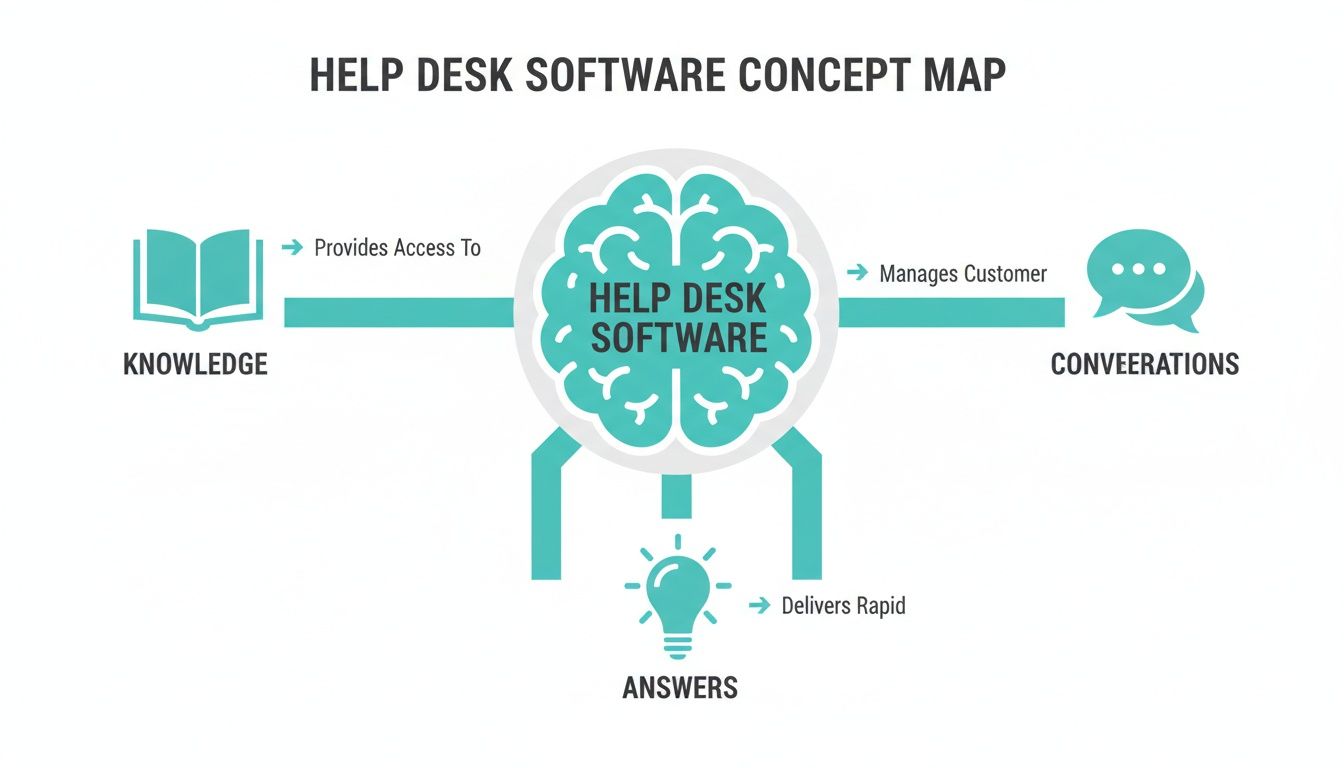
As the map shows, every conversation becomes a learning opportunity, turning everyday chat into an intelligent, reliable answer engine.
Make Your Team's Expertise a Shared Resource
In every company, there are those go-to
people—the experts who seem to know everything. But when they're on vacation, swamped with work, or eventually leave, that invaluable knowledge often walks right out the door with them. This creates a huge risk and a massive drain on everyone else.
Help desk automation software captures the wisdom your experts share in Slack and turns it into a durable, shared asset for the entire company.
This shift does more than just answer questions. It fundamentally changes your team culture by slashing onboarding time, boosting morale, and fostering a sense of self-reliance and empowerment.
The efficiency gains are staggering. Companies are saving up to 670 working hours per year, while chatbots and natural language processing are already saving businesses around $8 billion. For teams on Slack, this means tools can grab knowledge directly from conversations, slash response times, and provide 24/7 answers—no more rebuilding context after every single ping. You can dig into the latest IT help desk statistics to see the full impact for yourself.
To make this crystal clear, let's look at the before-and-after. This table shows the real-world shift your team will experience.
From Manual Grind to Automated Flow
| Manual Process (Before Automation) | Automated Workflow (With AI in Slack) |
|---|---|
| A junior dev DMs a senior engineer with a question at 10 PM, blocking both until morning. | The junior dev asks a public channel and gets an instant, AI-powered answer from a past conversation. |
The HR team answers the same What's the Wi-Fi password?question 5 times a week. |
New hires are directed to a channel where an AI instantly provides the Wi-Fi password and onboarding docs. |
| A key team member goes on vacation, and all projects needing their input grind to a halt. | Their knowledge is already captured, so the team self-serves answers and keeps projects moving. |
| Finding a specific document means searching through endless Slack channels and Google Drive folders. | A quick question to the help desk bot pulls up the exact document, with context, in seconds. |
This isn't a small upgrade; it's a fundamental change in how work gets done. It moves you from a state of constant interruption and knowledge silos to one of fluid, independent progress.
See How It Works in Real-World Scenarios
It’s easy to talk about the benefits of help desk automation software in abstract terms, but where does the rubber really meet the road? It's in those small, everyday moments—the tiny speed bumps that used to bring a whole team’s momentum to a screeching halt.
Let's walk through a few of these relatable scenarios that play out in Slack channels every single day. These aren't just hypotheticals. They’re the real-world friction points where smart automation turns a frustratingly fragmented day into a smooth, productive one.
Forget about spending weeks manually building a knowledge base. Just imagine your AI assistant—like SAI—learning directly from these conversations, capturing the right answers, and making them instantly available to everyone, right where the questions are asked.

The New Hire Onboarding Question
It’s Monday morning. Your newest team member, eager to jump in, posts in the #marketing channel: Hey everyone, super excited to be here! Can someone point me to where we keep all the official brand assets and logos?
Before Automation: The marketing manager’s phone buzzes. She has to stop drafting a critical campaign brief, hunt down the right Google Drive folder, copy the shareable link, and then tab back into Slack to reply. It’s only a two-minute interruption, but it completely shatters her focus. Worse, that answer is now buried in the channel, just waiting to be asked again by the next new hire.
With SAI in Slack: The question hits the channel. Before the marketing manager even sees the notification, SAI jumps in with a friendly, on-point reply:
Welcome to the team! You can find all approved brand assets and logos right here,
along with the direct link. The new hire is unblocked in seconds, the manager stays in her flow, and a common question gets solved for good.
The Urgent Technical Query
Now, picture a support agent burning the midnight oil to close a high-priority customer ticket. They hit a wall with a stubborn bug and post in #dev-support: Does anyone remember the fix for bug XYZ? I'm sure I saw it somewhere but can't find the thread.
Before Automation: Crickets. The lead engineer who solved it three weeks ago is offline, and no one else has a clue. The agent wastes 30 minutes scrolling through old conversations before giving up. The customer ticket stays open overnight, tanking resolution times and frustrating a key client.
With SAI in Slack: The agent asks the question. SAI immediately scans the channel's history, locates the exact conversation from three weeks ago, and surfaces the engineer's explanation and code snippet. The agent applies the fix, closes the ticket, and the customer is thrilled. Knowledge that was once lost in the scroll is now a permanent, searchable resource.
This is the core transformation: you stop relying on people's memories and start building a resilient, collective intelligence for your entire team. Every answer shared once becomes a solution available to everyone, forever.
The Cross-Departmental Inquiry
Finally, a classic sales-and-marketing scramble. A salesperson is prepping for a huge demo and drops a message in #sales-team: What are the latest approved talking points for the new feature launch? I need them for a client call in 10 minutes!
Before Automation: Cue the low-grade panic. The sales lead tags the product marketing manager, who’s tied up in a meeting. Another rep, trying to be helpful, shares an outdated document they had saved to their desktop. The salesperson on the call is now armed with the wrong information, creating a confusing and unprofessional experience for a promising prospect.
With SAI in Slack: The question is asked. SAI, having learned from previous marketing announcements, instantly delivers a link to the official, up-to-the-minute talking points document. The salesperson walks into their demo with confidence and the correct messaging. The deal moves forward, and the marketing team was never even interrupted.
These little stories show how powerful help desk practices can be when they’re woven directly into your team’s daily conversations. To go even further, you’ll find some great ideas in these 10 transformative help desk best practices for Slack-based teams.
At the end of the day, automation isn’t about replacing people. It’s about freeing them from the repetitive friction that gets in the way of doing their best work.
How to Choose the Right Automation Tool
Let's be honest, not all help desk automation tools are the same. With the market projected to explode from USD 10.7 billion in 2024 to a staggering USD 91.9 billion by 2033, it’s clear everyone is trying to get in on the action. This gold rush, powered by advances in AI, is changing how teams operate, but it also makes picking the right software feel like navigating a minefield. You can find more details on the helpdesk automation market's growth in this report.
You can get lost comparing endless feature lists, but that's a trap. The best tool isn't the one with the most checkboxes; it's the one that melts into your team's daily routine so seamlessly they barely notice it's there.
To find that perfect fit, you just need to ask a few simple questions that cut right to the heart of what matters.
Does It Work Where Your Team Works
This is the big one. Does the tool meet your team where they already are, or does it force them to adopt yet another app? The real power of automation isn't just in the answers it gives—it's in making the whole process invisible.
A native Slack solution means your team never has to break their flow. They can ask a question and get an answer right in the channel they're already working in. Compare that to an external tool that makes you open a new tab, log in, and navigate a totally different interface. That little bit of friction is all it takes for people to give up and just ping a colleague directly. And just like that, you’re back to square one.
Is It Effortless to Start
Think about the initial setup. Traditional help desk systems often require a massive upfront investment of time and energy. You spend months creating tickets, writing knowledge base articles, and building everything from scratch before you see a shred of value. It's a classic recipe for a project that loses steam and gets abandoned.
A modern, zero-setup tool completely flips that script.
- It learns from your history. The best tools connect directly to Slack and start soaking up knowledge from your team's past conversations.
- It requires no manual data entry. Every question that's ever been asked and answered in a public channel becomes instant training material.
This approach means you get value from day one. Instead of asking you to build a library from scratch, it simply reads the books already on your shelves.
Does It Actually Understand Your Team
Let's face it: keyword-based bots are a relic of the past. They're rigid, get confused easily, and often cause more frustration than they solve. Real intelligence comes from an AI that can grasp context, nuance, and human intent.
Your team doesn’t speak in perfect keywords. They ask messy, conversational questions. The right tool needs to understand that a query like
Where's the latest deck for the Q3 launch?is the exact same thing asCan someone send me the Q3 presentation?
This ability to understand natural language is what separates a genuinely helpful assistant from a clunky, frustrating chatbot. It’s the difference between an answer that feels almost magical and one that makes you throw your hands up and hunt down a human.
Can You Prove Its Value Risk-Free
Finally, you shouldn't have to sign a hefty contract just to see if a tool is right for your team. Look for solutions that let you prove their worth without any commitment. The best help desk automation software offers a free tier that lets you test it in a real-world environment.
Pick one of your busiest, most interruption-heavy channels—think #it-support or #new-hires—and let the tool run. Watch as it starts deflecting repetitive questions and giving your experts their time back. Once you see the impact in that one channel, the decision to expand becomes a no-brainer. This is the foundation of effective workflow automation, a topic we dive into deeper in our guide on what workflow automation is and how it can transform your work.
Your First Step Toward a More Productive Team
We've walked through the shift from a workplace drowning in the same old questions to one where knowledge flows freely and focus is sacred. The whole point isn't to pile another tool onto your already crowded tech stack. It's about making Slack—the place your team already lives—smarter, quieter, and vastly more efficient.
Think about it: a work environment where your team isn't constantly digging through wikis or interrupting colleagues, but just... asking. And getting instant answers, right where the conversation is happening.
This isn't some massive, six-month IT project. The journey to reclaiming your team's most precious assets—their time and focus—begins with one small, decisive action. You can experience the power of help desk automation software without signing up for a huge commitment.
Take One Small Step for a Giant Leap in Productivity
Forget about endless setup meetings and confusing configuration panels. Real, lasting change often starts with a simple, no-risk test run. By bringing automation to just one corner of your digital workspace, you can see the results for yourself and prove the concept to everyone else. Imagine the relief of knowing your team has expert support on tap, 24/7.
The real win here isn't just about faster response times. It's about cultivating a more self-sufficient, focused, and empowered team—one that can pour its energy into the work that actually drives the business forward.
Ready to see how it works in your own Slack? Your first move couldn't be simpler.
- Find your noisiest channel: You know the one. That channel that’s a constant stream of interruptions, whether it’s
#it-support,#ops-questions, or#ask-hr. - Add an AI assistant for free: Install an intelligent assistant like SAI into that single channel. It's free to start, with no credit card required.
- Watch the noise fade away: See how it immediately begins to field repetitive questions, freeing up your subject matter experts and giving everyone else the answers they need to stay in the flow.
This simple experiment is your first step toward a far more productive and less chaotic way of working.
Got Questions? We've Got Answers
Let's tackle some of the common questions that pop up when teams think about bringing in help desk automation. Getting these practicalities sorted will help you see just how much of a game-changer this can be.
Won't This Just Create More Work for My Team?
It’s a fair question, but the answer is a firm no. In fact, it’s the exact opposite. Modern, AI-powered help desk tools are built specifically to eliminate work, not add to your plate.
Imagine a world where your team never has to build another knowledge base. These systems learn on their own, right from the conversations your team is already having in Slack. The only work
required is answering a question once in a public channel. After that, the AI takes over, and your experts never have to repeat themselves again. It’s all about freeing up your team to focus on what they were actually hired to do.
How Does This Thing Handle Complex or Tricky Questions?
This is where the magic of Natural Language Processing (NLP) comes in. The system doesn't just scan for keywords; it understands the intent behind a question. It knows that How do I get on the wifi?
and What's the guest network password?
are asking for the same thing.
And what happens when a question is truly unique or too complex for the AI? It doesn't just give up. The system is smart enough to route the query to the right human expert, ensuring nothing falls through the cracks.
Think of it as a smart filter. It handles the easy stuff and gets progressively smarter over time. Every time an expert answers a new question, the AI learns that answer, expanding what it can handle in the future.
Can I Try This Out Without a Big Commitment?
Absolutely. The best tools are designed for a quick, no-strings-attached trial. Many let you get started for free in a single Slack channel—no credit card needed. This way, you can prove the value to yourself and your team firsthand.
It’s the ultimate “try before you buy” setup. Pick a channel that’s swamped with repetitive questions, like #it-support or #hr-questions, and just watch. You'll see the interruptions drop almost immediately. There’s no better way to understand the impact than to see it in action yourself.
Ready to silence the constant pings and give your team the gift of instant answers? Add SAI to a Slack channel for free and see how quickly you can get your team’s focus back. Get started today at sai-bot.ai.
